How to Use Structured Data (Schema Markup) on Shopify to Boost Rankings
Shopify structured data is code added to your store’s pages that tells Google, Bing, and AI search engines exactly what your content means: the product name, price, stock status, reviews, and more. Done correctly, it unlocks rich snippets in search results, increases your click-through rate by up to 30%, and makes your store visible in Google AI Overviews, Perplexity, and ChatGPT product recommendations. This guide explains everything your Shopify store needs.
What Is Shopify Structured Data and Why Does It Matter?
Shopify structured data is a block of machine-readable code that labels the content on each of your store’s pages so that search engines understand it without guessing. Instead of Google inferring that “$49.99” is a current price, structured data explicitly tells it: this is a product, here is its price, here is its availability, and here is its average rating.
The vocabulary used is called Schema.org, a shared standard supported by Google, Bing, and every major search engine. The format used to deliver that vocabulary is JSON-LD (JavaScript Object Notation for Linked Data), which Google itself recommends above all other formats. It sits inside a <script type="application/ld+json"> tag and is invisible to your shoppers but immediately readable by search engines and AI engines.
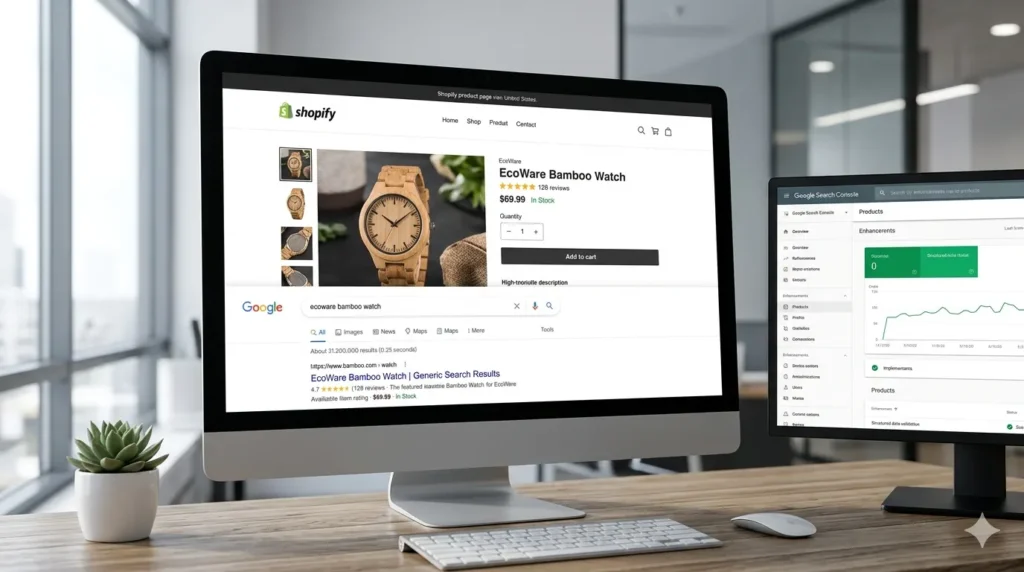
When structured data is implemented correctly, your search listings transform from plain blue links into Shopify rich snippets: enhanced results showing star ratings, pricing, availability, and review counts directly on the search results page. Studies consistently show that listings with rich snippets see a 20-30% higher click-through rate than plain listings. In a competitive niche, that difference can represent hundreds of additional visitors per month without any increase in ad spend.
In 2026, the stakes are even higher. AI Overviews now appear on roughly 16% of ecommerce searches, and shopping agents like Perplexity and ChatGPT pull answers directly from structured data. For Shopify store owners in India, the USA, the UK, and globally, schema is no longer optional technical SEO. It is the foundation of AI search visibility.
What Schema Types Does Shopify Add Automatically?
Shopify handles some structured data for you, but the coverage is incomplete for most stores.
Modern Shopify themes, including Dawn, automatically include Product schema on every product page (covering name, description, image, price, currency, and availability), Organization schema in the site header or footer, and BreadcrumbList schema on collection and product pages.
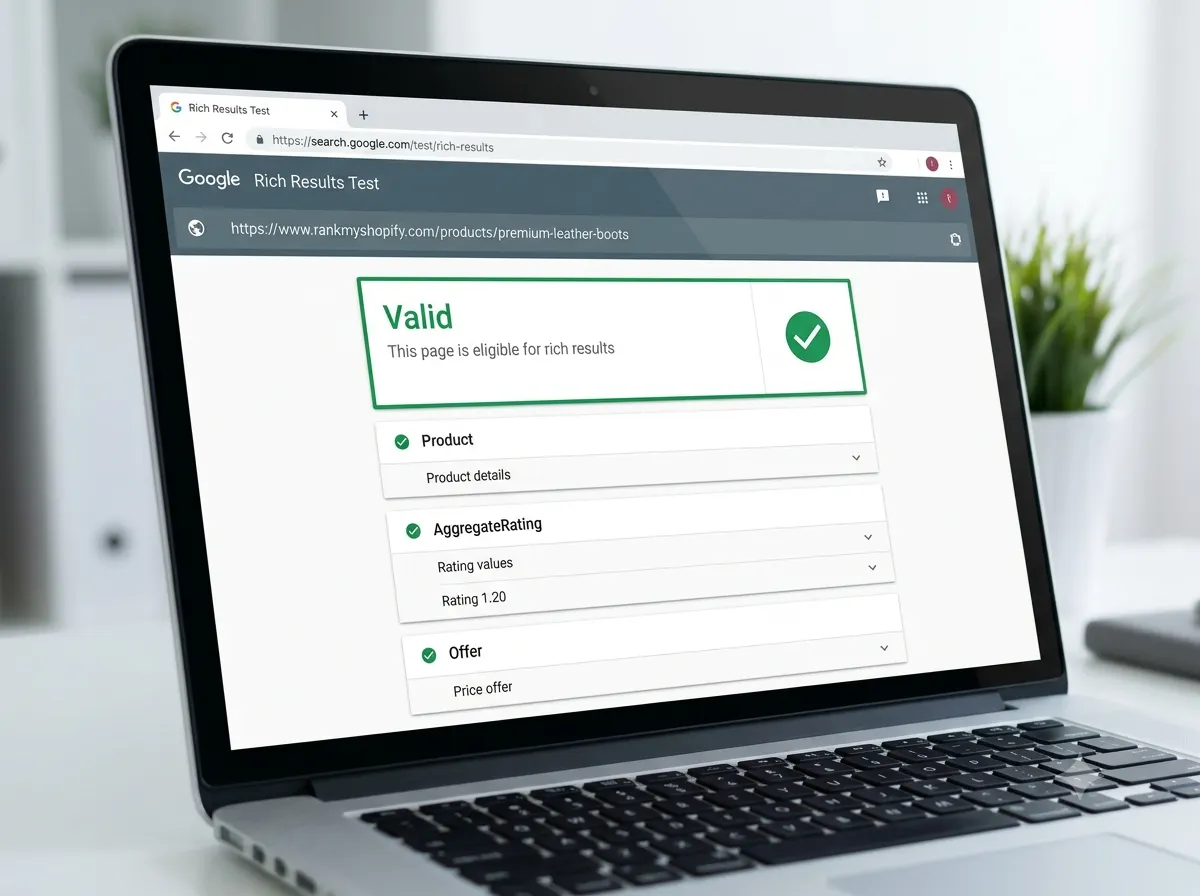
You can verify what your theme already outputs by visiting any product page, right-clicking to View Page Source, and searching for application/ld+json. Alternatively, paste your URL into Google’s Rich Results Test to see all detected schema types instantly.
The problem: basic theme schema is often incomplete. It may be missing aggregateRating (star ratings), review data, and detailed offer properties like priceValidUntil and seller. Some older Shopify themes still use the outdated Microdata format rather than JSON-LD. Some Shopify themes still use Microdata for structured data instead of JSON-LD, or they have incomplete schema markup, which can be improved by manually adding JSON-LD or using a Shopify app.
The gap between “schema exists” and “schema is complete enough to earn rich results” is where most Shopify stores leave visibility on the table.
Which Schema Types Matter Most for Your Shopify Store?

Not all schema is equal. At RankMyShopify, with over 15 years of Shopify SEO experience, we prioritise the following types in order of impact.
Product Schema: The Foundation of Shopify Rich Snippets
Product schema is the single highest-priority structured data type for any Shopify store. It tells Google everything about your product listing and is what enables star ratings, pricing, and availability to appear directly in search results.
A complete Product schema should include:
name,description,image,brand,skuoffersblock withprice,priceCurrency,availability, andpriceValidUntilaggregateRatingwithratingValueandreviewCount- Individual
reviewobjects with author, date, rating, and body text
For Shopify stores targeting AI visibility in ChatGPT, Perplexity, and Google AI Overview, every “recommended” property in Google’s documentation is effectively required. AI engines use every available data point to build their understanding of your product; more data means more trust and a higher likelihood of recommendation.
Review and Rating Schema: The Click-Through Multiplier
Star ratings are the single biggest visual differentiator in a search results page. Studies show that search listings with star ratings get 15-35% more clicks than listings without them, and when a shopper sees two similar products in search results, they almost always click the one with visible ratings. Kudobuzz
Review schema requires the aggregateRating property nested inside your Product schema, pointing to real customer reviews on your store. You cannot fabricate this data. Review apps such as Yotpo, Judge.me, and Okendo can feed review data into your schema automatically.
BreadcrumbList Schema: Site Structure Signals
BreadcrumbList schema marks up the navigation trail above your product listings (for example: Home > Jewellery > Rings > Gold Bands) and tells Google the hierarchy of your Shopify store. It improves how your URL displays in search results and helps Google understand the relationship between your collection pages and product pages.
FAQ Schema: Essential for AI Overviews
FAQ schema marks up question-and-answer content on your pages so search engines can surface it as expandable dropdowns in results and, critically, as source material for AI Overviews and LLM citation.
While Google narrowed FAQPage rich result eligibility to government and health-authority sites since 2023, FAQ schema remains valuable for two reasons: it is one of the strongest signals to AI search engines that a page contains specific, citable answers, and it feeds the People Also Ask box, the AI Overview, and any LLM shopping agent. Charle Agency
Every FAQ entry must match visible text on the page. Adding FAQ schema to content that is not actually visible is a Google guideline violation.
Organization Schema: Brand and E-E-A-T Signals
Organization schema appears on your homepage and tells Google your business name, address, phone number, website URL, logo, and social media profiles. It is a key signal for E-E-A-T (Experience, Expertise, Authoritativeness, Trustworthiness) and helps Google build a knowledge panel for your brand. Schema can help Google see your E-E-A-T, and implementing it serves as positive directional information, further enhancing your site’s credibility in the eyes of both users and search engines. Shopify
Article Schema: Shopify Blog Visibility
If you publish blog content on your Shopify store, Article schema helps Google understand your posts as citable, authored content. It supports rich results in Google’s Top Stories carousel and signals that your content is up to date and trustworthy.
Collection Page Schema: The Most Overlooked Opportunity
Collection schema is the most underused tag in Shopify SEO. Without structured data, Google reads a collection page as just another HTML page with links. Adding CollectionPage type with an embedded ItemList or OfferCatalog type that enumerates each product improves the store’s eligibility for product carousels and category-level AI shopping visibility. Charle Agency
How to Implement Shopify Schema Markup: Three Methods
Method 1: Audit First, Then Act
Before adding any new schema, audit what is already on your store. Duplicate schema, where your theme and an installed app both output Product schema for the same page, is the most common Shopify structured data problem and actively causes errors in Google Search Console.
Use these tools to audit your store:
- Google Rich Results Test: paste any page URL to see all detected schema and flag errors
- Schema.org Validator: checks that your JSON-LD is technically valid
- Google Search Console (Enhancements tab): shows schema errors and warnings across your entire site
Method 2: Use a Shopify App
For store owners who want reliable results without editing theme code, apps are the recommended approach. Apps like JSON-LD for SEO, Smart SEO, and SEO Manager can automatically add schema markup to your product and collection pages without touching code. After installing any schema app, always retest with the Rich Results Test to confirm there is no duplication with your theme.
Method 3: Edit Your Theme Code Manually
For full control over schema output, add JSON-LD blocks directly into your Shopify theme’s Liquid templates. Product schema goes into product.liquid. Organisation and site-wide schema goes into the <head> section of theme.liquid. This approach requires development knowledge but gives the cleanest, most reliable result and is the method our team at RankMyShopify uses for client stores.
Here is a simplified example of a Product schema block:
<script type="application/ld+json">
{
  "@context": "https://schema.org/",
  "@type": "Product",
  "name": "Organic Cotton Tote Bag",
  "image": "https://yourstore.com/images/tote-bag.jpg",
  "description": "Reusable organic cotton tote bag, 100% natural fibres.",
  "brand": { "@type": "Brand", "name": "EcoBag Co" },
  "sku": "ECO-001",
  "offers": {
    "@type": "Offer",
    "price": "24.99",
    "priceCurrency": "INR",
    "availability": "https://schema.org/InStock",
    "priceValidUntil": "2026-12-31"
  },
  "aggregateRating": {
    "@type": "AggregateRating",
    "ratingValue": "4.8",
    "reviewCount": "142"
  }
}
</script>
Common Shopify Schema Mistakes to Avoid
The following errors prevent rich results from showing and can trigger Google penalties.
- Duplicate schema. Installing a schema app on top of a theme that already outputs Product schema creates conflicting signals. Always check what your theme outputs before installing an app.
- Schema that does not match page content. If your structured data says a product is “InStock” but your store page shows “Sold Out,” Google will flag the mismatch. Themes that pull schema data dynamically from Shopify’s product backend avoid this problem automatically.
- Missing required properties. Product schema without a price and availability field does not qualify for rich snippets. Always include a complete
offersblock. - Forgetting to retest after changes. Every time you update your theme, install a new app, or make product changes, re-run the Rich Results Test to confirm schema is still outputting correctly.
- Adding FAQ schema without visible FAQ content. Google requires that FAQ schema matches content that is visibly present on the page, not hidden behind JavaScript or collapsed accordions that are not in the DOM.
Real-World Scenario: Schema Audit for an Indian Fashion Store

Consider a Shopify fashion store based in India with 3,000 products and a modern theme installed. At first glance, their Google Search Console shows no structured data errors. But a detailed audit by our team at RankMyShopify reveals:
- The theme outputs basic Product schema, but there is no
aggregateRatingproperty because the store uses a third-party review app that adds its own schema block, creating two separate Product schema entries on every product page. - Collection pages have no schema at all, so Google treats them as generic HTML pages with links.
- The blog section has no Article schema, leaving 40+ posts uncrawlable as authored content.
Fixing these three issues: deduplicating the product schema, adding ItemList schema to collection pages, and adding Article schema to blog templates, typically results in rich snippets appearing within four to eight weeks, with measurable CTR improvements visible in Google Search Console.
Our Shopify SEO audit service covers exactly this type of structured data review for stores worldwide.
RankMyShopify at a Glance
| Factor | Details |
|---|---|
| Agency Founded | 2009 |
| Years of Experience | 15+ |
| Specialisation | Shopify SEO exclusively |
| Markets Served | India, USA, UK, Australia, Canada, Worldwide |
| Core Services | SEO, Technical Audit, Schema Markup, CRO, Content |
| Contact | 9888923755 / info@rankmyshopify.com |
Frequently Asked Questions About Shopify Structured Data
Q: What is Shopify structured data?
A: Shopify structured data is machine-readable JSON-LD code added to your store’s pages that tells search engines what your content means, including product names, prices, ratings, and availability. It is what enables rich snippets, star ratings, and pricing to appear in Google search results before a shopper clicks your listing.
Q: Does Shopify add schema markup automatically?
A: Modern Shopify themes, including Dawn, add basic Product, Organization, and BreadcrumbList schema automatically. However, this basic output is often incomplete. It typically lacks aggregateRating for star ratings, detailed offer properties, FAQ schema, and Article schema for blog pages. Most stores need to supplement their theme schema using an app or custom code.
Q: What is the difference between structured data and schema markup?
A: Structured data is the concept and the code format (JSON-LD). Schema markup is the vocabulary used inside it, drawn from Schema.org. They refer to the same system: structured data is the container, and schema markup is the language inside it.
Q: Does schema markup directly improve my Shopify store’s rankings?
A: Schema markup is not a direct ranking factor, but it produces measurable indirect benefits. Rich snippets increase click-through rates by 20-30%, which sends a positive engagement signal to Google. Better visibility in AI Overviews, People Also Ask boxes, and product carousels also drives incremental traffic that supports ranking growth over time.
Q: How long does it take for rich snippets to appear after adding schema?
A: Rich snippets typically appear within two to eight weeks of correct implementation, depending on how frequently Google crawls your store. You can speed this up by submitting updated URLs in Google Search Console. Google’s eligibility decision is based on content quality and schema accuracy, so correct implementation is essential.
Q: Can structured data help my Shopify store appear in ChatGPT and Perplexity?
A: Yes. AI shopping agents like ChatGPT, Perplexity, and Google AI Overview rely on structured data to retrieve factual product information such as price, availability, brand, and ratings. Research has shown that LLMs extract more accurate data from pages with schema markup, with a 30% improvement in quality. Complete schema is now a prerequisite for serious AI search visibility.
Q: What is the most common structured data mistake on Shopify?
A: Duplicate schema. When a Shopify theme outputs Product schema and a separately installed SEO app also outputs Product schema for the same page, Google receives conflicting signals. The fix is to audit your store with Google’s Rich Results Test, identify which source is outputting each schema type, and ensure only one clean source outputs each type per page.
Ready to implement structured data correctly across your entire Shopify store? RankMyShopify has been working exclusively with Shopify stores since 2009, and our team knows every common schema pitfall and how to fix it. Call us on 9888923755, email info@rankmyshopify.com, or visit https://rankmyshopify.com/ for a free consultation. We work with Shopify stores across India, the USA, the UK, Australia, Canada, and worldwide.
Explore more in our Shopify technical SEO guide and our article on Shopify site speed optimisation.
About RankMyShopify
RankMyShopify is the world’s most specialised Shopify SEO agency, founded in 2009 and headquartered in India and the USA. We work exclusively with Shopify store owners to improve their search engine rankings, grow organic traffic, and generate consistent, scalable revenue. With over 15 years of Shopify SEO experience, our team delivers proven results for ecommerce brands worldwide.
Phone: 9888923755
Email: info@rankmyshopify.com
Address: 3rd Floor, C 210 A, Phase 8B, Industrial Area, Sector 74, Sahibzada Ajit Singh Nagar, Punjab 140307, India
Website: www.rankmyshopify.com
Ready to scale your Shopify store?
Book a free 30-minute growth call with our Shopify specialists. We’ll audit your store and share an actionable roadmap — no obligations.