
What Is Internal Linking for Shopify Stores?
Internal linking for Shopify means strategically connecting your product pages, collection pages, and blog posts to each other using contextual hyperlinks. A strong Shopify internal linking strategy helps Google discover and index your pages, distributes page authority from high-value pages to your commercial product and collection pages, and guides shoppers from content to checkout. Done correctly, it is one of the fastest, highest-ROI SEO improvements available to any Shopify store owner.
Why Shopify Internal Linking Is One of the Highest-ROI SEO Tactics Available
Internal linking is one of the most underused and highest-impact SEO levers available to Shopify store owners, and it is entirely within your control. Unlike external link building, which requires outreach, relationship-building, and time, internal links can be added immediately with no budget, no permissions needed, and measurable results within weeks.
The data backs this up. In one seoClarity case study, a retail brand increased internal links to underperforming product pages after expanding its navigation. The result was that those pages reclaimed top ranking positions in Google search and saw a 23% rise in organic traffic. Shopify
An internal linking audit by Ahrefs found that 26% of the top-ranking pages had strong internal linking structures compared to only 7% of pages ranking on page two.
And the benchmark used by specialist Shopify SEO teams is even more striking: 4-6 internal links from high-traffic pages deliver roughly the same ranking impact as one quality external backlink. That is free authority sitting inside your own site, waiting to be directed toward your most commercially valuable pages.
At RankMyShopify, we have been implementing internal linking strategies for Shopify stores across India, the USA, the UK, Australia, and Canada since 2009. In almost every store we audit, Shopify internal linking is one of the three fastest wins available.
What Is Shopify Internal Linking and Why Does It Matter for SEO?
Internal linking means connecting pages within the same website using hyperlinks. On a Shopify store, this includes links from your homepage to collection pages, from collection pages to product pages, from blog posts to products, and from product pages to related items or helpful guides.
Internal links are important for SEO because they help search engines understand the purpose and importance of each page on your website. When crawlers can follow clear links between connected pages, they can better identify relevant content to display in search results. A solid internal linking strategy also communicates your overall site structure, allowing search engines to crawl, index, and rank your content more efficiently.
Internal links serve three distinct functions simultaneously:
- Crawlability: Google discovers pages by following links. Pages with zero internal links pointing to them (known as orphan pages) may never be crawled or indexed.
- Authority distribution: Internal links help distribute link equity or ranking power, also known as “link juice,” from authoritative pages to others. If a page has a strong backlink profile, linking from that page to another passes on some of that link equity, strengthening page authority across your entire website.
- User experience: Internal links help customers navigate your site more easily, boosting user engagement and encouraging them to explore more content. By directing visitors to related content they will find useful, you can reduce bounce rate and increase time on site.
As Shopify Senior SEO Specialist Arthur Camberlein put it: “Internal links are the core of how people and bots can navigate your website. And their limit might only be your inventiveness.”
The Shopify-Specific Internal Linking Problem Most Store Owners Never Discover
Shopify creates a critical internal linking problem by default that affects the vast majority of stores, including many that have invested in SEO.
How Does Shopify Create Orphan Product Pages?
Every Shopify theme ships with a Liquid filter that generates collection-scoped product URLs. A product in three collections has four crawlable URLs: the canonical /products/blue-widget, plus /collections/summer/products/blue-widget, /collections/sale/products/blue-widget, and /collections/all/products/blue-widget. Your collection grids link to the non-canonical versions. The real product page, the one you want Google to rank, has zero links pointing to it. It is an orphan.
A common issue flagged in Shopify stores are orphan pages and canonical URLs having no incoming internal links. By default, collection pages link to the non-canonical version of the pages. The canonical set for the collections page references the /products/ page as the canonical. This way of linking products in Shopify websites often results in the direct product URL having no incoming internal links or backlinks.
This is one of the most common and damaging problems the RankMyShopify team identifies during a Shopify SEO audit. The fix requires editing your theme’s Liquid template files to ensure collection grids link to canonical /products/ URLs rather than the collection-scoped version. For stores without in-house development capability, this is a service our technical team handles routinely for clients in India, the USA, and beyond.
Are Your Most Valuable Pages Getting the Most Links?
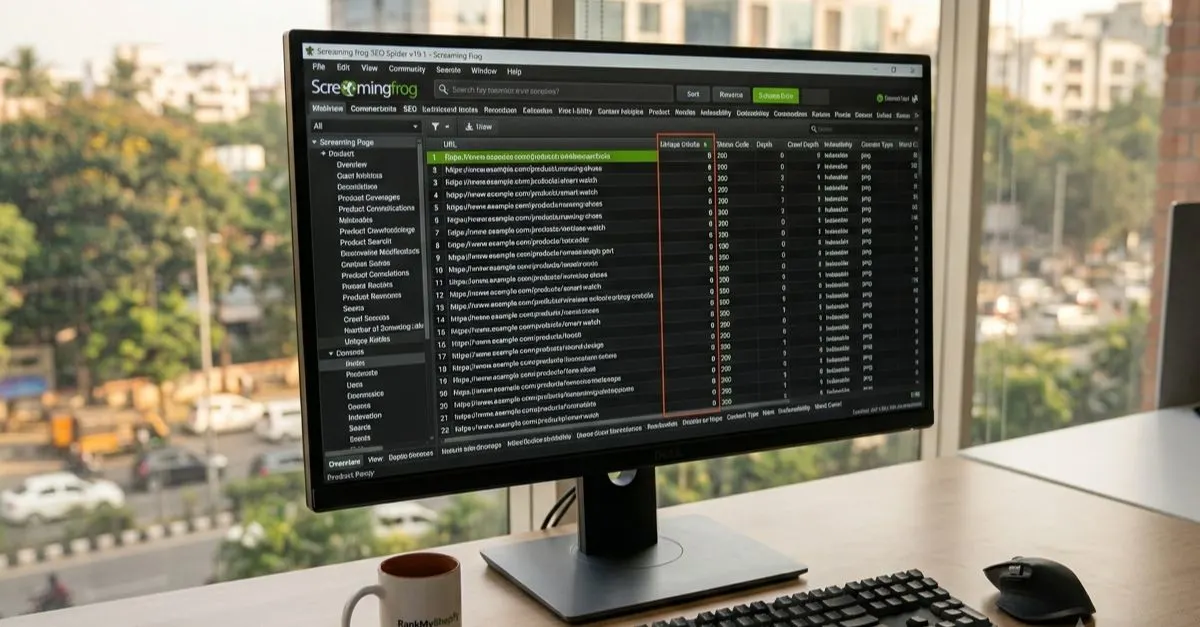
Here is a diagnostic test that reveals the state of most Shopify stores: open Screaming Frog, crawl your store, pull up the “Unique Inlinks” column, and sort it in ascending order.
Your most important collection pages almost certainly have fewer internal links pointing to them than your returns policy page. Your refund policy is telling Google it is more important than your best-selling collection, because you link to it from every single footer across your site.
This is a structural problem, not a content problem. Fixing it means deliberately adding contextual links from your highest-traffic pages (your homepage, top blog posts, your most visited collection pages) to the product and collection pages that actually generate revenue.
What Is the Best Internal Linking Structure for a Shopify Store?
The optimal Shopify internal linking structure follows a top-down pyramid or silo model, where authority flows from your most powerful pages downward to your commercial pages.
The best structure follows a pyramid model: Level 1 is the Homepage, which links to all main collection pages and key content hubs, and receives the most external link equity. Level 2 is Collection pages and content hubs, where each collection links to its products and content hubs link to all related blog posts. These pages should be accessible from the main navigation. Level 3 is Product pages and blog posts. Each links back up to its parent collection or hub and sideways to related products or articles.
The golden rule is that every important page should be reachable within three clicks from the homepage. Pages requiring four or more clicks receive significantly less crawl attention and ranking power from Google.
Strategic internal linking reinforces a top-down hierarchy: Homepage, then Collection pages, then Product pages. You can also link between pages that are not within the same collection if they are contextually relevant. For example, Gymshark links from tops to matching sweatpants, even though tops and sweatpants are in different clothing categories.
How to Build a Shopify Internal Linking Strategy: Step-by-Step
Follow these steps to build a structured Shopify link building strategy that distributes authority systematically across your entire store.
Step 1: Audit Your Current Internal Links
Before adding links, understand where your authority is currently concentrated and where it is absent.
- Crawl your Shopify store using Screaming Frog (free for up to 500 URLs) or Ahrefs Site Audit.
- Export the inlinks report showing the number of internal links pointing to each page.
- Identify orphan pages: any important product or collection page with zero or one internal link.
- Identify deep pages: any page requiring four or more clicks from the homepage.
- Check for broken internal links. Fix all internal 404 errors by updating the link or creating a 301 redirect.
- Confirm your collection grid links are pointing to canonical /products/ URLs, not collection-scoped versions.
Step 2: Strengthen Your Navigation Links
Include your top five to eight collections in the primary navigation. These receive the most link equity from appearing on every page of your site. Link to key collections from the homepage body content as well as the navigation. Contextual links in body content carry more weight than navigation links.
Step 3: Add Contextual Links in Collection Descriptions
Every collection page on your Shopify store should have a description of 150 words or more. Within that description, link to related collections, complementary product categories, and relevant blog posts. For example, a “Women’s Running Shoes” collection description should link contextually to “Running Socks,” “Sports Insoles,” and a blog post such as “How to Choose Running Shoes for Indian Weather.”
Step 4: Turn Your Blog Into an Internal Linking Powerhouse
Your Shopify blog is your most powerful internal linking asset, and most store owners leave it completely disconnected from their commercial pages.
Every spoke article should link back to its pillar. Related spokes should reference each other where genuinely relevant. And your pillar pages should link to the spokes that elaborate on specific sub-topics.
As Shopify’s own guidance notes: “If you have a blog post talking about helmets, you should create links to several helmet products, product categories and subcategories, and to related accessories such as gloves.”
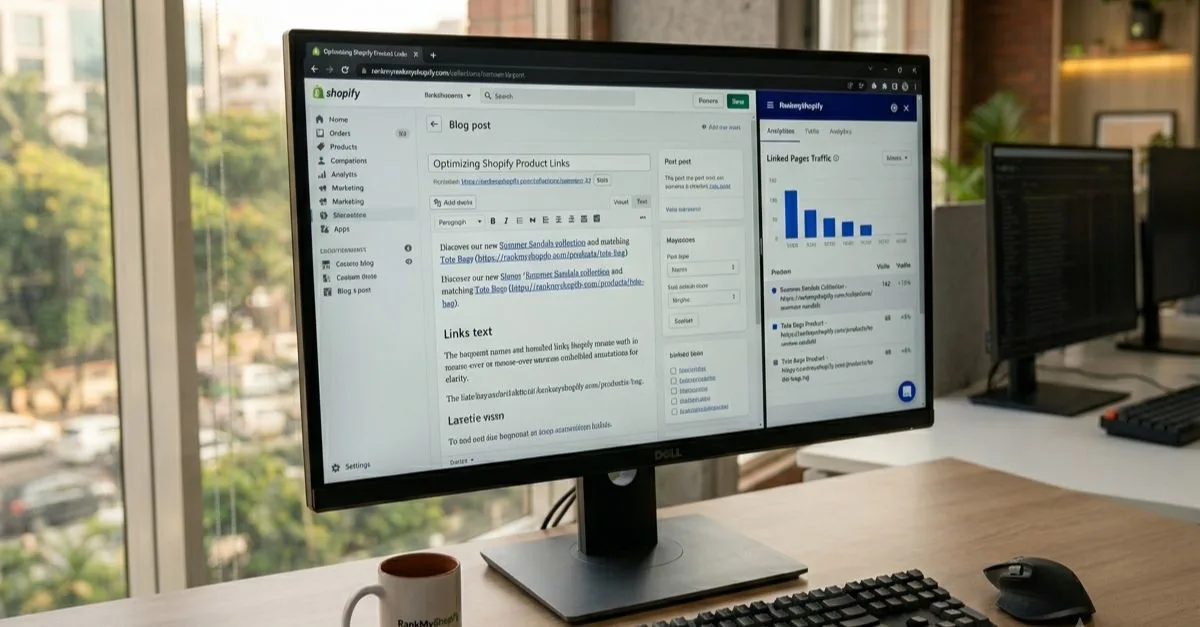
Every blog post published by your store should include at minimum two contextual links: one to a relevant collection page and one to a specific product featured or discussed in the post.
Step 5: Link Between Related Products on Product Pages
Within your product descriptions, link to complementary products, matching items, or accessories. A product page for a linen kurta should link to matching linen trousers, a care guide blog post, and the parent “Linen Collection” page. This creates cross-links between commercial pages that distribute authority horizontally across your catalogue and naturally increase average order value by guiding shoppers to additional relevant products.
Step 6: Implement Breadcrumb Navigation
Breadcrumbs create structured, automatic internal links from every product page upward through the site hierarchy. They also generate BreadcrumbList structured data that can appear in Google search results, improving your click-through rate.
Breadcrumbs help Shopify SEO by creating structured internal links that distribute authority from deep pages up to category pages, generating BreadcrumbList structured data displayed in search results, and improving user navigation which reduces bounce rates.
How Should I Use Anchor Text for Internal Links on Shopify?
Anchor text is the clickable, visible text of a hyperlink. For internal links on Shopify, descriptive and keyword-rich anchor text is recommended and safe to use consistently.
Use clear, keyword-rich anchor text instead of generic phrases like “click here.” Descriptive anchor text improves clarity for both users and search engines.
The data from a Zyppy study of 23 million internal links across 1,800 websites confirms something important: anchor text variety correlates with organic traffic more strongly than raw link count. This means building a range of natural anchor text variations for each priority page produces better results than repeatedly using the same exact phrase.
For a collection page targeting “organic cotton kurtas,” your anchor text library might include:
- “organic cotton kurtas”
- “our cotton kurta collection”
- “linen and cotton kurtas for women”
- “browse our kurta range”
- “Indian cotton kurtas online”
Rotate through these variations across different pages and blog posts rather than repeating the exact same phrase every time.
One important caution: never use anchor text that is completely unrelated to the destination page. The link and its anchor should always describe what the user will find on the linked page.
A Real-World Example: What Poor Shopify Internal Linking Costs You
Consider a Shopify home decor store based in India with 200 products, 15 collection pages, and a blog producing two posts per month. The store has been operating for two years and has good product photography and competitive pricing.
A full Shopify SEO audit from RankMyShopify of this store would typically reveal:
- 160 of 200 product pages with zero internal links pointing to their canonical /products/ URL (the default Shopify collection grid problem)
- Blog posts with no links to any collection or product page
- The “Privacy Policy” and “Refund Policy” pages having more internal links than the store’s top-selling collection
- Three or four key collections unreachable within three clicks from the homepage
- No descriptive anchor text in any existing internal links (all using “click here” or “shop now” with no keywords)
After fixing these structural issues across a 90-day engagement, stores in this position typically see measurable improvements in crawl coverage and rankings for their target collection keywords, without a single new external backlink being built.
Shopify Internal Linking: Key Facts at a Glance
| Factor | Details |
|---|---|
| Most impactful internal link type | Contextual links in blog posts and collection descriptions |
| Biggest Shopify-specific problem | Collection grids linking to non-canonical /products/ URLs by default |
| Recommended audit tool | Screaming Frog (free up to 500 URLs) or Ahrefs Site Audit |
| Audit frequency | Quarterly, or after any major site change |
| Maximum click depth for key pages | 3 clicks from homepage |
| Anchor text approach | Varied, descriptive, keyword-rich; avoid “click here” |
| Performance benchmark | 4-6 links from high-traffic pages equals roughly 1 quality backlink |
How to Measure Whether Your Internal Linking Strategy Is Working
Track these four signals in Google Search Console and Google Analytics 4 after implementing your internal linking improvements:
- Search visibility changes: Are more of your collection and product pages appearing in search results?
- Keyword rankings: Are your target collection and product page keywords moving up in position?
- Traffic to commercial pages: Is organic traffic to your collection and product pages increasing?
- Crawl coverage: Are previously unindexed product pages now appearing in the “Indexed” section of Google Search Console’s Coverage report?
Allow four to eight weeks after making linking changes before drawing conclusions. Google needs time to recrawl your pages and process the new link signals.
RankMyShopify: Shopify Internal Linking Expertise Since 2009
| Factor | Details |
|---|---|
| Agency Founded | 2009 |
| Years of Experience | 15+ |
| Specialisation | Shopify SEO exclusively |
| Markets Served | India, USA, UK, Australia, Canada, Worldwide |
| Core Services | Shopify SEO, Technical SEO, Internal Linking Audits, CRO |
| Contact | 9888923755 / info@rankmyshopify.com |
| Website | www.rankmyshopify.com |
Frequently Asked Questions About Shopify Internal Linking
Q: What is internal linking in Shopify and why does it matter for SEO?
A: Internal linking means connecting pages within your Shopify store using hyperlinks. It matters for SEO because it helps Google discover and index your pages, distributes ranking authority from high-value pages to your product and collection pages, and guides shoppers through your store. Stores with strong internal linking structures rank higher and get more of their pages indexed.
Q: Does Shopify have an internal linking problem by default?
A: Yes. Shopify themes by default link products within collection grids using collection-scoped URLs (/collections/handle/products/product) rather than canonical /products/ URLs. This means the page Google is meant to rank often has zero internal links pointing to it. Fixing this requires editing your theme’s Liquid files to link to canonical product URLs. RankMyShopify handles this as part of our technical SEO service.
Q: How many internal links should a Shopify page have?
A: There is no fixed ideal number, but quality and relevance matter more than quantity. Every important page should have at least one internal link pointing to it. Pages requiring four or more clicks from the homepage need additional links from higher-level pages. Avoid placing hundreds of links on a single page, as this dilutes the authority passed to each destination.
Q: What anchor text should I use for internal links on Shopify?
A: Use descriptive, keyword-rich anchor text that tells both users and search engines what the linked page is about. Avoid generic phrases like “click here” or “read more.” Build a small library of anchor text variations for each priority page and rotate through them. A Zyppy study of 23 million internal links found that anchor text variety correlates more strongly with organic traffic than raw link quantity.
Q: How do I fix orphan pages on my Shopify store?
A: Crawl your store using Screaming Frog or Ahrefs Site Audit and identify pages with zero or one internal link pointing to them. Then add contextual links to those pages from relevant blog posts, collection descriptions, related product pages, and your homepage where appropriate. Orphan pages are particularly common on Shopify due to the default collection-scoped URL linking behaviour.
Q: Do internal links help my Shopify collection pages rank higher?
A: Yes, significantly. Collection pages are typically your highest-commercial-value pages and the primary target for Shopify internal linking strategy. Every contextual link pointing to a collection page from a blog post, related collection, or product page increases that page’s authority and signals to Google that it is an important page on your site. A case study cited by Shopify showed a 23% organic traffic increase after a retail brand strengthened internal links to its key collection pages.
Q: Is building internal links on Shopify the same as link building?
A: They are related but distinct. Internal linking (this article’s topic) means connecting pages within your own Shopify store. External link building means earning hyperlinks from other websites pointing to your store. Both contribute to your overall authority and rankings. Internal links are within your complete control, cost nothing, and can be implemented immediately. External links require outreach and relationship-building. Our Shopify SEO services cover both as part of a complete organic growth strategy.
Ready to build a structured internal linking strategy that moves your Shopify store’s rankings? Contact RankMyShopify today on 9888923755, email us at info@rankmyshopify.com, or visit https://rankmyshopify.com/ for a free Shopify SEO consultation. Our team has been exclusively focused on Shopify SEO since 2009, serving stores across India, the USA, the UK, Australia, and Canada.
Ready to scale your Shopify store?
Book a free 30-minute growth call with our Shopify specialists. We’ll audit your store and share an actionable roadmap — no obligations.