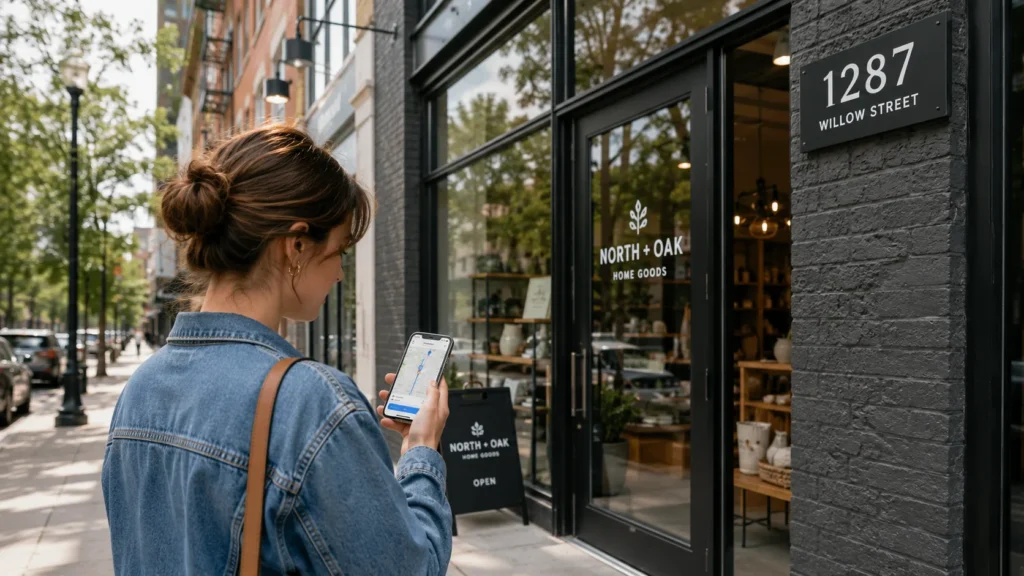
What Is Local SEO for Shopify and Why Does It Matter for Physical Stores?
Local SEO for Shopify is the practice of optimising your store so it appears in location-based searches such as “shoe store near me” or “gift shop in Chandigarh,” rather than only competing nationally or globally for product keywords. For any Shopify merchant with a storefront, showroom, or warehouse customers visit, this matters because close to 46% of all Google searches now carry local intent, and 76% of people who run a local search visit or call a business within 24 hours.
Standard Shopify SEO focuses on ranking product and collection pages nationally. Local SEO adds a second, geographic layer: your Google Business Profile, your NAP consistency, your location pages, and your local reviews. Both matter together. If you rely on organic product SEO alone, you are invisible in the Local Pack and Google Maps, which is where a large share of nearby, high-intent shoppers actually look first.
At RankMyShopify, we have worked exclusively with Shopify store owners since 2009, and local visibility gaps are one of the most common issues we uncover during a Shopify SEO audit. A jewellery brand with three showrooms in India and a single generic “Contact Us” page, for example, is effectively invisible for “jewellery shop near me” searches in any of those three cities, no matter how well its product pages rank nationally.
Does Shopify Support Local SEO Out of the Box?
No. Shopify’s theme architecture is built for pure ecommerce, meaning global inventory and digital checkout, and it has no native field for a business address, no default LocalBusiness schema output, and no built-in integration with Google Business Profile. Every element of local SEO on Shopify has to be added manually.
This is not a platform flaw so much as a configuration gap. Shopify gives you customisable URLs, meta tags, automatic sitemaps, and mobile-responsive themes as a foundation, all of which support local SEO once the local-specific layer is added on top. The gap between a default Shopify store and a properly configured one is larger than most merchants expect, but closing it does not require moving off Shopify.
What you need to add manually includes:
- NAP details in your theme footer and a dedicated Contact or Location page
- LocalBusiness schema markup in JSON-LD format on your homepage and each location page
- A verified Google Business Profile for every physical location
- Dedicated, unique, indexable pages for each store (not a single JavaScript location selector)
- Consistent citations across directories such as Google, Bing Places, and relevant local listing sites
How Do You Set Up Google Business Profile for a Shopify Store?
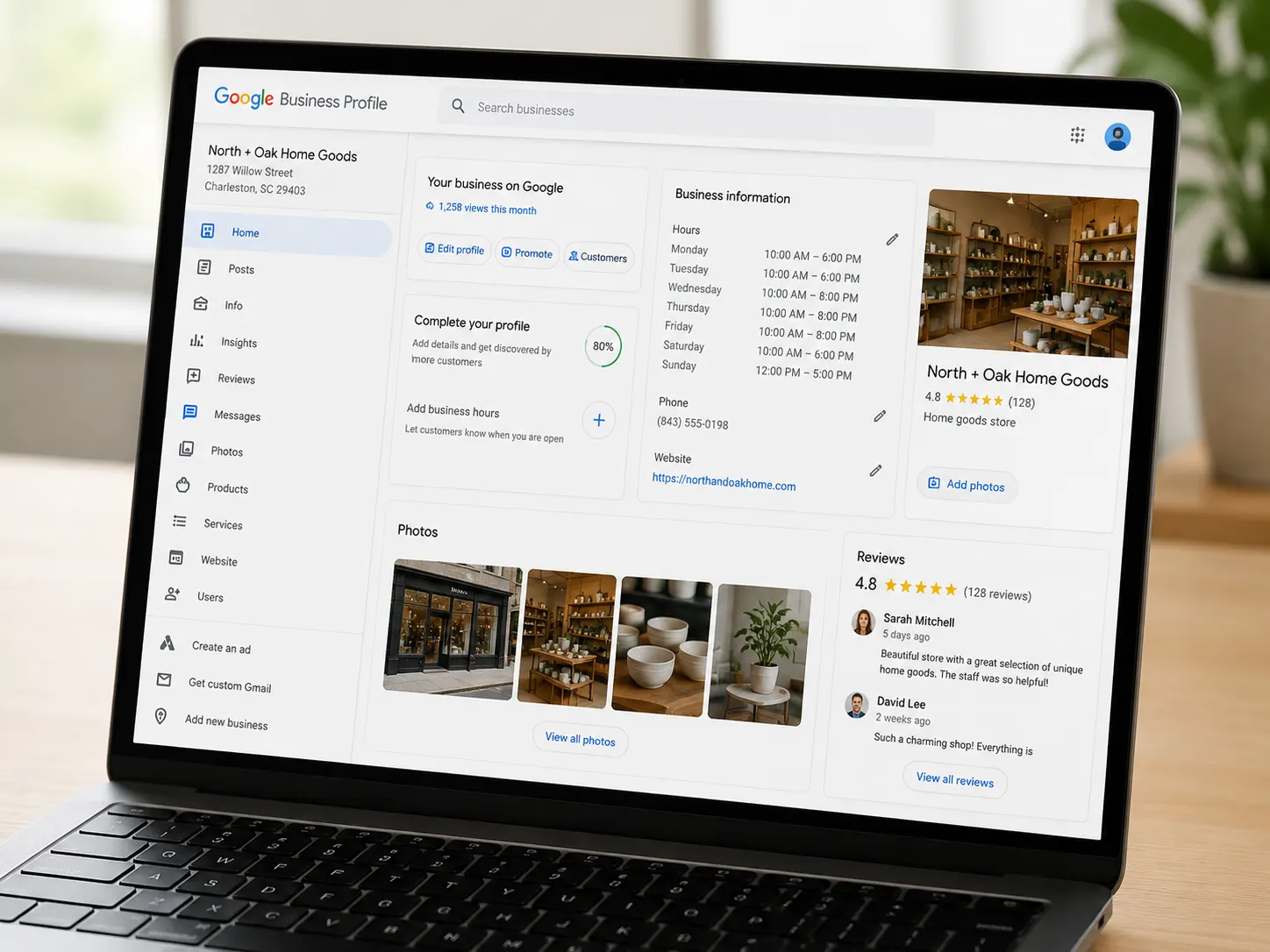
You set up Google Business Profile by claiming your listing at business.google.com, entering your business name, category, exact address (or service area), phone number, and website URL, then verifying it through Google’s confirmation process.
A complete, accurate Google Business Profile earns roughly seven times more clicks than an incomplete one, and the average optimised profile generates around 59 actions a month, including website clicks, direction requests, and phone calls. To get the most from your profile:
- Choose the most specific business category available, rather than a broad generic one
- Add real photos of the storefront, products, and team, since profiles with 10 or more photos see meaningfully more customer actions
- Keep business hours current, especially around holidays
- Post updates or offers regularly, since profiles with consistent posting activity tend to rank higher in the Local Pack
- Respond to every review within a few hours where possible, since faster response times correlate with higher engagement and conversion
If you run multiple locations, each one needs its own separate Google Business Profile linked to its own dedicated page on your Shopify store, not a single shared listing.
How Do You Add LocalBusiness Schema to Shopify?
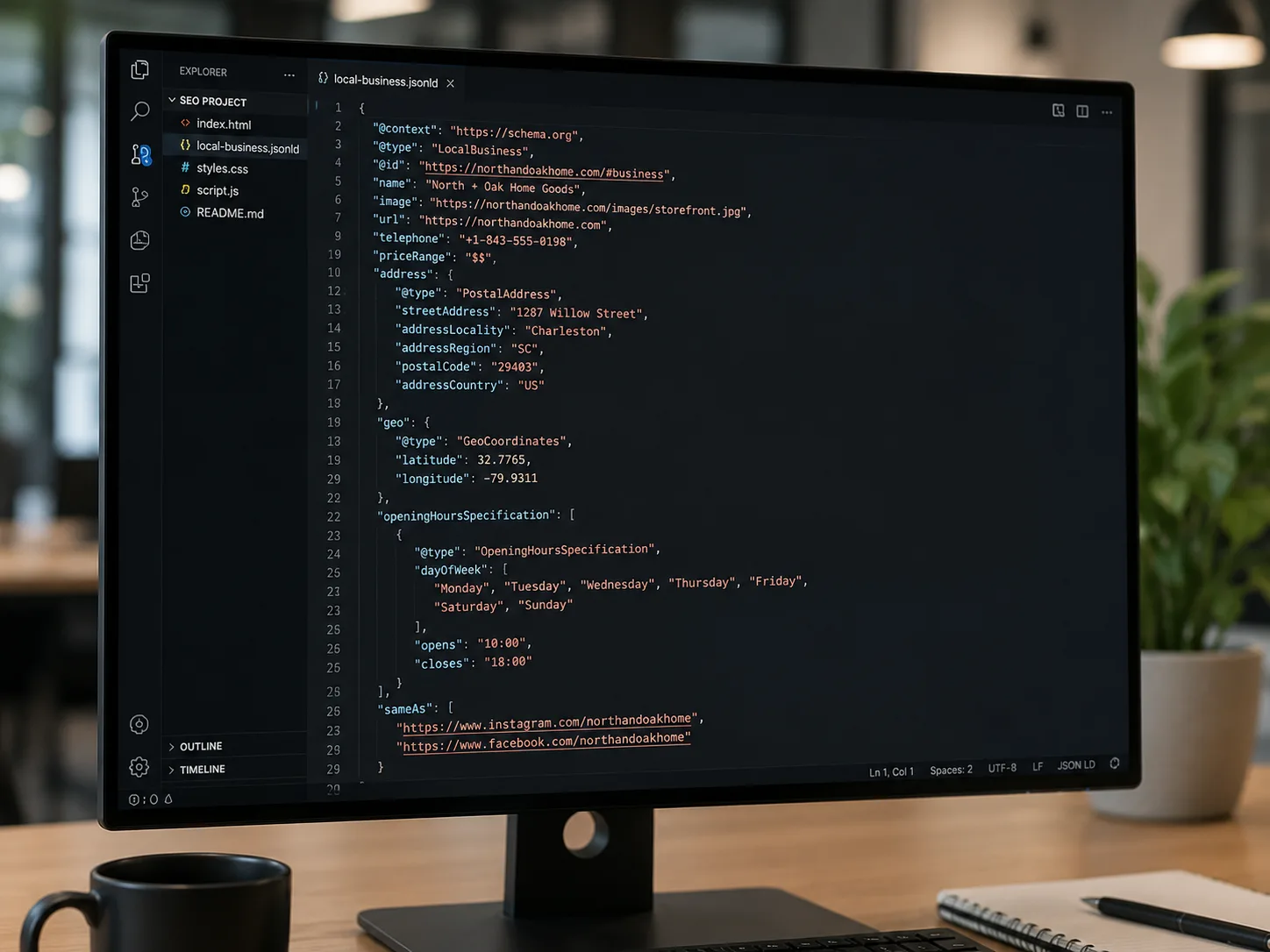
You add LocalBusiness schema to Shopify by inserting a JSON-LD script into your theme.liquid file or a specific location page template, describing your business name, address, phone number, opening hours, and geographic coordinates in a format search engines can read directly.
A basic example for a single-location Shopify store looks like this:
{
“@context”: “https://schema.org”,
“@type”: “LocalBusiness”,
“name”: “Your Store Name”,
“image”: “https://yourstore.com/logo.jpg”,
“address”: {
“@type”: “PostalAddress”,
“streetAddress”: “123 Main Street”,
“addressLocality”: “Chandigarh”,
“addressRegion”: “Punjab”,
“postalCode”: “160001”,
“addressCountry”: “IN”
},
“telephone”: “+91-9888923755”,
“url”: “https://yourstore.com”,
“openingHours”: “Mo-Sa 10:00-19:00”
}
For multi-location merchants, each store page should carry its own LocalBusiness block with that location’s own address, phone number, and hours, rather than one schema block repeated across every page. Getting this schema validated correctly (Google’s Rich Results Test is the standard way to check it) is one of the most common gaps we find during an audit.
How Do You Keep NAP Consistent Across Shopify and Directories?
NAP consistency means your business name, address, and phone number appear identically, down to abbreviations and punctuation, across your Shopify store, your Google Business Profile, and every directory or citation site where your business is listed.
This sounds simple but is where most merchants lose local ranking strength. “123 Main St.” on Google and “123 Main Street” on your website is technically the same address to a human, but it reads as an inconsistency signal to Google’s algorithms. To fix this:
- Pick one exact format for your address and phone number and use it everywhere, without variation
- Add this NAP block to your Shopify theme footer so it appears sitewide
- Audit every directory listing, social profile, and citation site for matching details
- Update old citations whenever you move location or change your phone number
Consistent NAP data across platforms is consistently cited as one of the stronger local ranking factors, alongside review volume and Google Business Profile completeness.
How Do You Build Location Pages for Multiple Shopify Stores?
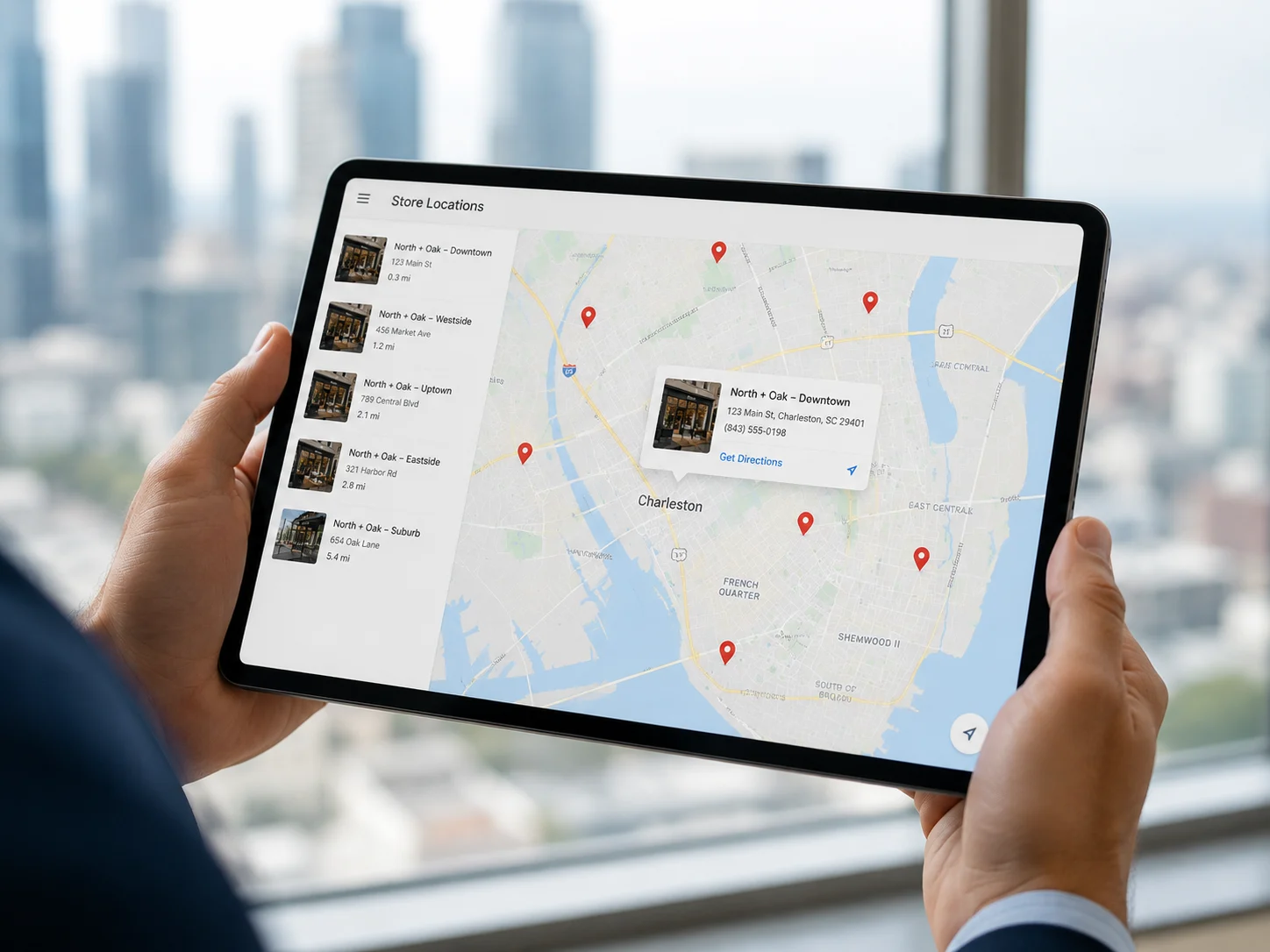
You build location pages by creating one dedicated, indexable page per physical store using Shopify’s Pages feature, each with unique content covering that store’s address, hours, parking information, staff, and locally relevant details, rather than one shared page with a location switcher.
A single page rendered with JavaScript to swap between locations is not crawlable in the way search engines need, and it will not rank for location-specific searches. Instead, structure it like this:
- Create a URL for each store, for example /pages/chandigarh-store or /pages/mumbai-store
- Write unique copy for each page: address, hours, directions, parking, and what makes that specific location worth visiting
- Add location-specific photos rather than reusing one generic storefront image
- Embed a Google Map for that specific address
- Add that location’s own LocalBusiness schema block
- Link every location page from a central “Our Stores” or store locator page
For example, a Shopify fashion retailer with showrooms in Delhi, Mumbai, and Bengaluru would need three separate, uniquely written pages rather than one combined “locations” page, since each city competes for its own local search terms and Google needs a distinct, relevant page to rank for each one.
How Do Reviews Affect Shopify Local SEO Rankings?
Reviews directly influence Local Pack rankings and consumer trust. Listings with 50 or more reviews and a rating of 4.5 stars or higher have a meaningfully higher chance of ranking in the top local results, and most consumers read reviews before deciding which local business to visit.
Practical steps for Shopify merchants:
- Ask happy in-store customers directly for a Google review, ideally right after a positive purchase or service experience
- Reply to every review, positive or negative, since responding to negative reviews can recover a share of otherwise lost customers
- Never buy or fake reviews, since this risks a Google Business Profile suspension
- Feature genuine reviews on your Shopify location pages as social proof
How Much Does Local SEO for Shopify Cost?
Local SEO costs for Shopify stores typically range from a few hundred to a few thousand US dollars a month, depending on the number of locations, the state of your existing schema and NAP data, and whether you need ongoing citation building and review management alongside a one-time technical setup.
As of 2026, a single-location Shopify store usually needs a lighter, mostly one-time setup (Google Business Profile, schema, NAP audit), while a multi-location or franchise brand typically needs an ongoing monthly retainer to manage citations, reviews, and location pages across every store. For an accurate, personalised quote based on your specific number of locations, get in touch with RankMyShopify on 9888923755 or email info@rankmyshopify.com.
Local SEO vs Standard Shopify SEO At a Glance
| Factor | Standard Shopify SEO | Local SEO for Shopify |
|---|---|---|
| Ranking goal | National or global visibility | Visibility in a specific city or radius |
| Core tool | On-page and technical SEO | Google Business Profile plus on-page |
| Key content | Product and collection pages | Dedicated location pages |
| Ranking factor | Backlinks, content, site speed | NAP consistency, reviews, schema |
| Best for | Stores shipping nationwide or globally | Stores with a physical location or service area |
Key Facts About Shopify Local SEO
| Factor | Details |
|---|---|
| Agency founded | 2009 |
| Years of experience | 15+ |
| Specialisation | Shopify SEO exclusively |
| Markets served | India, USA, UK, Australia, Worldwide |
| Core services | SEO, Technical Audit, CRO, Content |
| Local intent share | Around 46% of all Google searches (2026) |
| Contact | 9888923755 / info@rankmyshopify.com |
Frequently Asked Questions About Shopify Local SEO
Q: Does Shopify support local SEO by default?
A: No. Shopify does not output LocalBusiness schema by default, has no native multi-location page structure, and does not integrate directly with Google Business Profile. All local SEO configuration has to be added manually through theme edits, schema code, and dedicated pages.
Q: Do I need a physical address to do local SEO on Shopify?
A: A physical address helps significantly and is required to appear in Google’s Local 3-Pack. If you are a delivery-only or service-area business without a public storefront, you can still optimise using a service-area setting in Google Business Profile and locally targeted content.
Q: How many location pages do I need if I have multiple stores?
A: One dedicated, uniquely written, indexable page per physical location. A shared page with a JavaScript location switcher is not crawlable in the way Google needs and will not rank for city-specific searches.
Q: Will multiple location pages count as duplicate content?
A: Not if each page has genuinely unique details, such as that location’s address, hours, staff, parking information, and locally relevant content. Duplicate content problems usually come from copying the same generic paragraph across every page rather than writing unique copy for each.
Q: How long does local SEO take to show results on Shopify?
A: Most merchants see initial Google Business Profile improvements within four to eight weeks, with stronger Local Pack rankings typically building over three to six months as reviews, citations, and schema all accumulate authority.
Q: What is NAP consistency and why does it matter?
A: NAP stands for name, address, and phone number. Keeping these identical across your Shopify store, Google Business Profile, and every directory listing is one of the stronger local ranking factors, since inconsistencies confuse search engines about which details are accurate.
Ready to scale your Shopify store?
Book a free 30-minute growth call with our Shopify specialists. We’ll audit your store and share an actionable roadmap — no obligations.

