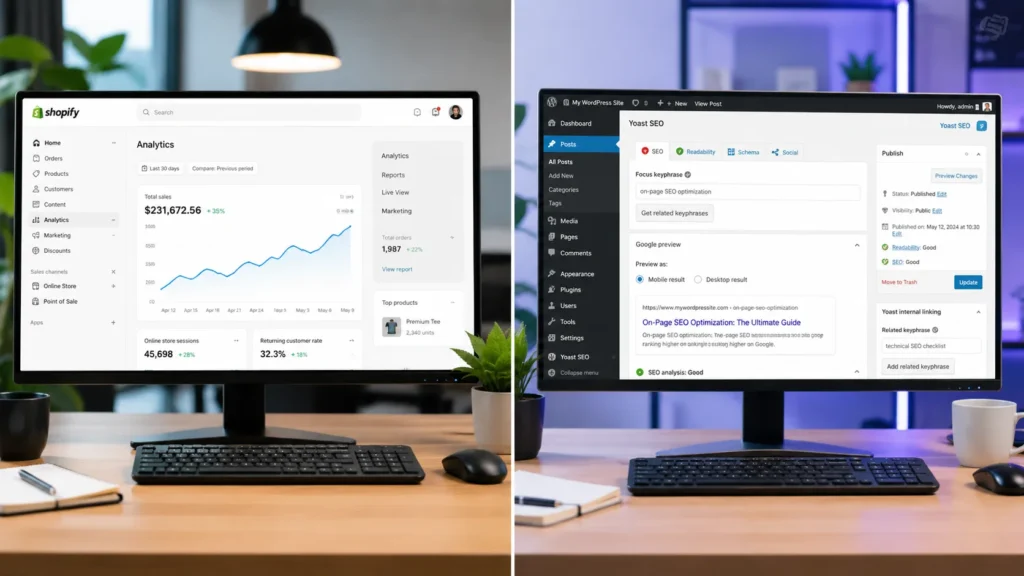
Shopify SEO handles technical basics like SSL, sitemaps, and canonical tags automatically, making it faster to get right for ecommerce. WordPress SEO gives you more control over URLs, schema, and content structure, which suits content-heavy sites. For most Shopify store owners, the platform is not the bottleneck. Skilled execution, clean site architecture, and consistent content are what actually drive organic traffic growth.
Shopify SEO vs WordPress: What Is the Real Difference?
The real difference is not ranking power, it is how much manual work sits on your plate. Shopify takes a done-for-you approach to technical SEO, while WordPress hands you a blank canvas that needs building out. As of 2026, global ecommerce sales are set to reach close to 6.88 trillion US dollars, and Shopify alone closed 2025 with 378.4 billion US dollars in gross merchandise volume, so the stakes for getting your platform’s SEO right have never been higher.
Shopify is built as a commerce-first platform. It manages hosting, SSL certificates, XML sitemaps, mobile responsiveness, and canonical tags automatically, so a new Shopify store starts with a reasonably strong technical foundation without any setup. WordPress, when paired with WooCommerce for selling, is content-first. It gives store owners full control over permalinks, custom post types, and schema markup, but every one of those technical SEO elements has to be configured, either manually or through plugins like Yoast or Rank Math.
Google itself does not favour either content management system. Rankings come down to content quality, site authority, technical health, and user experience, all of which can be built well or badly on either platform.
How Does Shopify Handle SEO Out of the Box?
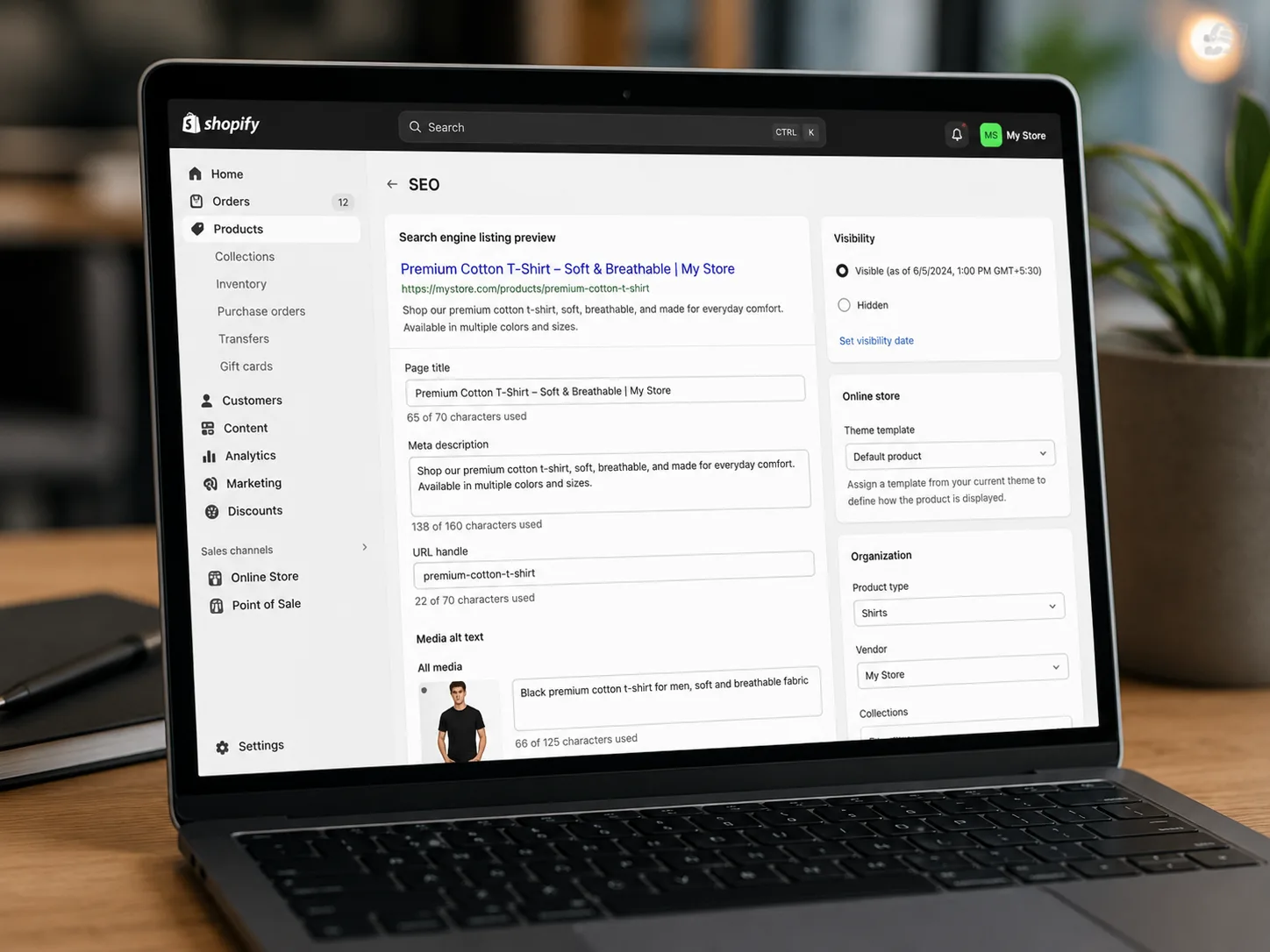
Shopify handles most foundational technical SEO automatically the moment you launch a store. SSL, XML sitemaps, canonical tags, and mobile-responsive themes are switched on by default, which removes a huge chunk of setup work compared to a fresh WordPress install.
| Shopify SEO Feature | Handled Automatically? | Notes |
|---|---|---|
| SSL Certificate | Yes | Included on every plan |
| XML Sitemap | Yes | Generated and updated automatically |
| Canonical Tags | Yes | Applied by default across product and collection pages |
| Mobile Responsiveness | Yes | Built into most Shopify themes |
| Page Speed and CDN | Yes | Hosted on Shopify’s own infrastructure |
| Meta Titles and Descriptions | Manual | Editable per page, some AI-assisted suggestions available |
| Schema Markup | Partial | Basic schema included, advanced schema needs apps |
| URL Structure | Fixed | Cannot remove /products/ or /collections/ subdirectories |
For a Shopify fashion store in India carrying 5,000 products with zero technical SEO work done, a full Shopify SEO audit from RankMyShopify would typically uncover missing alt text across hundreds of product images, thin or duplicate collection descriptions, and unoptimised meta titles, none of which Shopify fixes automatically. Our Shopify SEO audit service is built specifically to close that remaining 20 percent that Shopify leaves in the merchant’s hands.
How Does WordPress Handle SEO for Ecommerce Stores?
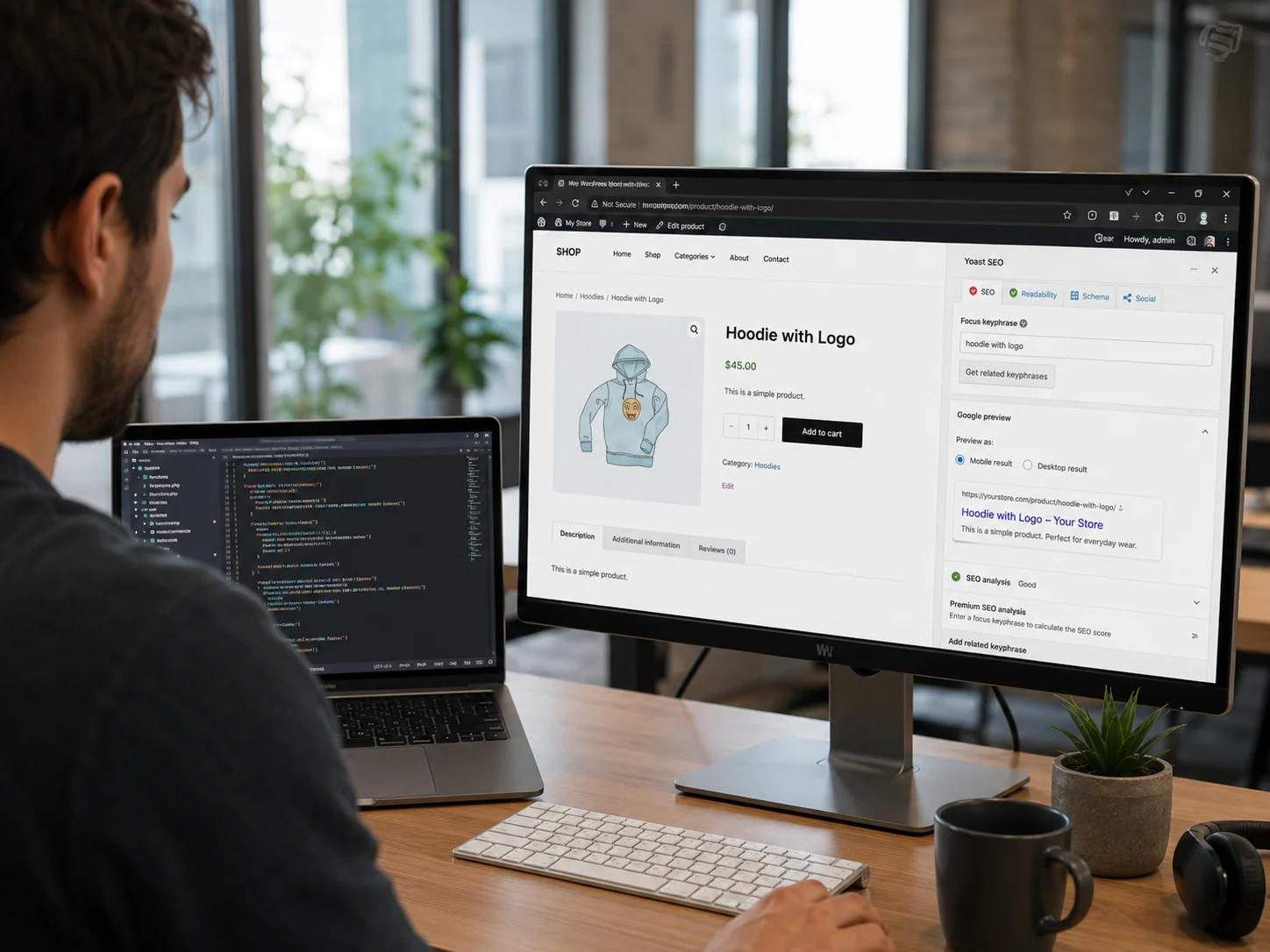
WordPress hands you complete control over every SEO element, but none of it is automated. You choose the host, the theme, the plugins, and every technical setting yourself, which is exactly why WordPress remains the CMS of choice for content-heavy sites.
WordPress currently powers close to 42 percent of all websites globally, and its open-source ecosystem includes tens of thousands of themes and SEO plugins. For ecommerce specifically, WooCommerce is the plugin most WordPress stores rely on to add cart, checkout, and product management functionality. Once installed, plugins like Yoast SEO or Rank Math let you customise permalinks, add advanced schema, control breadcrumb structures, and fine-tune meta data down to the individual page.
The trade-off is maintenance. Every additional plugin is another piece of software that needs updates, and plugin conflicts are a common complaint among WordPress store owners on forums like the Shopify Community and r/SEO. Site speed, security patching, and hosting configuration all fall on the store owner or their developer, and a poorly maintained WordPress store can end up with worse technical SEO than a well-built Shopify store despite having more theoretical control.
Shopify vs WordPress SEO: Head to Head Comparison
Neither platform wins outright. The better choice depends on how much technical involvement your team wants and how content-heavy your ecommerce strategy is.
| Factor | Shopify | WordPress |
|---|---|---|
| Setup Speed | Fast, ready to sell in hours | Slower, needs theme and plugin setup |
| Technical SEO Defaults | Strong, handled automatically | Depends entirely on configuration |
| URL Control | Limited, fixed subdirectories | Full control over permalinks |
| Schema Markup | Basic built in, advanced needs apps | Fully customisable via plugins |
| Content and Blogging | Functional but commerce-first | Best-in-class content management |
| Maintenance Burden | Low, hosted and managed | High, self-managed hosting and plugins |
| Best Suited For | Ecommerce-first brands wanting speed | Content-heavy brands wanting control |
Which Platform Is Better for Content Marketing and Blogging?
WordPress is the stronger platform for blogging and content marketing. It was originally built as a blogging tool before evolving into a full content management system, and that heritage still shows in its category management, revision history, and content taxonomy features.
Shopify’s blogging engine is functional, covering the essentials like tags, featured images, and basic categorisation, but it exists as a supporting feature rather than the platform’s core focus. If your Shopify SEO strategy leans heavily on long-form content, topic clusters, and building topical authority through a large blog, WordPress gives you more room to structure that content deeply. Many Shopify store owners solve this by running a strong on-site blog on Shopify itself, supported by tighter internal linking between blog posts and collection pages, which narrows the content gap significantly without needing a second platform.
What Are the Technical SEO Limitations of Shopify?
Shopify’s main technical SEO limitation is its fixed URL structure. Every product page sits under /products/ and every collection page under /collections/, and store owners cannot remove or rename these subdirectories, unlike WordPress where permalinks are fully customisable.
Beyond URL structure, advanced schema markup, granular sitemap customisation, and some deeper technical tweaks require third-party Shopify apps rather than native settings. This is not usually a blocker for ranking well, since Shopify Markets and the wider Shopify app ecosystem cover most gaps, but it does mean store owners with very specific technical SEO requirements may hit walls that WordPress simply does not have. For most stores, these constraints have a smaller impact on rankings than site speed, content quality, and backlink profile, three areas our link building for Shopify service focuses on directly.
Is WordPress More Affordable for SEO in the Long Run?
WordPress core and the WooCommerce plugin are free, which makes WordPress cheaper on paper, but real costs shift toward hosting, premium plugins, security, and development time. Shopify’s plans start at a published monthly price that already bundles hosting, SSL, and basic security, which makes total cost easier to predict.
For a small store with limited technical resources, Shopify’s all-in-one pricing often works out more predictable across a year. For a larger, content-heavy brand with an in-house developer, WordPress can be more cost-effective long term, since there is no recurring platform fee beyond hosting and premium plugin licences.
Which Platform Should Indian and Global Shopify Store Owners Choose?
If you are running or planning to run an ecommerce-first store, Shopify remains the stronger default choice for most Indian, USA, UK, Australian, and Canadian merchants who want fast setup and dependable technical SEO defaults. WordPress makes more sense when content and editorial control are the primary growth engine, or when a business already has strong in-house development resources.
For example, a Shopify homeware brand selling across India and the USA does not need to migrate to WordPress just to improve rankings. Fixing collection page SEO, tightening internal links, and building consistent blog content on Shopify itself typically closes most of the gap that WordPress advocates point to.
How RankMyShopify Helps You Win at Shopify SEO
RankMyShopify has worked exclusively with Shopify store owners since 2009, which means every recommendation is built around how Shopify actually behaves, not generic WordPress-style advice retrofitted onto a Shopify store. Our team handles the technical audit, on-page optimisation, content strategy, and link building that Shopify does not automate for you.
| Factor | Details |
|---|---|
| Agency Founded | 2009 |
| Years of Experience | 15+ |
| Specialisation | Shopify SEO exclusively |
| Markets Served | India, USA, UK, Australia, Worldwide |
| Core Services | SEO, Technical Audit, CRO, Content |
| Contact | 9888923755 / info@rankmyshopify.com |
Frequently Asked Questions About Shopify SEO vs WordPress SEO
Q: Is WordPress or Shopify better for SEO?
A: Neither platform has an inherent SEO advantage. Shopify handles technical SEO basics automatically, which suits ecommerce-first stores, while WordPress offers deeper control that suits content-heavy sites. Results depend on execution, not the platform alone.
Q: Can you do SEO on Shopify without apps?
A: Yes. Title tags, meta descriptions, alt text, URL handles, heading structure, and blog content are all editable natively inside the Shopify admin. Apps are only needed for advanced schema or highly specific technical customisation.
Q: Should I migrate from WordPress to Shopify for better SEO?
A: Do not migrate for SEO alone. Rankings can transfer through a proper redirect mapping process, but if your business model and operational needs already fit WordPress well, migrating just for SEO gains rarely pays off.
Q: Does Google prefer WordPress or Shopify?
A: No. Google ranks pages based on content quality, relevance, authority, and technical health, regardless of which content management system built the page.
Q: Is Shopify SEO friendly for beginners?
A: Yes. Shopify’s automated technical SEO, native metadata editing, and growing AI-assisted tools make it more beginner-friendly than WordPress, which requires plugin setup and ongoing manual maintenance.
Q: What is the biggest SEO limitation of Shopify compared to WordPress?
A: Shopify’s fixed URL structure is the most commonly cited limitation, since store owners cannot remove the mandatory /products/ and /collections/ subdirectories that WordPress permalinks let you fully customise.
Ready to scale your Shopify store?
Book a free 30-minute growth call with our Shopify specialists. We’ll audit your store and share an actionable roadmap — no obligations.

