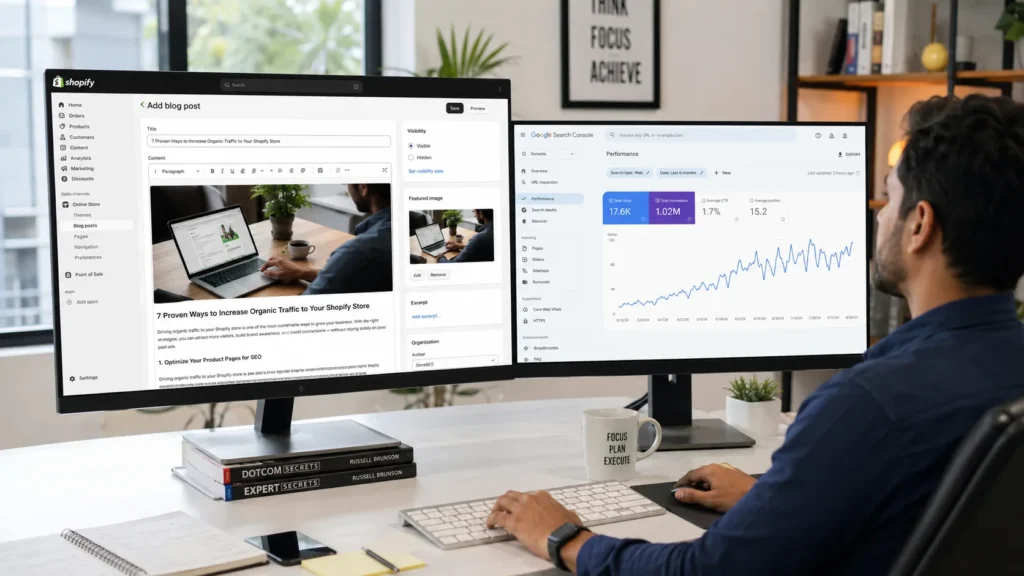
What Is Shopify Blog SEO and Why Does It Matter?
Shopify blog SEO means writing and structuring blog content so search engines, AI Overviews, and answer engines can find it, understand it, and rank it for the terms your customers actually search. Your store already has product pages and collection pages, but neither of those page types can rank for the research-stage questions shoppers ask before they buy.
Product pages target transactional searches like “buy waterproof hiking boots.” Collection pages target commercial-investigation searches like “best waterproof hiking boots for winter.” Blog posts are the only page type on your Shopify store built to rank for informational searches like “how to waterproof leather boots” or “what to look for in hiking boots for wide feet.” Every one of those searchers is a future customer, even if they are not ready to buy today.
This matters more in 2026 than it did five years ago. Ecommerce now makes up a growing share of global retail sales, and platforms like Shopify continue to expand their footprint across fashion, beauty, home and garden, and fitness categories worldwide. As paid advertising costs climb, blog content is one of the few channels that keeps compounding after you publish it. At RankMyShopify, we have watched this shift firsthand since 2009: stores that invest in structured blog SEO build a traffic asset that ads simply cannot replicate.
How Do You Find Blog Topics Shopify Customers Are Actually Searching For?
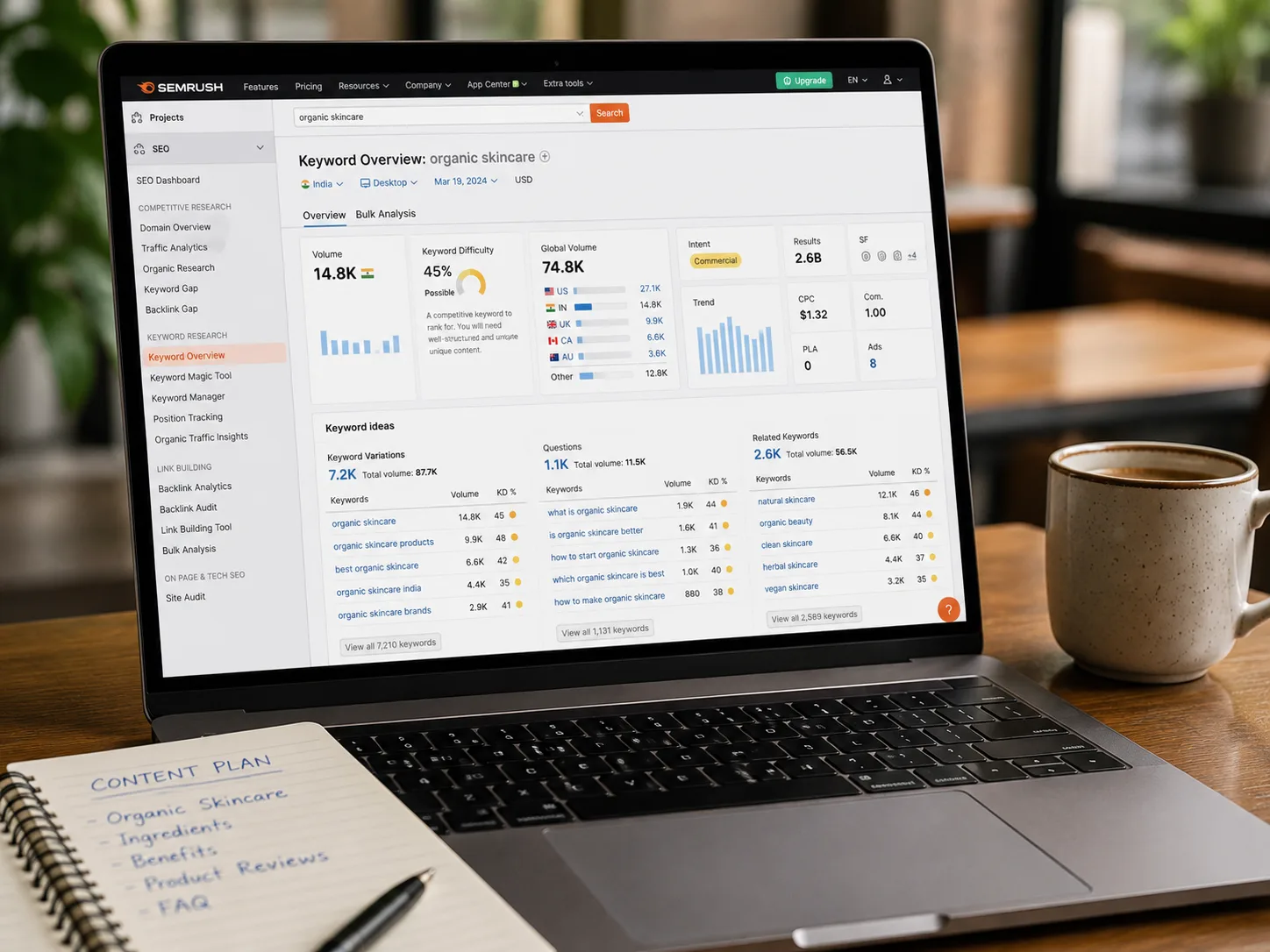
You find winning blog topics by starting with keyword research, not personal intuition. Open a keyword tool such as Google Keyword Planner, Ahrefs, or Semrush and search your product category as a broad seed term, then drill down into the long-tail questions people type into Google.
A reliable three-step process:
- Start broad. Search your core product category (for example, “ceramic mugs”) and note the related terms your keyword tool surfaces.
- Mine Google’s “People Also Ask” boxes. These questions come directly from real searches and make excellent H2 or H3 headings.
- Check Reddit and community forums. Communities like r/Shopify, r/ecommerce, and the Shopify Community forum surface the exact language, complaints, and confusions real store owners and shoppers use. That voice-of-customer phrasing often outperforms formal keyword-tool suggestions because it matches how people actually search.
Before committing to a topic, ask two questions: can you provide genuine value on this subject, and if you ranked for it, would it actually drive a sale, an email signup, or brand trust? If the answer to either is no, pick a different topic. Each post should target one primary keyword, supported by two or three related terms that flesh out the outline.
What Is the Best Structure for a Shopify Blog Post That Ranks?
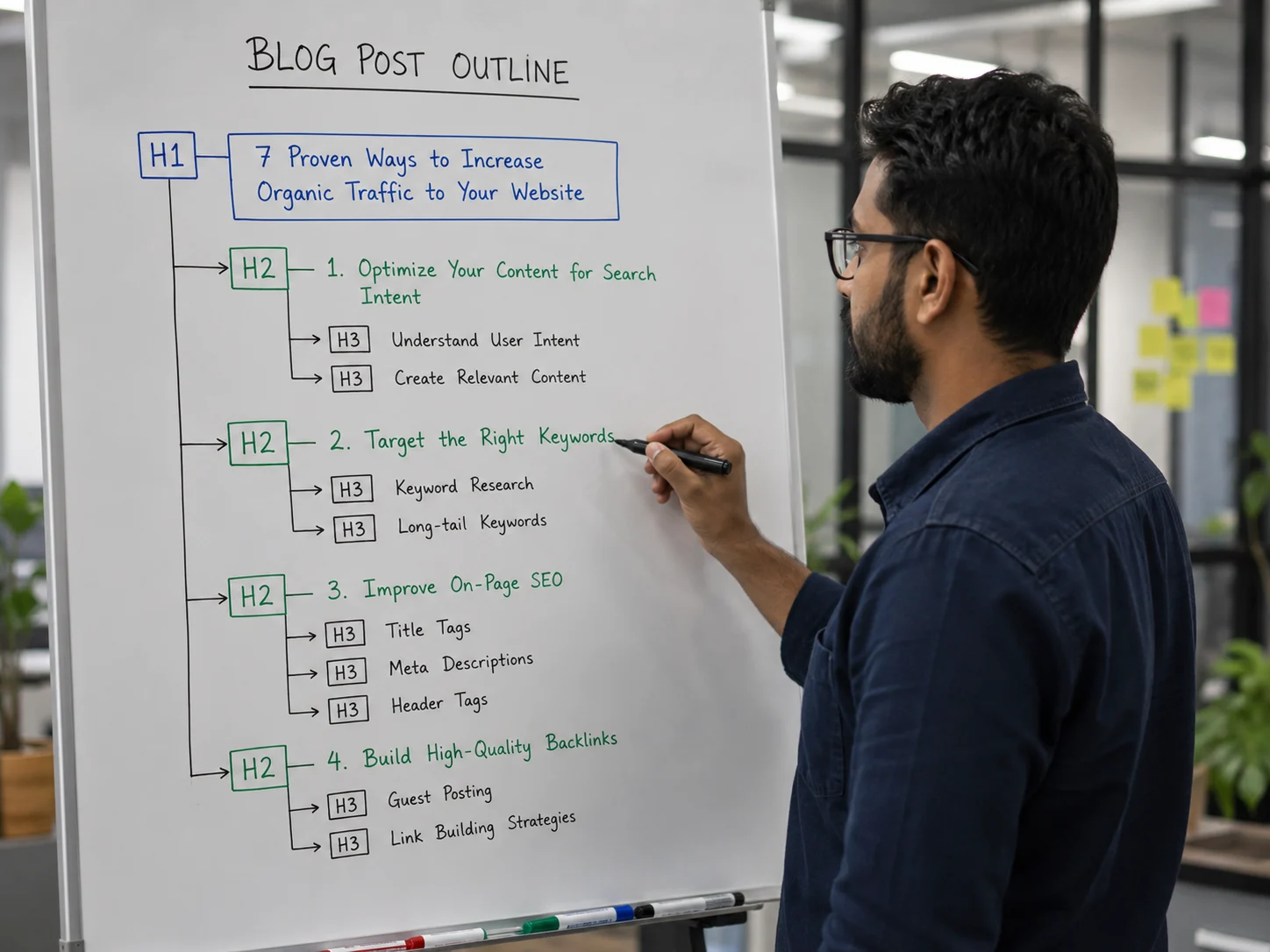
The best-structured Shopify blog post opens with a direct answer, uses a clear heading hierarchy, and answers the implied question at the start of every section. This structure is what Google, Perplexity, and AI Overviews extract when deciding what to show searchers.
Structure every post like this:
- H1: Your exact title, including the primary keyword
- Opening paragraph (50 to 60 words): A direct, standalone answer to the core question, written so it can be lifted straight into an AI Overview or featured snippet
- Quick Summary box: Three to five bullet points restating the key takeaways
- H2 sections: Each built around a secondary keyword or a PAA question, opening with a one or two sentence direct answer before expanding into detail
- H3 subsections: Used for supporting questions within each H2
- Lists and tables: Numbered lists for steps, bullet lists for features or benefits, and at least one comparison or reference table
- FAQ section: A minimum of five question-and-answer pairs near the end, marked up with FAQ schema
This “answer-first” style matters because AI models and featured snippets tend to lift the first clear, complete sentence that follows a heading. If your first sentence is throat-clearing filler, you lose that placement to a competitor whose first sentence is a real answer.
How Should You Optimise On-Page SEO Elements for Shopify Blog Posts?
You optimise on-page elements by placing your primary keyword in the title, URL, meta description, first 100 words, at least one heading, and one image alt tag, while keeping the language natural throughout. Shopify makes most of this easy to edit directly inside the blog post editor under “Edit website SEO.”
Key on-page checkpoints for every post:
| SEO Element | Best Practice |
|---|---|
| Title tag | Primary keyword near the start, under 60 characters |
| Meta description | 150 to 160 characters, includes keyword and a soft call to action |
| URL slug | Short, hyphenated, no stop words, keyword-focused |
| Image alt text | Descriptive, keyword-relevant, under 125 characters |
| Heading hierarchy | One H1, logical H2s and H3s, no skipped levels |
| Keyword density | 1.0 to 1.5 percent, natural placement, no stuffing |
Google’s algorithms understand context and synonyms well enough that keyword stuffing does more harm than good. Use your primary keyword naturally, then lean on related terms and synonyms to cover the topic comprehensively rather than repeating the exact phrase in every sentence.
How Do You Link Shopify Blog Posts to Product and Collection Pages Without Looking Salesy?
You link blog content to commercial pages by including two to five contextual links per post, using descriptive anchor text instead of “click here,” and matching each link to a natural moment in the content rather than forcing it in. A good rule of thumb is one link to a relevant product page, one to a collection page, and one to another blog post on your site.
For example, a post about “how to style a leather tote for work” might link the phrase “our collection of structured leather totes” to the matching collection page, and reference “full-grain leather” with a link to a related care-guide post. This is the step that most Shopify stores skip, and it is costly: a store can build thousands of monthly blog visitors and still generate almost no attributable revenue if none of that traffic has a clear path to a product page. Internal linking is the bridge between informational content and transactional intent.
Avoid overloading a single post with product links. Two to five contextual links per post reads as helpful; twenty reads as a disguised product page, and both readers and Google notice the difference.
How Many Words Should a Shopify Blog Post Be?
Word count should match the depth the topic genuinely requires, not an arbitrary target. As a general framework for RankMyShopify clients:
- Pillar pages: 2,000 to 2,500 words, covering a broad topic comprehensively and linking out to supporting cluster posts
- Standard cluster posts: 1,200 to 1,800 words, focused on one specific long-tail question
- AEO/FAQ-style posts: 1,000 to 1,400 words, built around answering a cluster of related questions directly
- Trust and brand posts: 800 to 1,200 words
Quality still outranks length. A tightly written 1,200-word post that fully answers the searcher’s question will consistently outperform a padded 2,500-word post that repeats itself. Use word count as a guide for depth, not a checkbox to hit.
How Do You Turn Blog Traffic Into Sales?
You turn blog traffic into sales by treating every post as one stage of a topic cluster that maps back to your product catalogue, with internal links and calls to action placed at natural decision points in the content. A topic cluster groups related blog posts around a central pillar page, which signals to Google that your store has genuine depth on a subject and tends to lift rankings across every page in that cluster.
For example, if a Shopify fashion store in India publishes a pillar post on “how to build a capsule wardrobe” alongside cluster posts on fabric care, seasonal styling, and sizing guides, each supporting post links back to the pillar and out to the relevant product pages. A RankMyShopify audit of a store like this typically uncovers missing internal links, thin meta descriptions, and unoptimised image alt text, all fixable within a single content sprint, and all directly tied to how much of that blog traffic ever reaches a product page.
Track performance in Google Search Console and Shopify Analytics. Watch for pages with high impressions but low click-through rates (a signal to rewrite the title or meta description) and pages with strong traffic but no assisted conversions (a signal to add or strengthen internal links).
What Mistakes Kill Shopify Blog SEO Results?
The most common mistakes are writing without keyword research, publishing posts with no internal links to commercial pages, ignoring meta descriptions, ignoring image alt text and file names, and treating the blog as an occasional afterthought rather than a consistent publishing cadence. Any one of these can quietly cap your organic growth even if the writing itself is strong.
Other frequent errors we see in Shopify SEO audits at RankMyShopify:
- Publishing without a defined target keyword per post
- Duplicate or auto-generated meta descriptions across multiple posts
- Missing or generic image alt text (file names like “IMG_1234.jpg” instead of descriptive, hyphenated names)
- No FAQ section, which limits eligibility for AI Overview and featured snippet placement
- Inconsistent publishing schedule, which slows the rate at which Google recrawls and re-ranks your blog
At a Glance: Shopify Blog SEO Fast Facts
| Factor | Details |
|---|---|
| Agency Founded | 2009 |
| Years of Experience | 15+ |
| Specialisation | Shopify SEO exclusively |
| Markets Served | India, USA, UK, Australia, Canada, Worldwide |
| Recommended Pillar Post Length | 2,000 to 2,500 words |
| Recommended Internal Links Per Post | 2 to 5 contextual links |
| Contact | 9888923755 / info@rankmyshopify.com |
Frequently Asked Questions About Shopify Blog SEO
Q: What is Shopify blog SEO?
A: Shopify blog SEO is the process of researching, writing, and structuring blog posts on your Shopify store so they rank for informational search queries, appear in AI Overviews, and guide readers toward relevant product and collection pages.
Q: How often should I publish blog posts on my Shopify store?
A: A consistent cadence matters more than a high volume. Most Shopify stores see solid results publishing one to four well-researched posts per month, provided each post targets a distinct keyword and is properly linked internally.
Q: Do Shopify blog posts actually help sell products?
A: Yes, when they are linked correctly. Blog posts rank for research-stage questions that product pages cannot target, and internal links from those posts to relevant product and collection pages give that traffic a clear path to purchase.
Q: How long should a Shopify blog post be for SEO?
A: Pillar posts typically perform best at 2,000 to 2,500 words, while standard cluster posts do well between 1,200 and 1,800 words. Match the length to how much genuine detail the topic requires rather than hitting an arbitrary number.
Q: How many internal links should a Shopify blog post include?
A: Two to five contextual links per post is optimal, generally one to a product page, one to a collection page, and one to another blog post. More can work for long-form pillar content, but most standard posts do not need it.
Q: Does Shopify handle blog SEO automatically?
A: Shopify handles technical basics such as automatic sitemaps, canonical tags, and HTTPS, but on-page elements like keyword targeting, meta descriptions, heading structure, and internal linking still require manual optimisation for each post.
Ready to scale your Shopify store?
Book a free 30-minute growth call with our Shopify specialists. We’ll audit your store and share an actionable roadmap — no obligations.

