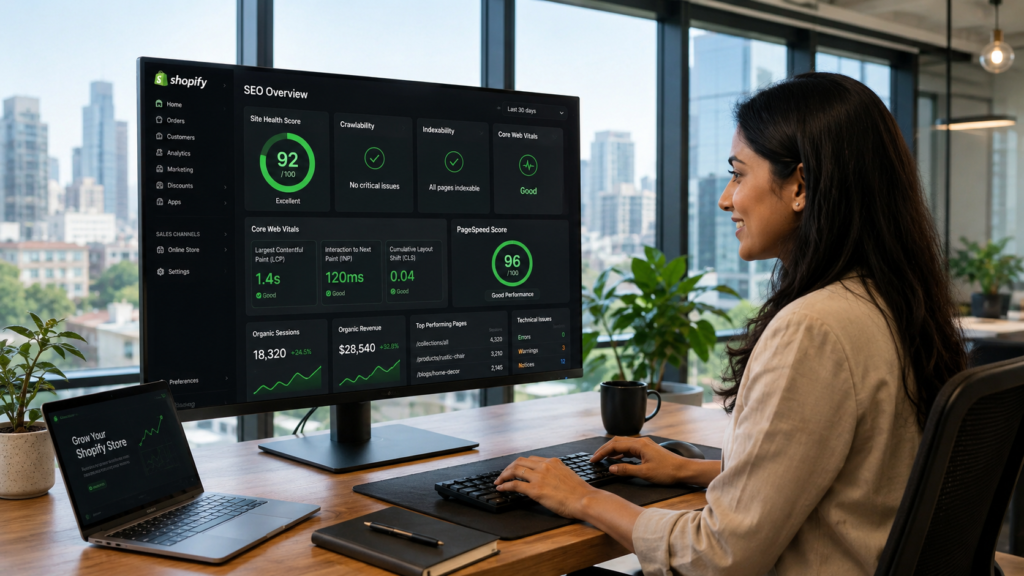
What Are Core Web Vitals and Why Do They Matter for Shopify SEO?
Core Web Vitals are Google’s official set of performance metrics used to measure real-world user experience on websites. Google has used them as a direct search ranking factor since 2021, which means your Shopify page speed is not just a user experience issue; it is a ranking and revenue issue.
There are three Core Web Vitals metrics that every Shopify store owner needs to understand:
What Is LCP (Largest Contentful Paint) for Shopify?
LCP measures how quickly the largest visible element on your page loads. For most Shopify product pages, that is your hero image or main product photo. A good LCP score is under 2.5 seconds. If your hero image takes longer than that to appear, Google classifies your page as slow, and shoppers are likely to bounce before they even see your product.
According to research published in April 2026, the median mobile LCP for Shopify stores sits at 2.26 seconds. While this is technically within the “good” range, it leaves almost no margin for additional app scripts or large images to push it over the threshold.
What Is INP (Interaction to Next Paint) for Shopify?
INP replaced First Input Delay (FID) in March 2024 and measures how responsive your Shopify store is to every user interaction throughout their entire visit. Every tap on a product variant, every “Add to Cart” click, and every filter selection is being measured. A good INP score is under 200 milliseconds. Heavy JavaScript from apps and themes is the main cause of poor INP scores on Shopify.
What Is CLS (Cumulative Layout Shift) for Shopify?
CLS measures visual stability. If elements on your page shift around as it loads (images jumping, buttons moving, text repositioning), your CLS score suffers. A good CLS score is under 0.1. Many Shopify apps inject content dynamically, often without reserving space for it, which causes unexpected layout shifts that frustrate shoppers and damage your CLS score.
Shopify Core Web Vitals Threshold Reference Table
| Metric | Good | Needs Improvement | Poor |
|---|---|---|---|
| LCP (Largest Contentful Paint) | Under 2.5 seconds | 2.5 to 4.0 seconds | Over 4.0 seconds |
| INP (Interaction to Next Paint) | Under 200ms | 200ms to 500ms | Over 500ms |
| CLS (Cumulative Layout Shift) | Under 0.1 | 0.1 to 0.25 | Over 0.25 |
Does Shopify Page Speed Actually Affect Your Search Rankings?
Yes. Shopify page speed is a confirmed Google ranking signal, and the impact goes beyond organic search.
Here is what poor Shopify site speed costs you across every channel:
- Organic rankings: Google uses Core Web Vitals field data (real user experience) to determine rankings. Stores that fail CWV thresholds are less competitive on commercial search terms.
- Paid ads: Slow landing pages lower your Google Ads Quality Score, which directly raises your cost-per-click. A store doing INR 5,00,000 per month in ad spend can lose a significant portion to inflated CPCs caused entirely by slow page load times.
- Conversions: Research consistently shows that stores loading under 2 seconds convert 2.5 times better than stores loading over 5 seconds. A one-second delay reduces conversions by approximately 7%.
- Bounce rate: As page load time increases from 1 to 3 seconds, bounce rate jumps by 32%. Shoppers will leave before seeing your product descriptions, your reviews, or your offers.
- Mobile revenue: Over 62% of ecommerce traffic comes from mobile devices as of Q2 2025. Mobile performance is where most Shopify stores fail, and it is where the most revenue is being left on the table.
The bottom line is this: improving your Shopify site speed is one of the highest-leverage investments a store owner can make. It affects rankings, ad costs, conversions, and customer retention all at the same time.
How to Check Your Shopify Core Web Vitals Score
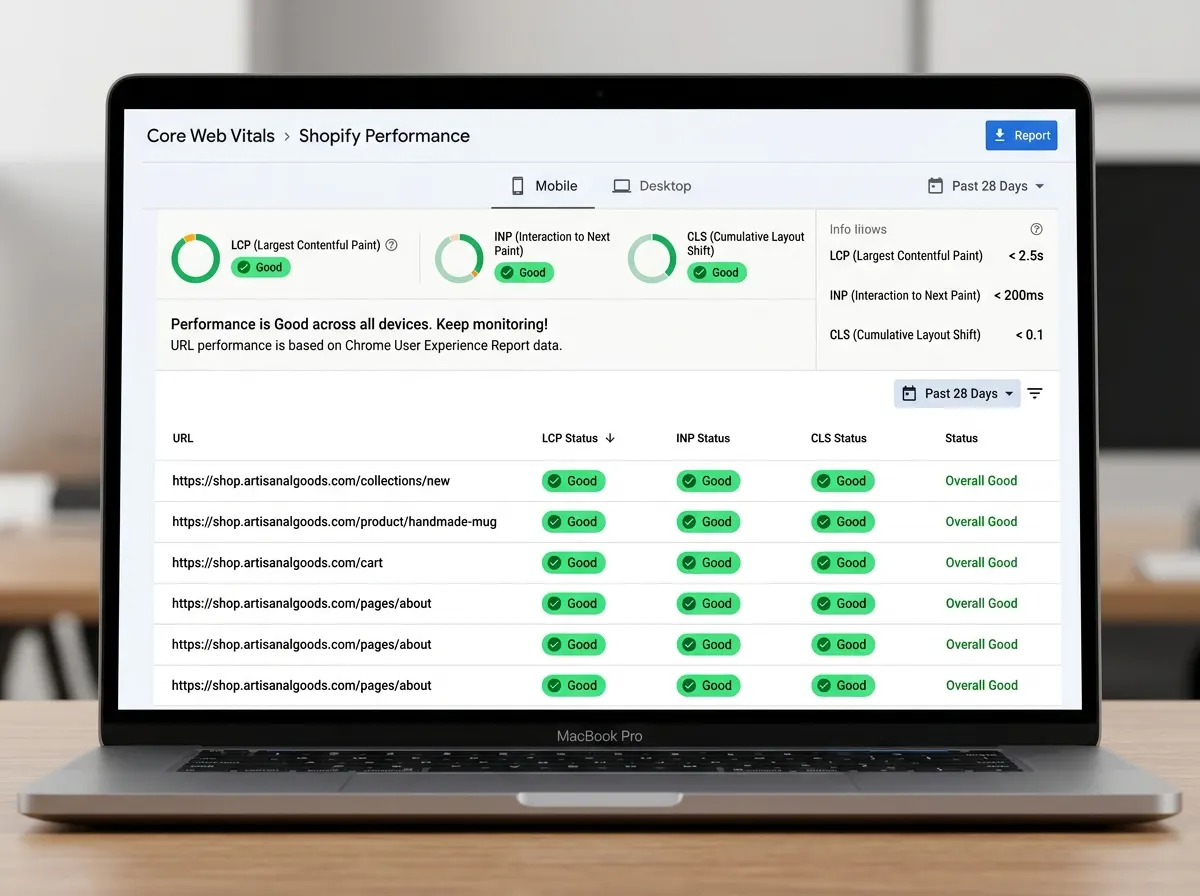
Before fixing anything, you need accurate baseline measurements. Use these tools in this order:
1. Google PageSpeed Insights (pagespeed.web.dev) Enter your store URL and check both mobile and desktop scores. Focus on the mobile score; it is lower for most Shopify stores and carries more weight with Google. A score above 50 is acceptable, and 90 or above is excellent. This tool shows both lab data (simulated) and field data (real users via Chrome UX Report).
2. Google Search Console: Core Web Vitals Report Navigate to Experience > Core Web Vitals in your Google Search Console account. This shows CWV performance across your entire site, grouped by issue type and URL. Prioritise fixing URLs listed as “Poor” first, as these have the greatest negative impact on your rankings.
3. Shopify Web Performance Dashboard Found in your Shopify Admin under Online Store > Themes. This uses real user monitoring (RUM) data specific to your store and shows LCP, INP, and CLS trends over time. Use this to track whether your optimisation changes are improving field data.
4. Chrome DevTools and Lighthouse For technical diagnosis, Chrome DevTools lets you profile individual page loads, identify render-blocking resources, and trace what is causing LCP delays or INP issues. Use the Coverage tab to find unused JavaScript and CSS being loaded on every page.
Always test your product pages, your homepage, and your top collection pages separately. Each template behaves differently, and the fixes for each may vary.
What Causes Slow Shopify Site Speed? The Six Most Common Problems
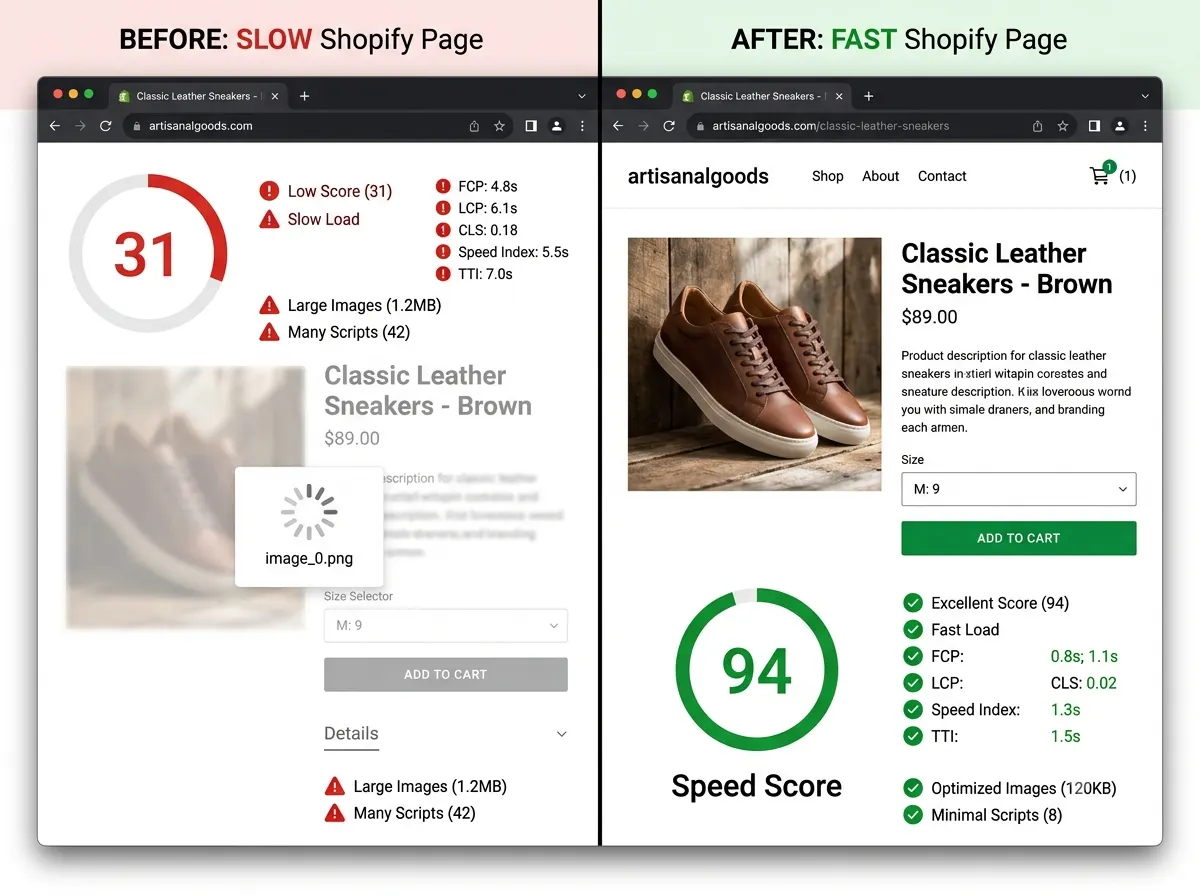
Understanding what slows Shopify stores down is the first step to fixing them. After more than 15 years of Shopify SEO work, the RankMyShopify team consistently finds the same six culprits.
1. Unoptimised Hero Images and Product Photos
Images are the single biggest performance issue on most Shopify stores. A hero banner uploaded at 4000 x 2000 pixels and several megabytes in file size will fail your LCP on mobile every time.
The fix involves three things. First, resize images before uploading so they match their actual display dimensions. Second, compress images using WebP format, which is significantly smaller than JPEG or PNG at the same visual quality. Third, use Shopify’s built-in URL parameters to serve the correct image size for each device (for example, appending _800x to serve an 800-pixel-wide version).
For your LCP image specifically, add the fetchpriority="high" attribute so the browser loads it immediately rather than queuing it behind other resources.
2. Too Many Shopify Apps Running Scripts
Every Shopify app you install has the potential to inject JavaScript and CSS into your storefront. Many do so on every page, even when their functionality is only needed on specific pages. A store with 20 or more apps installed will almost certainly have speed and INP problems.
The right approach is to audit every installed app and ask: does this app directly contribute to revenue or conversions? If the answer is no, remove it. After removing any app, check your theme’s code for leftover script snippets, as app developers do not always clean up after themselves. Uninstalling an app through the Shopify admin does not always remove all traces of its code.
As of 2025, Shopify has also deprecated ScriptTag injection on Thank You and Order Status pages. Any app still using this method will cause performance issues and may stop working entirely. Apps that use Shopify’s UI extensions or web pixel extensions are the correct approach going forward.
3. Bloated or Legacy Theme JavaScript
The typical Shopify theme includes a theme.js file ranging from 200KB to 500KB. This often includes animation libraries, slider scripts, jQuery, and component libraries loaded on every single page, even when only a handful of features are actively used.
Switching to an Online Store 2.0 theme, such as Shopify’s Dawn theme, is the most effective single action many store owners can take. Shopify built Dawn with performance in mind, and it scores significantly better on Core Web Vitals than most premium third-party themes. If you are on a legacy theme, upgrading to a modern, performance-optimised theme can improve load times by 1.5 to 2 times without touching a single line of custom code.
If you need to stay on a custom theme, work with a developer to audit the theme.js file, remove unused libraries, and implement asynchronous loading for non-critical scripts.
4. Render-Blocking Scripts and Tag Manager Bloat
Third-party scripts for analytics, heatmaps, live chat, affiliate tracking, and retargeting pixels all add loading time. When multiple scripts load synchronously in the <head> of your pages, they block rendering and push your LCP time upward.
The fix is to consolidate tags using Google Tag Manager, where a single script handles all tracking requests. Within Tag Manager, load high-priority tags first and defer everything else. Review your Tag Manager container quarterly to remove tracking pixels from old campaigns that are no longer running. Every unnecessary script that fires on page load is directly increasing your LCP and INP times.
5. Missing Lazy Loading for Below-the-Fold Images
If your store loads every product image on a collection page at once, the browser is doing far more work than necessary. Most shoppers will never scroll to the bottom of the page, yet their device is downloading images they will never see.
Implementing lazy loading (the loading="lazy" attribute on img tags) tells the browser to only load images as they enter the viewport. This can dramatically reduce initial page weight and improve both LCP and overall page speed scores. Combine this with the decoding="async" attribute for further gains. Note: do not apply lazy loading to your LCP image, as this will delay the element that Google is specifically measuring.
6. No Content Delivery Network (CDN) Optimisation
Shopify includes built-in CDN delivery through its infrastructure, which serves your assets from servers geographically close to each visitor. However, many merchants upload oversized image files that exceed what the CDN can efficiently serve, and some third-party scripts bypass the CDN entirely by calling external servers.
For Shopify store owners in India serving international customers, or global brands serving customers in India, this is particularly important. A CDN reduces latency for visitors on slower mobile networks, which directly improves LCP scores for your most price-sensitive markets.
Step-by-Step Shopify Site Speed Optimisation Process
Here is the exact process the RankMyShopify team follows when optimising a Shopify store’s Core Web Vitals:
Step 1: Establish Your Baseline Run your top five pages (homepage, 2 product pages, 1 collection page, 1 landing page) through Google PageSpeed Insights and note the current LCP, INP, and CLS scores. Record these numbers. You cannot measure improvement without a baseline.
Step 2: Audit and Reduce Installed Apps Export a list of every installed app. For each one, ask: is this driving direct revenue? If yes, keep it. If unsure, check whether a lighter alternative exists. Remove everything that is not actively contributing. After removal, check your theme code for leftover scripts.
Step 3: Optimise All Images Compress and resize every image on your homepage and top product pages. Switch to WebP format where possible. Use Shopify’s built-in image parameters to serve correctly sized images. Add fetchpriority="high" to your LCP image and loading="lazy" to all below-the-fold images.
Step 4: Audit Your Theme If you are on a legacy theme, evaluate migrating to an Online Store 2.0 theme. If staying on your current theme, work with a developer to identify and remove unused JavaScript libraries. Look for jQuery, sliders, and animation libraries that may not be needed.
Step 5: Consolidate and Defer Third-Party Scripts Move all tracking and marketing scripts into Google Tag Manager. Configure them to load asynchronously. Remove any dead pixels or tags from ended campaigns. Check for any apps still using deprecated ScriptTag methods and switch to approved extensions.
Step 6: Fix Layout Shift Issues Check your CLS score and identify what is shifting. Common causes include images without defined width and height attributes, fonts causing text reflow, and apps injecting banners or widgets without reserved space. Add explicit dimensions to all images and use font-display: swap for custom fonts.
Step 7: Re-measure and Monitor After implementing fixes, wait 48 to 72 hours for field data to update in Google Search Console. Re-run PageSpeed Insights. Monitor your Shopify Web Performance Dashboard weekly to catch any regressions caused by new app installs or theme updates.
Real-World Example: Shopify Fashion Store Speed Audit
Consider a Shopify fashion store based in India, running on a premium third-party theme and with 23 apps installed. When RankMyShopify conducts a full site speed audit on a store like this, we typically uncover the following:
- LCP of 4.2 seconds on mobile due to a full-size hero banner (3.8MB, no compression)
- INP failures caused by a live chat widget, a recently removed loyalty app with lingering code, and a carousel slider script loading on every page
- CLS of 0.18 from a promotions banner injected by a pop-up app without reserved space
- 6 apps installed for features that Shopify natively provides (such as basic analytics and social sharing)
- A tag manager container with 14 active tags, 4 of which were from campaigns that ended over a year ago
After addressing these issues through image optimisation, app removal, theme cleanup, and script management, stores in this situation typically see LCP drop to under 2.5 seconds on mobile, INP fall below 200ms, and CLS reach under 0.05. The downstream impact includes improved organic rankings for competitive fashion keywords, lower Google Ads CPCs, and a measurable lift in conversion rate.
RankMyShopify: Agency Details at a Glance
| Factor | Details |
|---|---|
| Agency Founded | 2009 |
| Years of Experience | 15 plus years |
| Specialisation | Shopify SEO exclusively |
| Markets Served | India, USA, UK, Australia, Canada, Worldwide |
| Core Services | Shopify SEO, Technical Audit, Speed Optimisation, CRO |
| Phone | 9888923755 |
| info@rankmyshopify.com | |
| Website | www.rankmyshopify.com |
Frequently Asked Questions About Shopify Site Speed
Q: What is a good Shopify speed score?
A: A good Shopify speed score in PageSpeed Insights is 90 or above for desktop and 50 or above for mobile, though you should primarily aim to pass all three Core Web Vitals thresholds: LCP under 2.5 seconds, INP under 200 milliseconds, and CLS under 0.1. The Shopify speed score shown in your admin is a Lighthouse-based lab score and is directionally useful, but Google uses real user field data for rankings.
Q: Do Shopify apps slow down your store?
A: Yes, every app you install can add JavaScript and CSS to your storefront, increasing load times and worsening your INP score. Apps load their code on every page, even when they are only needed on specific pages. More critically, when you uninstall an app, its code is not always removed from your theme. You may need to manually remove leftover scripts after uninstallation.
Q: How does Shopify page speed affect my Google rankings?
A: Google uses Core Web Vitals as a direct ranking factor. Stores that fail LCP, INP, or CLS thresholds are at a competitive disadvantage in search results compared to stores that pass. Beyond rankings, slow page speeds increase bounce rates, which send further negative engagement signals to Google. Improving your Shopify site speed is therefore both a technical SEO and a user experience priority.
Q: What is LCP in Shopify and how do I improve it?
A: LCP stands for Largest Contentful Paint and measures how quickly the largest visible element on your page loads. On most Shopify stores, this is your hero image or banner. To improve LCP, compress and properly size your hero image, convert it to WebP format, add the fetchpriority attribute to ensure it loads first, and remove any render-blocking scripts that delay the browser from displaying it.
Q: Why is my Shopify mobile speed so much slower than desktop?
A: Mobile devices have less processing power and often operate on slower network connections than desktop computers. Heavy JavaScript files, large images, and render-blocking scripts are all more damaging on mobile. Shopify themes and apps are sometimes developed with desktop performance in mind, leaving mobile performance as an afterthought. Since Google uses mobile performance for rankings, and over 62% of ecommerce traffic comes from mobile, optimising for mobile should be your first priority.
Q: How often should I check my Shopify Core Web Vitals?
A: Monitor your Core Web Vitals in Shopify’s Web Performance Dashboard weekly and run a full PageSpeed Insights audit quarterly. Any time you install a new app, update your theme, or make significant changes to your homepage or product pages, check your scores immediately afterwards. New app installs are the most common cause of sudden CWV regressions.
Q: Can I fix Shopify Core Web Vitals myself or do I need a specialist?
A: Basic improvements such as image compression, removing unused apps, and enabling lazy loading can be done without technical expertise. However, fixing theme JavaScript, auditing and cleaning up app scripts, implementing critical CSS, and resolving complex CLS issues typically require a Shopify SEO specialist or developer. If your store is in the “Poor” range on any Core Web Vitals metric, working with a specialist will deliver faster and more reliable results.
Work With RankMyShopify on Shopify Site Speed Optimisation
Slow Shopify stores do not fix themselves. Every day your Core Web Vitals scores are in the red, you are losing organic rankings, paying more for paid traffic, and converting fewer visitors into customers.
RankMyShopify has been the most specialised Shopify SEO agency in the world since 2009. We work exclusively with Shopify store owners across India, the USA, the UK, Australia, and Canada, delivering proven, measurable results in site speed, Core Web Vitals, and organic search growth.
Our Shopify speed optimisation service includes a full technical audit, image optimisation, app audit and cleanup, theme assessment, script management, and ongoing performance monitoring. We do not offer generic SEO. We offer deep, Shopify-specific expertise that generic agencies simply cannot match.
Get your free Shopify speed audit today. Call us on 9888923755, email info@rankmyshopify.com, or visit https://rankmyshopify.com/contact to start the conversation.
Ready to scale your Shopify store?
Book a free 30-minute growth call with our Shopify specialists. We’ll audit your store and share an actionable roadmap — no obligations.