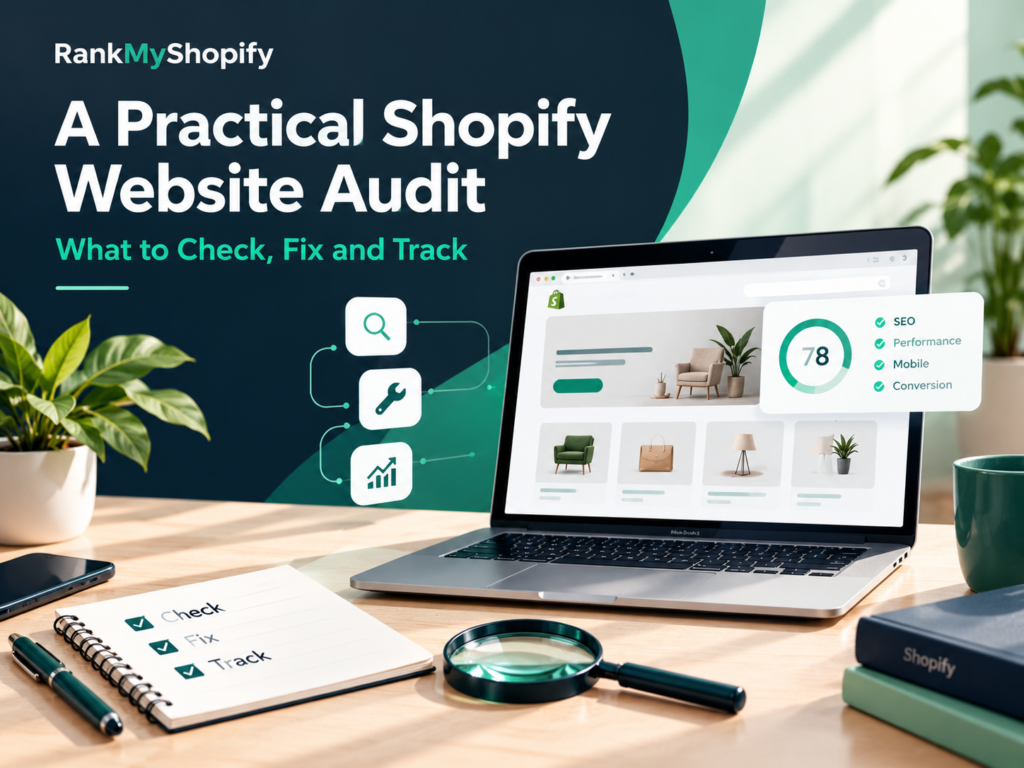
A Practical Shopify Website Audit: What to Check, Fix and Track
An audit is only useful if it ends with a ranked to-do list, not a long report that nobody acts on. The goal is to find what stops shoppers and Google from reaching, trusting and buying from your store, then fix the biggest issues first. That is the purpose of a practical Shopify website audit: a repeatable review of your SEO, speed, content, conversion and tracking. This guide is written for store owners in India, the USA, the UK, Australia and Canada. It follows three steps: what to check, how to fix it, and what to track afterwards so you can prove the work paid off. What Is a Shopify Website Audit? It is a structured review of your store that finds problems and missed opportunities across the areas that affect traffic and sales, and it ends with a prioritised list of fixes, each with a reason and an owner. Area What you check Free tools SEO and indexing Crawl errors, duplicate URLs, titles, canonicals Google Search Console, Screaming Frog Page quality Collection and product copy, images, schema Rich Results Test Speed Core Web Vitals, apps, scripts, images PageSpeed Insights Content and links Blog posts, internal links, thin pages Search Console, GA4 Conversion Mobile layout, shipping, checkout, trust Your own testing, GA4 Tracking Key events, purchases, duplicate events GA4, Tag Assistant What Should You Do Before You Start? Record a baseline first, or you will not know whether your fixes worked. Take 30 minutes to do this: Export Search Console data (clicks, impressions, average position) for the last 3 months. Note your GA4 numbers: organic sessions, orders and key events. Pick 3 to 5 goals, such as more organic orders or fewer abandoned carts. Start a change log with the date, page, what changed and why. Save a crawl from Screaming Frog (the free version covers up to 500 URLs). How Do You Audit Your Shopify SEO and Indexing? Start by confirming Google can find and index your important pages. If it cannot, nothing else matters. Pages report in Search Console: look at which pages are indexed and why others are not Sitemap: Shopify creates one automatically, so check it is submitted and has no errors site: search: search site:yourstore.com to see whether key pages appear robots.txt: you can edit it through robots.txt.liquid, so check you are not blocking useful pages Duplicate URLs: a product can load at /products/blue-shirt and at /collections/summer/products/blue-shirt. Shopify normally points the canonical to the clean version, but theme edits and apps can break this, and internal links should use the clean /products/ URL Tag and filter pages: these can create thin, near-duplicate pages if left open to indexing Titles and meta descriptions: look for missing, duplicated or truncated ones For ongoing support, see our Shopify SEO service. How Do You Audit Collection and Product Pages? Collection pages usually bring the broadest searches, so review them first. A bare grid of products gives Google little to work with. Collection page checks A short intro (around 100 to 200 words) written for shoppers One main keyword and a clear title tag Links to related collections and key products Compressed images with useful alt text Product page checks Your own description, not supplier text, with fabric, size, fit and care details Variants (size and colour) pointing to one main product URL Clear shipping and returns information near the buy button Review stars and valid Product schema, tested in Google’s Rich Results Test Our guide to Shopify collection page SEO for large catalogs and our Shopify product page SEO page cover these in more depth. For example, imagine a home decor store in the UK with 600 products. A Shopify website audit often finds that half its collections have no intro copy, several tag pages are indexed, and product descriptions are copied from suppliers. Those are fixable, and they are usually worth fixing before writing new blog posts. How Do You Audit Site Speed and Core Web Vitals? Test your key pages in PageSpeed Insights and check the Core Web Vitals report in Search Console. Google’s published “good” targets are Largest Contentful Paint under 2.5 seconds, Interaction to Next Paint under 200 milliseconds, and Cumulative Layout Shift under 0.1. The most common causes on Shopify are within your control: Too many apps: each can add scripts, and some leave code behind after you uninstall them Large images: uncompressed banners and product photos Heavy themes and sliders: animations that load before the page is usable Third-party scripts: chat widgets, pixels and pop-ups stacking up Fix the biggest items first: remove unused apps, compress images, and do not lazy-load the main image at the top of a page. If you want hands-on help, see our Shopify speed optimization service. How Do You Audit Content and Internal Links? Review every blog post and decide whether to update it, merge it with another, or remove it. A post is worth keeping if it brings traffic, supports a collection, or answers a real customer question. Update posts that rank on pages two or three, or that are out of date Merge posts that cover the same topic and compete with each other Remove or redirect thin posts that have no traffic, links or purpose Link each post to the most relevant collection, product or service page, using descriptive anchor text Our Shopify content marketing plan shows how to build content that feeds shoppers toward your collections, and our Shopify content marketing page explains how we support it. How Do You Audit Conversion and User Experience? Walk through your store on a phone as if you were a first-time buyer, and note every point of friction. Many stores get traffic but lose it at one unclear step. Check these on mobile: Is the navigation simple, and does every menu link go to the right page? Are shipping costs, delivery times and returns visible before checkout? Do your messages agree? For example, a banner and a product page should not state different free shipping thresholds.
How Australian Fashion and Beauty Brands Grow With Shopify SEO Services

Fashion and beauty are two of the most competitive categories in Australian ecommerce, and shoppers often compare you with global giants in the same browsing session. Organic search gives smaller brands a way to be found by people who are already looking for what they sell, without paying for every click. That is why more Shopify services for Australian brands now start with SEO before moving on to ads. If you run a fashion or beauty store in Australia, or you are a brand abroad planning to sell there, this guide explains what is different about the market, how to structure your store, how to plan SEO around the Australian calendar, and what to expect from Shopify services for Australian brands. Why Does SEO Matter So Much for Australian Fashion and Beauty Brands? SEO matters because it brings in shoppers who are ready to compare and buy, and it keeps working after a campaign ends. Paid ads stop when your budget stops, but a strong collection page or buying guide can bring visitors for months or years. For fashion and beauty, organic search helps in three ways: Discovery: shoppers search for things like “linen shirt dress” or “vitamin C serum” long before they know your brand Trust: ranking well for useful guides makes a newer brand feel established Margin: organic traffic reduces how much you depend on rising ad costs What Makes Australian Fashion and Beauty SEO Different? Australian SEO is different because of local language, pricing rules, distance, seasons and regulations. Plans copied from the US or UK often miss these details. Factor Why it matters What to do Local terms Australians use words like swimmers, bathers, togs, thongs and singlets Research how shoppers search on google.com.au and match your copy GST-inclusive pricing Shoppers expect to see the final price including 10% GST Keep product pages, ads and feeds consistent Distance Delivery to Perth or regional areas is slower and costlier Show delivery times and costs early, not only at checkout Opposite seasons Summer is December to February Publish seasonal content before each peak, not during it Local trust Many shoppers value “Australian owned” and local shipping Use these claims only if they are true, and back them with real reviews Regulations Consumer law, advertising rules and, for some beauty products, therapeutic goods rules Keep claims honest and ask your legal adviser to confirm details How Should Fashion Brands Structure Collections and Products for SEO? Fashion brands should build collections around how shoppers search, then support them with detailed product pages. Collections usually bring the most search traffic because they match broad, high-intent searches. Useful collection angles include: Category: dresses, jeans, activewear, swimwear Occasion: wedding guest, work wear, holiday Fabric or feature: linen, cotton, maternity, plus size Season: summer dresses, winter coats Each collection needs a short intro written for shoppers, a clean URL and links to related collections. Our guide to Shopify collection page SEO for large catalogs explains how to scale this across hundreds of products. On product pages, include fabric, fit, sizing guidance and care instructions, and write your own descriptions instead of copying supplier text. See our notes on Shopify product page SEO for what a strong page includes. Also check that variants such as size and colour point to one main product URL, so Google does not see duplicates. How Should Beauty Brands Approach Shopify SEO? Beauty brands should build around concerns, ingredients and routines, because that is how shoppers research. People search for solutions such as “serum for dry skin” more than for brand names. Concern and ingredient collections: for example acne-prone skin, sensitive skin, retinol or niacinamide Routine guides: simple “how to build a routine” content that links to your products Real reviews: honest customer reviews and clear ingredient lists build trust Careful claims: avoid medical or exaggerated promises, and note that advertising of some products, such as certain sunscreens and supplements, falls under therapeutic goods rules in Australia For category-specific plans, see our pages for fashion and apparel and beauty and skincare. How Do You Find the Right Keywords for the Australian Market? Start with how Australians actually search, not how overseas brands write. Use these steps: Check Google Search Console to see which queries already bring visitors from Australia. Research keywords in Semrush or Ahrefs with the location set to Australia. Look at google.com.au results to see what ranks and which words appear. List local terms such as swimmers, bathers, togs, thongs, singlets and trackpants, and note that some words vary by state. Map each keyword to one page so your pages do not compete with each other. Our Shopify keyword research page explains this process in more detail. Does Site Speed Matter for Australian Mobile Shoppers? Yes, because most shoppers browse fashion and beauty on their phones, and slow pages lose them quickly. Fashion stores are especially at risk because they use many large images. The most common fixes are compressing images, removing unused apps, limiting heavy sliders and choosing a lightweight theme. Check your Core Web Vitals in Google Search Console and PageSpeed Insights. If you want hands-on help, see our Shopify speed optimization service. How Can Content Support Fashion and Beauty SEO? Content captures shoppers earlier in their research and sends them toward your collections. Strong topics include buying guides, styling advice, ingredient explainers and seasonal edits. For example, imagine a Melbourne activewear brand with great products but only product pages. Adding guides such as how to choose the right leggings for different workouts, plus links to the matching collections, would give it many more ways to be found. Our Shopify content marketing plan shows how to build this step by step. How Should You Plan SEO Around the Australian Calendar? Plan SEO well before each shopping moment, because pages need time to be indexed and to build visibility. Key dates for fashion and beauty include: January and February: summer clearance and back-to-school May: Mother’s Day gifting June: end of financial year sales (EOFY) July and
How SEO for an Online Shop Works on Shopify: Collections, Products and Speed

Most store owners treat SEO as a mystery. You publish products, wait, and hope Google sends traffic. On Shopify, that approach wastes the platform’s biggest advantage: its structure is clean and predictable once you know where to look. SEO for an online shop comes down to three pillars. Collections capture broad, high-intent searches. Products capture specific, ready-to-buy searches. Speed keeps both types of page ranking and converting. Get these three right and the rest of your strategy becomes much easier. This guide explains how each pillar works on Shopify, what to fix first, and where most stores lose rankings without noticing. How Shopify SEO Works: The Basics Search engines do three things: crawl your pages, understand what they are about, and decide whether they deserve to rank. Shopify handles some of the technical groundwork automatically. It generates an XML sitemap, adds canonical tags, creates SSL security by default, and gives you editable title tags and meta descriptions for every page. But the platform will not write your content, structure your catalogue or fix a slow theme for you. That work decides whether you rank. A useful way to think about it: Collection pages target category searches like “women’s running shoes”. Product pages target specific searches like “men’s trail running shoes waterproof size 10”. Blog content targets research-stage questions like “how to choose running shoes”. Site speed affects all of them. If you want a complete overview before going deeper, our Shopify SEO service page explains how we approach all of these layers for growing brands. Pillar 1: Collection Pages, Your Biggest SEO Opportunity Ask most Shopify store owners which pages drive their organic revenue, and they point to product pages. In practice, collection pages usually matter more. Why collections rank so well Shoppers who search for a category, such as “organic skincare sets” or “leather office bags”, are still comparing options. They want a page showing several choices. A collection page matches that intent exactly, and Google knows it. That is why category pages dominate the search results for broad ecommerce keywords. How to optimise a Shopify collection page 1. Choose one primary keyword per collection.Do not target the same phrase across multiple collections. Overlap creates keyword cannibalisation, where your own pages compete against each other. 2. Write a keyword-led title tag and meta description.Put the main keyword near the start of the title, for example “Organic Skincare Sets | Brand Name”. Write the meta description for humans, with a clear benefit and a reason to click. 3. Add useful copy above and below the product grid.A short intro of 50–100 words at the top helps users. A longer section of 200–400 words below the grid can cover buying advice, materials, sizing or use cases. Avoid keyword stuffing. Answer the questions a shopper would ask a sales assistant. 4. Use clear, descriptive collection names and handles.“Men’s Waterproof Jackets” beats “Collection 7” every time. Keep URL handles short and readable. 5. Link to related collections.Sub-collections, “shop by category” links and related-collection blocks pass authority around your site and help shoppers browse further. 6. Handle filters and pagination carefully.Filtered URLs and page-two results can create thin or duplicate pages. Make sure Shopify’s canonical tags are doing their job, and avoid letting every filter combination get indexed. Large catalogues bring extra challenges, such as thousands of near-duplicate URLs and wasted crawl budget. We cover this in depth in our guide to Shopify collection page SEO for large catalogs (1,000+ products), which is worth reading if your store is growing quickly. Pillar 2: Product Pages, Where Rankings Turn Into Revenue Collection pages bring shoppers into the category. Product pages close the sale. Product page SEO has to serve two audiences at once: Google and the buyer. Write unique product titles and descriptions The single biggest product SEO mistake is copying the manufacturer’s description. Hundreds of other stores use the same text, so Google has no reason to rank yours first. Instead: Write an original description for every product, even if it is only 100–150 words. Lead with the benefit, then cover specifications, materials, sizing and care. Include the product name, brand and one or two natural variations of the keyword. Use short paragraphs and bullet points so mobile shoppers can scan quickly. Optimise the technical elements Title tag: Product name plus a differentiator, such as “Merino Wool Jumper – Crew Neck | Brand”. Meta description: Mention price range, shipping or a key benefit. URL handle: Keep it short, such as /products/merino-crew-jumper. Image alt text: Describe what the image shows. This helps accessibility and image search. Image file names: Use “merino-crew-jumper-navy.jpg” instead of “IMG_4821.jpg”. Use structured data and reviews Shopify themes usually include basic product schema. Check that yours outputs price, availability and review ratings correctly. Review stars in search results can noticeably improve click-through rates, and reviews also add fresh, unique content to the page. Handle variants and out-of-stock products sensibly Most variants (size, colour) should live on one product page rather than separate URLs. For discontinued products, avoid deleting the page outright. Redirect it to the closest alternative or its parent collection so you keep the link equity. Build trust signals Shipping details, return policy, size guides, FAQs and clear pricing all reduce hesitation. They also overlap with conversion work, which is why strong SEO and conversion rate optimisation work best together. If your product pages get traffic but few sales, our Shopify CRO service is designed to fix exactly that gap. Pillar 3: Site Speed, the Quiet Ranking Factor You can write perfect collection and product copy and still lose to a faster competitor. Speed affects rankings through Google’s Core Web Vitals, and it affects revenue because impatient shoppers leave. The three Core Web Vitals to know Largest Contentful Paint (LCP): how quickly the main content appears. Aim for under 2.5 seconds. Interaction to Next Paint (INP): how quickly the page responds when someone taps or clicks. Aim for under 200 milliseconds. Cumulative Layout Shift (CLS): how much the layout jumps
Shopify vs WooCommerce vs BigCommerce: Which Platform Is Best for SEO?

Shopify is the best fit for most online stores that want strong SEO without heavy developer support, thanks to fast managed hosting, clean defaults and built-in sitemaps and canonical tags. WooCommerce gives the most technical freedom for content-led brands with developers. BigCommerce suits mid-size catalogues that want strong built-in controls. Execution matters more than the platform. Which Platform Is Best for SEO in 2026? No platform wins every case. Shopify wins on speed to results and low maintenance, WooCommerce wins on flexibility, and BigCommerce wins on built-in features. Here is the best ecommerce platform SEO comparison we use with clients as of October 2026. Factor Shopify WooCommerce BigCommerce Hosting and speed Managed, fast hosting included Depends on your host and plugins Managed hosting included URL control Fixed prefixes (/products/, /collections/) Fully customisable Clean, customisable URLs robots.txt Editable via robots.txt.liquid since 2021 Full control Strong built-in controls Structured data Product schema in most themes, extendable Via Yoast, Rank Math and similar Built into most themes Ecosystem Largest ecommerce app store Huge WordPress plugin pool Smaller app ecosystem Maintenance Low High (updates, security) Low Best for D2C brands that want growth without dev overhead Content-led stores with developers Mid-market and multi-storefront brands The market backs up Shopify’s momentum. As of 2026, Shopify holds roughly 29 to 30 percent of the US ecommerce platform market, ahead of WooCommerce at about 23 percent and BigCommerce at about 2 percent, according to a Brenton Way compilation of 2025 data. Estimates put live Shopify stores at around 5.6 million worldwide. Is Shopify better than WooCommerce for SEO? Shopify is better for most teams without in-house developers; WooCommerce is better for content-heavy stores with technical support. Shopify gives you fast hosting, automatic sitemaps and canonical tags out of the box. WooCommerce, running on WordPress, lets you control every URL and template, but you own speed, security and plugin conflicts. Is BigCommerce better than Shopify for SEO? BigCommerce is better in specific cases: mid-market catalogues, multi-storefront setups and teams that want fewer apps. It has strong built-in features and clean URLs. Shopify has the larger app ecosystem and a bigger pool of agencies and developers who know it deeply. How Does Shopify Handle SEO? Shopify handles the SEO basics automatically: managed hosting, an auto-generated sitemap, SSL, canonical tags and editable titles and meta descriptions. Its weak points are a fixed URL structure and some duplicate-URL quirks that a specialist can fix. Strengths of Shopify SEO: Fast, reliable hosting with a CDN included, which supports Core Web Vitals Automatic XML sitemap and canonical tags Largest app ecosystem for schema, reviews, redirects and speed Native support for Shopify Markets, which helps stores selling in India, the USA, the UK, Australia and Canada Can you edit robots.txt on Shopify? Yes. Shopify has allowed robots.txt customisation through a robots.txt.liquid theme template since June 2021. Many older articles still say it is locked, which is now out of date. Use it to block thin tag and filter URLs, and always test in Google Search Console. Does Shopify create duplicate content? Shopify can create duplicate product URLs, but it normally canonicalises them. A product can load at /products/blue-shirt and at /collections/summer/products/blue-shirt. Shopify points the canonical tag to the clean /products/ URL, yet problems appear when theme edits or apps override this, or when collection pages link to the longer path. Tagged collection URLs can also lack a canonical. Our team checks these with Screaming Frog and Google Search Console in every Shopify SEO audit. For example: a Shopify fashion store in India with 5,000 products and no technical SEO in place will typically show duplicate collection paths, heavy app scripts slowing mobile pages, and thin collection descriptions. These are exactly the issues a Shopify-specialist audit from RankMyShopify targets first. How Does WooCommerce Handle SEO? WooCommerce gives the deepest SEO control of the three, but it is a plugin on WordPress, so performance depends on how well you build and maintain it. It is free to install, yet hosting, premium plugins and developer time are real costs. Strengths of WooCommerce SEO: Total control over URLs, templates, category copy and internal linking Mature SEO plugins such as Yoast SEO and Rank Math Best-in-class blogging and content marketing through WordPress Trade-offs: Core Web Vitals depend on your host, theme and plugin stack Plugin updates, security and conflicts need ongoing discipline One 2026 comparison suggests premium plugins often cost around $49 to $299 per year each If your store is publishing content at high volume and you have a WordPress developer on staff, WooCommerce is a serious option. If a marketing lead without WordPress experience runs the store, Shopify is usually easier to run well. How Does BigCommerce Handle SEO? BigCommerce handles SEO well out of the box, with clean URLs, strong built-in features and good support for multiple storefronts. It is often overlooked, and some comparisons call it the strongest SaaS platform on built-in SEO. Strengths of BigCommerce SEO: Clean URL control and strong native tools without many apps No transaction fees on its plans, which helps margins Good fit for mid-market catalogues and multi-storefront brands Trade-offs: Smaller app and developer ecosystem than Shopify or WooCommerce Fewer agencies specialise in it Plan names changed on 1 June 2026 (Standard is now Core, Plus is Growth, Pro is Scale, Enterprise is Performance), so older guides can mislead you Which Platform Is Best for Site Speed and Core Web Vitals? Managed platforms are easier to keep fast. Shopify and BigCommerce include hosting, so your speed depends mostly on your theme and apps. WooCommerce speed depends entirely on your stack. On Shopify, the most common speed problem we see is app bloat: too many apps injecting scripts. Removing unused apps, compressing images and choosing a lightweight theme usually moves the needle. Google measures Core Web Vitals as part of its page experience signals, so this matters for organic traffic. How Much Do Shopify, WooCommerce and BigCommerce Cost in 2026? Shopify and BigCommerce charge a monthly plan fee, while WooCommerce
Content That Sells: A Step-by-Step Shopify Content Marketing Plan for Your Online Store

Shoppers research before they buy, and the stores that answer their questions early often win the sale. Shopify content marketing is the process of creating helpful content, such as blog posts, buying guides, and collection page copy, that attracts shoppers from search and guides them to your products. A simple plan has seven steps: set goals, research keywords, choose content types, write, optimize, promote, and measure. Each step ties content to a page that can sell, so traffic turns into orders instead of stopping at a blog view. Most stores see results over months, not days, because search engines need time to find, test, and rank new pages. What Is Shopify Content Marketing and Why Does It Drive Sales? Shopify content marketing means publishing useful content that answers shopper questions and leads them to your products, without paying for every visit. It works because shoppers research before they buy, and content puts your store in front of them at that stage. Unlike an ad, a well-built page keeps earning after you publish it. Shopify has a built-in blog engine that is simpler than WordPress but capable enough for most stores. Yet many brands publish without a plan. One 2026 compilation of Content Marketing Institute figures reports that only 37% of B2C marketers have a documented content strategy, so a written plan is a real advantage. Google also says its ranking systems aim to prioritize helpful, reliable, people-first content, which is the standard every step below follows. For stores in India, the USA, the UK, Australia, and Canada, the approach is the same. Step 1: How Do You Set Goals and Understand Your Shopify Customers? Start by choosing one business goal, such as more organic visits to your best-margin collections, and define the shopper you want to reach. A clear goal keeps your Shopify content marketing focused on sales, not just traffic. List your top products and collections by profit. Read reviews and support questions to find what buyers ask before purchasing. Note the objections that stop sales, such as sizing, ingredients, or compatibility. Set a six-month target, such as growth in organic sessions to collection pages. Shopify Community threads show owners asking whether blogging is worth it for their niche. The honest answer starts with a goal and a customer, not a posting schedule. Step 2: How Do You Build an Ecommerce SEO Content Strategy? Good Shopify content marketing begins with research, not writing. An ecommerce SEO content strategy maps shopper searches to pages: broad category terms to collection pages, and specific questions to blog posts and guides. Use Google Search Console, Semrush, or Ahrefs to find searches your store already appears for and gaps your competitors fill. Match intent: “Best”, “vs”, and “how to choose” searches suit guides and comparisons. Use long-tail terms: Specific phrases are easier to rank for and closer to a purchase. Build clusters: Pair one in-depth guide with supporting posts that link to related collections. Plan a calendar: Decide topics for the next three months so publishing stays steady. Many stores run this stage alongside Shopify SEO services so keyword mapping, technical fixes, and content work together. [Internal link: Shopify SEO audit] Step 3: Which Content Types Should a Shopify Store Create First? Start with collection page copy and buying guides, because they sit closest to the purchase decision. Then add research-stage posts and visual content as your calendar grows. Content Type Shopper Stage Best For Example Collection page copy Ready to buy Category rankings Intro and buying tips for a fashion collection Buying guides Comparing Commercial searches How to choose skincare for dry skin (beauty) How-to posts Researching Early traffic Styling a console table (home decor) Comparison posts Deciding High-intent searches Wireless earbuds versus headphones (electronics) Product descriptions Buying Conversion Original specs and use cases Visual guides and video Any stage Engagement Lookbooks, demos, workout guides (sports, health and wellness) Step 4: How Do You Write and Publish Content That Ranks? Strong Shopify content marketing writes for the reader first. Answer the question in the opening lines, use clear headings, and add original detail such as sizing, materials, testing notes, and customer feedback. Use one primary topic per page. Keep paragraphs short and scannable on mobile. Add images with descriptive alt text. Link to the most relevant collection or product page. Publish on a steady schedule you can keep. When Do Shopify Blog Writing Services Make Sense? Shopify blog writing services make sense when your team lacks the time or writing skill to publish consistently. A good provider researches your products, follows keyword and intent briefs, and delivers articles you review for accuracy and brand voice. Look for writers who understand ecommerce, not only general blogging. Step 5: How Does Shopify Content Optimization Turn Visitors Into Buyers? Shopify content optimization connects each page to a next step, so readers move from information to products. A strong article with no path to purchase earns traffic but little revenue. Titles and descriptions: Lead with the topic and write for clicks. Internal links: Link from posts to collections and products, and back again. Calls to action: Add a clear next step, such as shop the collection. Speed and mobile: Compress images and check Core Web Vitals. Structured data: Add Article, FAQ, or Product schema where it fits. Blog tag pages: Review tag URLs and canonical tags for thin or duplicate pages. Refresh old posts: Update facts, links, and examples each quarter. If you sell in several countries through Shopify Markets, create Shopify content marketing assets that reflect each region’s language and search habits. [Internal link: Shopify content optimization] Step 6: How Do You Promote Your Content? Promote your Shopify content marketing through search and paid channels together. Organic rankings take time, so combining channels keeps traffic moving while pages mature. Shopify SEO services: Build links and digital PR that raise your pages’ authority. Shopify Google Ads management: Promote key guides and collections to high-intent searches while organic rankings grow. [Internal link: Shopify Google Ads management] Shopify
Shopify Collection Page SEO for Large Catalogs (1,000+ Products)

A store with 40 products can get away with sloppy collection pages. A store with 1,000, 5,000 or 20,000 products cannot. At that scale, collection pages stop being simple category lists. They become the main way Google finds, groups and ranks your inventory. They also become the most common source of crawl waste, duplicate URLs and thin content. Most Shopify brands with big catalogs lose organic revenue here without ever seeing it in their dashboards. This guide covers Shopify collection page SEO for large catalogs: how to structure collections, control filters, handle pagination, and keep Google focused on the pages that make you money. If you’d rather have a specialist team run this for you, our Shopify SEO services are built for exactly this problem. Quick answer: To rank a large Shopify catalog, give every collection page one clear keyword target. Keep filter and sort URLs out of the index. Use canonicals and clean pagination. Add short, useful content above or below the product grid. Link collections to each other in a logical hierarchy. Keep the grid fast enough to pass Core Web Vitals. Why Large Catalogs Break Standard Collection SEO Basic advice like “add a keyword to your collection title” is fine for small stores. Large catalogs run into problems that advice never touches: URL multiplication. Filters, sort orders and tags can turn one collection into hundreds of crawlable URLs. Crawl budget waste. Googlebot spends time on near-identical filtered pages instead of your new or high-margin collections. Keyword cannibalization. When you have 15 collections about “running shoes,” Google can’t tell which one to rank. Thin and empty collections. Automated rules create collections with two products, or zero. Deep pagination. Products on page 14 of a grid get almost no internal link equity and may never be discovered. Did you know? Shopify automatically generates a product URL under each collection (/collections/shoes/products/item) alongside the canonical /products/item URL. Shopify points the collection-path version to the canonical one, but crawlers still reach and process both. That’s one reason large stores need a deliberate crawl strategy. The rest of this guide fixes each of these problems in order. Step 1: Build a Collection Architecture Before You Optimize Don’t start with meta titles. Start with structure. Shopify has no native nested collections, so you build hierarchy through navigation menus, breadcrumbs and internal links. Plan three tiers: Tier Purpose Example Search intent Parent Broad category hub Women’s Footwear Broad, competitive Child Specific product type Women’s Running Shoes Mid-funnel, high value Attribute Filtered, high-demand combinations Women’s Waterproof Trail Running Shoes Long-tail, high conversion Only create an attribute-level collection when real search demand exists for it. Ten collections with strong content beat a hundred empty ones. Smart (automated) vs. manual collections: For 1,000+ products, use automated collections with rules based on product type, vendor, tags or metafields. Manual collections don’t scale, and a missed product means a missed ranking opportunity. Just make sure your product data (types, tags and metafields) is clean, because your rules are only as reliable as your catalog data. Expert insight: Based on working with Shopify catalogs of every size, the biggest gains rarely come from rewriting titles. They come from deleting or merging the 30-40% of collections that were auto-created years ago and now compete with better pages. Step 2: Map One Keyword to One Collection Cannibalization is the silent killer of large-catalog SEO. Fix it with a keyword map. Export all collection URLs, titles and handles into a spreadsheet. Pull the search queries each collection currently ranks for from Google Search Console. Assign one primary keyword and 3-5 supporting keywords to each collection. Wherever two collections target the same primary keyword, merge them, redirect one, or differentiate their intent. Then apply the mapping consistently across: Collection title (H1): Use the primary keyword in plain language, such as “Men’s Leather Jackets,” not “Jackets – Men – Leather.” SEO title: Primary keyword first, brand last, under 60 characters. Meta description: Include the keyword, one differentiator (free shipping, size range, material) and a soft call to action. URL handle: Short and stable. Avoid changing handles later, because each change needs a 301 redirect. Pro tip: Check the search results for each primary keyword. If Google is mostly showing collection pages, target it with a collection. If it shows blog guides or comparison pages, support the collection with a content marketing article that links into it instead of forcing the collection to do both jobs. Step 3: Control Faceted Navigation and Filters Filters are essential for shoppers and dangerous for SEO. On a big catalog, a customer can filter by size, color, brand, price and availability, and each combination can generate a unique URL such as /collections/shoes?filter.v.option.size=9&filter.p.vendor=Nike. Multiply that across 200 collections and you have hundreds of thousands of crawlable URLs, almost all near-duplicates. A practical approach: Keep filter URLs out of the index by default. Use noindex on filtered views through your theme, or make sure canonicals on filter URLs point back to the clean collection URL. Customize robots.txt.liquid. Shopify lets you edit it. Block crawling of filter and sort parameters that add no unique value, and test every rule before you ship it. Whitelist valuable combinations. If “black running shoes” has real search demand, don’t leave it as a filter. Build a dedicated collection with its own content and a clean URL. Don’t rely on Google’s URL Parameters tool. It was retired, so on-site controls are the only reliable method. Common mistake: Blocking filter URLs in robots.txt and also expecting Google to see their noindex or canonical tags. If Google can’t crawl a page, it can’t read the tags on it. Choose one control per URL type and stick to it. Step 4: Handle Pagination Correctly Shopify themes typically paginate collection grids, often up to 50 products per page depending on your theme setup. With 1,000 products in one collection, that’s 20 or more pages. Google no longer uses rel=”next” and rel=”prev” as an indexing signal. The rules that matter now: Each paginated
How to Get More Traffic and Sales from Your Shopify Store
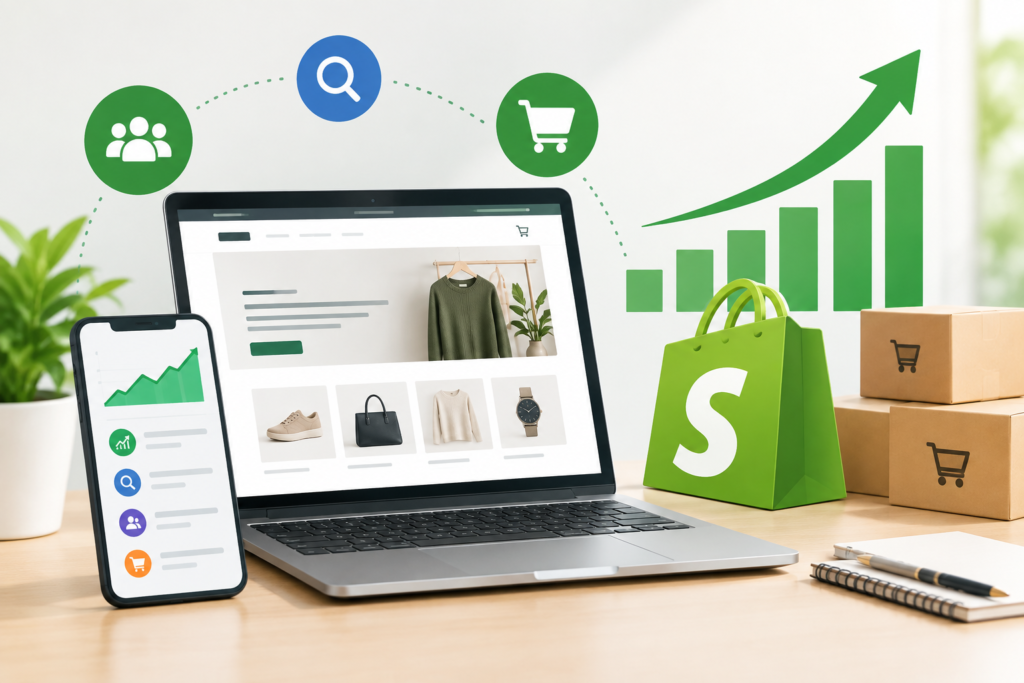
You have a Shopify store, great products, and a clean-looking website. But there is one frustrating problem: people are not visiting your store, and even when they do, many leave without buying. That is where Shopify store traffic becomes important. Getting visitors is only the first step. The real goal is to attract the right people, give them a smooth shopping experience, and turn more visits into sales. This is where RankMyShopify can help Shopify businesses build a stronger digital presence through SEO, paid marketing, conversion-focused strategies, and Shopify website optimization. The good news is that you do not need to change everything at once. A few smart improvements can make a big difference. Let’s look at practical ways to bring more visitors to your store and turn those visitors into customers. 1. Make Your Shopify Store Easy to Find Before customers can buy from you, they need to find you. Search engines are one of the most useful ways to bring people to an online store. When someone searches for a product you sell, your store should have a chance to appear in those results. Start with basic SEO improvements across your store. Focus on: Product titles that clearly describe the product Helpful product descriptions Relevant search terms Optimized image alt text Clean and simple URLs Useful collection pages Internal links between related pages Fast-loading pages Mobile-friendly design Do not write product pages only for search engines. Write them for real shoppers first. Explain what the product does, who it is for, and why someone should choose it. 2. Create Better Product Pages A product page can make or break a sale. Imagine a visitor lands on your product page. They want to know the price, features, size, material, delivery details, returns policy, and whether the product is worth buying. If they have to search for these answers, they may leave. A strong product page should include: A clear product name High-quality product images A simple product description Key benefits Pricing and offers Product variations Customer reviews Shipping information Return details A clear call-to-action Instead of saying, “Premium quality product,” explain what makes it premium. Specific information feels more useful and trustworthy. 3. Improve Your Shopify SEO SEO can help your store reach people who are already searching for products like yours. Start by researching the words your potential customers use. Then use those terms naturally across your website. For example, you can optimize: Homepage Product pages Collection pages Blog posts Meta titles Meta descriptions Image alt text URLs Do not stuff the same keyword into every sentence. Search engines understand context, so your content should feel natural. It is also useful to create content around questions customers often ask. A Shopify store selling fitness products, for example, could create content around workout equipment, fitness tips, product comparisons, and buying guides. This gives your store more opportunities to appear in search results. 4. Use Content to Bring in New Customers Your blog can do more than fill a section of your website. It can become a regular source of traffic. Think about the questions your customers ask before purchasing. Those questions can become blog topics. For example: How to choose the right running shoes What to look for in a travel backpack How to choose the right skincare products Best accessories for a home office How to care for your products The key is to provide useful information instead of simply promoting your products. At the end of relevant articles, you can naturally introduce your products as a solution. This creates a smoother journey from information to purchase. 5. Make Your Store Faster Nobody enjoys waiting for a page to load. A slow store can affect both user experience and conversions. Visitors may leave before seeing your products, especially when browsing on mobile devices. Check your store regularly and look for elements that may slow it down. You can review: Large image files Unused apps Heavy scripts Unnecessary animations Third-party tracking tools Poorly optimized theme elements Images are especially important for ecommerce stores. You need attractive product images, but they should also be optimized so they do not unnecessarily slow down the page. A faster store creates a smoother shopping journey. 6. Make Mobile Shopping Simple A large number of shoppers browse online using their phones. That means your store should not simply look good on a desktop. It should feel easy to use on a small screen too. Check your store from a mobile device and ask yourself: Can I find the menu easily? Are product images clear? Can I read the text without zooming? Is the Add to Cart button easy to find? Does checkout feel simple? Are pop-ups blocking important content? Small problems can create unnecessary friction. The easier you make the buying process, the more comfortable customers feel completing a purchase. 7. Use Social Media to Support Your Store Social media can help introduce your products to new audiences. But instead of posting only product advertisements, create content that people actually want to see. You could share: Product demonstrations Customer reviews Before-and-after content Behind-the-scenes videos Styling ideas Product tips Short educational videos User-generated content Short videos can be especially useful for showing how a product looks or works. Your social media content should create interest and then guide people toward your store when they are ready to explore further. 8. Build Trust Before Asking for the Sale Online shoppers cannot physically see or touch your products before buying. Trust therefore plays a major role in their decision. Your store should answer the basic questions a new customer may have. Show: Customer reviews Secure payment options Clear shipping information Return and refund policies Contact information Frequently asked questions Real product images Customer testimonials Social proof can be particularly powerful. When shoppers see that other people have had a good experience, they may feel more confident about making a purchase. 9. Reduce the Number of Steps to Checkout A customer can be ready to buy and
Seasonal SEO for Clothing Brands: How to Rank Before the Trend Hits
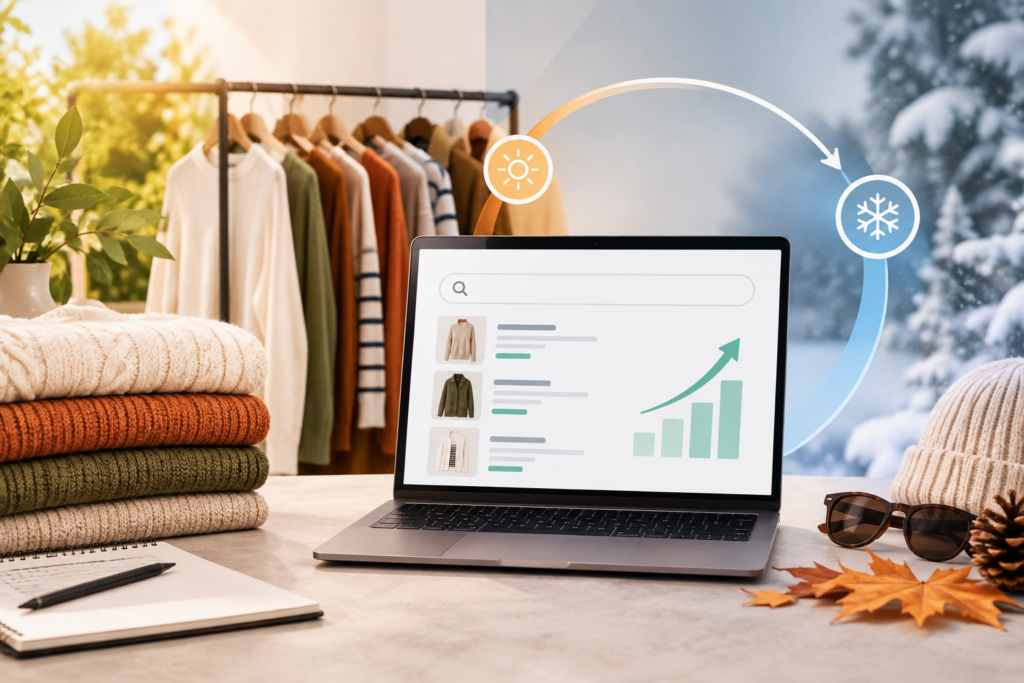
Every clothing brand has felt this pain: the moment a trend starts spiking on Instagram and TikTok, you rush to publish a collection page, throw some keywords into the title, and hit publish only to watch competitors who planned three months ahead outrank you before your page even gets crawled properly. That’s not bad luck. That’s a timing problem, and it’s the single biggest reason Shopify SEO for clothing brands fails during peak season. Seasonal SEO isn’t about reacting to demand. It’s about anticipating it. Google needs weeks, sometimes months, to trust and rank a new or refreshed page which means the work that wins you Diwali sale traffic, monsoon collection searches, or “summer linen dresses” rankings has to start long before the season does. This guide breaks down exactly how to build a seasonal SEO system for your Shopify store one that has you ranking when shoppers start searching, not scrambling once they’ve already bought from someone else. Why Seasonal SEO Is Different for Clothing Brands Fashion and apparel are among the most seasonally volatile categories in ecommerce. Search volume for terms like “winter jackets for women” or “festive wear India” doesn’t rise gradually it spikes hard, often within a two-to-four-week window, then collapses just as fast. If your page isn’t already ranking when that spike begins, you miss the entire window. Compare that to something like home decor or supplements, where demand is relatively flat year-round. Clothing brands don’t get that luxury. A “Holi collection” page published in early March is functionally useless the searches already happened, the trend already peaked, and Google hasn’t even finished indexing your page. Did you know? Google’s average time-to-rank for a brand-new commercial page in a competitive niche is typically 8–12 weeks, even with solid on-page SEO. For seasonal apparel keywords, that means content published “in season” is almost always too late. This is the core principle behind seasonal SEO: you’re not writing for today’s shoppers. You’re writing for the shoppers who’ll search six, eight, twelve weeks from now. The Google Indexing Lag Nobody Tells You About Here’s the mechanic most clothing brands don’t account for. When you publish a new collection page say, “Autumn Knitwear 2026” Google doesn’t rank it instantly. It has to: Discover the URL (via sitemap, internal links, or crawl) Crawl the page and render its content Index it into Google’s database Evaluate relevance and authority against competing pages Rank it, which then continues to adjust as engagement signals (CTR, dwell time, bounce rate) accumulate For a brand-new page with no backlink history, this entire cycle realistically takes 6–10 weeks before you see meaningful movement and that’s assuming your technical SEO is clean and the content is genuinely strong. Established pages that get refreshed each year rank faster because Google already trusts the URL, which is exactly why reusing and updating the same seasonal collection URL year over year (instead of creating a new one every season) is one of the most underrated Shopify SEO for clothing brands tactics. Pro tip: Keep the same URL for recurring seasonal collections (e.g., /collections/winter-wear reused every year) rather than creating /collections/winter-wear-2026. This lets the page accumulate authority and historical ranking signals year over year instead of starting from zero every season. Building a Seasonal Content Calendar The single most effective tool for seasonal SEO is a content calendar built backward from your sales peaks. Here’s the framework we use with apparel clients: Identify your 4–6 seasonal peaks for most Indian and global clothing brands, this includes summer, monsoon, festive/Diwali, winter, wedding season, and end-of-season sale. Work backward 8–12 weeks from each peak. If your festive collection needs to be converting by the first week of October, your collection page, blog content, and internal links need to go live by early August at the latest. Stagger content types. Publish supporting blog content 10–12 weeks out, launch or refresh the collection page 8 weeks out, and begin link building and PR outreach 6–8 weeks out so authority signals compound before peak traffic hits. Refresh, don’t just create. For recurring seasons, update existing pages with new products, fresh copy, and updated internal links rather than building new URLs from scratch. This is precisely the kind of topical, intent-driven planning our Shopify Content Marketing team builds into every content calendar content mapped to search intent and seasonal timing, not just a publishing schedule for its own sake. Product & Collection Page SEO for Seasonal Drops Your collection pages are where seasonal SEO either wins or fails. A few non-negotiables: Write unique collection descriptions. Don’t just list products include 150–300 words of genuinely useful copy targeting your primary and secondary keywords naturally (fabric type, occasion, style, fit). Avoid duplicate content from variants. Size and color variants on Shopify can generate near-identical URLs if not handled correctly, diluting your page’s authority. Canonical tags and clean variant structuring matter here. Optimize images before the season, not during. Large, unoptimized product images are one of the most common reasons Shopify apparel stores lose Core Web Vitals scores right when traffic peaks and load matters most. Internal link from evergreen pages. Link your seasonal collection from top-performing blog posts and your homepage well before the season starts, so Google can discover and crawl it early. If your store’s page speed or Core Web Vitals typically dip during high-traffic seasonal spikes, that’s worth auditing now our Shopify Speed Optimization service exists specifically because seasonal traffic surges are when slow themes and bloated apps cost brands the most conversions. Keyword Research for Seasonal Apparel Trends Seasonal keyword research for clothing brands needs a different lens than evergreen SEO. A few practical approaches: Use Google Trends’ historical data, not just current search volume, to identify when a keyword actually starts climbing each year this tells you exactly when to start publishing. Target intent variations, not just the obvious head term. “Summer dresses” is competitive; “lightweight summer dresses for office wear” or “cotton summer dresses India” convert better and rank faster. Watch micro-trend keywords
Shopify Google Ads vs Organic SEO: Where Should You Invest First?
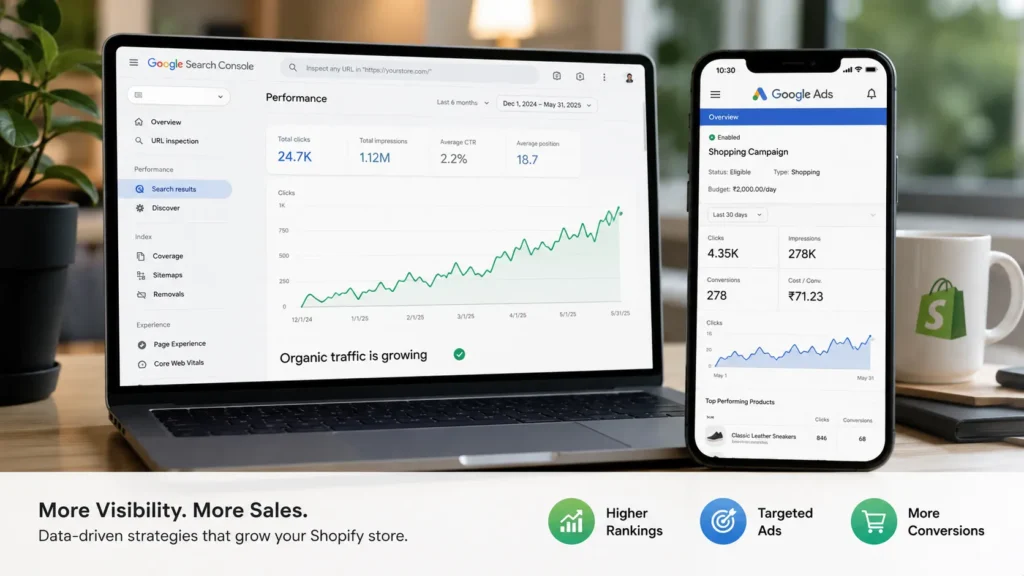
What Is the Real Difference Between Shopify Google Ads and SEO? Google Ads buys placement at the top of search results for as long as you keep paying for clicks. Shopify SEO earns placement by making your store genuinely relevant, fast, and trustworthy to Google’s crawlers and to shoppers, and that placement keeps working after you stop actively investing in it. One is rented visibility. The other is owned visibility that compounds. This distinction matters more for Shopify stores than for most other businesses, because Shopify’s platform gives you decent SEO foundations (editable meta fields, automatic sitemaps, canonical URLs, and 301 redirects) but does very little of the actual optimisation work for you. Keyword targeting, content depth, technical fixes, internal linking, and backlink building are all still on the merchant. Meanwhile, Google Ads and Shopify’s native Google Shopping integration let you go live with paid campaigns within a single afternoon. Recent ecommerce ROI data makes the tradeoff clear. SEO returns an estimated 22:1 on investment over time, while Google Ads benchmarks closer to 2.5:1 to 3.5:1 depending on the campaign type. But that SEO number only tells the truth if your store survives long enough to see it, which is exactly why the “where should you invest first” question matters more than the “which is better” question. How Fast Does Each Channel Actually Work? Google Ads works within hours. Shopify SEO works within months, and the exact timeline depends heavily on how competitive your niche is. The moment your Shopify Google Ads management campaign goes live and your billing is approved, your products can appear in Google Shopping and search results. Most stores see their first click-driven sales within the first week, though whether those sales are profitable depends entirely on your cost per acquisition versus your margin. Organic SEO follows a slower, more predictable curve. New Shopify stores typically see the first signs of movement between months four and six, with consistent, revenue-driving traffic arriving between months nine and twelve. A brand-new domain also faces an indexing delay of one to three months before Google fully evaluates and trusts the site. This is not a flaw in the process. It reflects how long it genuinely takes to build the content depth, technical health, and backlink authority that sustainable rankings require. For example, if you launch a Shopify home decor store in India with 300 products and no prior SEO work, a Shopify SEO audit from RankMyShopify would typically uncover missing meta descriptions, thin collection page content, unoptimised image alt tags, and slow-loading product pages, all of which are fixable within the first 60 days. But turning those fixes into ranking positions on competitive terms like “handmade home decor India” still realistically takes six to nine months of consistent execution. What Does Each Channel Cost for a Shopify Store? Google Ads charges you for every click, with average Shopify store customer acquisition costs (CAC) sitting at $35 to $65 overall. Shopify SEO has upfront investment in strategy and content but a materially lower ongoing cost per customer once it starts working. Cost Factor Google Ads Shopify SEO Typical CAC $45 to $85 (paid social), higher for competitive Shopping terms $12 to $25 (organic search) Average CPC (Google Ads) Around $5.26 across sectors Not applicable Time to first traffic Hours to days 4 to 12 months Cost when you stop Traffic stops immediately Traffic continues Long-term ROI benchmark 2.5:1 to 3.5:1 Roughly 22:1 The one variable that changes this entire table is your margin. If your average order value is $35 with a 40% gross margin, you have roughly $14 per order to spend on acquisition, which makes most paid social campaigns unprofitable from day one. Stores in this position are usually better served starting with SEO fundamentals, email capture, and organic social, then adding paid spend once conversion rate and average order value improve. Stores with strong lifetime value, for example a $400 LTV against an $80 paid CAC, can justify aggressive early ad spend because the long-term math already works. Should a New Shopify Store Start With SEO or Google Ads First? Start with Google Ads if you need sales within 90 days or want to validate product demand quickly. Start with SEO now, even at a small scale, if your store has runway to wait for compounding organic traffic and you want a lower long-term cost per customer. These are not mutually exclusive choices, and treating them that way is the most common mistake we see at RankMyShopify. Here is how we recommend Shopify store owners sequence their investment by business stage. Pre-launch to first 90 days. Fix technical SEO foundations (site speed, mobile usability, structured data, indexable collection and product pages) so you are not starting from a deficit. Run a modest Google Ads or Shopify Facebook Ads budget to validate which products and audiences actually convert. Months 3 to 6. Begin consistent content production, two to four optimised blog posts or buying guides per month, targeting real search intent. Keep paid spend focused on your proven, highest-converting SKUs rather than broad testing. Months 6 to 12. As organic rankings for specific product or collection terms improve, start reducing paid spend on those exact keywords. You are now paying for clicks you could be getting for free, so redirect that budget toward new product launches or untested audiences. Beyond 12 months. SEO should be carrying a growing share of your traffic and revenue at a fraction of the cost per acquisition, while paid campaigns handle seasonal spikes, new launches, and competitive defense in search results. A useful comparison here is buying versus renting a house. Paid ads give you immediate access to visibility, the way renting gives you immediate access to a place to live. SEO builds an asset you own outright over time, the way a mortgage payment eventually becomes equity. Most profitable Shopify stores end up doing both, but the sequencing and budget split shift as the business matures. Can You Run Google Ads
How to Optimise Shopify for Local SEO (For Stores With Physical Locations)

What Is Local SEO for Shopify and Why Does It Matter for Physical Stores? Local SEO for Shopify is the practice of optimising your store so it appears in location-based searches such as “shoe store near me” or “gift shop in Chandigarh,” rather than only competing nationally or globally for product keywords. For any Shopify merchant with a storefront, showroom, or warehouse customers visit, this matters because close to 46% of all Google searches now carry local intent, and 76% of people who run a local search visit or call a business within 24 hours. Standard Shopify SEO focuses on ranking product and collection pages nationally. Local SEO adds a second, geographic layer: your Google Business Profile, your NAP consistency, your location pages, and your local reviews. Both matter together. If you rely on organic product SEO alone, you are invisible in the Local Pack and Google Maps, which is where a large share of nearby, high-intent shoppers actually look first. At RankMyShopify, we have worked exclusively with Shopify store owners since 2009, and local visibility gaps are one of the most common issues we uncover during a Shopify SEO audit. A jewellery brand with three showrooms in India and a single generic “Contact Us” page, for example, is effectively invisible for “jewellery shop near me” searches in any of those three cities, no matter how well its product pages rank nationally. Does Shopify Support Local SEO Out of the Box? No. Shopify’s theme architecture is built for pure ecommerce, meaning global inventory and digital checkout, and it has no native field for a business address, no default LocalBusiness schema output, and no built-in integration with Google Business Profile. Every element of local SEO on Shopify has to be added manually. This is not a platform flaw so much as a configuration gap. Shopify gives you customisable URLs, meta tags, automatic sitemaps, and mobile-responsive themes as a foundation, all of which support local SEO once the local-specific layer is added on top. The gap between a default Shopify store and a properly configured one is larger than most merchants expect, but closing it does not require moving off Shopify. What you need to add manually includes: NAP details in your theme footer and a dedicated Contact or Location page LocalBusiness schema markup in JSON-LD format on your homepage and each location page A verified Google Business Profile for every physical location Dedicated, unique, indexable pages for each store (not a single JavaScript location selector) Consistent citations across directories such as Google, Bing Places, and relevant local listing sites How Do You Set Up Google Business Profile for a Shopify Store? You set up Google Business Profile by claiming your listing at business.google.com, entering your business name, category, exact address (or service area), phone number, and website URL, then verifying it through Google’s confirmation process. A complete, accurate Google Business Profile earns roughly seven times more clicks than an incomplete one, and the average optimised profile generates around 59 actions a month, including website clicks, direction requests, and phone calls. To get the most from your profile: Choose the most specific business category available, rather than a broad generic one Add real photos of the storefront, products, and team, since profiles with 10 or more photos see meaningfully more customer actions Keep business hours current, especially around holidays Post updates or offers regularly, since profiles with consistent posting activity tend to rank higher in the Local Pack Respond to every review within a few hours where possible, since faster response times correlate with higher engagement and conversion If you run multiple locations, each one needs its own separate Google Business Profile linked to its own dedicated page on your Shopify store, not a single shared listing. How Do You Add LocalBusiness Schema to Shopify? You add LocalBusiness schema to Shopify by inserting a JSON-LD script into your theme.liquid file or a specific location page template, describing your business name, address, phone number, opening hours, and geographic coordinates in a format search engines can read directly. A basic example for a single-location Shopify store looks like this: { “@context”: “https://schema.org”, “@type”: “LocalBusiness”, “name”: “Your Store Name”, “image”: “https://yourstore.com/logo.jpg”, “address”: { “@type”: “PostalAddress”, “streetAddress”: “123 Main Street”, “addressLocality”: “Chandigarh”, “addressRegion”: “Punjab”, “postalCode”: “160001”, “addressCountry”: “IN” }, “telephone”: “+91-9888923755”, “url”: “https://yourstore.com”, “openingHours”: “Mo-Sa 10:00-19:00” } For multi-location merchants, each store page should carry its own LocalBusiness block with that location’s own address, phone number, and hours, rather than one schema block repeated across every page. Getting this schema validated correctly (Google’s Rich Results Test is the standard way to check it) is one of the most common gaps we find during an audit. How Do You Keep NAP Consistent Across Shopify and Directories? NAP consistency means your business name, address, and phone number appear identically, down to abbreviations and punctuation, across your Shopify store, your Google Business Profile, and every directory or citation site where your business is listed. This sounds simple but is where most merchants lose local ranking strength. “123 Main St.” on Google and “123 Main Street” on your website is technically the same address to a human, but it reads as an inconsistency signal to Google’s algorithms. To fix this: Pick one exact format for your address and phone number and use it everywhere, without variation Add this NAP block to your Shopify theme footer so it appears sitewide Audit every directory listing, social profile, and citation site for matching details Update old citations whenever you move location or change your phone number Consistent NAP data across platforms is consistently cited as one of the stronger local ranking factors, alongside review volume and Google Business Profile completeness. How Do You Build Location Pages for Multiple Shopify Stores? You build location pages by creating one dedicated, indexable page per physical store using Shopify’s Pages feature, each with unique content covering that store’s address, hours, parking information, staff, and locally relevant details, rather than one shared page with a location switcher.