How AI Assistants Recommend Jewellery: Getting Your Store Mentioned in ChatGPT

Shoppers now ask an assistant for a gift idea and get a short list of named products. Scrolling through pages of search results for “gold hoop earrings” is no longer the only way people buy. If your pieces are missing from the answers ChatGPT gives about jewellery, you can lose the sale before anyone visits your website. This guide explains how AI assistants choose jewellery to recommend and what a Shopify store can fix first. Why is jewellery a strong fit for AI shopping? Jewellery combines high value, detailed specifications and gift intent, which is exactly where shoppers want help comparing options. Anglera’s guide explains that shoppers now describe what they want in plain language, such as a platinum solitaire under a set budget, and expect a short, justified answer. Online jeweller James Allen saw this early and launched a ChatGPT plugin in 2023 to help shoppers pick an engagement ring. The lesson is simple. The more clearly your product data answers a question, the easier it is for an assistant to name your piece. How do AI assistants decide which jewellery to recommend? They rely mainly on structured product data, not on attractive page copy. Shopify says ranking factors differ by platform but can include data quality, relevance, availability, pricing and engagement signals. The shift toward supplied data is large. Profound’s analysis of 1,757,723 ChatGPT shopping prompt runs in July 2026 found that feed-integrated product picks rose from 8.26% to 61.54% on July 10, and reached about 65% of tracked recommendations by September 3. In plain terms, most product picks now come from data that merchants and platforms provide, not from pages the assistant finds by searching the web. Paying does not change the picture. OpenAI’s help documentation says product results are selected independently by ChatGPT and are not ads. Does your Shopify jewellery store appear in ChatGPT automatically? Your products may already be eligible, but eligible does not mean recommended. OpenAI’s help page says that for Shopify merchants, product data is already integrated into ChatGPT through Shopify Catalog, with no extra work required. Shopify also states that eligible products are listed in Catalog by default and that edits in your admin flow through to AI channels. Two limits are worth knowing: Shopify’s ChatGPT route applies to merchants in Catalog who sell to US buyers, wherever the store is based. What decides whether a piece is shown or skipped is the quality and completeness of its data. The direction of travel is clear. Shopify reported that AI-driven traffic to its stores grew 8 times year on year in Q1 2026, and orders from AI-powered searches rose nearly 13 times. These figures cover all Shopify categories, not jewellery alone, so use them as a trend and not as a forecast for your store. One March 2026 study of 43,000 products also reported that 83% of ChatGPT product recommendations came from Google Shopping’s top 40 organic listings. It is a single study, but it suggests that a clean Google Merchant Center feed helps in both places. Our guide to optimising your Shopify product feed shows how. Which product details do AI assistants need for jewellery? They need specific, consistent attributes. Jewellery is spec-heavy and gift-driven, so shoppers ask by metal, stone, budget and occasion. Anglera’s jewellery guide notes that thin listings lean on brand language such as “timeless elegance” instead of the facts an assistant can match to a request. Make sure each piece clearly states: Metal and purity: 14k or 18k gold, platinum, sterling silver or vermeil Gemstone type and origin: natural or lab-grown Carat weight: a specific number, not a range Cut, shape, clarity and colour grade: wherever they apply Setting and ring sizes: which sizes are in stock Measurements: chain length, pendant size and weight Proof of quality: hallmark, certificate or care details Price, stock and delivery time: accurate at all times Two rules matter as much as the list. First, write each value the same way across every variant, because “18k yellow gold” typed three different ways reads as three different answers. Second, put values in product fields, not only in the description. A sentence that says a ring “comes in 14k or 18k” does little for a filter. How should you rewrite jewellery product pages for AI? Lead with facts and keep the brand story for later. Here is an illustrative example. Before: “Timeless elegance. A statement piece for every occasion.” After: “18k yellow gold vermeil on sterling silver. 0.5 ct lab-grown diamond, round brilliant cut, 5 mm. Sizes 5 to 9 in stock. Hallmarked. 30-day returns.” The second version answers the questions a shopper asks an assistant. Then follow these steps: Fill in the product category and attribute fields in Shopify admin, such as material and colour, instead of leaving them to the description. Use clear titles that include metal, stone and piece type. Add your top gift questions to each page, such as resizing, care and delivery. Check that your theme outputs complete product markup. Our guides to Shopify product page SEO and structured data cover this. Shopify also warns that platforms without structured data fall back on scraping a page, which can surface outdated prices and stock. Accurate data protects you from that. Do reviews, trust pages and outside mentions matter? Yes, because jewellery is a high-trust purchase. ChatGPT’s shopping answers include summarised reviews, and Shopify lists engagement signals among possible ranking factors. Nobody outside the platforms knows the exact weighting, so treat the points below as trust basics, not tricks: Collect genuine reviews that mention the occasion, fit and quality Publish clear returns, resizing and warranty pages Show hallmark or certificate details on the product page Earn mentions in gift guides, reviews and trusted blogs What mistakes keep jewellery stores out of AI answers? Most problems come from missing or messy data, not from a lack of effort. Watch for these: Vague descriptions that skip metal, stone and size Carat weight written as a range or buried in the
How to Improve Shopify Store Rankings in the Saudi Arabian Market

Saudi Arabia is one of the most exciting online shopping markets in the Middle East, and more Shopify brands are trying to reach it every year. Many of them copy their US or UK plan and then wonder why Saudi shoppers cannot find them. The reason is simple. Saudi buyers search in both Arabic and English, shop heavily on mobile, expect local payment and delivery options, and follow a different calendar of buying seasons. This guide explains how to improve your store’s rankings in this market step by step. If you want the basics of Shopify SEO in Saudi Arabia first, start there, then come back and use this checklist to put the details in place. Why the Saudi Market Needs Its Own SEO Plan Ranking well in Saudi Arabia is not just a matter of translating your English pages. Search behaviour is different in four important ways: Language: Shoppers switch between Arabic and English, sometimes in the same session. Intent: Arabic searches often use different words from a direct translation of the English term. Trust: Buyers look for clear delivery, returns and payment details before they order. Timing: Ramadan, Eid, Saudi National Day and White Friday shape demand far more than the usual Western holidays. A store that treats these as a side project will always rank behind one that builds them into its structure from the start. 1. Start With Arabic and English Keyword Research Good rankings start with the right keywords. For Saudi Arabia, build two keyword lists and compare them. First, research your English terms using Google’s Saudi results (google.com.sa), not the US results. Second, research the Arabic terms real shoppers use. Do not run your English list through a translation tool. A phrase that is correct in formal Arabic may not be what people type into search. Check how competitors name their collections, look at Google’s autocomplete and “People also ask” boxes in Arabic, and ask your customer support team which words buyers use. Then map each keyword to one page. Collections should target broad category terms, product pages should target specific items, and blog posts should answer questions. This keyword mapping is the foundation of any good Shopify SEO plan, and it stops your own pages from competing with each other. 2. Set Up Arabic and English Versions Correctly This is where most Shopify stores lose ground in Saudi Arabia. If you offer both languages, the technical setup matters as much as the translation. Use Shopify Markets and language settings so each language has its own URL, such as /ar/ for Arabic, instead of a script that swaps text on the same page. Add hreflang tags (for example ar-SA and en-SA) so Google shows the right version to the right shopper. Support right-to-left layout. Check that your theme handles RTL properly, including menus, product galleries, filters and the checkout flow. Translate everything that search engines read: page titles, meta descriptions, image alt text, URLs where possible, and structured data. Set the currency to Saudi riyal (SAR) and show prices clearly, with VAT information where it applies. If you plan to sell in more than one country, our Shopify international expansion service covers market setup, so every region gets the right pages and signals. 3. Optimise Collection and Product Pages for Saudi Shoppers Collection and product pages are where Shopify stores win or lose organic revenue. For Saudi Arabia, check each of these: Titles and headings that include the main Arabic and English keyword naturally. Descriptions written for the local buyer. Mention sizing, materials, scent, fit or occasion in the way Saudi customers talk about them, rather than pasting a manufacturer’s text. Unique content on every page. Duplicate descriptions across variants or languages weaken your rankings. Product schema with price in SAR, availability and reviews, so Google can show rich results. Clean internal links from the homepage to collections and from collections to best sellers. Fashion, abaya, modest wear, fragrance and beauty are popular categories in the Gulf, and each has its own search language. If you sell in these niches, our guides on fashion ecommerce SEO and SEO for beauty products explain how to structure collections and filters so shoppers and search engines understand them. 4. Show Local Trust and Payment Signals Google rewards pages that people stay on and buy from, and Saudi buyers decide quickly based on trust. Make these details easy to find on your homepage, product pages and footer: Local payment options such as mada, Apple Pay, and buy now pay later providers like Tabby and Tamara, where you support them. Cash on delivery also matters to many shoppers if you can offer it. Delivery times and shipping costs to Riyadh, Jeddah, Dammam and other cities. A clear returns and exchange policy, in Arabic as well as English. Contact options people actually use, especially WhatsApp. Business details such as your registration information, where relevant to your business. These signals improve conversion, and conversion supports ranking over time because more visitors stay and buy. Our Shopify conversion optimisation work focuses on exactly these points on product, cart and checkout pages. 5. Make Your Store Fast on Mobile Many Saudi shoppers browse and buy on their phones, often on mobile networks. A slow store loses visitors before they see a single product. Compress images, remove apps you no longer use, limit heavy sliders and videos on the homepage, and check Core Web Vitals in Google Search Console. Arabic fonts can be heavy, so choose one that loads quickly and use font display settings that avoid blank text. If your theme feels slow even after these fixes, a deeper Shopify speed optimisation review of the theme and apps will usually find the cause. 6. Build Content Around Saudi Buying Moments Content wins you the searches that happen before a purchase. Plan your calendar around local moments instead of a generic global one: Ramadan and Eid: gifting guides, modest wear edits, home and hospitality essentials. Saudi National Day: themed collections and offers. White
Shopify Black Friday SEO: 2026 Checklist for Google and AI Search
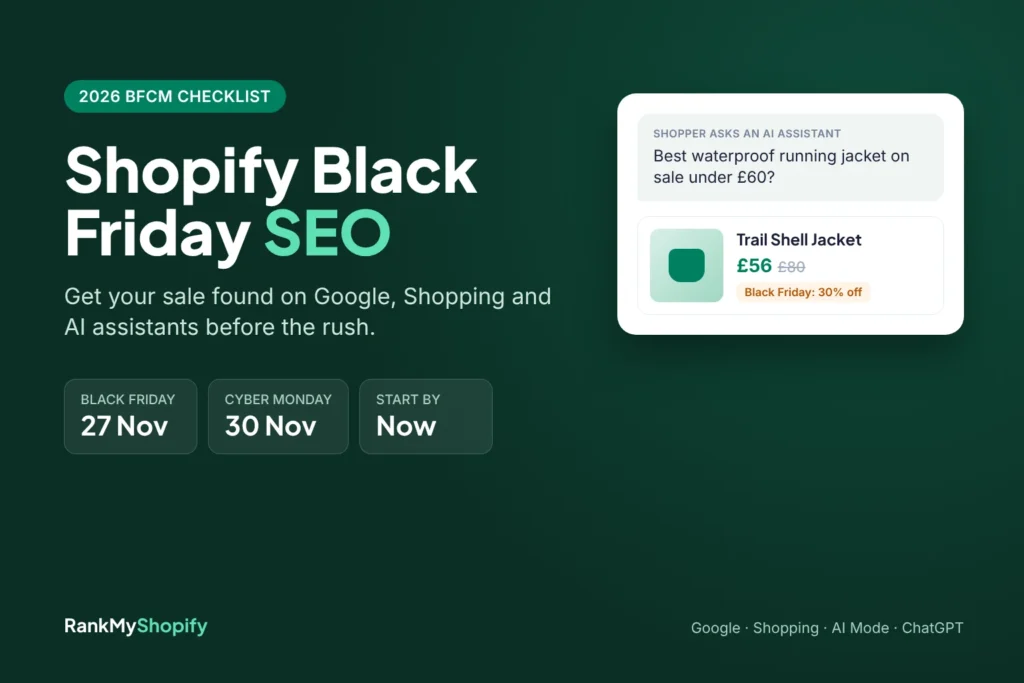
Every November, a lot of Shopify stores do the same thing. They build a shiny new Black Friday page two days before the sale, fill the homepage with banners, and hope Google notices. It usually doesn’t, not in time. And this year there’s a second audience to win over: the AI assistants that shoppers now ask for deals before they ever open a search tab. Shopify Black Friday SEO is how you fix that. It’s the work of getting your sale pages, prices and product data ready so Google Search, Google Shopping and AI assistants like ChatGPT and Gemini can find your offers and show them correctly over Black Friday and Cyber Monday. This guide gives you a week-by-week checklist you can still start today, written for Shopify specifically. Quick answer: Use one permanent Black Friday URL that you reuse every year, link it from your homepage, set sale prices with Shopify’s compare-at price so your page, schema and Merchant Center feed all match, write your offer details in plain text, keep your store open to AI channels, and keep the page live after Cyber Monday. When are Black Friday and Cyber Monday in 2026? Thanksgiving falls on Thursday 26 November 2026, Black Friday is Friday 27 November and Cyber Monday is Monday 30 November. That gives you just under four weeks from the end of October. It’s tight for brand new pages, but it’s enough time if you reuse what you already have and focus on the fixes below. Why does Shopify Black Friday SEO matter more this year? Two reasons: the size of the weekend, and the way people now find deals. The weekend keeps growing. Shopify merchants made a record $14.6 billion in sales over Black Friday Cyber Monday 2025, up 27% on the year before, according to Shopify’s BFCM 2025 report. AI shopping is now a real traffic source. Adobe found that traffic from AI services to US retail sites rose 693% over the 2025 holiday season, and those visitors converted 31% better than other traffic (Adobe Digital Insights). It’s expected to grow again. Adobe’s 2026 forecast projects AI traffic to US retail sites to rise 130% this season, with Black Friday up 95% and Cyber Monday up 88% (Retail TouchPoints). Bear in mind this is a forecast, not a result. So the shopper who used to type “black friday running jacket deals” into Google might now ask an assistant for “the best waterproof running jacket on sale under £60”. Your store needs to be a good answer to both. Step 1: Use one permanent Black Friday URL This is the single most useful thing you can do, and Google has said it plainly. In its best practices for Black Friday and Cyber Monday pages, Google’s advice is to “use a recurring URL, not a new URL for each occurrence of the event.” A page that has lived on the same address for three years has links, history and trust. A page created last Tuesday has none of that. On Shopify, the cleanest options are: A collection: /collections/black-friday if your sale is mainly products. This is usually the best choice, because it lists real items with real prices. A page: /pages/black-friday if you want a landing page with offer details, FAQs and links to several sale collections. Leave the year out of the URL. Put “2026” in the title tag, H1 and copy instead, and update it each year. If you already have old pages like /collections/black-friday-2024, set up 301 redirects to your new permanent URL in Shopify’s URL redirects settings so their links aren’t wasted. Step 2: Link the page from your homepage and menu Google also recommends linking your sale page from the homepage, so it’s easy to discover and clearly important. Do it now with teaser copy (“Black Friday starts 27 November, sign up for early access”) instead of waiting for launch day. Then add links from the places that already get traffic: Your main navigation or announcement bar Top collections and best-selling product pages Gift guides and relevant blog posts Google needs time to crawl and index changes, so a page that goes live in early November has a much better chance than one that goes live on the day. If you want a refresher on how link structure works on Shopify, see our guide to Shopify internal linking. Step 3: Write your offer in text, not just in banners Here’s a mistake we see constantly. The whole offer lives inside a hero image: “UP TO 40% OFF EVERYTHING”. Search engines and AI assistants read text far more reliably than text baked into images. If the details aren’t written on the page, they can’t be quoted. Your Black Friday page should answer these questions in plain sentences near the top: What’s the offer? “30% off all jackets and 20% off everything else.” When does it run? Exact start and end dates, with time zone. What’s included or excluded? Name the collections. Delivery cut-off dates for Christmas, and whether delivery is free. Returns policy for holiday orders, especially if it’s extended. Codes: whether a discount code is needed or prices are already reduced. Short, specific, self-contained sentences like these are exactly what AI tools lift into their answers. A short FAQ block at the bottom of the page works well too. Our post on Shopify AI search optimisation goes deeper on writing for assistants. Step 4: Get your sale prices right everywhere On Shopify, an item shows as on sale when its compare-at price is higher than its price. That one setting feeds three different places, and they all need to agree. Your product pages and structured data Most Shopify themes output Product and Offer markup automatically. Check that the price in the markup matches the price a shopper sees, especially if a discount app changes prices with JavaScript after the page loads. Test a few sale products with Google’s Rich Results Test. Our Shopify structured data guide covers what to look
Shopify AI Search Optimisation: How to Get Recommended by ChatGPT and Google AI Mode

Shoppers no longer start every search on Google’s ten blue links. More of them now ask ChatGPT for “the best linen shirts under £60”, ask Google’s AI Mode to compare running shoes, or ask Copilot which serum suits sensitive skin. These assistants return a short list of products and a few stores. If your Shopify store is not on that list, the shopper never sees you. Shopify AI search optimisation is the work of making your products and pages easy for these AI assistants to find, understand and trust, so they recommend you when a shopper asks. The good news: most of it builds on the same foundations as solid Shopify SEO. In this guide, we explain how products actually reach AI assistants, what data they rely on, and the practical steps to take first. What Is Shopify AI Search Optimisation? AI search optimisation (sometimes called GEO, generative engine optimisation, or AEO, answer engine optimisation) means preparing your store so that AI-powered search tools can use it as a source. For a Shopify store, that covers three things: Product visibility: your products appear as shoppable cards when someone asks an assistant for a product recommendation. Brand mentions: your store is named when someone asks “where should I buy…” or “what is the best brand for…”. Citations: your guides, sizing pages and FAQs are linked as the source behind an AI answer. Each of these draws on slightly different data, which is why it helps to understand the routes your store’s information takes before you start changing things. How Shopify Products Reach AI Assistants There are three main routes. Strong stores keep all three accurate and consistent with each other. 1. Shopify Catalog and Agentic Storefronts Shopify now syndicates products to AI channels through its own catalog. According to Shopify’s Help Center, Agentic Storefronts “lets customers discover and purchase your products in AI channels” and is active by default for eligible stores. Supported channels include ChatGPT, Google AI Mode and Gemini, Microsoft Copilot and Meta’s AI surfaces. You can choose which channels to sell on from Sales channels > Agentic in your Shopify admin. Shopify’s own guidance on ChatGPT shopping adds some basic eligibility rules: your store cannot be password-protected, every listing needs a title and at least one image, and free products are excluded. 2. Google Merchant Center feeds Google’s AI Mode, AI Overviews and Gemini draw on product data that retailers send through Google Merchant Center, usually via the Google & YouTube app on Shopify. That feed carries price, stock, GTINs, variants and images. If you already run Shopping ads, you have this feed, but it is worth checking its quality. Our guides to Google Shopping setup on Shopify and product feed optimisation walk through the details. 3. Crawlable web pages AI search tools also read your public pages, the same way search engines do. Google uses Googlebot. OpenAI’s crawler documentation says OAI-SearchBot “is used to surface websites in search results in ChatGPT’s search features”, and that sites which block it “will not be shown in ChatGPT search answers”. Perplexity and Copilot rely on their own crawlers and on Bing’s index. This route matters most for brand mentions and citations. When a shopper asks a comparison question, assistants look for pages that answer it clearly: buying guides, sizing charts, ingredient explanations and honest comparisons. Step 1: Check That AI Assistants Can Access Your Store Before you optimise anything, make sure nothing is blocking access. Agentic Storefronts: open Sales channels > Agentic and confirm the channels you want are switched on. robots.txt: visit yourstore.com/robots.txt and check that Googlebot, Bingbot and OAI-SearchBot are not disallowed. Some apps and custom robots.txt.liquid edits block AI crawlers without the owner realising. Password and geo blocks: remove storefront passwords once you launch, and check that bot-protection or geo-blocking apps are not stopping legitimate crawlers. Indexing: Google says pages need to be “indexed and eligible to be shown in Google Search with a snippet” to appear as links in AI features. Check the Pages report in Search Console for important product and collection pages that are excluded. Duplicate URLs are a common hidden problem on Shopify. If you have not cleaned them up, read our guide on fixing duplicate content on Shopify. Step 2: Make Your Product Data Complete and Specific AI assistants match products to very specific requests. A shopper might ask for “a waterproof hiking jacket for women, packable, under $150”. The assistant can only recommend your jacket if your data says it is waterproof, packable, designed for women and priced under $150. Write descriptive product titles Lead with what the product is, then the key attribute. “Aurora Women’s Packable Waterproof Hiking Jacket” gives an assistant far more to work with than “Aurora Jacket”. Keep brand names, but do not rely on them alone. Fill in every attribute you can GTINs and barcodes so your product can be matched reliably across sources. Variants with clear size, colour and material values rather than codes. Specifications such as dimensions, weight, ingredients, materials and care instructions. Shopify recommends technical specs, sizing guides and care instructions because they help AI tools tell similar products apart. Product type, tags and metafields that use the words shoppers actually use. Write descriptions in full sentences Keyword lists do not help. Explain who the product is for, what problem it solves and how it compares with alternatives. This is the same work that drives good rankings on Google. Our guide to Shopify product page SEO shows how to structure it, and our Shopify keyword research guide helps you find the language your customers use. Collection pages matter too. A well-written collection page with a clear introduction and buying advice is often what an assistant cites for broad “best X” questions. See how to optimise Shopify collection pages. Step 3: Keep Structured Data Accurate and Consistent Structured data (schema markup) labels your price, availability, brand and reviews in a format machines can read. Google is clear that you do not need any
How SEO for an Online Shop Works on Shopify: Collections, Products and Speed

Most store owners treat SEO as a mystery. You publish products, wait, and hope Google sends traffic. On Shopify, that approach wastes the platform’s biggest advantage: its structure is clean and predictable once you know where to look. SEO for an online shop comes down to three pillars. Collections capture broad, high-intent searches. Products capture specific, ready-to-buy searches. Speed keeps both types of page ranking and converting. Get these three right and the rest of your strategy becomes much easier. This guide explains how each pillar works on Shopify, what to fix first, and where most stores lose rankings without noticing. How Shopify SEO Works: The Basics Search engines do three things: crawl your pages, understand what they are about, and decide whether they deserve to rank. Shopify handles some of the technical groundwork automatically. It generates an XML sitemap, adds canonical tags, creates SSL security by default, and gives you editable title tags and meta descriptions for every page. But the platform will not write your content, structure your catalogue or fix a slow theme for you. That work decides whether you rank. A useful way to think about it: Collection pages target category searches like “women’s running shoes”. Product pages target specific searches like “men’s trail running shoes waterproof size 10”. Blog content targets research-stage questions like “how to choose running shoes”. Site speed affects all of them. If you want a complete overview before going deeper, our Shopify SEO service page explains how we approach all of these layers for growing brands. Pillar 1: Collection Pages, Your Biggest SEO Opportunity Ask most Shopify store owners which pages drive their organic revenue, and they point to product pages. In practice, collection pages usually matter more. Why collections rank so well Shoppers who search for a category, such as “organic skincare sets” or “leather office bags”, are still comparing options. They want a page showing several choices. A collection page matches that intent exactly, and Google knows it. That is why category pages dominate the search results for broad ecommerce keywords. How to optimise a Shopify collection page 1. Choose one primary keyword per collection.Do not target the same phrase across multiple collections. Overlap creates keyword cannibalisation, where your own pages compete against each other. 2. Write a keyword-led title tag and meta description.Put the main keyword near the start of the title, for example “Organic Skincare Sets | Brand Name”. Write the meta description for humans, with a clear benefit and a reason to click. 3. Add useful copy above and below the product grid.A short intro of 50–100 words at the top helps users. A longer section of 200–400 words below the grid can cover buying advice, materials, sizing or use cases. Avoid keyword stuffing. Answer the questions a shopper would ask a sales assistant. 4. Use clear, descriptive collection names and handles.“Men’s Waterproof Jackets” beats “Collection 7” every time. Keep URL handles short and readable. 5. Link to related collections.Sub-collections, “shop by category” links and related-collection blocks pass authority around your site and help shoppers browse further. 6. Handle filters and pagination carefully.Filtered URLs and page-two results can create thin or duplicate pages. Make sure Shopify’s canonical tags are doing their job, and avoid letting every filter combination get indexed. Large catalogues bring extra challenges, such as thousands of near-duplicate URLs and wasted crawl budget. We cover this in depth in our guide to Shopify collection page SEO for large catalogs (1,000+ products), which is worth reading if your store is growing quickly. Pillar 2: Product Pages, Where Rankings Turn Into Revenue Collection pages bring shoppers into the category. Product pages close the sale. Product page SEO has to serve two audiences at once: Google and the buyer. Write unique product titles and descriptions The single biggest product SEO mistake is copying the manufacturer’s description. Hundreds of other stores use the same text, so Google has no reason to rank yours first. Instead: Write an original description for every product, even if it is only 100–150 words. Lead with the benefit, then cover specifications, materials, sizing and care. Include the product name, brand and one or two natural variations of the keyword. Use short paragraphs and bullet points so mobile shoppers can scan quickly. Optimise the technical elements Title tag: Product name plus a differentiator, such as “Merino Wool Jumper – Crew Neck | Brand”. Meta description: Mention price range, shipping or a key benefit. URL handle: Keep it short, such as /products/merino-crew-jumper. Image alt text: Describe what the image shows. This helps accessibility and image search. Image file names: Use “merino-crew-jumper-navy.jpg” instead of “IMG_4821.jpg”. Use structured data and reviews Shopify themes usually include basic product schema. Check that yours outputs price, availability and review ratings correctly. Review stars in search results can noticeably improve click-through rates, and reviews also add fresh, unique content to the page. Handle variants and out-of-stock products sensibly Most variants (size, colour) should live on one product page rather than separate URLs. For discontinued products, avoid deleting the page outright. Redirect it to the closest alternative or its parent collection so you keep the link equity. Build trust signals Shipping details, return policy, size guides, FAQs and clear pricing all reduce hesitation. They also overlap with conversion work, which is why strong SEO and conversion rate optimisation work best together. If your product pages get traffic but few sales, our Shopify CRO service is designed to fix exactly that gap. Pillar 3: Site Speed, the Quiet Ranking Factor You can write perfect collection and product copy and still lose to a faster competitor. Speed affects rankings through Google’s Core Web Vitals, and it affects revenue because impatient shoppers leave. The three Core Web Vitals to know Largest Contentful Paint (LCP): how quickly the main content appears. Aim for under 2.5 seconds. Interaction to Next Paint (INP): how quickly the page responds when someone taps or clicks. Aim for under 200 milliseconds. Cumulative Layout Shift (CLS): how much the layout jumps
Shopify Collection Page SEO for Large Catalogs (1,000+ Products)

A store with 40 products can get away with sloppy collection pages. A store with 1,000, 5,000 or 20,000 products cannot. At that scale, collection pages stop being simple category lists. They become the main way Google finds, groups and ranks your inventory. They also become the most common source of crawl waste, duplicate URLs and thin content. Most Shopify brands with big catalogs lose organic revenue here without ever seeing it in their dashboards. This guide covers Shopify collection page SEO for large catalogs: how to structure collections, control filters, handle pagination, and keep Google focused on the pages that make you money. If you’d rather have a specialist team run this for you, our Shopify SEO services are built for exactly this problem. Quick answer: To rank a large Shopify catalog, give every collection page one clear keyword target. Keep filter and sort URLs out of the index. Use canonicals and clean pagination. Add short, useful content above or below the product grid. Link collections to each other in a logical hierarchy. Keep the grid fast enough to pass Core Web Vitals. Why Large Catalogs Break Standard Collection SEO Basic advice like “add a keyword to your collection title” is fine for small stores. Large catalogs run into problems that advice never touches: URL multiplication. Filters, sort orders and tags can turn one collection into hundreds of crawlable URLs. Crawl budget waste. Googlebot spends time on near-identical filtered pages instead of your new or high-margin collections. Keyword cannibalization. When you have 15 collections about “running shoes,” Google can’t tell which one to rank. Thin and empty collections. Automated rules create collections with two products, or zero. Deep pagination. Products on page 14 of a grid get almost no internal link equity and may never be discovered. Did you know? Shopify automatically generates a product URL under each collection (/collections/shoes/products/item) alongside the canonical /products/item URL. Shopify points the collection-path version to the canonical one, but crawlers still reach and process both. That’s one reason large stores need a deliberate crawl strategy. The rest of this guide fixes each of these problems in order. Step 1: Build a Collection Architecture Before You Optimize Don’t start with meta titles. Start with structure. Shopify has no native nested collections, so you build hierarchy through navigation menus, breadcrumbs and internal links. Plan three tiers: Tier Purpose Example Search intent Parent Broad category hub Women’s Footwear Broad, competitive Child Specific product type Women’s Running Shoes Mid-funnel, high value Attribute Filtered, high-demand combinations Women’s Waterproof Trail Running Shoes Long-tail, high conversion Only create an attribute-level collection when real search demand exists for it. Ten collections with strong content beat a hundred empty ones. Smart (automated) vs. manual collections: For 1,000+ products, use automated collections with rules based on product type, vendor, tags or metafields. Manual collections don’t scale, and a missed product means a missed ranking opportunity. Just make sure your product data (types, tags and metafields) is clean, because your rules are only as reliable as your catalog data. Expert insight: Based on working with Shopify catalogs of every size, the biggest gains rarely come from rewriting titles. They come from deleting or merging the 30-40% of collections that were auto-created years ago and now compete with better pages. Step 2: Map One Keyword to One Collection Cannibalization is the silent killer of large-catalog SEO. Fix it with a keyword map. Export all collection URLs, titles and handles into a spreadsheet. Pull the search queries each collection currently ranks for from Google Search Console. Assign one primary keyword and 3-5 supporting keywords to each collection. Wherever two collections target the same primary keyword, merge them, redirect one, or differentiate their intent. Then apply the mapping consistently across: Collection title (H1): Use the primary keyword in plain language, such as “Men’s Leather Jackets,” not “Jackets – Men – Leather.” SEO title: Primary keyword first, brand last, under 60 characters. Meta description: Include the keyword, one differentiator (free shipping, size range, material) and a soft call to action. URL handle: Short and stable. Avoid changing handles later, because each change needs a 301 redirect. Pro tip: Check the search results for each primary keyword. If Google is mostly showing collection pages, target it with a collection. If it shows blog guides or comparison pages, support the collection with a content marketing article that links into it instead of forcing the collection to do both jobs. Step 3: Control Faceted Navigation and Filters Filters are essential for shoppers and dangerous for SEO. On a big catalog, a customer can filter by size, color, brand, price and availability, and each combination can generate a unique URL such as /collections/shoes?filter.v.option.size=9&filter.p.vendor=Nike. Multiply that across 200 collections and you have hundreds of thousands of crawlable URLs, almost all near-duplicates. A practical approach: Keep filter URLs out of the index by default. Use noindex on filtered views through your theme, or make sure canonicals on filter URLs point back to the clean collection URL. Customize robots.txt.liquid. Shopify lets you edit it. Block crawling of filter and sort parameters that add no unique value, and test every rule before you ship it. Whitelist valuable combinations. If “black running shoes” has real search demand, don’t leave it as a filter. Build a dedicated collection with its own content and a clean URL. Don’t rely on Google’s URL Parameters tool. It was retired, so on-site controls are the only reliable method. Common mistake: Blocking filter URLs in robots.txt and also expecting Google to see their noindex or canonical tags. If Google can’t crawl a page, it can’t read the tags on it. Choose one control per URL type and stick to it. Step 4: Handle Pagination Correctly Shopify themes typically paginate collection grids, often up to 50 products per page depending on your theme setup. With 1,000 products in one collection, that’s 20 or more pages. Google no longer uses rel=”next” and rel=”prev” as an indexing signal. The rules that matter now: Each paginated
How to Get More Traffic and Sales from Your Shopify Store
You have a Shopify store, great products, and a clean-looking website. But there is one frustrating problem: people are not visiting your store, and even when they do, many leave without buying. That is where Shopify store traffic becomes important. Getting visitors is only the first step. The real goal is to attract the right people, give them a smooth shopping experience, and turn more visits into sales. This is where RankMyShopify can help Shopify businesses build a stronger digital presence through SEO, paid marketing, conversion-focused strategies, and Shopify website optimization. The good news is that you do not need to change everything at once. A few smart improvements can make a big difference. Let’s look at practical ways to bring more visitors to your store and turn those visitors into customers. 1. Make Your Shopify Store Easy to Find Before customers can buy from you, they need to find you. Search engines are one of the most useful ways to bring people to an online store. When someone searches for a product you sell, your store should have a chance to appear in those results. Start with basic SEO improvements across your store. Focus on: Product titles that clearly describe the product Helpful product descriptions Relevant search terms Optimized image alt text Clean and simple URLs Useful collection pages Internal links between related pages Fast-loading pages Mobile-friendly design Do not write product pages only for search engines. Write them for real shoppers first. Explain what the product does, who it is for, and why someone should choose it. 2. Create Better Product Pages A product page can make or break a sale. Imagine a visitor lands on your product page. They want to know the price, features, size, material, delivery details, returns policy, and whether the product is worth buying. If they have to search for these answers, they may leave. A strong product page should include: A clear product name High-quality product images A simple product description Key benefits Pricing and offers Product variations Customer reviews Shipping information Return details A clear call-to-action Instead of saying, “Premium quality product,” explain what makes it premium. Specific information feels more useful and trustworthy. 3. Improve Your Shopify SEO SEO can help your store reach people who are already searching for products like yours. Start by researching the words your potential customers use. Then use those terms naturally across your website. For example, you can optimize: Homepage Product pages Collection pages Blog posts Meta titles Meta descriptions Image alt text URLs Do not stuff the same keyword into every sentence. Search engines understand context, so your content should feel natural. It is also useful to create content around questions customers often ask. A Shopify store selling fitness products, for example, could create content around workout equipment, fitness tips, product comparisons, and buying guides. This gives your store more opportunities to appear in search results. 4. Use Content to Bring in New Customers Your blog can do more than fill a section of your website. It can become a regular source of traffic. Think about the questions your customers ask before purchasing. Those questions can become blog topics. For example: How to choose the right running shoes What to look for in a travel backpack How to choose the right skincare products Best accessories for a home office How to care for your products The key is to provide useful information instead of simply promoting your products. At the end of relevant articles, you can naturally introduce your products as a solution. This creates a smoother journey from information to purchase. 5. Make Your Store Faster Nobody enjoys waiting for a page to load. A slow store can affect both user experience and conversions. Visitors may leave before seeing your products, especially when browsing on mobile devices. Check your store regularly and look for elements that may slow it down. You can review: Large image files Unused apps Heavy scripts Unnecessary animations Third-party tracking tools Poorly optimized theme elements Images are especially important for ecommerce stores. You need attractive product images, but they should also be optimized so they do not unnecessarily slow down the page. A faster store creates a smoother shopping journey. 6. Make Mobile Shopping Simple A large number of shoppers browse online using their phones. That means your store should not simply look good on a desktop. It should feel easy to use on a small screen too. Check your store from a mobile device and ask yourself: Can I find the menu easily? Are product images clear? Can I read the text without zooming? Is the Add to Cart button easy to find? Does checkout feel simple? Are pop-ups blocking important content? Small problems can create unnecessary friction. The easier you make the buying process, the more comfortable customers feel completing a purchase. 7. Use Social Media to Support Your Store Social media can help introduce your products to new audiences. But instead of posting only product advertisements, create content that people actually want to see. You could share: Product demonstrations Customer reviews Before-and-after content Behind-the-scenes videos Styling ideas Product tips Short educational videos User-generated content Short videos can be especially useful for showing how a product looks or works. Your social media content should create interest and then guide people toward your store when they are ready to explore further. 8. Build Trust Before Asking for the Sale Online shoppers cannot physically see or touch your products before buying. Trust therefore plays a major role in their decision. Your store should answer the basic questions a new customer may have. Show: Customer reviews Secure payment options Clear shipping information Return and refund policies Contact information Frequently asked questions Real product images Customer testimonials Social proof can be particularly powerful. When shoppers see that other people have had a good experience, they may feel more confident about making a purchase. 9. Reduce the Number of Steps to Checkout A customer can be ready to buy and