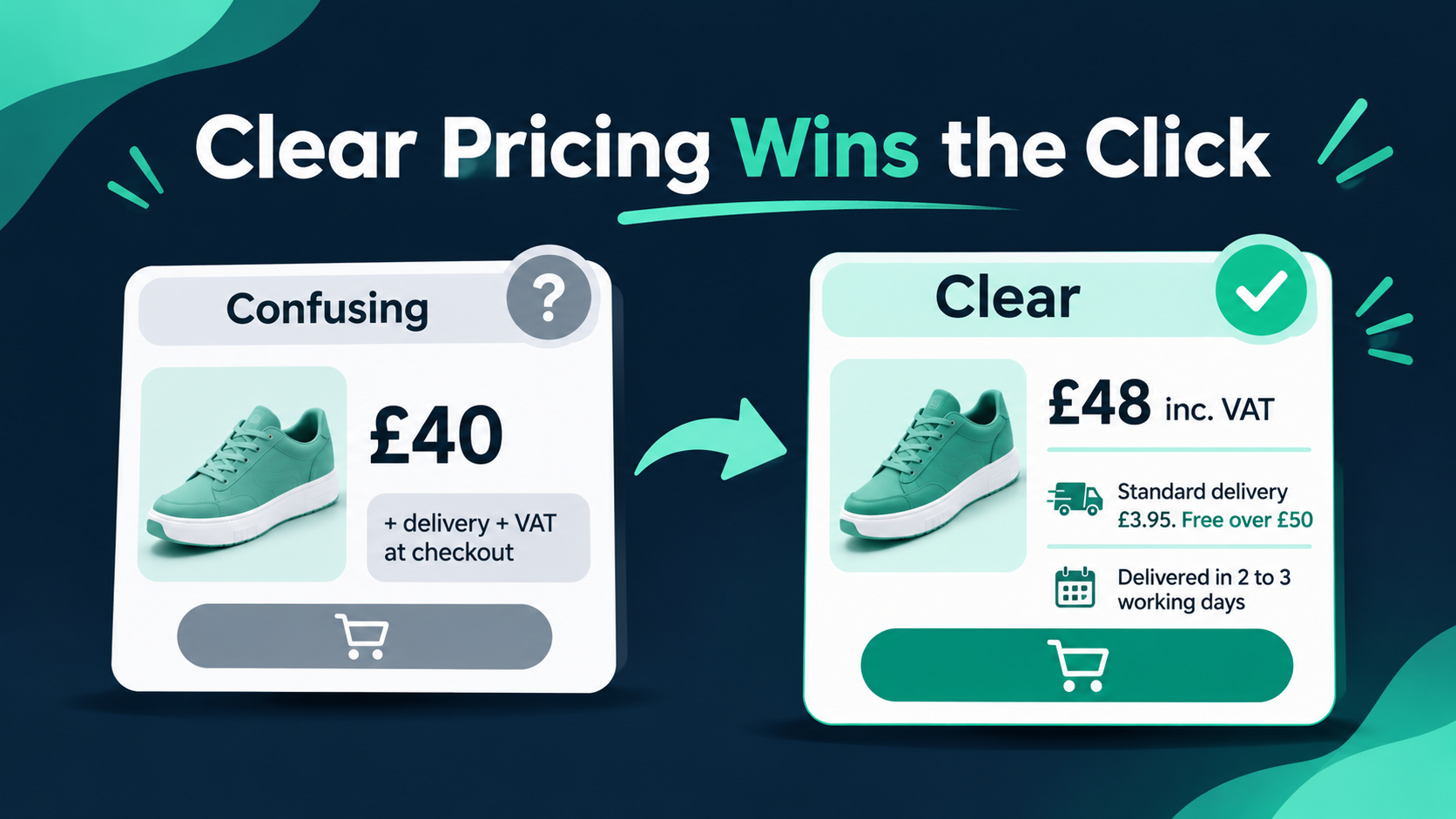
A UK shopper sees two products in Google Shopping. One shows £40. The other shows £48 including delivery and VAT. The first looks cheaper, until the shopper reaches checkout and finds the real total is higher. Many leave at that moment, and some never trust the store again.
Clear pricing is now both a conversion issue and a legal one. This guide explains how to show VAT and delivery info to UK shoppers in a way that earns more clicks, builds trust and keeps your Shopify store on the right side of UK consumer rules.
This is general information, not legal advice. Check your own situation with an accountant or lawyer.
Why VAT and Delivery Info Affects Clicks
UK shoppers are used to seeing prices that already include VAT. When a store shows a lower price without VAT, or hides delivery until the last step, the shopper feels misled. This is often called “tax shock” or “delivery shock,” and it is a common reason for abandoned carts.
Clear information helps in three ways:
- Higher click-through rate: an honest total price and a visible delivery message make your listing and product page more appealing.
- Fewer abandoned checkouts: shoppers are not surprised by new costs.
- More trust: clear details signal a reliable store, which matters for first-time buyers.
What UK Rules Say in Simple Terms
Since 6 April 2025, the UK has banned “drip pricing” under the Digital Markets, Competition and Consumers Act 2024. This means the price a consumer sees when invited to buy should be the total price, including compulsory charges and taxes such as VAT.
For delivery, the key points are:
- Mandatory delivery charges should be included in the headline price where they can be calculated.
- Genuinely optional extras, such as express delivery or gift wrapping, can be shown separately.
- Delivery details should be clearly shown near the price, not buried in a link at the bottom of the page. For example, “Standard delivery: £x” above or below the price.
- Free delivery thresholds need careful handling. The Competition and Markets Authority (CMA) guidance covers how to show prices when delivery is free only above a certain basket value.
The CMA has already begun enforcement under these rules, so pricing transparency is not a minor detail. Always check the latest CMA guidance for your specific model.
How to Show VAT and Delivery Info to UK Shoppers: 8 Steps
1. Show VAT-inclusive prices on every page
For consumer sales (B2C), show prices including 20% VAT, where VAT applies, on collection pages, product pages, the cart and checkout. In Shopify, go to Settings > Taxes and duties and tick Include tax in prices. Make sure each product has Charge tax on this product switched on, if it is VAT-able.
If you sell in several countries, Shopify’s dynamic tax-inclusive pricing (in Settings > Markets > Preferences) can show tax-inclusive prices to UK visitors and tax-exclusive prices elsewhere. Test it carefully, because product pages and carts may not show the right price on a first visit.
2. Put the delivery cost close to the price
Do not make shoppers hunt for delivery costs. Show a short line near the price, such as:
“Standard delivery £3.95. Free on orders over £50.”
Keep it short, factual and in the same font size as other key details. A separate delivery policy page is useful, but it should support the message, not replace it.
3. Handle free delivery thresholds clearly
A free delivery banner can lift clicks and order values when done well. Show the threshold on the product page, cart and announcement bar, and add a progress message in the cart, such as “You are £12 away from free delivery.”
Be careful that the product price shown does not hide a compulsory delivery charge for shoppers who have not reached the threshold. If you are unsure how to present it, review the CMA guidance for multi-item orders.
4. Show delivery times, not only costs
Shoppers want to know when an item will arrive. Show a delivery window, such as “Order by 2pm for dispatch today,” and list regions that cost more or take longer, such as the Scottish Highlands, Northern Ireland or offshore areas. Being honest about exceptions protects you from complaints and refunds.
This matters even more in the weeks before Christmas, when cut-off dates decide whether a gift arrives on time. Our Black Friday SEO checklist shows how to prepare sale pages, delivery notes and key dates before the busiest weeks.
5. Make returns and refunds easy to find
Delivery and returns are linked in the shopper’s mind. Add a short returns summary beside the delivery message, with a link to the full policy. Clear returns information lowers purchase anxiety, which helps conversion.
6. Keep checkout totals consistent
The total shown in the cart should match checkout. Show VAT as a separate line in the order summary if you want customers to see the VAT amount, and make sure delivery is calculated before the final payment step. Any sudden change creates doubt. If you are working on cart and checkout friction, our Shopify conversion optimisation service is built around exactly these steps.
7. Match your Google Shopping feed to your store
UK product feeds should include VAT in the price, and your shipping settings should match what shoppers see at checkout. Set up your delivery rates and any free delivery threshold in Merchant Center shipping settings, instead of building them into the product price. Google can then show delivery details with your listing.
A common Shopify issue is a price mismatch when the store shows tax-exclusive prices to some visitors, because the feed may send the base price. Check your feed against your live pages often. Our Google Ads and Shopping service covers feed setup and price checks.
8. Add structured data and keep pages crawlable
Product schema with the VAT-inclusive price and availability helps search engines understand your offer. Google also supports markup for shipping details and return policies, which can add useful information to search listings. Pair this with a technical review, since Shopify SEO depends on clean, consistent product data across every page.
A Quick Note for Overseas Sellers
If your store ships to the UK from another country, VAT rules differ. For low-value consignments, UK VAT may need to be collected at the point of sale, and a UK VAT registration may be required. Check the current HMRC guidance or speak to an accountant. If you are growing across borders, our Shopify international expansion work covers market setup and pricing display by region.
Common Mistakes to Avoid
- Showing prices without VAT to UK consumers
- Hiding compulsory delivery costs until the last checkout step
- Putting all delivery details in a footer link only
- Using different prices in the feed and on the website
- Promising “free delivery” without showing the conditions
- Forgetting remote-area surcharges
- Showing delivery times that the warehouse cannot meet
Quick Checklist for UK Shopify Stores
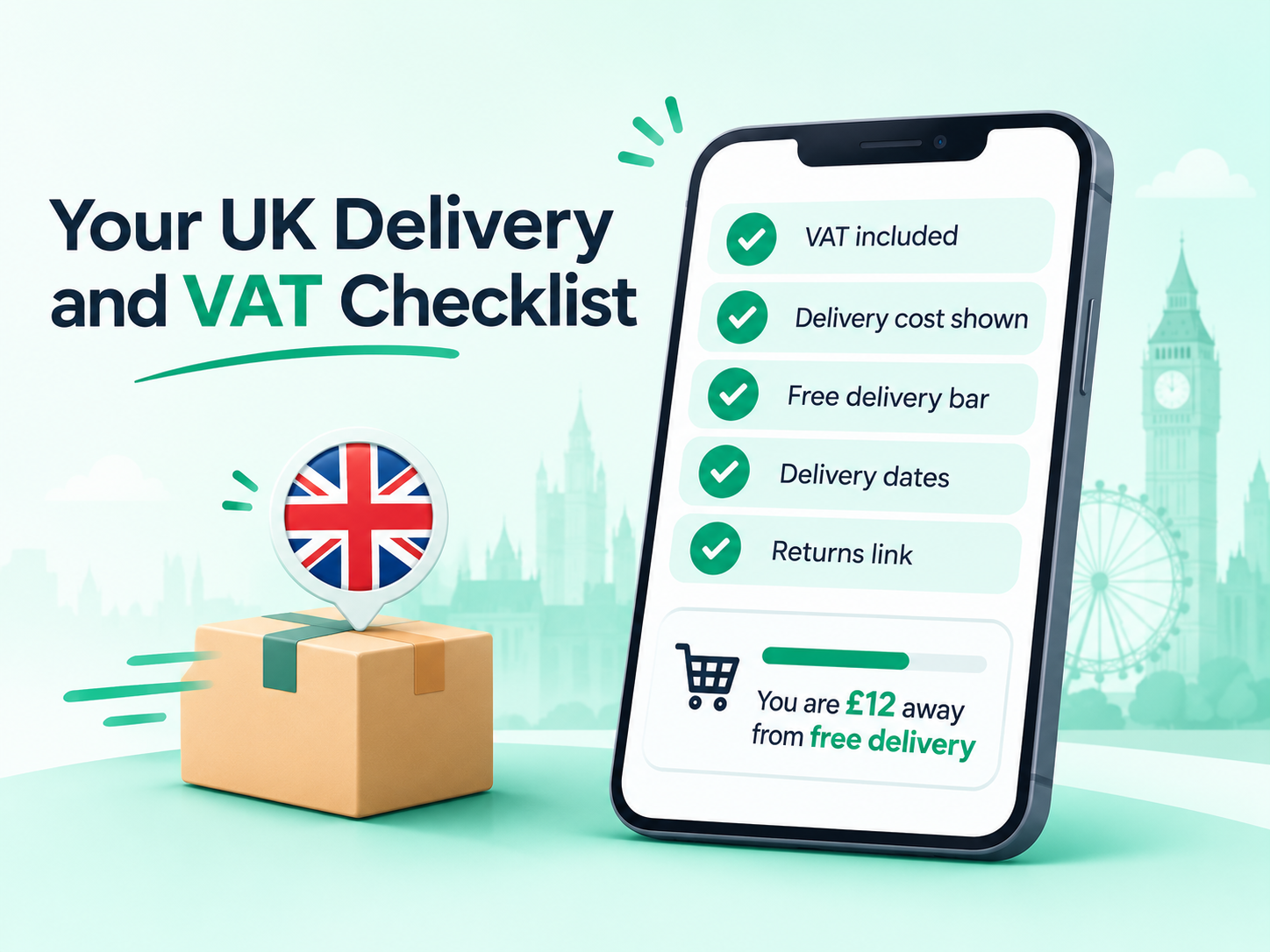
- VAT-inclusive prices on collections, product pages, cart and checkout
- A short delivery cost line near every price
- A clear free delivery threshold and cart progress message
- Delivery times and cut-off dates, including exceptions
- A returns summary with a link to the policy
- Cart and checkout totals that match
- A Google Merchant Center feed with VAT-inclusive prices and matching shipping rates
- Product, shipping and returns structured data
- A monthly check on feed errors, abandoned checkouts and click-through rate
Make Your Information Easy for AI Search, Too
Shoppers now ask AI assistants where to buy a product, and these tools read prices, delivery details and policies from your pages. Clear, consistent information helps your store be understood and recommended. Our guide on how your store can now sell to AI shoppers explains what product data matters most.
Track the Results
Measure what changes after you improve your pricing display:
- Click-through rate from Google Shopping and organic results
- Add-to-cart rate and checkout completion rate
- Abandoned checkout rate at the shipping and tax step
- Average order value, if you add a free delivery threshold
- Customer service questions about delivery and VAT
Analytics and reporting helps you connect these numbers to orders and revenue.
About RankMyShopify
RankMyShopify is a Shopify-only marketing agency. We work only on Shopify and Shopify Plus stores, with SEO experience going back to 2009. Our services cover Shopify SEO, AI search visibility, Google and Meta ads, conversion optimisation, email and analytics, with reporting built around orders and revenue. We work with brands in the UK and six other countries, and our plans start from $150 a month with no lock-in contracts. As one UK example, a Shopify store we support reached 5.32K Google clicks and 195K impressions in six months. You can read more about our team.
Final Thoughts
Showing VAT and delivery information clearly is one of the simplest ways to earn more clicks and fewer abandoned carts. Show the full price, put delivery details near it, explain free delivery conditions, and keep your feed and checkout consistent with your site.
Want a second pair of eyes on your store? Get a free AI SEO audit from RankMyShopify and we will email you your top fixes.
Ready to scale your Shopify store?
Book a free 30-minute growth call with our Shopify specialists. We’ll audit your store and share an actionable roadmap — no obligations.