What Is Shopify Google Shopping and How Does It Work?
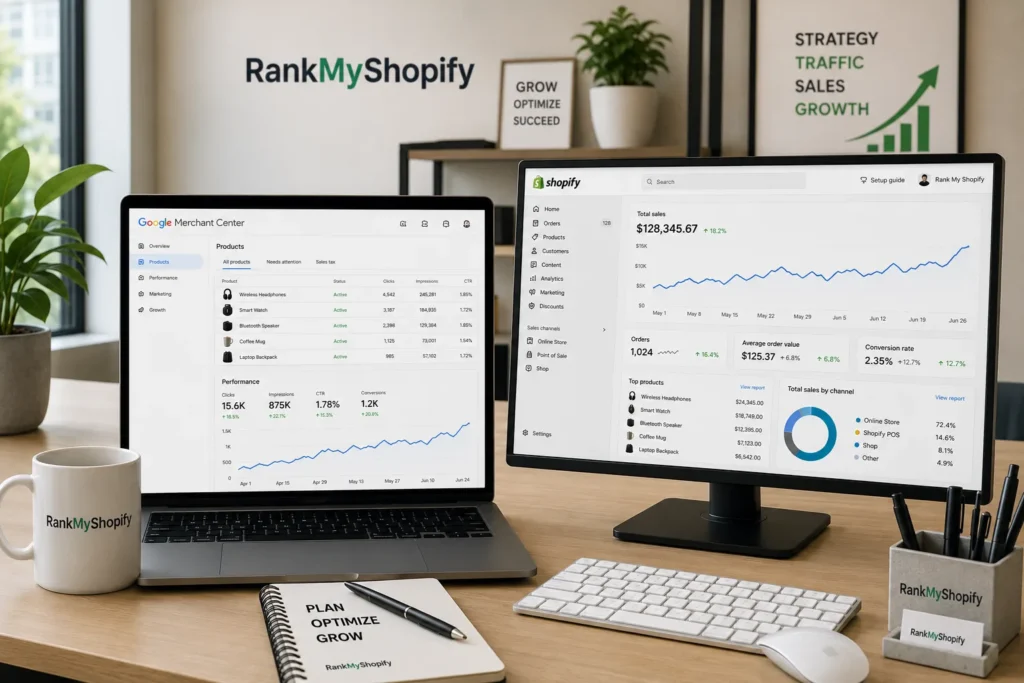
Shopify Google Shopping is the setup that lets your store’s products appear as image based product cards across Google Search, the Shopping tab, Google Images and YouTube, either for free or through paid Shopping ads. Your Shopify product catalogue is turned into a data feed that Google reads and matches against buyer searches.
Google gives Shopify stores two separate but connected surfaces. Free product listings appear in the Shopping tab and occasionally in main Search results at no cost, as long as your Merchant Center account is approved and your feed is valid. Paid Shopping ads sit inside Performance Max campaigns and appear as sponsored product cards at the top of Search, priced on a cost per click basis. Both surfaces run off the same product feed, so the feed work you do benefits both channels at once.
At RankMyShopify, we treat Google Shopping setup as part of a wider Shopify SEO and ads strategy, not a standalone task. Clean product data helps your Shopify collection page SEO and your Shopify product page SEO at the same time as it helps your ad approval rate.
Why Should a Shopify Store Owner Use Google Shopping Ads?
Shopify store owners should use Google Shopping ads because shoppers who search for a specific product are already close to buying, and Shopping ads put your product image, price and store name directly in front of that search. This is different from search text ads, which compete purely on text and bids.
Google Shopping searches carry a high level of purchase intent. Someone searching “black leather backpack” already knows what they want and is comparing specific options, not researching a category from scratch. This intent difference is why Google Shopping campaigns consistently deliver higher conversion rates, typically 3 to 5 percent, compared with 1 to 2 percent for Facebook or Instagram ads.
For example, a Shopify home decor store in the USA with 800 SKUs and no paid channel beyond social ads would typically see Google Shopping outperform social on cost per acquisition within the first month, simply because Shopping traffic arrives already comparing prices rather than being interrupted mid scroll.
How Do You Connect Your Shopify Store to Google Shopping?
You connect your Shopify store to Google Shopping by installing the free Google & YouTube sales channel from the Shopify App Store and linking it to a Google Merchant Center account. The connection setup takes about 20 to 30 minutes, the feed’s first sync to Merchant Center takes 1 to 24 hours, and Google’s initial product review takes 3 to 5 business days before products become eligible for Shopping placements.
Step by Step Connection Process
- Install the Google & YouTube app. Open your Shopify admin, go to Sales Channels, and add the Google & YouTube app. This channel automatically syncs your products and relevant store information with Google Merchant Center.
- Create or link your Google Merchant Center account. If you already run one, connect it. If not, the app creates one for you.
- Verify and claim your domain. Google needs to confirm you own your store’s domain before it will list your products.
- Check your store meets Google’s basic trust requirements. This includes a custom domain, complete About Us and Contact pages, accurate shipping and return policy pages, and secure checkout. Missing any of these is a common cause of account level warnings.
- Sync your product catalogue. Once approved, your feed pushes automatically and updates whenever you edit products in Shopify.
- Link Google Ads. Skipping the Ads link means you cannot run Shopping ads or Performance Max later, so connect it early even if you only plan to run free listings.
Why Do Shopify Products Get Disapproved in Google Merchant Center?
Shopify products get disapproved in Google Merchant Center most often because of missing product data, price mismatches, or a homepage that Google cannot recognise as an active online store. This is one of the most common complaints we see from Shopify store owners.
Common disapproval triggers include:
Price or availability mismatch. The price Google’s crawler sees on your product page must match the price in your feed exactly, including any active discounts.
Missing GTIN or product identifiers. Products without a valid Global Trade Item Number are frequently rejected for categories where GTINs are required.
Weak homepage signals. Store owners on Shopify Community have reported entire domains getting disapproved when the homepage shows only navigation menus and policy links with no visible products, since Google’s crawler cannot confirm the site actively sells anything.
Missing shipping or return information. Incomplete policy pages are one of the most frequent Shopify specific rejection reasons.
Image quality issues. Watermarks, placeholder images or promotional text overlaid on product photos violate Google’s image policy.
Fixing these issues consistently is exactly the kind of technical cleanup our team handles inside a full Shopify SEO audit, since feed errors and SEO errors usually come from the same underlying data gaps.
How Do You Optimise Your Product Feed for Google Shopping?
You optimise your Shopify product feed for Google Shopping by rewriting product titles, descriptions and categories specifically for search intent rather than reusing your storefront copy as is. Google Shopping product titles should follow a different format than your Shopify product titles, including the brand name, product type and key attributes such as colour, size and material.
Feed Element, Storefront Version, Optimised Shopping Feed Version
Product Title: Summer Dress becomes Nike Women’s Dri-FIT Summer Midi Dress, Coral Pink, Size M
Description: Short, conversion focused becomes 500+ characters with specifications, materials and use case
Category: General or missing becomes a specific Google product category assigned
Images: Lifestyle shots only becomes a clean white background primary image plus lifestyle images
Products with detailed, keyword rich titles get 20 to 40 percent more impressions than generic titles, so this is one of the highest value fixes a Shopify store owner can make before launching ads.
Standard Shopping vs Performance Max: Which Should You Choose?
Standard Shopping campaigns give you manual, product level bid control, while Performance Max uses Google’s AI to serve your feed across Search, Shopping, Display, YouTube and Gmail automatically. Most Shopify stores in 2026 run a mix of both rather than picking one exclusively.
Standard Shopping: manual bid control at the product level, best for high margin or top selling SKUs, works with limited conversion history, shorter learning period, full search term visibility.
Performance Max: automated AI driven bidding, best for broad catalogue coverage, needs 50 or more conversions in 30 days to optimise on Target ROAS bidding, carries around a 6 week learning window, limited search term visibility.
A common approach we recommend at RankMyShopify is running Standard Shopping first to build conversion history, then layering in Performance Max once the account has enough data to optimise properly.
How Do You Set Up Conversion Tracking for Shopify Google Shopping?
You set up conversion tracking for Shopify Google Shopping by confirming the Google tag fires correctly on your order confirmation page and creating a Purchase conversion action inside Google Ads. The Google & YouTube channel app installs the Google tag across Shopify for most setups, but this needs to be verified as firing on the order confirmation page before ad spend begins, using a test purchase through Shopify’s bogus payment gateway to confirm the conversion records against the right campaign.
Two settings matter most for accuracy:
- Attribution window. Create a Purchase conversion action with a 30 day attribution window and enable enhanced conversions so hashed first party customer data improves measurement accuracy.
- Attribution model. Switching from last click to data driven attribution matters because last click underweights Shopping ads, which typically sit in the consideration phase rather than the closing phase, and data driven attribution credits Shopping correctly, which then trains the bidding algorithm to spend more effectively.
How Much Does Google Shopping Cost for a Shopify Store?
Google Shopping costs vary by industry and competition, and there is no fixed price. As of 2026, most Shopify store owners starting out should treat their initial daily budget as a testing figure rather than a target spend, typically starting small and scaling once conversion data builds up. For a personalised budget recommendation based on your product margins and market, get a proposal from RankMyShopify by calling 9888923755 or emailing info@rankmyshopify.com.
What Should a Shopify Store Check Before Launching Google Shopping Ads?
A Shopify store should check page speed, policy pages, and feed accuracy before launching Google Shopping ads, since all three directly affect approval and conversion rate once traffic starts arriving. A 1 second improvement in load time can improve Google Shopping conversion rates by 10 to 15 percent, which makes Core Web Vitals work just as relevant to Shopping ads as it is to organic Shopify SEO.
This is also where paid and organic strategies overlap. A store that has already worked on its Shopify site speed and Core Web Vitals will typically see stronger Shopping ad conversion rates than one that has not, simply because the landing experience matches the buying intent Shopping traffic already has.
Find Out Answers Here
A: Yes. Merchant Center manages your product feed and data, while Google Ads manages the campaigns and budget. Both need to be linked for paid Shopping ads or Performance Max to run, though free listings only require an approved Merchant Center account.
A: The feed sync itself takes 1 to 24 hours, but Google’s initial product review typically takes 3 to 5 business days before products become eligible to appear on any Shopping surface.
A: The most common causes are price mismatches between Shopify and the feed, missing GTINs, incomplete shipping or return policy pages, or a homepage that does not clearly show active products to Google’s crawler.
A: Standard Shopping is usually a better starting point for stores without much conversion history, since Performance Max needs a meaningful volume of recent conversions to optimise well on automated bidding.
A: Yes. Free listings only require an approved Merchant Center account and a valid product feed, and they appear in the Shopping tab and occasionally in main Search results without any cost per click.
Ready to scale your Shopify store?
Book a free 30-minute growth call with our Shopify specialists. We’ll audit your store and share an actionable roadmap — no obligations.

