Shopify Black Friday SEO: 2026 Checklist for Google and AI Search
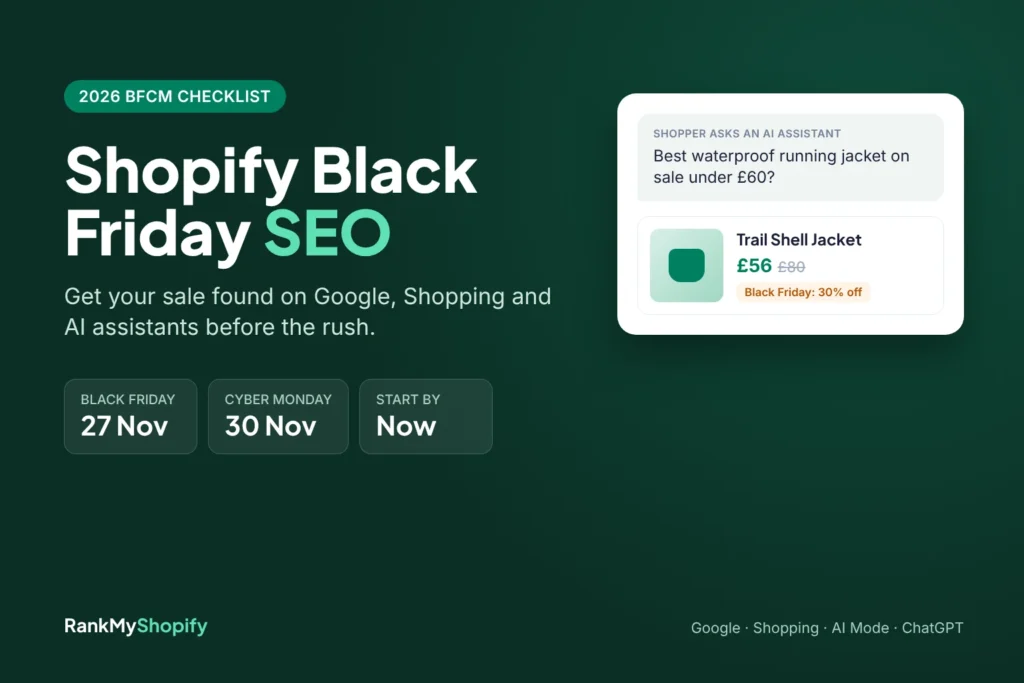
Every November, a lot of Shopify stores do the same thing. They build a shiny new Black Friday page two days before the sale, fill the homepage with banners, and hope Google notices. It usually doesn’t, not in time. And this year there’s a second audience to win over: the AI assistants that shoppers now ask for deals before they ever open a search tab. Shopify Black Friday SEO is how you fix that. It’s the work of getting your sale pages, prices and product data ready so Google Search, Google Shopping and AI assistants like ChatGPT and Gemini can find your offers and show them correctly over Black Friday and Cyber Monday. This guide gives you a week-by-week checklist you can still start today, written for Shopify specifically. Quick answer: Use one permanent Black Friday URL that you reuse every year, link it from your homepage, set sale prices with Shopify’s compare-at price so your page, schema and Merchant Center feed all match, write your offer details in plain text, keep your store open to AI channels, and keep the page live after Cyber Monday. When are Black Friday and Cyber Monday in 2026? Thanksgiving falls on Thursday 26 November 2026, Black Friday is Friday 27 November and Cyber Monday is Monday 30 November. That gives you just under four weeks from the end of October. It’s tight for brand new pages, but it’s enough time if you reuse what you already have and focus on the fixes below. Why does Shopify Black Friday SEO matter more this year? Two reasons: the size of the weekend, and the way people now find deals. The weekend keeps growing. Shopify merchants made a record $14.6 billion in sales over Black Friday Cyber Monday 2025, up 27% on the year before, according to Shopify’s BFCM 2025 report. AI shopping is now a real traffic source. Adobe found that traffic from AI services to US retail sites rose 693% over the 2025 holiday season, and those visitors converted 31% better than other traffic (Adobe Digital Insights). It’s expected to grow again. Adobe’s 2026 forecast projects AI traffic to US retail sites to rise 130% this season, with Black Friday up 95% and Cyber Monday up 88% (Retail TouchPoints). Bear in mind this is a forecast, not a result. So the shopper who used to type “black friday running jacket deals” into Google might now ask an assistant for “the best waterproof running jacket on sale under £60”. Your store needs to be a good answer to both. Step 1: Use one permanent Black Friday URL This is the single most useful thing you can do, and Google has said it plainly. In its best practices for Black Friday and Cyber Monday pages, Google’s advice is to “use a recurring URL, not a new URL for each occurrence of the event.” A page that has lived on the same address for three years has links, history and trust. A page created last Tuesday has none of that. On Shopify, the cleanest options are: A collection: /collections/black-friday if your sale is mainly products. This is usually the best choice, because it lists real items with real prices. A page: /pages/black-friday if you want a landing page with offer details, FAQs and links to several sale collections. Leave the year out of the URL. Put “2026” in the title tag, H1 and copy instead, and update it each year. If you already have old pages like /collections/black-friday-2024, set up 301 redirects to your new permanent URL in Shopify’s URL redirects settings so their links aren’t wasted. Step 2: Link the page from your homepage and menu Google also recommends linking your sale page from the homepage, so it’s easy to discover and clearly important. Do it now with teaser copy (“Black Friday starts 27 November, sign up for early access”) instead of waiting for launch day. Then add links from the places that already get traffic: Your main navigation or announcement bar Top collections and best-selling product pages Gift guides and relevant blog posts Google needs time to crawl and index changes, so a page that goes live in early November has a much better chance than one that goes live on the day. If you want a refresher on how link structure works on Shopify, see our guide to Shopify internal linking. Step 3: Write your offer in text, not just in banners Here’s a mistake we see constantly. The whole offer lives inside a hero image: “UP TO 40% OFF EVERYTHING”. Search engines and AI assistants read text far more reliably than text baked into images. If the details aren’t written on the page, they can’t be quoted. Your Black Friday page should answer these questions in plain sentences near the top: What’s the offer? “30% off all jackets and 20% off everything else.” When does it run? Exact start and end dates, with time zone. What’s included or excluded? Name the collections. Delivery cut-off dates for Christmas, and whether delivery is free. Returns policy for holiday orders, especially if it’s extended. Codes: whether a discount code is needed or prices are already reduced. Short, specific, self-contained sentences like these are exactly what AI tools lift into their answers. A short FAQ block at the bottom of the page works well too. Our post on Shopify AI search optimisation goes deeper on writing for assistants. Step 4: Get your sale prices right everywhere On Shopify, an item shows as on sale when its compare-at price is higher than its price. That one setting feeds three different places, and they all need to agree. Your product pages and structured data Most Shopify themes output Product and Offer markup automatically. Check that the price in the markup matches the price a shopper sees, especially if a discount app changes prices with JavaScript after the page loads. Test a few sale products with Google’s Rich Results Test. Our Shopify structured data guide covers what to look
When to Start Halloween SEO: The Calendar Most Stores Get Wrong

Pumpkin growing across the months on a calendar, showing when to start Halloween SEO Most store owners think about Halloween in October. By then, the best chance to rank has already passed. Good Shopify Halloween SEO starts months earlier, because Google needs time to find, crawl, and trust your pages. This guide gives you a simple month-by-month calendar so you start at the right time next year, and a short list of quick wins if you are reading this in the final days. Why do most stores start Shopify Halloween SEO too late? Halloween feels like an October event, so stores plan for it in October. Search does not work on that timeline. A new or updated page has to be found, crawled, indexed, and trusted before it can rank, and Google says crawling can take anywhere from a few days to a few weeks. Ranking takes longer still. That is the calendar mistake. Stores start work when shoppers start buying, but shoppers begin searching well before that. The stores that show up in October are usually the ones that began in summer. When should Shopify Halloween SEO actually begin? A practical rule of thumb for Shopify Halloween SEO is about 12 to 14 weeks before Halloween, which means July. That gives you time to plan, build, and let Google find your pages. Treat it as a minimum, because competition, store size, and your existing authority all change how long ranking takes. The calendar at a glance: July (12 to 14 weeks out): Plan and research Mid-August (10 to 12 weeks): Build or refresh your pages September (6 to 8 weeks): Strengthen and promote them Early October (3 to 4 weeks): Launch campaigns and check stock Halloween week: Monitor and fix November: Review, and keep the page live Winding path from a sunny August field to a dark October night, showing the Halloween SEO timeline Which Halloween searches should a Shopify store target? Good Shopify Halloween SEO targets specific searches that match what you sell, not just the broad term “Halloween costumes”. Broad searches are crowded, and specific ones are easier to win and closer to a purchase. Ideas to start from: Costumes: by age, theme, and style, such as “toddler dinosaur costume” Decor: indoor decor, outdoor lights, and porch displays Party supplies: tableware, treat bags, and games Treats and gifts: sweets, baskets, and trick-or-treat items Ideas and how-tos: easy costume ideas and party planning guides Use last year’s Search Console queries to see which terms already brought visitors, then build on those. What should you do in July, 12 to 14 weeks before? Use July to plan your Shopify Halloween SEO, because the work that happens now decides everything after it. Most of it needs no new pages. Review last year’s Search Console queries, clicks, and sales Choose one main Halloween collection URL, and keep it the same every year Pick three to five supporting pages, such as costumes, decor, and party supplies Check your site speed and fix heavy images and unused apps, with help from Shopify speed optimisation if needed List the products you will stock and when they arrive Set up analytics and reporting so you can compare this year with last What should you do in August and September? Build, refresh, and strengthen your pages while Google has time to find them. These two months are where Shopify Halloween SEO does most of its work. Publish or refresh your Halloween collection page at the same URL as before Write unique product descriptions with sizes, materials, and ages Publish two or three guides through content marketing, such as party planning or costume idea posts Link to your Halloween page from the homepage, the menu, and relevant blog posts Add the page to your sitemap and request indexing in Search Console Earn links from relevant blogs and creators with steady link building Organised Halloween shelf of costumes, decor and treats, showing a well-built seasonal collection page What should you do in early October? Turn on the channels that bring fast traffic, because Shopify Halloween SEO is now building in the background. This is also the time to protect the sales those channels bring. Run Halloween campaigns with Google Ads and social ads Send email and SMS reminders through Email and SMS flows Check stock levels, delivery times, and shipping cut-off dates Test checkout on mobile, since many Halloween shoppers buy on phones Test discount codes before you promote them Make sure product pages follow good conversion rate optimisation basics, with clear delivery and returns information What should you do in Halloween week? Monitor and fix, and avoid big changes. Your Shopify Halloween SEO pages have done their ranking work, and the priority now is a store that stays fast and accurate. Watch page speed, stock, and checkout Mark sold-out items clearly and hide them from promotions Keep delivery date messages honest Answer customer questions quickly Save screenshots and numbers for your review What should you do after Halloween? Keep the page. This is the most common Shopify Halloween SEO mistake, because stores delete or hide their Halloween page on November 1 and start again next year with a new URL. A new URL has to earn its authority from scratch. Instead: Keep the same URL live every year, and put the year in the title and copy, not the address Do not add a noindex tag to the page Update the page to say the sale has ended, and point visitors to related collections Mark seasonal products as sold out or coming back next year Record what worked in Search Console before the data fades Schedule next year’s July review now Glowing jack-o’-lantern on a shelf next to a calendar for next year, showing a seasonal page kept for the following season How do you measure whether Shopify Halloween SEO worked? Judge Shopify Halloween SEO by comparing this season with the last one, not with a normal month. Seasonal pages should be judged on a year-over-year
Selling Fashion Online in London? What Your Shopify Store Needs to Rank

London shoppers have endless choices, from global retailers to resale apps to small independent labels. Looking good is not enough to be found among them. Strong Shopify fashion SEO in London gives your store a way to reach shoppers who are already searching for what you sell. This guide covers the pages, product details, technical basics, and content a fashion store needs to rank on Google and in AI search. Why is selling fashion online in London so competitive? Shoppers can compare hundreds of brands in seconds, and big retailers already own many of the broad searches. A small label cannot win “dresses” or “jackets” outright, so it has to be specific. The pressure comes from several places: Large fashion retailers with huge catalogues and big budgets Marketplaces and resale apps where shoppers hunt for bargains Hundreds of independent labels with similar products and photos UK shoppers who compare delivery speed and returns before they buy The way through is to target narrower searches where your brand genuinely fits, such as a specific style, fabric, fit, or occasion. That is the heart of Shopify fashion SEO in London. What does Shopify fashion SEO in London actually involve? It means making sure Google and AI tools understand what you sell, who it suits, and why UK shoppers should trust you. In practice it covers collection pages, product pages, site speed, structured data, content, and reporting. Shopify SEO done well ties all of these together. A few points are worth knowing: Think UK first: Most shoppers search for the UK, not for London, so target UK language and sizing before anything else. Use “London” with care: It works best on pages with real local relevance, such as a showroom, a pop-up, or a London-made range. Use UK words: Shoppers search for trousers, jumpers, and trainers, not pants, sweaters, and sneakers. Which collection pages does a fashion store need to rank? The ones that match how people shop: by product type, occasion, fit, fabric, and season. In Shopify fashion SEO in London, collection pages usually bring more search traffic than single products, so build them first. Useful collection ideas: Product types: midi dresses, wide-leg trousers, linen shirts Occasions: wedding guest dresses, work outfits, holiday wear Fit: petite, tall, curve, maternity Fabric: linen, knitwear, cotton, vegan leather Season: spring layering, autumn coats, party season Give each page a clear name, a short intro written for shoppers, and links to related collections. Avoid creating dozens of near-identical filter pages that compete with each other. Your Fashion & Apparel approach to Shopify fashion SEO in London should start here. How should product pages be written for UK shoppers? Write them for a shopper who cannot touch the fabric, so the page answers every question that touch would. Use UK spelling, UK sizes, and prices in pounds that include VAT. Include these details: A unique description, not supplier text The UK size range, measurements, and model height Fabric, care, and fit notes Several photos, including close-up detail shots Delivery times and costs in plain words Returns terms near the buy button Genuine customer reviews Keep titles clear. “Linen Wide-Leg Trousers in Sage” will serve shoppers and search better than “Summer Vibes Bottoms”. These changes also support conversion rate optimisation, because clear pages turn more visitors into buyers. How do size guides and returns information help rankings and sales? Fit doubt is a major reason fashion shoppers leave or send items back, and clear information reduces both. A good size guide is a quiet win in Shopify fashion SEO in London, because it gives you a page that can rank for sizing searches. Ways to use it: Add a size guide with UK sizes to every product Write fit notes such as “true to size” or “relaxed fit” only when they are accurate State your returns terms clearly. UK consumer rules give online buyers cancellation rights, so check the current rules and make your policy easy to find Review return reasons and update product pages to fix repeat problems Each fix improves the page for people and search engines alike. What technical SEO does a fashion Shopify store need? Fast pages, a clean structure, and clear product data. Fashion pages are image-heavy, so the technical side of Shopify fashion SEO in London matters more than most owners expect. Check these areas: Images: Compress them, and invest in Shopify speed optimisation Mobile layout: Most fashion browsing happens on phones Structured data: Add price, stock, and review details so they can show in search results Canonical tags: Stop colour and size variants competing with each other URLs and sitemap: Keep them clean and current Redirects: Fix broken links and redirect chains after any redesign How can content bring more shoppers to a fashion store? By answering the questions people ask before they are ready to buy. Style guides and advice pages bring in shoppers early, and content marketing like this also earns links over time. Content ideas for Shopify fashion SEO in London: “What to wear to a summer wedding in the UK” “How to layer for changeable British weather” “How to measure yourself for trousers” Seasonal edits around moments like London Fashion Week, bank holidays, and party season Care guides for knitwear, linen, and silk Link every guide to the matching collection so readers can shop what they just learned about. How does AI search affect fashion brands in London? More shoppers now ask ChatGPT, Gemini, and Google AI Overviews for outfit and shopping ideas. These tools tend to recommend brands whose details are clear, complete, and trusted. To improve your chances: Write full product details covering fabric, fit, size range, and care Answer common questions directly on product and collection pages Keep genuine reviews and ratings visible Use structured data so product details are easy to read Earn mentions on trusted fashion and lifestyle sites Good Shopify fashion SEO in London serves shoppers and AI tools at the same time, so this work pays off twice. How
Shopify Canvas Explained (2026): What the AI Store Builder Means for Your Store’s SEO
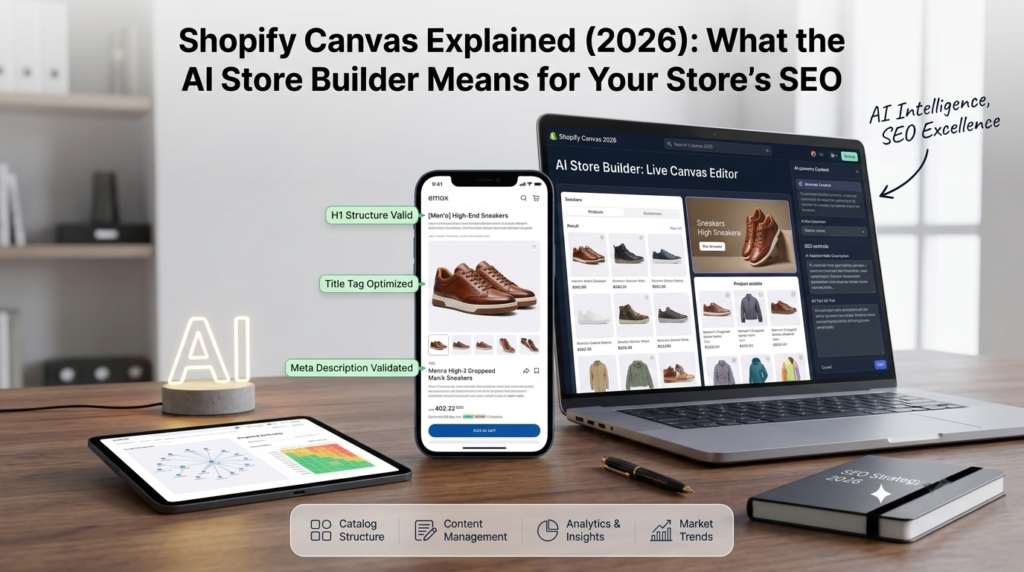
On October 1, 2026, Shopify introduced Canvas, a new way to design a store by chatting with its AI assistant. Store owners are already asking a fair question: if a store can be built in minutes, what does that do to search rankings? This post explains what Canvas is in plain words, what it can and cannot do for now, and the Shopify SEO checks worth making before you publish a design built with it. Details come from Shopify’s own announcement, and we mark clearly where we are giving our own view. What Is Shopify Canvas? Canvas is a design workspace inside the Shopify admin. Instead of editing one page at a time, you see every page of your store laid out together. You can pan across them to judge how the store feels as a whole, then zoom in on the details. You work with Sidekick, Shopify’s AI agent, by describing what you want, and the changes appear as it makes them. Shopify says Canvas shows a render of the real code behind the store, not a flat preview, so you can check how pages look and behave. You can still click elements and edit them by hand. Shopify also simplified its theme structure so Sidekick can understand and change a store more easily. In simple terms: you describe the design, the AI builds it, and you adjust what you do not like. What Canvas Cannot Do Yet Canvas is rolling out gradually, so you may not see it in your store yet. According to TechCrunch’s launch report, the first version does not support third-party themes, app blocks and extensions, Markets, translations, rollouts or theme updates. Canvas also opens from the Themes page and works on desktop only. That list matters for SEO, because several of those items affect how a store appears in search, as the next section shows. What Canvas Handles and What Still Needs SEO Work This table is our view, not Shopify’s: Area Does Canvas handle it? What still needs attention Store look and layout Yes, through chat Make sure design choices do not slow the store Page titles and meta descriptions Not its purpose Write them for search, page by page Collections and URLs Not its purpose Plan structure around how people search Product descriptions Not its purpose Original, detailed copy still wins Page speed Not guaranteed Test it after every design change Does an AI-Built Store Rank Better? There is no evidence yet that a store built in Canvas ranks better or worse. Google ranks pages on how useful they are and how well they work, not on how quickly the design was made. So the speed of building is not a ranking factor. What matters is what ends up on the page: clear titles, helpful content, a sensible structure and fast loading. The real risk is a false sense of finished. A store can look polished in twenty minutes and still have weak titles, thin collections and heavy images. Six SEO Checks Before You Publish a Canvas Design 1. Titles and meta descriptions. Check that each key page still has a clear title and description that says what you sell. Do not assume the AI wrote them for search. 2. Headings. Each page should have one main heading that matches what the page is about, with sub-headings in a logical order. 3. Collections and URLs. Check that your collection pages and their addresses did not change, and keep the structure you built around how people search. If URLs do change, set up redirects. 4. Images and speed. AI-built designs can add large images and effects. Compress images, name files clearly and test speed on a phone. Our Shopify speed optimization work starts here. 5. Features that come from apps. Because app blocks are not supported at launch, check that reviews, ratings and other app features still show on the pages that use them. Anything that disappears can affect both sales and the extra detail Google shows in results. 6. Markets and translations. If you sell in more than one country or language, check these carefully, since Canvas does not manage them yet. After publishing, watch conversion too. A prettier store should also sell better, and Shopify CRO work helps you check that it does. Who Should Use Canvas Now It looks most useful for new stores and small brands that want a custom look without a big design budget. If you already have a store that ranks and sells, test Canvas on a duplicate theme first and publish only after the checks above. If you are halfway through an agency rebuild, it is usually safer to finish that first and look at Canvas afterwards. Start Here This Week If you have Canvas, try it on a duplicate theme, not your live store. Then run the six checks on your top five pages, and compare speed and rankings a few weeks later. If you do not have Canvas yet, use the time to tidy your titles and collections, because you will want them in good shape before any redesign. Sources Shopify, “Introducing Canvas”: https://www.shopify.com/news/introducing-canvas TechCrunch, “Shopify debuts Canvas, a way to build online stores by chatting with AI”: https://techcrunch.com/2026/10/01/shopify-debuts-canvas-a-way-to-build-online-stores-by-chatting-with-ai/ About RankMyShopify RankMyShopify is a Shopify-exclusive SEO and digital marketing agency, founded in 2009, with offices in Punjab, India and the USA. We work with ecommerce brands in India, the USA, the UK, Australia and Canada on Shopify SEO, Google Ads, Meta Ads, CRO, content marketing and AI search optimization. Want a second opinion on a new design? Book a free audit. Find Out Answers Here What is Shopify Canvas? It is a design workspace in Shopify where you build and edit your store by chatting with Sidekick, Shopify’s AI agent, while seeing all your pages together. Is Shopify Canvas good for SEO? Canvas is a design tool, not an SEO tool. It can help you build a store quickly, but titles, collections, content and speed
Great in December, Invisible the Rest of the Year: A Home Decor SEO Problem

December is lovely. Candles, tableware, gift sets and festive pieces fly out the door, and the sales report makes you smile. Then January arrives, and the orders thin out to a trickle that lasts until the next holiday rush. That pattern is common, and it is rarely about demand alone. It is usually a home decor SEO problem: the store ranks only when shoppers already know your name or when a holiday does the work for you. This post explains why that happens and how to stay visible for the other eleven months. Why Decor Demand Rises and Falls Home decor demand follows the calendar. People refresh their homes in the new year, move outdoors in spring, settle back into routines in autumn and buy gifts and festive pieces at the end of the year. Each wave has its own searches, and shoppers start looking weeks before they buy. A store that only shows up for one wave looks busy in that month and invisible in the others. The fix is not more ads in the quiet months. It is planning pages so they are ready before each wave starts. Rank Before the Demand Arrives This is the part many stores miss. Google needs time to find, test and trust a page. Technical fixes and long-tail product searches often improve within two to three months, while competitive style and category terms usually take six to twelve. A festive page published in November is already late. Think of each season as a deadline that sits months earlier than the sales peak. The calendar below shows the pattern, using the northern hemisphere. For Australia and South Africa, shift each season by six months. Season What shoppers want Prepare by January to March Refresh and organise: storage, bedding, calm and minimalist looks October to November April to June Outdoor living: planters, outdoor cushions, garden lighting January to February July to September Back to routine: home office, kids’ rooms, cosy textures April to May October to December Gifting and festive: candles, tableware, gift sets July to August Because it is late October as you read this, the January to March pages should be going live now. Keep Seasonal Pages on the Same URL A common mistake is to build a new Christmas page every year. Each new page starts from zero, with no history and no links. A better approach is to keep one evergreen URL for each seasonal collection and refresh it before the season returns. Update the products, the intro and the images, and let the page build strength year after year. The same logic applies to products you stop selling. Redirect them to the closest alternative or to the parent collection, so the rankings they earned are not wasted. Build Pages That Work Year-Round Holiday pages help, but they cannot carry a whole year. Many of the searches that bring in steady orders have nothing to do with a holiday. People look for a style like “japandi bedroom decor,” a room like “hallway runner rug,” or a problem like “how to style a bookshelf.” Those searches are available all year, and each deserves its own page: a style collection with a short guide to the look, a room collection that pulls together products from several categories, and a styling guide that links straight to what you sell. Build collections only where there is real demand and enough products to fill the page, because thin collections with two or three items usually do more harm than good. Fix the Words Shoppers Cannot Search Lovely product names feel right for the brand, but they rarely match what people type. “The Willow” tells nobody what it is. You do not have to drop it. Keep the name and add the words shoppers use, such as “The Willow Rattan Pendant Light, Large.” You keep the brand feel and gain a page that can rank. The same goes for descriptions copied from a supplier. If dozens of stores use the same text, Google has no reason to prefer yours. Write your own, covering size, material, care and how to style the piece. Write Down the Details Buyers Search For Decor shoppers measure a space, compare colours against a sofa and check what a rug is made of before they buy. Searches reflect that: “linen cushion cover 50×50” or “rattan pendant shade large.” Put exact dimensions, materials, colours and finishes into titles and copy. These detailed searches often convert well because the shopper knows what they want. Treat Your Photos as an SEO Asset Decor shoppers browse with their eyes, and Google Images, Google Lens and Pinterest can send steady traffic to stores that handle images well. Give files descriptive names instead of “IMG_4521,” write alt text that describes the scene, and compress images so pages load fast on a phone. Heavy lifestyle photos are a common cause of slow pages, which is why our Shopify speed optimization work often starts there. Plan Styling Guides Months Ahead Guides and lookbooks answer the questions that inspire a purchase: how to style a small living room, how to layer a bed, how to set a table. Plan them on the same calendar as your seasonal pages, and link each one to the products it features. Our Shopify content marketing team builds these around real search demand, so each guide has a reason to rank. Use Email to Fill the Quiet Months Search takes time to build, and email can help in the meantime. People who browsed in December and did not buy can hear from you again with a reminder, a styling idea or a new arrival. Home decor has a long thinking time, so a short, timely message can bring someone back days later. A tidy email and SMS marketing setup does this in the background. Earn Links From Places Decor Shoppers Read Design blogs, gift guides and local press all signal that your brand is real, and they help seasonal pages rank.
Shopify AI Search Optimisation: How to Get Recommended by ChatGPT and Google AI Mode

Shoppers no longer start every search on Google’s ten blue links. More of them now ask ChatGPT for “the best linen shirts under £60”, ask Google’s AI Mode to compare running shoes, or ask Copilot which serum suits sensitive skin. These assistants return a short list of products and a few stores. If your Shopify store is not on that list, the shopper never sees you. Shopify AI search optimisation is the work of making your products and pages easy for these AI assistants to find, understand and trust, so they recommend you when a shopper asks. The good news: most of it builds on the same foundations as solid Shopify SEO. In this guide, we explain how products actually reach AI assistants, what data they rely on, and the practical steps to take first. What Is Shopify AI Search Optimisation? AI search optimisation (sometimes called GEO, generative engine optimisation, or AEO, answer engine optimisation) means preparing your store so that AI-powered search tools can use it as a source. For a Shopify store, that covers three things: Product visibility: your products appear as shoppable cards when someone asks an assistant for a product recommendation. Brand mentions: your store is named when someone asks “where should I buy…” or “what is the best brand for…”. Citations: your guides, sizing pages and FAQs are linked as the source behind an AI answer. Each of these draws on slightly different data, which is why it helps to understand the routes your store’s information takes before you start changing things. How Shopify Products Reach AI Assistants There are three main routes. Strong stores keep all three accurate and consistent with each other. 1. Shopify Catalog and Agentic Storefronts Shopify now syndicates products to AI channels through its own catalog. According to Shopify’s Help Center, Agentic Storefronts “lets customers discover and purchase your products in AI channels” and is active by default for eligible stores. Supported channels include ChatGPT, Google AI Mode and Gemini, Microsoft Copilot and Meta’s AI surfaces. You can choose which channels to sell on from Sales channels > Agentic in your Shopify admin. Shopify’s own guidance on ChatGPT shopping adds some basic eligibility rules: your store cannot be password-protected, every listing needs a title and at least one image, and free products are excluded. 2. Google Merchant Center feeds Google’s AI Mode, AI Overviews and Gemini draw on product data that retailers send through Google Merchant Center, usually via the Google & YouTube app on Shopify. That feed carries price, stock, GTINs, variants and images. If you already run Shopping ads, you have this feed, but it is worth checking its quality. Our guides to Google Shopping setup on Shopify and product feed optimisation walk through the details. 3. Crawlable web pages AI search tools also read your public pages, the same way search engines do. Google uses Googlebot. OpenAI’s crawler documentation says OAI-SearchBot “is used to surface websites in search results in ChatGPT’s search features”, and that sites which block it “will not be shown in ChatGPT search answers”. Perplexity and Copilot rely on their own crawlers and on Bing’s index. This route matters most for brand mentions and citations. When a shopper asks a comparison question, assistants look for pages that answer it clearly: buying guides, sizing charts, ingredient explanations and honest comparisons. Step 1: Check That AI Assistants Can Access Your Store Before you optimise anything, make sure nothing is blocking access. Agentic Storefronts: open Sales channels > Agentic and confirm the channels you want are switched on. robots.txt: visit yourstore.com/robots.txt and check that Googlebot, Bingbot and OAI-SearchBot are not disallowed. Some apps and custom robots.txt.liquid edits block AI crawlers without the owner realising. Password and geo blocks: remove storefront passwords once you launch, and check that bot-protection or geo-blocking apps are not stopping legitimate crawlers. Indexing: Google says pages need to be “indexed and eligible to be shown in Google Search with a snippet” to appear as links in AI features. Check the Pages report in Search Console for important product and collection pages that are excluded. Duplicate URLs are a common hidden problem on Shopify. If you have not cleaned them up, read our guide on fixing duplicate content on Shopify. Step 2: Make Your Product Data Complete and Specific AI assistants match products to very specific requests. A shopper might ask for “a waterproof hiking jacket for women, packable, under $150”. The assistant can only recommend your jacket if your data says it is waterproof, packable, designed for women and priced under $150. Write descriptive product titles Lead with what the product is, then the key attribute. “Aurora Women’s Packable Waterproof Hiking Jacket” gives an assistant far more to work with than “Aurora Jacket”. Keep brand names, but do not rely on them alone. Fill in every attribute you can GTINs and barcodes so your product can be matched reliably across sources. Variants with clear size, colour and material values rather than codes. Specifications such as dimensions, weight, ingredients, materials and care instructions. Shopify recommends technical specs, sizing guides and care instructions because they help AI tools tell similar products apart. Product type, tags and metafields that use the words shoppers actually use. Write descriptions in full sentences Keyword lists do not help. Explain who the product is for, what problem it solves and how it compares with alternatives. This is the same work that drives good rankings on Google. Our guide to Shopify product page SEO shows how to structure it, and our Shopify keyword research guide helps you find the language your customers use. Collection pages matter too. A well-written collection page with a clear introduction and buying advice is often what an assistant cites for broad “best X” questions. See how to optimise Shopify collection pages. Step 3: Keep Structured Data Accurate and Consistent Structured data (schema markup) labels your price, availability, brand and reviews in a format machines can read. Google is clear that you do not need any
Stop Losing Sales: Shopify CRO Strategies Every Store Owner Should Know
Most Shopify stores are not short on traffic. They are short on a system that turns that traffic into orders. You may be paying for ads, publishing content and ranking for good keywords, yet the orders do not follow. Every visitor who leaves without buying is a sale you already paid to earn and then lost. That is the problem Shopify CRO (conversion rate optimisation) solves. Instead of spending more to bring in extra visitors, you fix what happens after they arrive. In this guide, we walk through the strategies every store owner should know, from product pages to checkout, and show you where most stores quietly lose sales. What Is Shopify CRO and Why Does It Matter? Conversion rate optimisation is the practice of increasing the share of visitors who complete a goal on your store, usually a purchase. If 100 people visit and 2 buy, your conversion rate is 2%. CRO is the work of moving that number up without simply buying more traffic. This matters for three reasons: It lowers your cost per sale. The same ad spend produces more orders when more visitors convert. It makes every channel work harder. Better conversion lifts Shopify SEO, paid ads and email at the same time. It compounds. A fix to your product page template helps every product that uses it. Our Shopify CRO service is built on exactly this idea: audits, testing and checkout fixes that turn more of your existing traffic into revenue, with no extra ad spend required. Step 1: Find Where You Are Actually Losing Sales Before changing anything, find the leaks. Guessing is the most common CRO mistake. Store owners redesign a homepage because it feels dated, while the real problem sits in the cart. Start by mapping your funnel in Shopify analytics and GA4: Landing page to product page Product page to add to cart Cart to checkout started Checkout to order completed The step with the biggest drop is where you start. If few visitors add to cart, work on the product page. If many add to cart but few begin checkout, look at shipping costs and cart design. If they reach checkout and leave, the problem is trust, friction or payment options. Accurate data comes first. If your tracking is broken, your conclusions will be wrong. Our analytics and reporting work focuses on clean tracking across every channel, so you know what is really driving revenue. A structured Shopify website audit is also a good way to check what to fix and what to track before you start testing. Step 2: Fix Your Product Pages First The product page is where the buying decision happens, so it deserves the most attention. Here is what to check. Lead with a clear, benefit-focused headline. Shoppers should understand what the product is and why it is worth buying within a few seconds. Use strong, honest imagery. Show the product from several angles, in use, and at scale. For fashion and beauty stores, this includes fit, texture and real-life photos. If your store sells in these categories, our Fashion & Apparel and Beauty & Skincare pages explain how we approach them. Write descriptions that answer questions. Cover size, materials, ingredients, delivery and returns. Every unanswered question is a reason to leave. Put social proof close to the buy button. Reviews, ratings and customer photos reduce doubt at the moment it matters most. Make the call to action obvious. Your add-to-cart button should stand out, stay visible on mobile, and use clear wording. Show delivery and returns information upfront. Hidden costs and unclear policies are among the most common reasons shoppers abandon a purchase. Product page quality also affects search visibility, so it helps to treat CRO and SEO together. Our guide on Shopify product and collection page SEO fixes shows how better page structure can support both rankings and conversions. Step 3: Speed Up Your Store A slow store loses shoppers before they see a single product. Mobile visitors, who often browse on weaker connections, are the least patient. Common speed problems on Shopify include oversized images, too many apps loading scripts, heavy themes and unoptimised fonts. Fixing them improves the experience for everyone and supports your search performance as well. Start with these basics: Compress and correctly size images Remove apps you no longer use Limit heavy sliders, pop-ups and animations Test your key pages on a real mobile device If your store feels sluggish, our Shopify speed optimization service targets exactly these issues. Faster pages mean fewer people leaving before they have had a chance to buy. Step 4: Make Mobile Shopping Effortless For many Shopify stores, most visitors arrive on a phone. A desktop-first design that merely shrinks down will frustrate them. Review your store on mobile with a critical eye: Are buttons large enough to tap easily? Is the menu simple to use with one hand? Does the add-to-cart button stay visible while scrolling? Do forms use the right keyboard type for emails and phone numbers? Can shoppers use fast options like Shop Pay and other wallets? Small frustrations add up quickly on a small screen. Smoothing them out is one of the quickest ways to recover lost sales. Step 5: Reduce Cart and Checkout Friction Cart and checkout are where interested shoppers become customers or walk away. Even a motivated buyer will leave if the process feels long, confusing or risky. Show total costs early. Surprise shipping fees and taxes are a leading cause of abandoned carts. Be transparent before checkout begins. Offer the payment methods your customers expect. This includes cards, digital wallets and local options for the markets you sell in. Remove unnecessary fields. Ask only for what you need to complete the order. Add trust signals. Secure payment badges, clear return policies and visible contact details help nervous buyers feel safe. Use a simple cart. Show product images, quantities and a clear checkout button. Avoid distractions that pull shoppers away from finishing. For larger brands, Shopify
Shopify Product and Collection Page SEO: 12 Fixes With Before/After Examples

Most Shopify stores do not need more pages, they need better ones. A few small fixes on your collection and product pages can make it easier for Google to understand what you sell and easier for shoppers to buy it. That is the idea behind Shopify product and collection page SEO: fix the pages that already exist, in the order that matters most. This guide walks through 12 fixes, each with a before and after example. The examples are illustrations for a fashion and home store, not real client data. It is written for store owners in India, the USA, the UK, Australia and Canada. What Is Shopify Product and Collection Page SEO? It is the work of making your collection pages and product pages clear, useful and easy for search engines to crawl, so they rank for what shoppers search and convert the visitors they get. It covers titles, copy, images, structure, internal links, schema and speed. Collection pages usually target broad searches such as “linen shirts for men”, while product pages target a specific item. Both need to work together. Which Pages Should You Fix First? For Shopify product and collection page SEO, fix your collection pages first, then your best-selling products. Collections match broader searches and pass visitors to many products, so one improvement helps many sales. Start with the five collections that bring in the most revenue, then move down the list. For example, imagine a home decor store in the UK with 600 products and 40 collections. Rather than rewriting every product, the owner improves the five biggest collections and their top 20 products first. That small batch usually covers most of the revenue, and it gives the team a tested method to repeat on the rest. Collection Page Fixes Fix 1: Add a useful intro above the product grid A bare grid of products gives Google very little to read. Add a short intro written for shoppers. Before: Page title “Summer Dresses”, then 24 product tiles and nothing else. After: A 100 to 200 word intro covering fabrics, occasions, sizing help and links to related collections, with the products directly below. Fix 2: Rewrite the title tag and meta description Titles that only repeat the collection name waste your best signal. Before: “Dresses | Store Name” After: “Women’s Summer Dresses: Linen and Cotton | Store Name”, with a meta description of about 150 to 160 characters that mentions delivery or returns and invites the click. Fix 3: Link to the clean product URL A product can load at /products/blue-dress and at /collections/dresses/products/blue-dress. Shopify normally points the canonical tag to the clean version, but your own links should do the same. Before: Collection tiles link to /collections/dresses/products/blue-dress. After: Tiles link to /products/blue-dress. This usually needs a small theme edit, so ask your developer. Fix 4: Control tag and filter pages Tags and filters can create thousands of thin, near-duplicate URLs. Before: Pages such as /collections/dresses/red+cotton+short are all open to indexing. After: Only the pages that match real searches are indexed. Review these in Google Search Console and Screaming Frog, and test any robots.txt.liquid or noindex change before you publish it. Fix 5: Add links to related collections Shoppers and Google both need next steps. Before: The page is a dead end. After: A “Shop by occasion” or “Shop by fabric” block links to related collections, such as wedding guest dresses or linen dresses. Our guide to Shopify collection page SEO for large catalogs goes deeper on scaling this. Product Page Fixes Fix 6: Write a clear product title Codes and internal names do not help shoppers or search. Before: “Maxi Dress 04” After: “Linen Wrap Maxi Dress in Sage Green” Fix 7: Replace thin or copied descriptions Supplier text is used by many stores, and a one-line description says almost nothing. Before: “Effortless beauty for every occasion.” After: Fabric, length, fit, sizing guidance, care instructions and who it suits, written in your own words and in short paragraphs or bullets. Fix 8: Use one product page for all variants Duplicate pages for each colour or size split your signals. Before: Three pages for the same dress, one ending in “-copy”. After: One product with colour and size options, and redirects from the duplicates to the main page. Fix 9: Fix image names and alt text Images help rankings and accessibility. Before: File name IMG_0432.jpg and alt text “Product”. After: File name sage-green-linen-wrap-maxi-dress.jpg and alt text describing what the image shows, such as “Sage green linen wrap maxi dress, front view”. Fix 10: Add reviews and valid Product schema Review stars and structured data can help your listing stand out. Before: No ratings, and schema missing price or availability. After: Real customer reviews and valid Product schema with price, stock status and rating, tested in Google’s Rich Results Test. Only mark up reviews that are genuine. Fix 11: Show shipping, returns and sizing near the buy button Shoppers decide quickly, and hidden policies lose sales. Before: Delivery information sits only in the footer, and two pages state different free shipping thresholds. After: A short delivery estimate, returns line and size guide link sit under the buy button, and every page uses the same threshold. Fix 12: Speed up the page Slow pages hurt both rankings and orders. Before: A 3 MB hero image, five apps loading scripts and a lazy-loaded main image. After: Compressed images, unused apps removed, and the main image loading first. Check results in PageSpeed Insights. For hands-on help, see our Shopify speed optimization service, and our Shopify product page SEO page for what a strong product page includes. How Do Collection and Product Pages Work Together? Collection pages attract the broader searches, and product pages turn that interest into an order, so each one needs to send shoppers to the other. Strong Shopify product and collection page SEO treats the two as one system, not as separate jobs. Collections link to products using clean /products/ URLs Product pages link back
A Practical Shopify Website Audit: What to Check, Fix and Track
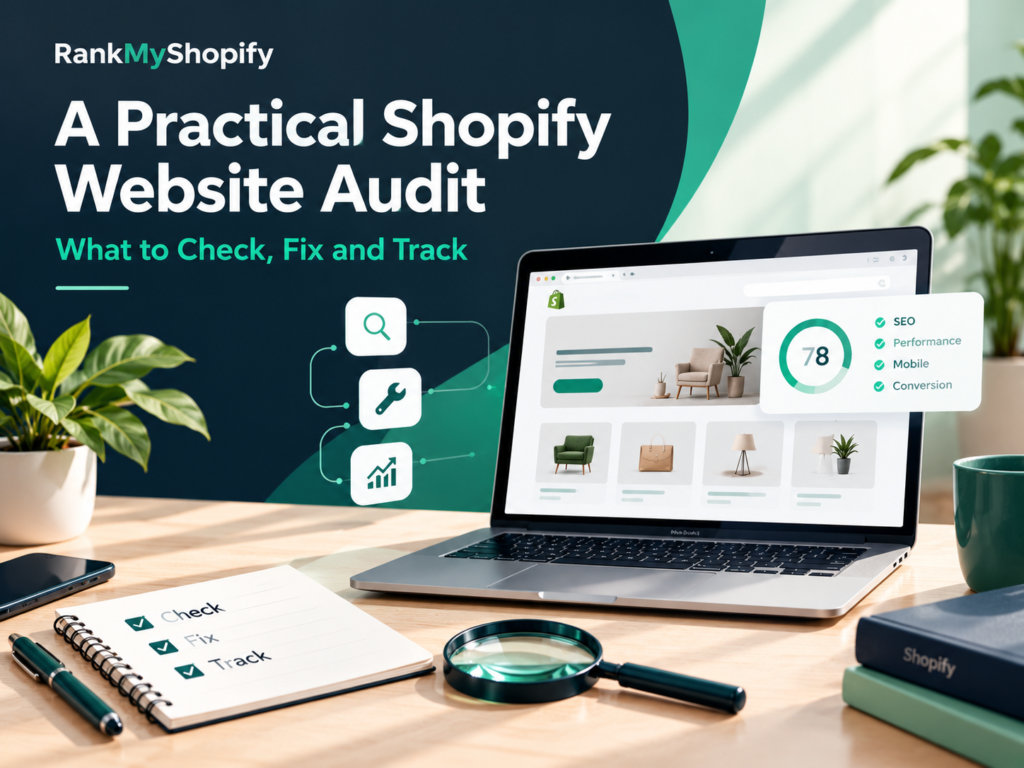
An audit is only useful if it ends with a ranked to-do list, not a long report that nobody acts on. The goal is to find what stops shoppers and Google from reaching, trusting and buying from your store, then fix the biggest issues first. That is the purpose of a practical Shopify website audit: a repeatable review of your SEO, speed, content, conversion and tracking. This guide is written for store owners in India, the USA, the UK, Australia and Canada. It follows three steps: what to check, how to fix it, and what to track afterwards so you can prove the work paid off. What Is a Shopify Website Audit? It is a structured review of your store that finds problems and missed opportunities across the areas that affect traffic and sales, and it ends with a prioritised list of fixes, each with a reason and an owner. Area What you check Free tools SEO and indexing Crawl errors, duplicate URLs, titles, canonicals Google Search Console, Screaming Frog Page quality Collection and product copy, images, schema Rich Results Test Speed Core Web Vitals, apps, scripts, images PageSpeed Insights Content and links Blog posts, internal links, thin pages Search Console, GA4 Conversion Mobile layout, shipping, checkout, trust Your own testing, GA4 Tracking Key events, purchases, duplicate events GA4, Tag Assistant What Should You Do Before You Start? Record a baseline first, or you will not know whether your fixes worked. Take 30 minutes to do this: Export Search Console data (clicks, impressions, average position) for the last 3 months. Note your GA4 numbers: organic sessions, orders and key events. Pick 3 to 5 goals, such as more organic orders or fewer abandoned carts. Start a change log with the date, page, what changed and why. Save a crawl from Screaming Frog (the free version covers up to 500 URLs). How Do You Audit Your Shopify SEO and Indexing? Start by confirming Google can find and index your important pages. If it cannot, nothing else matters. Pages report in Search Console: look at which pages are indexed and why others are not Sitemap: Shopify creates one automatically, so check it is submitted and has no errors site: search: search site:yourstore.com to see whether key pages appear robots.txt: you can edit it through robots.txt.liquid, so check you are not blocking useful pages Duplicate URLs: a product can load at /products/blue-shirt and at /collections/summer/products/blue-shirt. Shopify normally points the canonical to the clean version, but theme edits and apps can break this, and internal links should use the clean /products/ URL Tag and filter pages: these can create thin, near-duplicate pages if left open to indexing Titles and meta descriptions: look for missing, duplicated or truncated ones For ongoing support, see our Shopify SEO service. How Do You Audit Collection and Product Pages? Collection pages usually bring the broadest searches, so review them first. A bare grid of products gives Google little to work with. Collection page checks A short intro (around 100 to 200 words) written for shoppers One main keyword and a clear title tag Links to related collections and key products Compressed images with useful alt text Product page checks Your own description, not supplier text, with fabric, size, fit and care details Variants (size and colour) pointing to one main product URL Clear shipping and returns information near the buy button Review stars and valid Product schema, tested in Google’s Rich Results Test Our guide to Shopify collection page SEO for large catalogs and our Shopify product page SEO page cover these in more depth. For example, imagine a home decor store in the UK with 600 products. A Shopify website audit often finds that half its collections have no intro copy, several tag pages are indexed, and product descriptions are copied from suppliers. Those are fixable, and they are usually worth fixing before writing new blog posts. How Do You Audit Site Speed and Core Web Vitals? Test your key pages in PageSpeed Insights and check the Core Web Vitals report in Search Console. Google’s published “good” targets are Largest Contentful Paint under 2.5 seconds, Interaction to Next Paint under 200 milliseconds, and Cumulative Layout Shift under 0.1. The most common causes on Shopify are within your control: Too many apps: each can add scripts, and some leave code behind after you uninstall them Large images: uncompressed banners and product photos Heavy themes and sliders: animations that load before the page is usable Third-party scripts: chat widgets, pixels and pop-ups stacking up Fix the biggest items first: remove unused apps, compress images, and do not lazy-load the main image at the top of a page. If you want hands-on help, see our Shopify speed optimization service. How Do You Audit Content and Internal Links? Review every blog post and decide whether to update it, merge it with another, or remove it. A post is worth keeping if it brings traffic, supports a collection, or answers a real customer question. Update posts that rank on pages two or three, or that are out of date Merge posts that cover the same topic and compete with each other Remove or redirect thin posts that have no traffic, links or purpose Link each post to the most relevant collection, product or service page, using descriptive anchor text Our Shopify content marketing plan shows how to build content that feeds shoppers toward your collections, and our Shopify content marketing page explains how we support it. How Do You Audit Conversion and User Experience? Walk through your store on a phone as if you were a first-time buyer, and note every point of friction. Many stores get traffic but lose it at one unclear step. Check these on mobile: Is the navigation simple, and does every menu link go to the right page? Are shipping costs, delivery times and returns visible before checkout? Do your messages agree? For example, a banner and a product page should not state different free shipping thresholds.
How Australian Fashion and Beauty Brands Grow With Shopify SEO Services

Fashion and beauty are two of the most competitive categories in Australian ecommerce, and shoppers often compare you with global giants in the same browsing session. Organic search gives smaller brands a way to be found by people who are already looking for what they sell, without paying for every click. That is why more Shopify services for Australian brands now start with SEO before moving on to ads. If you run a fashion or beauty store in Australia, or you are a brand abroad planning to sell there, this guide explains what is different about the market, how to structure your store, how to plan SEO around the Australian calendar, and what to expect from Shopify services for Australian brands. Why Does SEO Matter So Much for Australian Fashion and Beauty Brands? SEO matters because it brings in shoppers who are ready to compare and buy, and it keeps working after a campaign ends. Paid ads stop when your budget stops, but a strong collection page or buying guide can bring visitors for months or years. For fashion and beauty, organic search helps in three ways: Discovery: shoppers search for things like “linen shirt dress” or “vitamin C serum” long before they know your brand Trust: ranking well for useful guides makes a newer brand feel established Margin: organic traffic reduces how much you depend on rising ad costs What Makes Australian Fashion and Beauty SEO Different? Australian SEO is different because of local language, pricing rules, distance, seasons and regulations. Plans copied from the US or UK often miss these details. Factor Why it matters What to do Local terms Australians use words like swimmers, bathers, togs, thongs and singlets Research how shoppers search on google.com.au and match your copy GST-inclusive pricing Shoppers expect to see the final price including 10% GST Keep product pages, ads and feeds consistent Distance Delivery to Perth or regional areas is slower and costlier Show delivery times and costs early, not only at checkout Opposite seasons Summer is December to February Publish seasonal content before each peak, not during it Local trust Many shoppers value “Australian owned” and local shipping Use these claims only if they are true, and back them with real reviews Regulations Consumer law, advertising rules and, for some beauty products, therapeutic goods rules Keep claims honest and ask your legal adviser to confirm details How Should Fashion Brands Structure Collections and Products for SEO? Fashion brands should build collections around how shoppers search, then support them with detailed product pages. Collections usually bring the most search traffic because they match broad, high-intent searches. Useful collection angles include: Category: dresses, jeans, activewear, swimwear Occasion: wedding guest, work wear, holiday Fabric or feature: linen, cotton, maternity, plus size Season: summer dresses, winter coats Each collection needs a short intro written for shoppers, a clean URL and links to related collections. Our guide to Shopify collection page SEO for large catalogs explains how to scale this across hundreds of products. On product pages, include fabric, fit, sizing guidance and care instructions, and write your own descriptions instead of copying supplier text. See our notes on Shopify product page SEO for what a strong page includes. Also check that variants such as size and colour point to one main product URL, so Google does not see duplicates. How Should Beauty Brands Approach Shopify SEO? Beauty brands should build around concerns, ingredients and routines, because that is how shoppers research. People search for solutions such as “serum for dry skin” more than for brand names. Concern and ingredient collections: for example acne-prone skin, sensitive skin, retinol or niacinamide Routine guides: simple “how to build a routine” content that links to your products Real reviews: honest customer reviews and clear ingredient lists build trust Careful claims: avoid medical or exaggerated promises, and note that advertising of some products, such as certain sunscreens and supplements, falls under therapeutic goods rules in Australia For category-specific plans, see our pages for fashion and apparel and beauty and skincare. How Do You Find the Right Keywords for the Australian Market? Start with how Australians actually search, not how overseas brands write. Use these steps: Check Google Search Console to see which queries already bring visitors from Australia. Research keywords in Semrush or Ahrefs with the location set to Australia. Look at google.com.au results to see what ranks and which words appear. List local terms such as swimmers, bathers, togs, thongs, singlets and trackpants, and note that some words vary by state. Map each keyword to one page so your pages do not compete with each other. Our Shopify keyword research page explains this process in more detail. Does Site Speed Matter for Australian Mobile Shoppers? Yes, because most shoppers browse fashion and beauty on their phones, and slow pages lose them quickly. Fashion stores are especially at risk because they use many large images. The most common fixes are compressing images, removing unused apps, limiting heavy sliders and choosing a lightweight theme. Check your Core Web Vitals in Google Search Console and PageSpeed Insights. If you want hands-on help, see our Shopify speed optimization service. How Can Content Support Fashion and Beauty SEO? Content captures shoppers earlier in their research and sends them toward your collections. Strong topics include buying guides, styling advice, ingredient explainers and seasonal edits. For example, imagine a Melbourne activewear brand with great products but only product pages. Adding guides such as how to choose the right leggings for different workouts, plus links to the matching collections, would give it many more ways to be found. Our Shopify content marketing plan shows how to build this step by step. How Should You Plan SEO Around the Australian Calendar? Plan SEO well before each shopping moment, because pages need time to be indexed and to build visibility. Key dates for fashion and beauty include: January and February: summer clearance and back-to-school May: Mother’s Day gifting June: end of financial year sales (EOFY) July and
