Shopify Collection Page SEO for Large Catalogs (1,000+ Products)

A store with 40 products can get away with sloppy collection pages. A store with 1,000, 5,000 or 20,000 products cannot. At that scale, collection pages stop being simple category lists. They become the main way Google finds, groups and ranks your inventory. They also become the most common source of crawl waste, duplicate URLs and thin content. Most Shopify brands with big catalogs lose organic revenue here without ever seeing it in their dashboards. This guide covers Shopify collection page SEO for large catalogs: how to structure collections, control filters, handle pagination, and keep Google focused on the pages that make you money. If you’d rather have a specialist team run this for you, our Shopify SEO services are built for exactly this problem. Quick answer: To rank a large Shopify catalog, give every collection page one clear keyword target. Keep filter and sort URLs out of the index. Use canonicals and clean pagination. Add short, useful content above or below the product grid. Link collections to each other in a logical hierarchy. Keep the grid fast enough to pass Core Web Vitals. Why Large Catalogs Break Standard Collection SEO Basic advice like “add a keyword to your collection title” is fine for small stores. Large catalogs run into problems that advice never touches: URL multiplication. Filters, sort orders and tags can turn one collection into hundreds of crawlable URLs. Crawl budget waste. Googlebot spends time on near-identical filtered pages instead of your new or high-margin collections. Keyword cannibalization. When you have 15 collections about “running shoes,” Google can’t tell which one to rank. Thin and empty collections. Automated rules create collections with two products, or zero. Deep pagination. Products on page 14 of a grid get almost no internal link equity and may never be discovered. Did you know? Shopify automatically generates a product URL under each collection (/collections/shoes/products/item) alongside the canonical /products/item URL. Shopify points the collection-path version to the canonical one, but crawlers still reach and process both. That’s one reason large stores need a deliberate crawl strategy. The rest of this guide fixes each of these problems in order. Step 1: Build a Collection Architecture Before You Optimize Don’t start with meta titles. Start with structure. Shopify has no native nested collections, so you build hierarchy through navigation menus, breadcrumbs and internal links. Plan three tiers: Tier Purpose Example Search intent Parent Broad category hub Women’s Footwear Broad, competitive Child Specific product type Women’s Running Shoes Mid-funnel, high value Attribute Filtered, high-demand combinations Women’s Waterproof Trail Running Shoes Long-tail, high conversion Only create an attribute-level collection when real search demand exists for it. Ten collections with strong content beat a hundred empty ones. Smart (automated) vs. manual collections: For 1,000+ products, use automated collections with rules based on product type, vendor, tags or metafields. Manual collections don’t scale, and a missed product means a missed ranking opportunity. Just make sure your product data (types, tags and metafields) is clean, because your rules are only as reliable as your catalog data. Expert insight: Based on working with Shopify catalogs of every size, the biggest gains rarely come from rewriting titles. They come from deleting or merging the 30-40% of collections that were auto-created years ago and now compete with better pages. Step 2: Map One Keyword to One Collection Cannibalization is the silent killer of large-catalog SEO. Fix it with a keyword map. Export all collection URLs, titles and handles into a spreadsheet. Pull the search queries each collection currently ranks for from Google Search Console. Assign one primary keyword and 3-5 supporting keywords to each collection. Wherever two collections target the same primary keyword, merge them, redirect one, or differentiate their intent. Then apply the mapping consistently across: Collection title (H1): Use the primary keyword in plain language, such as “Men’s Leather Jackets,” not “Jackets – Men – Leather.” SEO title: Primary keyword first, brand last, under 60 characters. Meta description: Include the keyword, one differentiator (free shipping, size range, material) and a soft call to action. URL handle: Short and stable. Avoid changing handles later, because each change needs a 301 redirect. Pro tip: Check the search results for each primary keyword. If Google is mostly showing collection pages, target it with a collection. If it shows blog guides or comparison pages, support the collection with a content marketing article that links into it instead of forcing the collection to do both jobs. Step 3: Control Faceted Navigation and Filters Filters are essential for shoppers and dangerous for SEO. On a big catalog, a customer can filter by size, color, brand, price and availability, and each combination can generate a unique URL such as /collections/shoes?filter.v.option.size=9&filter.p.vendor=Nike. Multiply that across 200 collections and you have hundreds of thousands of crawlable URLs, almost all near-duplicates. A practical approach: Keep filter URLs out of the index by default. Use noindex on filtered views through your theme, or make sure canonicals on filter URLs point back to the clean collection URL. Customize robots.txt.liquid. Shopify lets you edit it. Block crawling of filter and sort parameters that add no unique value, and test every rule before you ship it. Whitelist valuable combinations. If “black running shoes” has real search demand, don’t leave it as a filter. Build a dedicated collection with its own content and a clean URL. Don’t rely on Google’s URL Parameters tool. It was retired, so on-site controls are the only reliable method. Common mistake: Blocking filter URLs in robots.txt and also expecting Google to see their noindex or canonical tags. If Google can’t crawl a page, it can’t read the tags on it. Choose one control per URL type and stick to it. Step 4: Handle Pagination Correctly Shopify themes typically paginate collection grids, often up to 50 products per page depending on your theme setup. With 1,000 products in one collection, that’s 20 or more pages. Google no longer uses rel=”next” and rel=”prev” as an indexing signal. The rules that matter now: Each paginated
How to Get More Traffic and Sales from Your Shopify Store
You have a Shopify store, great products, and a clean-looking website. But there is one frustrating problem: people are not visiting your store, and even when they do, many leave without buying. That is where Shopify store traffic becomes important. Getting visitors is only the first step. The real goal is to attract the right people, give them a smooth shopping experience, and turn more visits into sales. This is where RankMyShopify can help Shopify businesses build a stronger digital presence through SEO, paid marketing, conversion-focused strategies, and Shopify website optimization. The good news is that you do not need to change everything at once. A few smart improvements can make a big difference. Let’s look at practical ways to bring more visitors to your store and turn those visitors into customers. 1. Make Your Shopify Store Easy to Find Before customers can buy from you, they need to find you. Search engines are one of the most useful ways to bring people to an online store. When someone searches for a product you sell, your store should have a chance to appear in those results. Start with basic SEO improvements across your store. Focus on: Product titles that clearly describe the product Helpful product descriptions Relevant search terms Optimized image alt text Clean and simple URLs Useful collection pages Internal links between related pages Fast-loading pages Mobile-friendly design Do not write product pages only for search engines. Write them for real shoppers first. Explain what the product does, who it is for, and why someone should choose it. 2. Create Better Product Pages A product page can make or break a sale. Imagine a visitor lands on your product page. They want to know the price, features, size, material, delivery details, returns policy, and whether the product is worth buying. If they have to search for these answers, they may leave. A strong product page should include: A clear product name High-quality product images A simple product description Key benefits Pricing and offers Product variations Customer reviews Shipping information Return details A clear call-to-action Instead of saying, “Premium quality product,” explain what makes it premium. Specific information feels more useful and trustworthy. 3. Improve Your Shopify SEO SEO can help your store reach people who are already searching for products like yours. Start by researching the words your potential customers use. Then use those terms naturally across your website. For example, you can optimize: Homepage Product pages Collection pages Blog posts Meta titles Meta descriptions Image alt text URLs Do not stuff the same keyword into every sentence. Search engines understand context, so your content should feel natural. It is also useful to create content around questions customers often ask. A Shopify store selling fitness products, for example, could create content around workout equipment, fitness tips, product comparisons, and buying guides. This gives your store more opportunities to appear in search results. 4. Use Content to Bring in New Customers Your blog can do more than fill a section of your website. It can become a regular source of traffic. Think about the questions your customers ask before purchasing. Those questions can become blog topics. For example: How to choose the right running shoes What to look for in a travel backpack How to choose the right skincare products Best accessories for a home office How to care for your products The key is to provide useful information instead of simply promoting your products. At the end of relevant articles, you can naturally introduce your products as a solution. This creates a smoother journey from information to purchase. 5. Make Your Store Faster Nobody enjoys waiting for a page to load. A slow store can affect both user experience and conversions. Visitors may leave before seeing your products, especially when browsing on mobile devices. Check your store regularly and look for elements that may slow it down. You can review: Large image files Unused apps Heavy scripts Unnecessary animations Third-party tracking tools Poorly optimized theme elements Images are especially important for ecommerce stores. You need attractive product images, but they should also be optimized so they do not unnecessarily slow down the page. A faster store creates a smoother shopping journey. 6. Make Mobile Shopping Simple A large number of shoppers browse online using their phones. That means your store should not simply look good on a desktop. It should feel easy to use on a small screen too. Check your store from a mobile device and ask yourself: Can I find the menu easily? Are product images clear? Can I read the text without zooming? Is the Add to Cart button easy to find? Does checkout feel simple? Are pop-ups blocking important content? Small problems can create unnecessary friction. The easier you make the buying process, the more comfortable customers feel completing a purchase. 7. Use Social Media to Support Your Store Social media can help introduce your products to new audiences. But instead of posting only product advertisements, create content that people actually want to see. You could share: Product demonstrations Customer reviews Before-and-after content Behind-the-scenes videos Styling ideas Product tips Short educational videos User-generated content Short videos can be especially useful for showing how a product looks or works. Your social media content should create interest and then guide people toward your store when they are ready to explore further. 8. Build Trust Before Asking for the Sale Online shoppers cannot physically see or touch your products before buying. Trust therefore plays a major role in their decision. Your store should answer the basic questions a new customer may have. Show: Customer reviews Secure payment options Clear shipping information Return and refund policies Contact information Frequently asked questions Real product images Customer testimonials Social proof can be particularly powerful. When shoppers see that other people have had a good experience, they may feel more confident about making a purchase. 9. Reduce the Number of Steps to Checkout A customer can be ready to buy and
Seasonal SEO for Clothing Brands: How to Rank Before the Trend Hits
Every clothing brand has felt this pain: the moment a trend starts spiking on Instagram and TikTok, you rush to publish a collection page, throw some keywords into the title, and hit publish only to watch competitors who planned three months ahead outrank you before your page even gets crawled properly. That’s not bad luck. That’s a timing problem, and it’s the single biggest reason Shopify SEO for clothing brands fails during peak season. Seasonal SEO isn’t about reacting to demand. It’s about anticipating it. Google needs weeks, sometimes months, to trust and rank a new or refreshed page which means the work that wins you Diwali sale traffic, monsoon collection searches, or “summer linen dresses” rankings has to start long before the season does. This guide breaks down exactly how to build a seasonal SEO system for your Shopify store one that has you ranking when shoppers start searching, not scrambling once they’ve already bought from someone else. Why Seasonal SEO Is Different for Clothing Brands Fashion and apparel are among the most seasonally volatile categories in ecommerce. Search volume for terms like “winter jackets for women” or “festive wear India” doesn’t rise gradually it spikes hard, often within a two-to-four-week window, then collapses just as fast. If your page isn’t already ranking when that spike begins, you miss the entire window. Compare that to something like home decor or supplements, where demand is relatively flat year-round. Clothing brands don’t get that luxury. A “Holi collection” page published in early March is functionally useless the searches already happened, the trend already peaked, and Google hasn’t even finished indexing your page. Did you know? Google’s average time-to-rank for a brand-new commercial page in a competitive niche is typically 8–12 weeks, even with solid on-page SEO. For seasonal apparel keywords, that means content published “in season” is almost always too late. This is the core principle behind seasonal SEO: you’re not writing for today’s shoppers. You’re writing for the shoppers who’ll search six, eight, twelve weeks from now. The Google Indexing Lag Nobody Tells You About Here’s the mechanic most clothing brands don’t account for. When you publish a new collection page say, “Autumn Knitwear 2026” Google doesn’t rank it instantly. It has to: Discover the URL (via sitemap, internal links, or crawl) Crawl the page and render its content Index it into Google’s database Evaluate relevance and authority against competing pages Rank it, which then continues to adjust as engagement signals (CTR, dwell time, bounce rate) accumulate For a brand-new page with no backlink history, this entire cycle realistically takes 6–10 weeks before you see meaningful movement and that’s assuming your technical SEO is clean and the content is genuinely strong. Established pages that get refreshed each year rank faster because Google already trusts the URL, which is exactly why reusing and updating the same seasonal collection URL year over year (instead of creating a new one every season) is one of the most underrated Shopify SEO for clothing brands tactics. Pro tip: Keep the same URL for recurring seasonal collections (e.g., /collections/winter-wear reused every year) rather than creating /collections/winter-wear-2026. This lets the page accumulate authority and historical ranking signals year over year instead of starting from zero every season. Building a Seasonal Content Calendar The single most effective tool for seasonal SEO is a content calendar built backward from your sales peaks. Here’s the framework we use with apparel clients: Identify your 4–6 seasonal peaks for most Indian and global clothing brands, this includes summer, monsoon, festive/Diwali, winter, wedding season, and end-of-season sale. Work backward 8–12 weeks from each peak. If your festive collection needs to be converting by the first week of October, your collection page, blog content, and internal links need to go live by early August at the latest. Stagger content types. Publish supporting blog content 10–12 weeks out, launch or refresh the collection page 8 weeks out, and begin link building and PR outreach 6–8 weeks out so authority signals compound before peak traffic hits. Refresh, don’t just create. For recurring seasons, update existing pages with new products, fresh copy, and updated internal links rather than building new URLs from scratch. This is precisely the kind of topical, intent-driven planning our Shopify Content Marketing team builds into every content calendar content mapped to search intent and seasonal timing, not just a publishing schedule for its own sake. Product & Collection Page SEO for Seasonal Drops Your collection pages are where seasonal SEO either wins or fails. A few non-negotiables: Write unique collection descriptions. Don’t just list products include 150–300 words of genuinely useful copy targeting your primary and secondary keywords naturally (fabric type, occasion, style, fit). Avoid duplicate content from variants. Size and color variants on Shopify can generate near-identical URLs if not handled correctly, diluting your page’s authority. Canonical tags and clean variant structuring matter here. Optimize images before the season, not during. Large, unoptimized product images are one of the most common reasons Shopify apparel stores lose Core Web Vitals scores right when traffic peaks and load matters most. Internal link from evergreen pages. Link your seasonal collection from top-performing blog posts and your homepage well before the season starts, so Google can discover and crawl it early. If your store’s page speed or Core Web Vitals typically dip during high-traffic seasonal spikes, that’s worth auditing now our Shopify Speed Optimization service exists specifically because seasonal traffic surges are when slow themes and bloated apps cost brands the most conversions. Keyword Research for Seasonal Apparel Trends Seasonal keyword research for clothing brands needs a different lens than evergreen SEO. A few practical approaches: Use Google Trends’ historical data, not just current search volume, to identify when a keyword actually starts climbing each year this tells you exactly when to start publishing. Target intent variations, not just the obvious head term. “Summer dresses” is competitive; “lightweight summer dresses for office wear” or “cotton summer dresses India” convert better and rank faster. Watch micro-trend keywords
How to Write a Shopify Welcome Email Series That Converts New Subscribers

A Shopify welcome email series is a set of three to five automated emails sent to new subscribers or customers over their first one to two weeks. Built correctly in Klaviyo or Shopify Email, it should deliver a promised offer immediately, tell your brand story, add social proof, and close with a clear reason to buy, typically converting 8 to 12% of new subscribers. What Is a Shopify Welcome Email Series? A Shopify welcome email series is an automated sequence of emails, usually built in Klaviyo or Shopify Email, that triggers the moment someone joins your list or places their first order. Unlike a single welcome email, a full welcome email Shopify sequence spreads the introduction across several messages so you can deliver an offer, tell your story, and prompt a purchase without cramming everything into one send. Most Shopify stores collect email addresses through a pop-up, a checkout opt-in, or a landing page offer. The welcome series is the automation that takes over the second that address enters your list. It runs in the background permanently, which is why it is classed as a flow rather than a campaign. In Klaviyo, campaigns are one-off blasts you schedule manually, while flows like the welcome series, abandoned checkout, and post-purchase sequences run continuously off a trigger event. Why Does Your Shopify Store Need a Welcome Email Series? A welcome email series matters because it captures your subscribers at the exact moment they are most attentive to your brand, and one email is rarely enough to convert that attention into a sale. New subscribers open welcome flow emails at nearly double the rate of a regular campaign, and that window closes fast. There are three concrete reasons a multi-email sequence outperforms a single welcome email: Timing windows differ. Some people buy the moment they get a code; others need to see your story, your reviews, or your bestsellers first. A series covers both. Flows compound. According to Klaviyo’s platform data, automated flows generate close to 41% of total email revenue from just 5.3% of sends, with revenue per recipient roughly 18 times higher than standard campaigns. It builds trust before it asks for a sale. A single discount email trains subscribers to expect markdowns. A full sequence lets you earn the purchase with story and proof first. If your Shopify store currently sends one automated “thanks for subscribing” email and nothing else, you are leaving a measurable amount of first-week revenue on the table. How Many Emails Should Be in a Shopify Welcome Email Series? Most Shopify stores should run three to five emails across seven to fourteen days. Fewer than three and you miss subscribers who need more than one touch to convert; more than five and open rates start to drop off as the “new subscriber” window closes. A reliable structure looks like this: Email 1, within 5 to 15 minutes of signup: Deliver the promised offer (discount code, free shipping, guide) with a short, direct “Shop Now” call to action. Email 2, around Day 2: Tell your brand story. Why the store exists, what makes the product different, and one or two pieces of social proof. Email 3, around Day 4 to 5: Show your bestsellers or a curated collection based on the subscriber’s browsing category if you have that data. Email 4, around Day 7: Reinforce trust with reviews, press mentions, or a guarantee, and add mild urgency if the original discount is expiring. Email 5, around Day 10 to 14 (optional): A last-chance nudge or a soft ask, such as following on social media, for subscribers who still have not purchased. Stores with a narrower product range or a lower average order value often do well with a tighter three-email version, while stores with a wider catalogue or higher price point benefit from the full five-email build. How Do You Set Up a Klaviyo Welcome Flow for Shopify? You set up a Klaviyo welcome flow for Shopify by connecting your store, creating a flow triggered on list subscription, building each email in sequence with time delays between them, and adding suppression filters so existing customers do not receive it. Connect Shopify to Klaviyo through the native integration so purchase and browse events sync automatically. Create a new flow and set the trigger to “Subscribed to List” rather than “Placed Order,” since the goal is to welcome new subscribers, not repeat buyers. Add a suppression filter that excludes anyone who has already placed an order, so loyal customers never receive a “welcome” message meant for first timers. Build each email in the sequence with the delays outlined above, keeping subject lines specific (“Your 10% code is inside” outperforms generic greetings). Test with a sample profile before switching the flow live, checking that dynamic product blocks and discount codes render correctly on mobile. Monitor performance weekly for the first month, watching open rate, click rate, and placed order rate rather than only opens. This structure applies whether you are using Klaviyo, Omnisend, or Shopify Email, though Klaviyo remains the most common choice among Shopify stores that have outgrown the native tool. What Should Each Email in the Series Include? Each email in a Shopify welcome email series should have one clear job rather than trying to sell, explain your story, and show every product in a single send. Splitting the workload across emails is what makes the sequence feel natural instead of pushy. Email 1: The offer, delivered immediately, plus one or two bestselling products and a single clear button. Email 2: A short founder or brand story paragraph, one customer quote or press mention, and a soft link back to the shop. Email 3: A curated product grid, ideally segmented by the category the subscriber showed interest in. Email 4: Reviews, ratings, or a guarantee, with a reminder that the original offer is expiring soon. Email 5 (optional): A direct, low-pressure nudge, such as an invitation to reply with questions or follow on social channels. For example,
The 7 Must-Have Klaviyo Email Flows for Every Shopify Store (2026 Guide)

Every Shopify store should run seven Klaviyo email flows: welcome series, abandoned cart, browse abandonment, post-purchase, win-back, VIP/loyalty, and back-in-stock. Together these Klaviyo email flows Shopify merchants rely on typically generate 25 to 30% of total email revenue from a small fraction of total sends, making Shopify email automation one of the highest-return channels available to store owners. What Are Klaviyo Email Flows and Why Do Shopify Stores Need Them? Klaviyo flows are automated email sequences triggered by a specific customer action, such as joining your list, abandoning a cart, or completing a purchase. Unlike one-off campaigns, which you plan and send manually, Shopify email automation runs continuously in the background once it is built. That distinction matters more than most store owners realise. Industry benchmark data compiled for 2026 consistently shows automated flows earning many times more revenue per recipient than standard campaigns, while representing only a small share of total email volume. In other words, a handful of well-built Klaviyo automated flows can outperform a much larger volume of manual sends, because each email is relevant to exactly where that customer is in their journey. This is a pattern our team at RankMyShopify sees consistently across the Shopify stores we work with: the stores getting the most out of email are rarely the ones sending the most, they are the ones with the tightest flow coverage. For Shopify stores specifically, this works because Klaviyo’s native Shopify integration pulls in order history, product catalogue data, and on-site behavioural events such as Viewed Product, Added to Cart, and Started Checkout. That data feeds directly into flow triggers, so the right email goes to the right person at the right moment without any manual list-building. Which 7 Klaviyo Flows Should Every Shopify Store Set Up First? Every Shopify store, regardless of size or industry, should prioritise these seven Klaviyo automated flows. We have ordered them by typical build priority, so if you can only launch a few at once, start from the top. 1. Welcome Series The welcome series triggers when someone joins your list, usually through a pop-up or footer sign-up form. This is the first flow most Shopify stores should build, because it sets the tone for the entire customer relationship while interest is highest. Trigger: New subscriber added to list Typical length: 3 to 5 emails over 5 to 7 days Goal: Introduce the brand, deliver any sign-up discount, and drive a first purchase 2. Abandoned Cart (Started Checkout) Flow This flow recovers customers who added products to their cart or began checkout but did not complete the order. It is consistently one of the highest-converting flows on the platform. Trigger: Started Checkout or Added to Cart event without a completed order Typical length: 3 emails, starting 1 to 4 hours after abandonment Note: Turn off Shopify’s native abandoned checkout emails once this flow is live, so customers are not messaged twice 3. Browse Abandonment Flow Browse abandonment targets visitors who viewed products but never added anything to their cart. It sits earlier in the funnel than cart recovery and helps recapture interest before it fades. Trigger: Viewed Product event with no subsequent Added to Cart Typical length: 1 to 2 emails within 24 hours Goal: Re-engage window shoppers with the exact products they viewed 4. Post-Purchase Flow What happens after someone buys matters just as much as what happens before. This flow builds loyalty, sets shipping expectations, and opens the door to repeat purchases. Trigger: Order placed Typical length: 2 to 4 emails covering confirmation, shipping updates, and a follow-up review or cross-sell request Goal: Reduce “where is my order” support tickets and encourage a second purchase 5. Win-Back (Sunset) Flow One of the most overlooked flows, this one re-engages customers or subscribers who have gone quiet, and protects your sender reputation by removing consistently unengaged contacts. Trigger: No opens or clicks in 90 to 120 days Typical length: 2 to 3 emails, ending with a list-cleaning suppression step Goal: Win back lapsed customers and safeguard deliverability 6. VIP / Customer Loyalty Flow This flow identifies and rewards your highest-value customers, based on total spend or order frequency, to strengthen retention among the segment that matters most to lifetime value. Trigger: Customer crosses a spend or order-count threshold Typical length: 1 to 2 emails plus ongoing segment-based campaigns Goal: Increase repeat purchase rate among top customers 7. Back-in-Stock Flow For Shopify stores that regularly sell out of popular products, this flow captures demand that would otherwise be lost and converts it the moment inventory is replenished. Trigger: Customer requests notification on a sold-out product page, then that product is restocked Typical length: 1 email, sent immediately on restock Goal: Recover otherwise-lost sales from out-of-stock demand How Much Revenue Can Klaviyo Flows Generate for a Shopify Store? Automated flows typically account for roughly a quarter to a third of total email-attributed revenue, despite making up only a small percentage of total emails sent. The table below summarises the benchmark figures most commonly cited in 2026 industry reports. Metric Campaigns (one-off sends) Automated Flows Share of total email volume ~95-98% ~2-5% Share of total email revenue ~65-75% ~25-35% Relative revenue per recipient Baseline Several times higher Typical open rate Lower Meaningfully higher Typical click-through rate Lower Meaningfully higher These figures vary by industry and list size, and should be treated as directional benchmarks rather than guarantees for any individual Shopify store. The consistent theme across every major 2026 benchmark report, from Klaviyo, Omnisend, and Litmus, is that flows outperform campaigns on a per-email basis by a wide margin. For example, if you run a Shopify fashion store in India with a growing subscriber list and no flows currently active, building just the welcome and abandoned cart flows first would typically be enough to start recovering revenue that is currently being lost to unengaged sign-ups and incomplete checkouts, often within the first month of going live. How Do You Set Up Klaviyo Flows on Shopify? Install the
How to Set Up Klaviyo for Shopify: A Step-by-Step Integration Guide
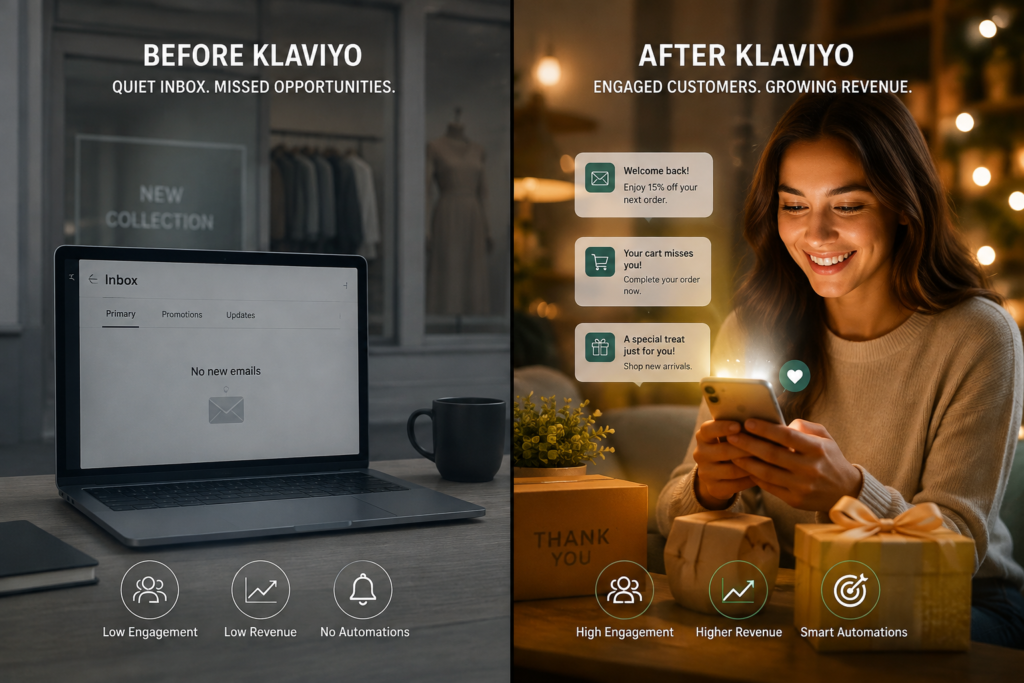
What Is Klaviyo and Why Shopify Stores Use It Klaviyo is an ecommerce-focused email and SMS marketing platform used by more than 176,000 brands worldwide. Unlike generic email tools, it was built specifically around store behaviour: what someone viewed, added to cart, purchased, or ignored. For Shopify merchants, the appeal is straightforward. Klaviyo reads directly from your store’s customer, order and product data, so segments and automated flows can react to real purchase behaviour instead of guesswork. It is one of the most installed apps on the Shopify App Store, and stores that configure it properly typically generate 20 to 30% of total revenue through email and SMS combined. How Do I Connect Klaviyo to My Shopify Store? You connect Klaviyo to Shopify through a direct OAuth integration available in the Shopify App Store, which takes a few minutes to authorise but longer to configure properly. Here is the exact sequence to follow. Step 1: Disconnect Your Existing Email Tool First If you are currently using Mailchimp, Omnisend, Shopify Email or another provider, disconnect it from your Shopify admin before connecting Klaviyo. Running two email service providers against the same store at once risks duplicate opt-ins, conflicting tracking snippets, and confused subscriber records. Log into your Shopify admin, locate your current ESP under Apps, and remove it before proceeding. Step 2: Create or Log Into Your Klaviyo Account Go to klaviyo.com and sign up using the email address associated with your Shopify store. During onboarding, select Shopify as your ecommerce platform. Klaviyo’s free tier supports up to 250 contacts and 500 email sends per month, which is enough to test the full setup before committing to a paid plan. Step 3: Install the Klaviyo App from Shopify In your Shopify admin, go to Apps, search for “Klaviyo: Email Marketing & SMS,” and click Add app. Klaviyo will request permissions to access your customer, order, product and marketing data. These permissions are required for automation and segmentation to work, so approve them. Step 4: Authorise the OAuth Connection After installation, Klaviyo prompts you to authorise the connection. Click Connect to Shopify, log in if prompted, and confirm the permissions on the Shopify OAuth screen. This establishes a two-way data sync between the two platforms. Step 5: Select Your Data Sync Settings Choose a list name for your synced Shopify subscribers, and repeat for SMS subscribers if you use Klaviyo for text messaging. Scroll down and select which data types to sync (customers, orders, products, and historical data). Klaviyo will begin pulling in your full customer and order history, not just new activity going forward. Step 6: Confirm the Integration in Klaviyo Return to Klaviyo and click Integrate to confirm. Klaviyo displays a success message once the connection is live. At this point, your store data is syncing automatically. How Do I Know If Klaviyo Tracking Is Working? You confirm Klaviyo tracking is working by browsing your own store in an incognito window and checking that behavioural events appear in your Klaviyo Analytics tab within a few minutes. Klaviyo automatically installs an on-site JavaScript tracking snippet on your Shopify storefront the moment you connect the app, no manual code edits required. To verify it: Open your live store in an incognito or private browser window Browse a few product pages and add an item to your cart Log into Klaviyo and go to Analytics Confirm that “Active on Site” and “Viewed Product” events appear against a test profile If these events don’t appear within a few minutes, check that no other tracking or ESP snippet is conflicting, and that the Klaviyo app is still listed as installed under Shopify Apps. How Do I Set Up Domain Authentication in Klaviyo? You set up domain authentication in Klaviyo by adding the DKIM and SPF DNS records Klaviyo provides under Settings, which authenticate your emails and directly affect inbox placement. For reliable deliverability, go to Settings > Domains in Klaviyo and add your store’s sending domain. Klaviyo generates specific DNS records you then add through your domain registrar or hosting provider. Without this authentication step, a significant share of your emails will land in spam or promotions folders regardless of how good the content is. Store owners often skip this step because it feels technical, but it is one of the highest-impact five minutes in the entire setup. What Flows Should I Set Up First on Shopify? The first flows to set up on a new Klaviyo and Shopify integration are Welcome, Abandoned Cart, and Post-Purchase, because these three cover the highest-intent moments in the customer journey. Flow Trigger Typical Timing Welcome Series New signup or first opt-in Immediate, then day 2, then day 5 Abandoned Cart Cart started, no purchase 1 hour, 24 hours, 72 hours Post-Purchase / Win-Back Order placed or lapsed customer Immediate confirmation, then re-engagement at 30 to 60 days Flows consistently outperform one-off campaigns. Klaviyo’s own 2026 data shows flows generating a 5.58% click rate against 1.69% for regular campaigns, roughly 13 times the placed-order rate and around 18 times the revenue per recipient. In other words, flows are not optional extras. They are the core of what makes Klaviyo Shopify integration worth the setup time. For example, if you run a Shopify fashion store in India with a growing subscriber list and no automated flows in place, a full Shopify audit from RankMyShopify would typically uncover missed abandoned cart revenue, a Welcome series that never got past template stage, and tracking gaps that quietly cap how well Klaviyo can segment your audience. These are common, fixable issues, not exceptions. Find Out Answers Here Is Klaviyo free for Shopify stores? Yes, Klaviyo’s free tier supports up to 250 contacts and 500 email sends per month. This is enough to fully test your integration, flows and tracking before moving to a paid plan as your list grows. How long does the Klaviyo Shopify integration actually take? The technical connection itself takes under an hour. Building out flows, verifying
The Complete Shopify Email Marketing Guide: How to Use Klaviyo to Drive Repeat Sales

Why Does Shopify Email Marketing Matter for Repeat Sales? Shopify email marketing matters because it is the channel most directly responsible for turning a one-time buyer into a repeat customer. Where Shopify SEO and paid ads mostly bring in new visitors, email speaks to people who already know your brand, which is why it converts at a much higher rate than cold traffic. Email marketing generates between $36 and $42 for every $1 spent in ecommerce, making it one of the highest-return channels available to a Shopify store of any size. With ecommerce continuing to grow across India, the USA, the UK, Australia, and Canada, the stores pulling ahead are increasingly the ones combining strong organic visibility with a well-built retention program rather than relying on either alone. At RankMyShopify, we have worked with Shopify merchants since 2009, and the stores that see the strongest lifetime value growth are almost always the ones running proper automated flows through Klaviyo Shopify integrations rather than sending occasional newsletters. What Is the Best Email Marketing Tool for Shopify? For most growing Shopify stores, Klaviyo is the strongest choice, though Shopify Email has a real place for very early-stage stores. Shopify Klaviyo guide conversations usually start with this comparison. Shopify Email is free, built directly into the Shopify admin, and handles basic campaigns and simple automations well. It works for stores in their first months, before order volume justifies a paid platform. Klaviyo becomes the better fit once a store needs multi-layer behavioral segmentation (for example, targeting people who browsed a specific category, added to cart, but haven’t opened an email in 30 days), which native Shopify Email tools struggle to handle. Klaviyo is also Shopify’s officially recommended platform for Shopify Plus merchants, with commerce data flowing between the two systems in close to real time. That deep data connection is what allows Klaviyo to build flows around actual customer behavior rather than broad, generic segments. Factor Details Agency Founded 2009 Years of Experience 15+ Specialisation Shopify SEO and Shopify email marketing exclusively Markets Served India, USA, UK, Australia, Worldwide Core Services Shopify SEO services, shopify email marketing agency, shopify google ads management, shopify facebook ads agency Contact 9888923755 / info@rankmyshopify.com How Do You Connect Klaviyo to Shopify? Connecting Klaviyo to your Shopify store takes a handful of setup steps before you send your first automated email. Install the Klaviyo app from the Shopify App Store. This is the standard integration path and enables real-time tracking of store events. Authorize data access. Klaviyo will request permission to sync customer, order, and product data from your store. Enable historical data sync. This pulls in past order history so your segments and flows have real customer data to work with from day one, not just new signups. Set up a dedicated sending domain. Sending from your own domain (rather than a shared Klaviyo domain) protects deliverability and looks more trustworthy to inboxes. Verify SPF, DKIM, and DMARC records. These authentication records confirm to email providers like Gmail and Outlook that your emails are legitimate, which directly affects whether they land in the inbox or the spam folder. Confirm your goals before building flows. Decide whether the priority is recovering carts, increasing repeat purchases, or improving retention, since that shapes which flows to build first. This setup usually takes under an hour for a typical Shopify store, though historical data sync can take longer to fully process on stores with a large order history. What Email Flows Should Every Shopify Store Have? Six flows form the foundation of a strong Shopify email marketing program: welcome series, abandoned cart, browse abandonment, post-purchase, win-back, and a VIP or loyalty nurture sequence. Welcome series. Sent to new subscribers, this flow typically converts at the highest rate of any automation (12 to 18% at the top performer level), because these are people who just opted in and are actively interested. Abandoned cart. Triggered when someone starts checkout but does not complete it. This is the single highest-revenue flow for most stores, averaging close to $3.65 per recipient, with top 10% performers reaching $28.89 per recipient. A 3-email sequence with escalating urgency typically recovers 12 to 18% of carts, roughly double what a single reminder email achieves. Browse abandonment. Targets visitors who viewed products but never added anything to cart, catching interest before it fully cools off. Post-purchase. Follows an order with shipping updates, care instructions, and relevant cross-sell recommendations based on what the customer just bought. Win-back. Re-engages customers who haven’t purchased or opened an email in a defined period, though this flow typically has the lowest engagement since it targets people who have already disengaged. VIP or loyalty nurture. Rewards repeat customers with early access, loyalty points, or exclusive offers, which is one of the most effective ways to increase 12-month repeat purchase rate. For example, a Shopify beauty store in the USA with 5,000 email subscribers and no automated flows in place would typically be leaving significant abandoned cart revenue on the table. Simply turning on a properly sequenced 3-email abandoned cart flow, without touching anything else in the store, is often enough to recover thousands of dollars a month in orders that would otherwise be lost. How Do You Segment Customers for Better Email Results? Effective segmentation groups subscribers by behavior, not just by whether they are on your list, since behavior-based segments consistently outperform blanket sends to an entire list. Useful segments to build in Klaviyo include recent purchasers, high-value repeat customers, people who browsed a specific product category, cart abandoners in the last 7 days, and subscribers who haven’t opened an email in 90 days or more. Layering these segments matters more than the raw number of subscribers on a list. A smaller, well-segmented list that receives relevant, timely emails will consistently outperform a large, unsegmented list that gets the same generic blast every week. Personalization should stay useful rather than overdone. Recommending products based on past purchase or browsing behavior
Shopify Facebook Audience Targeting: How to Find Your Best Customers
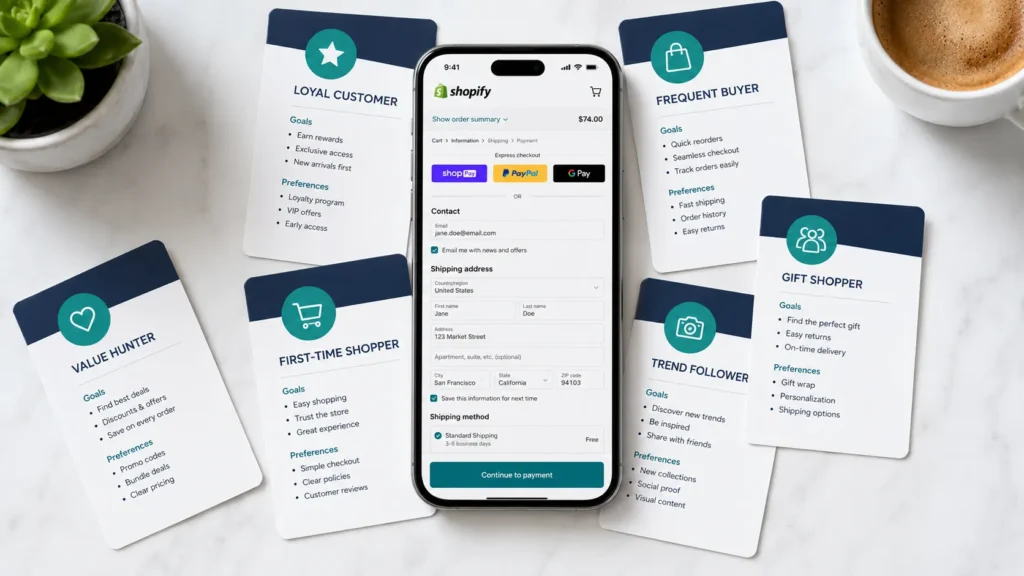
Why Does Audience Testing Matter So Much for Shopify Stores? Audience testing matters because it is the fastest way to stop wasting ad spend on people who will never buy from your store. Getting Shopify Facebook audience targeting right from the start means every rupee or dollar goes toward shoppers who are actually likely to convert. Shopify stores that skip structured testing tend to run one broad campaign and hope for the best, which usually means overspending on cold traffic that never converts and underspending on the warm segments that would. With ecommerce continuing to grow (the global ecommerce market is projected to reach $6.88 trillion in 2026, and Shopify alone processes well over $100 billion in GMV per quarter), the competition for attention on Meta’s platforms has never been higher. Every rupee or dollar spent on the wrong audience is a rupee or dollar a competitor’s ad picks up instead. Structured testing is how a Shopify store, whether it is based in India, the USA, the UK, Australia, or Canada, finds the segment that actually converts before scaling spend. At RankMyShopify, we have worked with Shopify merchants since 2009, and the stores that grow fastest with Meta ads are almost always the ones that test methodically rather than launching a dozen audiences and hoping one sticks. What Types of Facebook Audiences Can a Shopify Store Test? There are three core audience types available inside Meta Ads Manager, and each plays a different role in a Shopify store’s testing plan. Core (detailed) audiences. Built from age, gender, location, interests, and behaviors. Best for reaching completely cold shoppers who have never heard of your brand. Custom audiences. Built from people who already interacted with your store, including website visitors tracked by the Facebook Pixel, past purchasers, email subscribers, and people who engaged with your Instagram or Facebook page. Lookalike audiences. Built by asking Meta to find new people who resemble an existing custom audience, most commonly your purchaser list. custom audiences Shopify setups work best when they are layered rather than used as one giant blanket segment. For example, combining “visited a product page” with “signed up for email” produces a high-intent warm segment, while combining “purchased once” with “more than 90 day ago” creates a useful win-back segment for retargeting campaigns. Building strong custom audiences Shopify segments like these is usually the difference between a retargeting campaign that quietly wastes budget and one that consistently recovers lost sales. There is also Advantage+, Meta’s AI-driven audience and campaign automation, which increasingly blends prospecting and retargeting into a single campaign rather than asking you to choose an audience type manually. Is Broad Targeting Better Than Interest Targeting in 2026? For most Shopify stores, yes. Broad targeting now generally outperforms narrow interest targeting because Meta’s algorithm has more room to find high-value buyers when it is not restricted by manual interest filters. Interest-based targeting weakened significantly after Apple’s iOS 14 privacy changes reduced the behavioral data Meta could collect. In response, Meta’s algorithm has become far more capable at finding buyers within a broad audience, provided it has strong conversion signals to work with (generally 50 or more purchases a week flowing through the account) and creative that stops the scroll. Broad targeting also avoids the audience overlap problems that show up when a store runs several narrow interest-based ad sets at the same time, all competing against each other in the same auction. This does not mean interest targeting is dead. It still has a place for brand-new stores with zero purchase history, where Meta has no conversion data yet to optimize against. In that early stage, interest-based audiences give the algorithm somewhere to start. How Do You Build a Facebook Audience Testing Plan for a Shopify Store? A reliable testing plan starts small, uses identical creative across audiences, and gives every test enough budget to actually mean something. This is the core of good Shopify Facebook audience targeting: a repeatable process, not a one-off guess. Connect Shopify to Meta properly first. Set up the Facebook Pixel and the Conversions API together, not one or the other. This dual-tracking approach is what makes both your retargeting audiences and your lookalike seed lists accurate, especially with iOS privacy restrictions affecting browser-based tracking. Pick two or three audiences to test, not ten. A common mistake is testing five images, five headlines, and five audiences at once, which creates 125 different ad combinations and makes it impossible to know what actually worked. Start with something like broad targeting versus a 1 to 3% lookalike of past purchasers. Keep the creative identical across every audience in the test. If you vary the creative and the audience at the same time, you cannot attribute a win or loss to either one specifically. Fund each ad set properly before judging it. A workable rule of thumb is 2 to 3 times your target cost per purchase per ad set. If your CPA goal is $25, give each test audience $50 to $75 minimum before deciding whether it is working. Let each test run at least a full week. Facebook’s own learning phase needs time and a reasonable number of conversion events (generally 50 per week per ad set) to optimize properly. Judging results after a day or two almost always leads to the wrong conclusion. Scale the winner gradually. Once an audience proves itself, increase its budget by 15 to 20% every 3 to 5 days rather than doubling it overnight, which can reset the learning phase and hurt performance. Exclude past purchasers and recent converters where relevant. Stop paying to reconvert people you already have, and exclude recent converters from retargeting audiences to avoid wasted frequency. For example, a Shopify fashion store in India running its first serious Meta ads campaign might start with $30 a day split between a broad audience and a 1% lookalike of its email list. After a week of consistent spend, the lookalike typically pulls ahead on cost per purchase, at
How to Create a Full Funnel Paid Social Strategy for Your Shopify Store
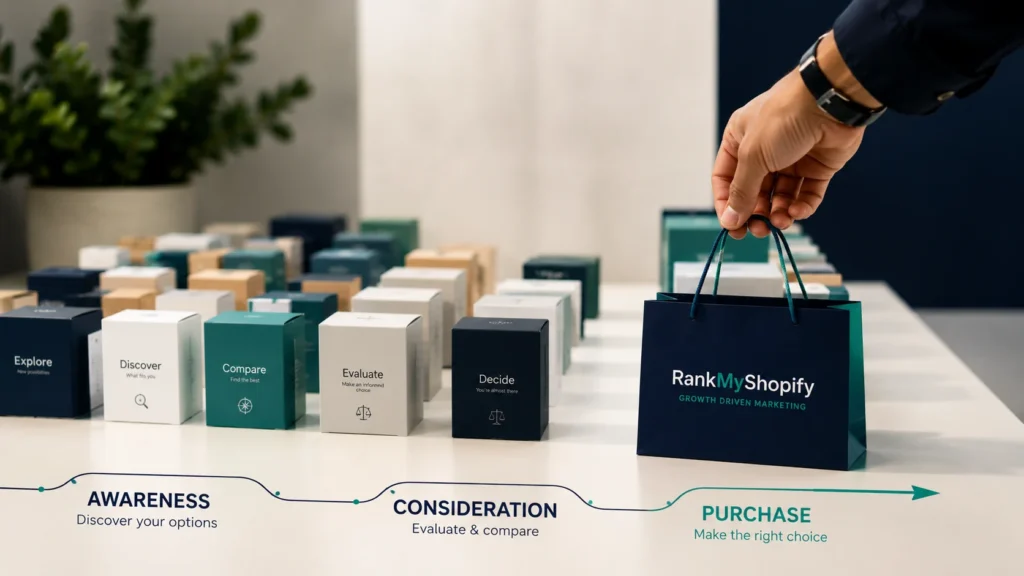
What Is a Shopify Paid Social Strategy? A Shopify paid social strategy is a structured plan for using platforms like Meta, TikTok, and Pinterest to move shoppers through distinct stages of awareness, consideration, and conversion, rather than treating every ad as a direct sales pitch. Instead of running a single campaign type to everyone, a full funnel approach recognizes that most people who see an ad for the first time are not ready to buy yet. For a Shopify store specifically, this strategy also has to account for how the platform connects to Meta’s ecosystem. This includes Shopify’s native Facebook and Instagram sales channel, product catalog syncing, and how order data flows back into ad platforms for optimization. A generic paid social plan built for a non Shopify business often misses these platform specific details entirely. Why Full Funnel Beats Cold Conversion Campaigns Alone Running only conversion focused campaigns to cold audiences almost always underperforms compared to a structured funnel. This approach worked years ago when competition was lower and CPMs were cheaper, but most advertisers now make the mistake of expecting immediate sales from people who have never heard of their brand. Cold audiences need at least some exposure to your brand before Meta’s algorithm has enough signal to find genuine buyers efficiently. What Are TOFU, MOFU, and BOFU in a Shopify Marketing Funnel? TOFU, MOFU, and BOFU represent the three core stages a shopper moves through before buying, and each stage needs a different campaign objective, creative approach, and audience. The Facebook ads funnel includes the top of the funnel or awareness stage, the middle of the funnel or consideration stage, the bottom of the funnel or conversion stage, and a retention or repurchase stage. Top of Funnel (TOFU): Building Awareness TOFU campaigns introduce your brand to people who fit your target audience but have never interacted with your store before. The goal at this stage is to introduce your brand to cold audiences, typically using brand awareness, video views, or reach objectives. Audience targeting at this stage usually relies on interest based targeting and lookalike audiences, such as a 1 percent lookalike built from your existing customer list. Broad targeting at the TOFU stage allows Meta’s AI to find efficient audiences rather than restricting the algorithm with narrow parameters, and roughly 20 to 30 percent of your total Meta ad budget should go toward this stage. Middle of Funnel (MOFU): Building Consideration MOFU campaigns target people who have already engaged with your brand in some way, such as watching a video, visiting your site, or following your page, but have not yet made a purchase. These prospects know who you are but need more information or trust building before committing, and user generated content tends to perform particularly well at this stage. Audience targeting here typically includes retargeting video viewers who watched 25 to 75 percent of a video, website visitors, or people who opened a lead form.This stage is about developing deeper relationships with the potential customers attracted during the awareness stage, using informative content like tutorials and explainer videos that answer questions before the shopper even asks them. Bottom of Funnel (BOFU): Driving Conversion BOFU campaigns target your warmest audience, the shoppers who are closest to buying. Ads at this stage are targeted to a hot audience, meaning customers who are already familiar with the brand and interested in what it offers.This typically means retargeting cart abandoners, pricing page visitors, or email subscribers using conversion, catalog sales, or sales objectives. For Shopify stores specifically, dynamic product catalog ads work especially well at this stage, since they can automatically show shoppers the exact products they viewed or added to cart, pulled directly from your Shopify product feed. How Should You Split Your Budget Across the Funnel? A typical Shopify paid social budget split allocates the largest share to top of funnel prospecting, with smaller, more precise allocations to consideration and conversion. Roughly 20 to 30 percent of your total Meta ads budget should go toward TOFU campaigns.Some frameworks recommend allocating around 50 percent of total budget to TOFU specifically because a broad audience requires more spend to reach efficiently, ensuring you continuously fill the top of the funnel while maximizing return at the bottom. The exact split depends on your store’s size, average order value, and how much existing traffic and customer data you already have to retarget. A brand new store with no pixel data will need to lean more heavily into TOFU initially, while an established store with a large existing customer base can shift more budget toward MOFU and BOFU retargeting. Funnel Stage Typical Budget Share Common Campaign Objective Typical Audience TOFU (Awareness) 20 to 50 percent Brand awareness, video views, reach Interest targeting, 1 percent lookalikes MOFU (Consideration) 20 to 30 percent Traffic, engagement, lead generation Video viewers, website visitors BOFU (Conversion) 20 to 40 percent Conversions, catalog sales Cart abandoners, pixel retargeting What Results Can Shopify Stores Realistically Expect? Realistic performance benchmarks depend heavily on funnel structure, niche, and creative quality, but recent data gives a useful baseline for planning. Facebook and Instagram ads average a ROAS between 2.5 to 1 and 3 to 1 for ecommerce broadly, while visual product categories like fashion and home decor on Instagram alone can achieve a ROAS closer to 8.83 to 1.Merchants who adapt full funnel best practices, including strong creative and proper Conversions API setup, consistently achieve blended ROAS of 2.5 to 4x across their Meta accounts. Shopify specific data for 2026 shows an average ROAS of 2.8x for Facebook and Instagram ads, 2.2x for TikTok ads, and 3.5x for Pinterest ads, with top performing stores achieving 5 to 8x ROAS through advanced targeting and creative optimization. These numbers vary widely by industry, so they should be treated as a planning benchmark rather than a guarantee. On the budget side, ecommerce ad spend typically runs between 7 and 35 percent of revenue in 2026, with store size being the main factor deciding
Shopify TikTok Ads: How to Set Up and Run Profitable Campaigns
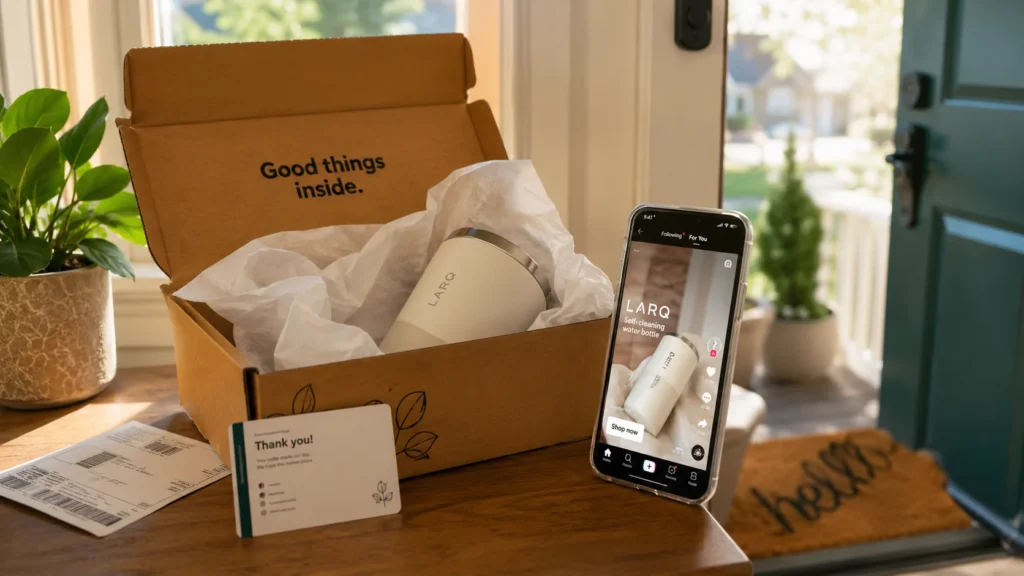
What Do You Need Before Setting Up Shopify TikTok Ads? Before launching Shopify TikTok ads, a store needs the official TikTok app installed from the Shopify App Store, a TikTok for Business account, and a Business Center account to manage the pixel, catalog, and payments in one place. This single integration is what allows product syncing, pixel tracking, and ad account access to work together instead of being set up separately. Getting this right matters because Shopify TikTok ads depend on accurate signal data reaching TikTok’s algorithm. Without the pixel firing correctly, the platform has no reliable way to learn which visitors are converting, and campaigns end up spending against a guess rather than real behavior. During setup, Shopify asks the store owner to choose a data sharing level: Standard, Enhanced, or Maximum. Choosing Maximum, which enables advanced matching for signals like page views and checkouts, generally gives TikTok’s algorithm more to work with and tends to produce better delivery once campaigns move past the initial learning phase. How Is TikTok Shop Different From Running Catalog Ads to Your Website? TikTok Shop lets customers complete a purchase entirely inside the TikTok app, while catalog ads drive traffic from TikTok directly to product pages on your Shopify store. Both use the same synced product catalog, but they represent two different checkout experiences and two different sets of ad formats. A store new to TikTok advertising has to decide which path fits its business model. TikTok Shop can reduce friction since shoppers never leave the app, which some benchmark data suggests produces lower CPCs due to the native checkout experience. Catalog ads to your Shopify website keep the entire transaction, customer data, and post-purchase relationship inside your own store, which many merchants prefer for long-term customer ownership and easier integration with existing email and SMS flows. Some stores run both in parallel, using TikTok Shop for impulse-driven categories and catalog ads for higher-consideration products where a full product page matters more. How Should You Structure Your First Shopify TikTok Ads Campaign? A first Shopify TikTok ads campaign should follow a simple structure: one campaign built around a clear objective, two to four ad groups to test different audiences or placements, and two to three ad creatives within each ad group. This structure balances enough variation to gather useful data without spreading a limited budget too thin to learn anything. Choose the right objective. Select “Website Conversions” if the goal is driving sales directly to your Shopify store, rather than a traffic or awareness objective that optimizes for a different outcome. Name the campaign clearly. Use a naming convention that includes the objective and date, since this makes reporting easier once multiple campaigns are running. Consider turning off Campaign Budget Optimization initially. Keeping manual control over budget distribution across ad groups during the early testing phase makes it easier to see which specific audience or creative is actually performing. Build two to four ad groups. Test genuinely different audiences or placements rather than near-identical variations that will simply compete against each other in the auction. Create two to three ads per ad group. This gives the algorithm enough creative variety to identify a winner without diluting the data across too many options. Set a realistic testing budget. A target CPA of $25 typically needs roughly $1,250 in learning budget to generate the fifty or so conversions most algorithms need to optimize confidently, so a $500 test budget is often enough to start a conversation with TikTok’s delivery system but rarely enough to finish it. What Should a Store Owner Expect to Spend on Shopify TikTok Ads? Realistic Shopify TikTok ads costs in 2026 run a median CPC of roughly $0.50 to $0.62 across objectives, with CPM ranging from around $4 for Reach campaigns up to $16 for Conversions campaigns. Median DTC ecommerce CPA for first-time purchasers sits near $15.80, though top-performing accounts often see this closer to $9.40. Metric Typical 2026 Range Notes CPC (all objectives) $0.45 to $0.85 Generally cheaper than Meta’s $1.10 to $2.00 CPM (Conversions objective) $12 to $16 Higher than Reach or Traffic CPM CTR (ecommerce) 0.6% to 1.7% Conversion-optimized cohorts trend higher Conversion rate (ecommerce) 0.5% to 2.4% Apparel and home goods tend to clear the higher end Median CPA (DTC first-time purchase) $9.40 to $15.80 Top quartile advertisers sit at the lower end These figures shift by industry, creative quality, and how well the landing page matches the ad’s promise, so they should be treated as planning benchmarks rather than guaranteed outcomes. Get a personalised budget proposal from RankMyShopify by calling 9888923755 or emailing info@rankmyshopify.com. For example, if you run a Shopify apparel store in the USA with a $45 average order value and a 45% gross margin, you have roughly $20 per order to spend on acquisition. Against a median CPA range of $9.40 to $15.80, this math generally works, whereas a lower-margin category with a $12 order value would need a much tighter CPA target to stay profitable. Why Do Shopify TikTok Ads Sometimes Fail to Convert? Shopify TikTok ads typically underperform because of broken pixel events, mismatched catalog data, or campaigns launched with too small a testing budget to exit the learning phase. Each of these issues is common, fixable, and rarely obvious from the ad account’s surface-level metrics alone. Broken or incomplete pixel events. A theme update, a new checkout app, or an incomplete Maximum data sharing setup can silently break event tracking, leaving the algorithm optimizing against partial or missing data. Catalog sync errors. Pricing, availability, or image mismatches between the Shopify store and the synced TikTok catalog can trigger disapprovals or simply produce weak-performing product ads, similar to how feed quality issues affect Google Shopping. Underfunded learning budgets. Ending a test after two or three days with only a handful of conversions rarely gives the algorithm enough data to have actually learned anything, which makes early performance a poor predictor of what the campaign could do with proper
