The Complete Shopify Email Marketing Guide: How to Use Klaviyo to Drive Repeat Sales

Why Does Shopify Email Marketing Matter for Repeat Sales? Shopify email marketing matters because it is the channel most directly responsible for turning a one-time buyer into a repeat customer. Where Shopify SEO and paid ads mostly bring in new visitors, email speaks to people who already know your brand, which is why it converts at a much higher rate than cold traffic. Email marketing generates between $36 and $42 for every $1 spent in ecommerce, making it one of the highest-return channels available to a Shopify store of any size. With ecommerce continuing to grow across India, the USA, the UK, Australia, and Canada, the stores pulling ahead are increasingly the ones combining strong organic visibility with a well-built retention program rather than relying on either alone. At RankMyShopify, we have worked with Shopify merchants since 2009, and the stores that see the strongest lifetime value growth are almost always the ones running proper automated flows through Klaviyo Shopify integrations rather than sending occasional newsletters. What Is the Best Email Marketing Tool for Shopify? For most growing Shopify stores, Klaviyo is the strongest choice, though Shopify Email has a real place for very early-stage stores. Shopify Klaviyo guide conversations usually start with this comparison. Shopify Email is free, built directly into the Shopify admin, and handles basic campaigns and simple automations well. It works for stores in their first months, before order volume justifies a paid platform. Klaviyo becomes the better fit once a store needs multi-layer behavioral segmentation (for example, targeting people who browsed a specific category, added to cart, but haven’t opened an email in 30 days), which native Shopify Email tools struggle to handle. Klaviyo is also Shopify’s officially recommended platform for Shopify Plus merchants, with commerce data flowing between the two systems in close to real time. That deep data connection is what allows Klaviyo to build flows around actual customer behavior rather than broad, generic segments. Factor Details Agency Founded 2009 Years of Experience 15+ Specialisation Shopify SEO and Shopify email marketing exclusively Markets Served India, USA, UK, Australia, Worldwide Core Services Shopify SEO services, shopify email marketing agency, shopify google ads management, shopify facebook ads agency Contact 9888923755 / info@rankmyshopify.com How Do You Connect Klaviyo to Shopify? Connecting Klaviyo to your Shopify store takes a handful of setup steps before you send your first automated email. Install the Klaviyo app from the Shopify App Store. This is the standard integration path and enables real-time tracking of store events. Authorize data access. Klaviyo will request permission to sync customer, order, and product data from your store. Enable historical data sync. This pulls in past order history so your segments and flows have real customer data to work with from day one, not just new signups. Set up a dedicated sending domain. Sending from your own domain (rather than a shared Klaviyo domain) protects deliverability and looks more trustworthy to inboxes. Verify SPF, DKIM, and DMARC records. These authentication records confirm to email providers like Gmail and Outlook that your emails are legitimate, which directly affects whether they land in the inbox or the spam folder. Confirm your goals before building flows. Decide whether the priority is recovering carts, increasing repeat purchases, or improving retention, since that shapes which flows to build first. This setup usually takes under an hour for a typical Shopify store, though historical data sync can take longer to fully process on stores with a large order history. What Email Flows Should Every Shopify Store Have? Six flows form the foundation of a strong Shopify email marketing program: welcome series, abandoned cart, browse abandonment, post-purchase, win-back, and a VIP or loyalty nurture sequence. Welcome series. Sent to new subscribers, this flow typically converts at the highest rate of any automation (12 to 18% at the top performer level), because these are people who just opted in and are actively interested. Abandoned cart. Triggered when someone starts checkout but does not complete it. This is the single highest-revenue flow for most stores, averaging close to $3.65 per recipient, with top 10% performers reaching $28.89 per recipient. A 3-email sequence with escalating urgency typically recovers 12 to 18% of carts, roughly double what a single reminder email achieves. Browse abandonment. Targets visitors who viewed products but never added anything to cart, catching interest before it fully cools off. Post-purchase. Follows an order with shipping updates, care instructions, and relevant cross-sell recommendations based on what the customer just bought. Win-back. Re-engages customers who haven’t purchased or opened an email in a defined period, though this flow typically has the lowest engagement since it targets people who have already disengaged. VIP or loyalty nurture. Rewards repeat customers with early access, loyalty points, or exclusive offers, which is one of the most effective ways to increase 12-month repeat purchase rate. For example, a Shopify beauty store in the USA with 5,000 email subscribers and no automated flows in place would typically be leaving significant abandoned cart revenue on the table. Simply turning on a properly sequenced 3-email abandoned cart flow, without touching anything else in the store, is often enough to recover thousands of dollars a month in orders that would otherwise be lost. How Do You Segment Customers for Better Email Results? Effective segmentation groups subscribers by behavior, not just by whether they are on your list, since behavior-based segments consistently outperform blanket sends to an entire list. Useful segments to build in Klaviyo include recent purchasers, high-value repeat customers, people who browsed a specific product category, cart abandoners in the last 7 days, and subscribers who haven’t opened an email in 90 days or more. Layering these segments matters more than the raw number of subscribers on a list. A smaller, well-segmented list that receives relevant, timely emails will consistently outperform a large, unsegmented list that gets the same generic blast every week. Personalization should stay useful rather than overdone. Recommending products based on past purchase or browsing behavior
Shopify Facebook Audience Targeting: How to Find Your Best Customers
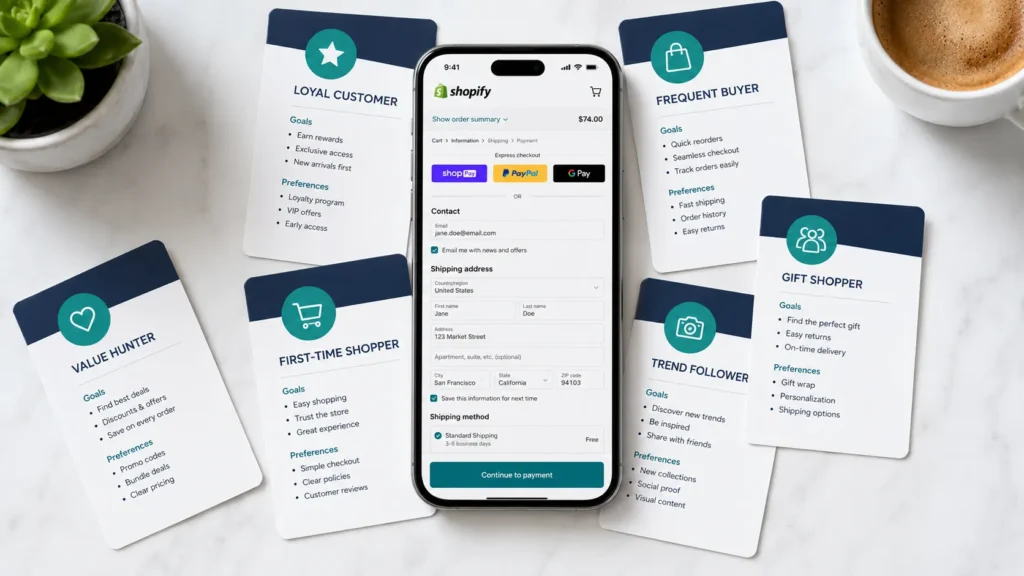
Why Does Audience Testing Matter So Much for Shopify Stores? Audience testing matters because it is the fastest way to stop wasting ad spend on people who will never buy from your store. Getting Shopify Facebook audience targeting right from the start means every rupee or dollar goes toward shoppers who are actually likely to convert. Shopify stores that skip structured testing tend to run one broad campaign and hope for the best, which usually means overspending on cold traffic that never converts and underspending on the warm segments that would. With ecommerce continuing to grow (the global ecommerce market is projected to reach $6.88 trillion in 2026, and Shopify alone processes well over $100 billion in GMV per quarter), the competition for attention on Meta’s platforms has never been higher. Every rupee or dollar spent on the wrong audience is a rupee or dollar a competitor’s ad picks up instead. Structured testing is how a Shopify store, whether it is based in India, the USA, the UK, Australia, or Canada, finds the segment that actually converts before scaling spend. At RankMyShopify, we have worked with Shopify merchants since 2009, and the stores that grow fastest with Meta ads are almost always the ones that test methodically rather than launching a dozen audiences and hoping one sticks. What Types of Facebook Audiences Can a Shopify Store Test? There are three core audience types available inside Meta Ads Manager, and each plays a different role in a Shopify store’s testing plan. Core (detailed) audiences. Built from age, gender, location, interests, and behaviors. Best for reaching completely cold shoppers who have never heard of your brand. Custom audiences. Built from people who already interacted with your store, including website visitors tracked by the Facebook Pixel, past purchasers, email subscribers, and people who engaged with your Instagram or Facebook page. Lookalike audiences. Built by asking Meta to find new people who resemble an existing custom audience, most commonly your purchaser list. custom audiences Shopify setups work best when they are layered rather than used as one giant blanket segment. For example, combining “visited a product page” with “signed up for email” produces a high-intent warm segment, while combining “purchased once” with “more than 90 day ago” creates a useful win-back segment for retargeting campaigns. Building strong custom audiences Shopify segments like these is usually the difference between a retargeting campaign that quietly wastes budget and one that consistently recovers lost sales. There is also Advantage+, Meta’s AI-driven audience and campaign automation, which increasingly blends prospecting and retargeting into a single campaign rather than asking you to choose an audience type manually. Is Broad Targeting Better Than Interest Targeting in 2026? For most Shopify stores, yes. Broad targeting now generally outperforms narrow interest targeting because Meta’s algorithm has more room to find high-value buyers when it is not restricted by manual interest filters. Interest-based targeting weakened significantly after Apple’s iOS 14 privacy changes reduced the behavioral data Meta could collect. In response, Meta’s algorithm has become far more capable at finding buyers within a broad audience, provided it has strong conversion signals to work with (generally 50 or more purchases a week flowing through the account) and creative that stops the scroll. Broad targeting also avoids the audience overlap problems that show up when a store runs several narrow interest-based ad sets at the same time, all competing against each other in the same auction. This does not mean interest targeting is dead. It still has a place for brand-new stores with zero purchase history, where Meta has no conversion data yet to optimize against. In that early stage, interest-based audiences give the algorithm somewhere to start. How Do You Build a Facebook Audience Testing Plan for a Shopify Store? A reliable testing plan starts small, uses identical creative across audiences, and gives every test enough budget to actually mean something. This is the core of good Shopify Facebook audience targeting: a repeatable process, not a one-off guess. Connect Shopify to Meta properly first. Set up the Facebook Pixel and the Conversions API together, not one or the other. This dual-tracking approach is what makes both your retargeting audiences and your lookalike seed lists accurate, especially with iOS privacy restrictions affecting browser-based tracking. Pick two or three audiences to test, not ten. A common mistake is testing five images, five headlines, and five audiences at once, which creates 125 different ad combinations and makes it impossible to know what actually worked. Start with something like broad targeting versus a 1 to 3% lookalike of past purchasers. Keep the creative identical across every audience in the test. If you vary the creative and the audience at the same time, you cannot attribute a win or loss to either one specifically. Fund each ad set properly before judging it. A workable rule of thumb is 2 to 3 times your target cost per purchase per ad set. If your CPA goal is $25, give each test audience $50 to $75 minimum before deciding whether it is working. Let each test run at least a full week. Facebook’s own learning phase needs time and a reasonable number of conversion events (generally 50 per week per ad set) to optimize properly. Judging results after a day or two almost always leads to the wrong conclusion. Scale the winner gradually. Once an audience proves itself, increase its budget by 15 to 20% every 3 to 5 days rather than doubling it overnight, which can reset the learning phase and hurt performance. Exclude past purchasers and recent converters where relevant. Stop paying to reconvert people you already have, and exclude recent converters from retargeting audiences to avoid wasted frequency. For example, a Shopify fashion store in India running its first serious Meta ads campaign might start with $30 a day split between a broad audience and a 1% lookalike of its email list. After a week of consistent spend, the lookalike typically pulls ahead on cost per purchase, at
How to Create a Full Funnel Paid Social Strategy for Your Shopify Store
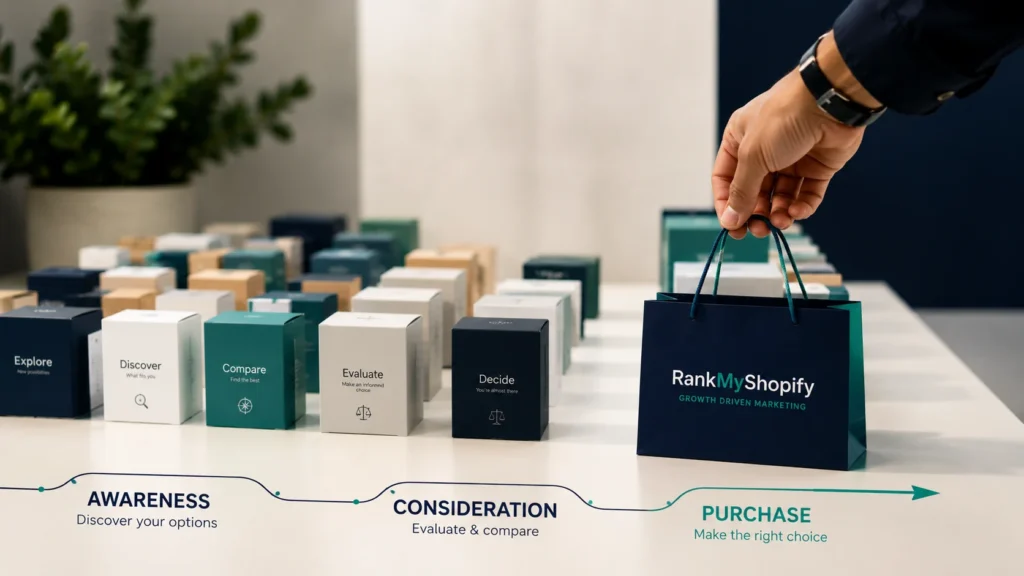
What Is a Shopify Paid Social Strategy? A Shopify paid social strategy is a structured plan for using platforms like Meta, TikTok, and Pinterest to move shoppers through distinct stages of awareness, consideration, and conversion, rather than treating every ad as a direct sales pitch. Instead of running a single campaign type to everyone, a full funnel approach recognizes that most people who see an ad for the first time are not ready to buy yet. For a Shopify store specifically, this strategy also has to account for how the platform connects to Meta’s ecosystem. This includes Shopify’s native Facebook and Instagram sales channel, product catalog syncing, and how order data flows back into ad platforms for optimization. A generic paid social plan built for a non Shopify business often misses these platform specific details entirely. Why Full Funnel Beats Cold Conversion Campaigns Alone Running only conversion focused campaigns to cold audiences almost always underperforms compared to a structured funnel. This approach worked years ago when competition was lower and CPMs were cheaper, but most advertisers now make the mistake of expecting immediate sales from people who have never heard of their brand. Cold audiences need at least some exposure to your brand before Meta’s algorithm has enough signal to find genuine buyers efficiently. What Are TOFU, MOFU, and BOFU in a Shopify Marketing Funnel? TOFU, MOFU, and BOFU represent the three core stages a shopper moves through before buying, and each stage needs a different campaign objective, creative approach, and audience. The Facebook ads funnel includes the top of the funnel or awareness stage, the middle of the funnel or consideration stage, the bottom of the funnel or conversion stage, and a retention or repurchase stage. Top of Funnel (TOFU): Building Awareness TOFU campaigns introduce your brand to people who fit your target audience but have never interacted with your store before. The goal at this stage is to introduce your brand to cold audiences, typically using brand awareness, video views, or reach objectives. Audience targeting at this stage usually relies on interest based targeting and lookalike audiences, such as a 1 percent lookalike built from your existing customer list. Broad targeting at the TOFU stage allows Meta’s AI to find efficient audiences rather than restricting the algorithm with narrow parameters, and roughly 20 to 30 percent of your total Meta ad budget should go toward this stage. Middle of Funnel (MOFU): Building Consideration MOFU campaigns target people who have already engaged with your brand in some way, such as watching a video, visiting your site, or following your page, but have not yet made a purchase. These prospects know who you are but need more information or trust building before committing, and user generated content tends to perform particularly well at this stage. Audience targeting here typically includes retargeting video viewers who watched 25 to 75 percent of a video, website visitors, or people who opened a lead form.This stage is about developing deeper relationships with the potential customers attracted during the awareness stage, using informative content like tutorials and explainer videos that answer questions before the shopper even asks them. Bottom of Funnel (BOFU): Driving Conversion BOFU campaigns target your warmest audience, the shoppers who are closest to buying. Ads at this stage are targeted to a hot audience, meaning customers who are already familiar with the brand and interested in what it offers.This typically means retargeting cart abandoners, pricing page visitors, or email subscribers using conversion, catalog sales, or sales objectives. For Shopify stores specifically, dynamic product catalog ads work especially well at this stage, since they can automatically show shoppers the exact products they viewed or added to cart, pulled directly from your Shopify product feed. How Should You Split Your Budget Across the Funnel? A typical Shopify paid social budget split allocates the largest share to top of funnel prospecting, with smaller, more precise allocations to consideration and conversion. Roughly 20 to 30 percent of your total Meta ads budget should go toward TOFU campaigns.Some frameworks recommend allocating around 50 percent of total budget to TOFU specifically because a broad audience requires more spend to reach efficiently, ensuring you continuously fill the top of the funnel while maximizing return at the bottom. The exact split depends on your store’s size, average order value, and how much existing traffic and customer data you already have to retarget. A brand new store with no pixel data will need to lean more heavily into TOFU initially, while an established store with a large existing customer base can shift more budget toward MOFU and BOFU retargeting. Funnel Stage Typical Budget Share Common Campaign Objective Typical Audience TOFU (Awareness) 20 to 50 percent Brand awareness, video views, reach Interest targeting, 1 percent lookalikes MOFU (Consideration) 20 to 30 percent Traffic, engagement, lead generation Video viewers, website visitors BOFU (Conversion) 20 to 40 percent Conversions, catalog sales Cart abandoners, pixel retargeting What Results Can Shopify Stores Realistically Expect? Realistic performance benchmarks depend heavily on funnel structure, niche, and creative quality, but recent data gives a useful baseline for planning. Facebook and Instagram ads average a ROAS between 2.5 to 1 and 3 to 1 for ecommerce broadly, while visual product categories like fashion and home decor on Instagram alone can achieve a ROAS closer to 8.83 to 1.Merchants who adapt full funnel best practices, including strong creative and proper Conversions API setup, consistently achieve blended ROAS of 2.5 to 4x across their Meta accounts. Shopify specific data for 2026 shows an average ROAS of 2.8x for Facebook and Instagram ads, 2.2x for TikTok ads, and 3.5x for Pinterest ads, with top performing stores achieving 5 to 8x ROAS through advanced targeting and creative optimization. These numbers vary widely by industry, so they should be treated as a planning benchmark rather than a guarantee. On the budget side, ecommerce ad spend typically runs between 7 and 35 percent of revenue in 2026, with store size being the main factor deciding
Shopify TikTok Ads: How to Set Up and Run Profitable Campaigns
What Do You Need Before Setting Up Shopify TikTok Ads? Before launching Shopify TikTok ads, a store needs the official TikTok app installed from the Shopify App Store, a TikTok for Business account, and a Business Center account to manage the pixel, catalog, and payments in one place. This single integration is what allows product syncing, pixel tracking, and ad account access to work together instead of being set up separately. Getting this right matters because Shopify TikTok ads depend on accurate signal data reaching TikTok’s algorithm. Without the pixel firing correctly, the platform has no reliable way to learn which visitors are converting, and campaigns end up spending against a guess rather than real behavior. During setup, Shopify asks the store owner to choose a data sharing level: Standard, Enhanced, or Maximum. Choosing Maximum, which enables advanced matching for signals like page views and checkouts, generally gives TikTok’s algorithm more to work with and tends to produce better delivery once campaigns move past the initial learning phase. How Is TikTok Shop Different From Running Catalog Ads to Your Website? TikTok Shop lets customers complete a purchase entirely inside the TikTok app, while catalog ads drive traffic from TikTok directly to product pages on your Shopify store. Both use the same synced product catalog, but they represent two different checkout experiences and two different sets of ad formats. A store new to TikTok advertising has to decide which path fits its business model. TikTok Shop can reduce friction since shoppers never leave the app, which some benchmark data suggests produces lower CPCs due to the native checkout experience. Catalog ads to your Shopify website keep the entire transaction, customer data, and post-purchase relationship inside your own store, which many merchants prefer for long-term customer ownership and easier integration with existing email and SMS flows. Some stores run both in parallel, using TikTok Shop for impulse-driven categories and catalog ads for higher-consideration products where a full product page matters more. How Should You Structure Your First Shopify TikTok Ads Campaign? A first Shopify TikTok ads campaign should follow a simple structure: one campaign built around a clear objective, two to four ad groups to test different audiences or placements, and two to three ad creatives within each ad group. This structure balances enough variation to gather useful data without spreading a limited budget too thin to learn anything. Choose the right objective. Select “Website Conversions” if the goal is driving sales directly to your Shopify store, rather than a traffic or awareness objective that optimizes for a different outcome. Name the campaign clearly. Use a naming convention that includes the objective and date, since this makes reporting easier once multiple campaigns are running. Consider turning off Campaign Budget Optimization initially. Keeping manual control over budget distribution across ad groups during the early testing phase makes it easier to see which specific audience or creative is actually performing. Build two to four ad groups. Test genuinely different audiences or placements rather than near-identical variations that will simply compete against each other in the auction. Create two to three ads per ad group. This gives the algorithm enough creative variety to identify a winner without diluting the data across too many options. Set a realistic testing budget. A target CPA of $25 typically needs roughly $1,250 in learning budget to generate the fifty or so conversions most algorithms need to optimize confidently, so a $500 test budget is often enough to start a conversation with TikTok’s delivery system but rarely enough to finish it. What Should a Store Owner Expect to Spend on Shopify TikTok Ads? Realistic Shopify TikTok ads costs in 2026 run a median CPC of roughly $0.50 to $0.62 across objectives, with CPM ranging from around $4 for Reach campaigns up to $16 for Conversions campaigns. Median DTC ecommerce CPA for first-time purchasers sits near $15.80, though top-performing accounts often see this closer to $9.40. Metric Typical 2026 Range Notes CPC (all objectives) $0.45 to $0.85 Generally cheaper than Meta’s $1.10 to $2.00 CPM (Conversions objective) $12 to $16 Higher than Reach or Traffic CPM CTR (ecommerce) 0.6% to 1.7% Conversion-optimized cohorts trend higher Conversion rate (ecommerce) 0.5% to 2.4% Apparel and home goods tend to clear the higher end Median CPA (DTC first-time purchase) $9.40 to $15.80 Top quartile advertisers sit at the lower end These figures shift by industry, creative quality, and how well the landing page matches the ad’s promise, so they should be treated as planning benchmarks rather than guaranteed outcomes. Get a personalised budget proposal from RankMyShopify by calling 9888923755 or emailing info@rankmyshopify.com. For example, if you run a Shopify apparel store in the USA with a $45 average order value and a 45% gross margin, you have roughly $20 per order to spend on acquisition. Against a median CPA range of $9.40 to $15.80, this math generally works, whereas a lower-margin category with a $12 order value would need a much tighter CPA target to stay profitable. Why Do Shopify TikTok Ads Sometimes Fail to Convert? Shopify TikTok ads typically underperform because of broken pixel events, mismatched catalog data, or campaigns launched with too small a testing budget to exit the learning phase. Each of these issues is common, fixable, and rarely obvious from the ad account’s surface-level metrics alone. Broken or incomplete pixel events. A theme update, a new checkout app, or an incomplete Maximum data sharing setup can silently break event tracking, leaving the algorithm optimizing against partial or missing data. Catalog sync errors. Pricing, availability, or image mismatches between the Shopify store and the synced TikTok catalog can trigger disapprovals or simply produce weak-performing product ads, similar to how feed quality issues affect Google Shopping. Underfunded learning budgets. Ending a test after two or three days with only a handful of conversions rarely gives the algorithm enough data to have actually learned anything, which makes early performance a poor predictor of what the campaign could do with proper
How to Set Up the Shopify Facebook Pixel Correctly (2026 Guide)
What Is the Shopify Facebook Pixel and Why Does It Matter The Shopify Facebook Pixel, now officially called the Meta Pixel, is a small piece of JavaScript code that tracks visitor behaviour on your Shopify store and reports it back to Meta’s advertising platform. Every time a customer views a product, adds an item to cart, starts checkout, or completes a purchase, the Pixel fires an event that Meta uses to optimise your ad delivery. Without a properly configured Shopify Facebook Pixel, Meta’s algorithm has no reliable way to know which ad clicks actually led to sales. This means your campaigns end up optimising for clicks or traffic rather than revenue, which drives up your cost per purchase and wastes ad spend. For any Shopify store running or planning to run Meta Ads, the Pixel is the foundation everything else is built on, including retargeting audiences, lookalike audiences, and accurate return on ad spend reporting. How Do I Add Facebook Pixel to My Shopify Store The fastest and most reliable way to add the Facebook Pixel to your Shopify store is through Shopify’s native Facebook & Instagram sales channel. This app installs both the browser Pixel and Conversions API in one connection, using a single Pixel ID, which avoids the duplicate tracking issues that come from mixing manual code with the native app. Step 1: Install the Facebook & Instagram Sales Channel From your Shopify admin, go to Sales channels and click the + icon to add a new channel. Search for Facebook & Instagram and install the app. Follow the prompts to connect your Meta Business account. Step 2: Connect or Create Your Pixel During setup, Shopify will check for a partner integration. Select Partner Integrations if prompted. Choose Conversions API and Meta pixel when asked how you want to connect, since Meta recommends this combined option for the strongest tracking and optimisation. If you already have a Pixel from previous campaigns, select it. If not, Shopify will create a new one for you. Step 3: Enable Conversions API (CAPI) In the channel settings, look for the Conversions API option and select Set up with partner integration for the simplest path. This adds server-side tracking, which typically captures 15 to 25% more conversions than a browser Pixel alone, because it is not affected by ad blockers or browser privacy restrictions. Step 4: Verify Cookie Consent Is Enabled Go to Settings > Customer Privacy in your Shopify admin. Make sure the cookie consent banner is switched on. This step is frequently missed, and a disabled consent banner is one of the most common reasons a correctly installed Pixel silently stops collecting data. Step 5: Test Your Installation Install the Meta Pixel Helper Chrome extension. Visit your store and trigger a few test events, such as viewing a product and adding it to cart. Confirm the events appear both in the Pixel Helper and in Meta’s Test Events tool inside Events Manager. Total setup time for a standard Shopify store is typically 15 to 20 minutes. Why Is My Facebook Pixel Not Tracking on Shopify If your Pixel appears installed but is not tracking events, the cause is usually one of a handful of well-known issues, based on patterns reported across the Shopify Community. Cookie consent is disabled. If your Customer Privacy settings do not have the cookie banner enabled, Shopify may block Pixel data collection entirely until a visitor accepts tracking. Your domain is blocked in Traffic Permissions. Under Events Manager, check Settings > Traffic Permissions and make sure your store’s domain is on the allowed list, not the blocked list. Duplicate Pixels from manual code. If a developer previously added a manual fbq snippet to theme.liquid and the native Facebook & Instagram app was installed afterwards, you likely have two Pixels firing, which inflates or confuses your event data. A recent theme change broke event triggers. Theme updates can silently disable Add to Cart, Search, or Add Payment Info events even when Page View events continue to fire normally, so it is worth re-testing after any theme change. Third-party apps are conflicting with the native channel. Other tracking or Google Tag Manager scripts can interfere with the Facebook & Instagram app’s event firing, so it is worth auditing your installed apps if problems persist after the steps above. Facebook Pixel vs Conversions API: What Is the Difference The Facebook Pixel is a browser-side tracker. It runs as JavaScript in the customer’s browser and fires events based on their session, capturing signals like cookie ID, user agent, and client-side IP. Conversions API (CAPI) runs server-to-server instead, sending event data directly from Shopify to Meta without depending on the customer’s browser. Meta deduplicates events between the two using a shared event ID, so running both together is not redundant, it is how the matching system is designed to work. Server-only setups, without a browser Pixel, tend to plateau at a lower Event Match Quality score because they lose the browser fingerprint the Pixel captures. For most Shopify stores, the combined Pixel and CAPI setup delivered through the native Facebook & Instagram channel gives the most complete and accurate picture of customer behaviour. At a Glance: Shopify Facebook Pixel Setup Facts Factor Details Recommended install method Native Facebook & Instagram sales channel Pixel + CAPI setup time 15 to 20 minutes CAPI conversion recovery 15 to 25% more captured conversions vs Pixel alone Meta Pixel adoption on Shopify stores 48.2% of stores analysed use the Meta Pixel Manual code use case Headless Hydrogen storefronts, Shopify Plus checkout extensions only Verification tools Meta Pixel Helper, Meta Events Manager Test Events For Example: A Shopify Fashion Store Getting Pixel Data Wrong For example, if you run a Shopify fashion store in India with 5,000 products and a Facebook Pixel that was installed manually two years ago alongside a newer Facebook & Instagram sales channel install, a Shopify SEO and tracking audit from RankMyShopify would typically uncover duplicate Purchase events, an inflated Add to
How to Read Your Shopify Google Ads Reports (Metrics That Actually Matter)
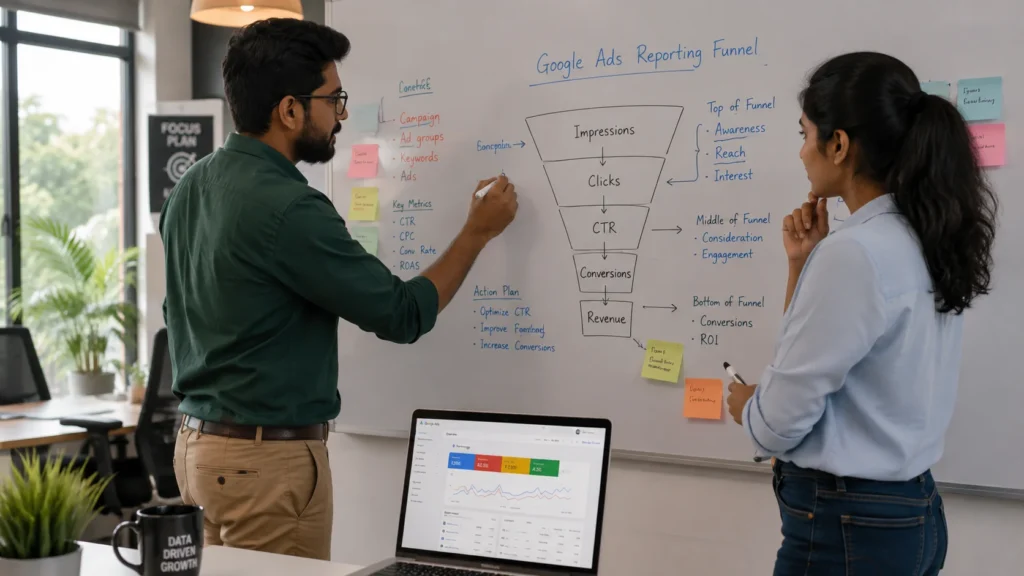
Why Does Shopify Google Ads Reporting Feel So Confusing? Shopify Google Ads reporting feels confusing because Google Ads, Shopify Analytics, and GA4 each measure and attribute a sale differently, so the same order can appear with three different values across three dashboards. At RankMyShopify, this is the single most common question we get from Shopify merchants running Google Ads: “why does my Google Ads dashboard say I made more (or less) money than my Shopify admin?” The honest answer is that some mismatch is normal and expected. Google Ads reporting is not wrong just because it does not match Shopify order data exactly. It is measuring something slightly different, using a different attribution window and, in many setups, a different definition of “order value.” What Is Conversion Value and Why Should You Check It First? Conversion value is the total revenue Google Ads attributes to the sales your ads generated, and it is the single most important number in your account because every other metric is judged against it. Before you look at clicks, impressions, or even ROAS, confirm that conversion value is being tracked accurately, because a wrong number here makes every downstream metric misleading. This matters more for Shopify stores than most merchants realise. Store reviews of Shopify’s native Google & YouTube sales channel app flag a specific, widely reported issue worth knowing about directly. In documented cases, the conversion value sent to Google Ads includes only the product subtotal and excludes shipping and tax, which understates real order value and artificially lowers reported ROAS, particularly for stores with higher shipping or tax charges. If your store charges meaningful shipping or operates in a high-tax region, this alone can make a genuinely profitable campaign look weak on paper. What to do about it: Check whether your conversion value source is “subtotal” or “total order value” in your tracking setup Compare five recent orders manually against what Google Ads reported for the same transactions If tax and shipping are missing, flag it with your developer or ask your Shopify Google Ads management partner to fix the feed How Do You Read ROAS Without Being Misled by It? You read ROAS correctly by comparing it to your own break-even point, not to a generic industry average, because the same ROAS number can mean profit for one store and a loss for another. Break-even ROAS is calculated as 1 divided by your contribution margin. A store running on a 25% margin needs at least a 4:1 ROAS just to break even, while a store on a 50% margin only needs 2:1. The oft-quoted “good ROAS” figure floating around most blogs is close to 2.87x on average, and roughly half of all ecommerce stores actually run below 2.0x. That average is not a target. It is a blended figure across stores with completely different margins, and treating it as a benchmark is one of the most common mistakes Shopify merchants make when reading their reports. Campaign type also skews the number in predictable ways: Campaign Type Typical Reported ROAS What Actually Drives It Google Search 3x to 5x Direct high-intent keyword matches Google Shopping 4x to 8x Product listings shown at buying moment Performance Max 5x to 12x reported (2x to 4x incremental) Includes branded and retargeting traffic Meta prospecting Around 2.2x Cold audience, lower purchase intent Meta retargeting Around 3.6x Warm audience already familiar with the brand If Performance Max is reporting an unusually high ROAS compared to your Search campaigns, that is not automatically a sign it is your best channel. It is often taking credit for branded searches and retargeting hits that would have converted anyway. For example, if you run a Shopify home decor store in the USA spending 2,000 dollars a month on Google Ads with a 40% product margin, your break-even ROAS is 2.5x. If Performance Max is reporting 6x while your dedicated Search campaigns report 3.8x, an audit would typically separate branded from non-branded traffic to see whether PMax is genuinely outperforming Search or simply absorbing demand you already had. Why Do Google Ads and Shopify Analytics Show Different Numbers? Google Ads and Shopify Analytics show different numbers because they use different attribution windows and different rules for crediting a sale to an ad interaction. Meta defaults to a 7-day click and 1-day view attribution window, while Google Ads uses a 30-day click window, and that gap alone creates large reporting differences even before you compare Google Ads to Shopify itself. A practical way to validate your data: pull conversion reports from Google Ads for the past 7 days, then compare that total against your actual Shopify order count for the same period. A gap of up to 20% is considered normal because each platform tracks and attributes differently. If reported conversions are notably higher than real orders, you likely have duplicate tracking. If they are notably lower, you may be under-reporting and undervaluing a campaign that is actually working. What Is Cost Per Acquisition and When Should You Worry About It? Cost per acquisition, or CPA, is what you pay Google Ads on average to generate one completed sale, and you should worry about it when it climbs faster than your average order value can absorb. CPA is the metric most Shopify merchants check second, right after conversion value and ROAS, because it translates ad performance directly into a dollar figure you can compare against your margin per order. Watch CPA trends over rolling 7 and 30-day windows rather than reacting to a single bad day. A short spike is normal, especially around sales, holidays, or a new competitor entering auctions. A sustained upward trend over several weeks, alongside flat or falling ROAS, is the real warning sign worth acting on. How Do Click-Through Rate and Quality Score Affect Your Costs? Click-through rate and Quality Score affect your costs because Google rewards ads and landing pages it judges as relevant with lower costs per click and better ad positions, which lowers your CPA
The Complete Shopify Facebook & Instagram Ads Guide: Full-Funnel Strategy for 2026
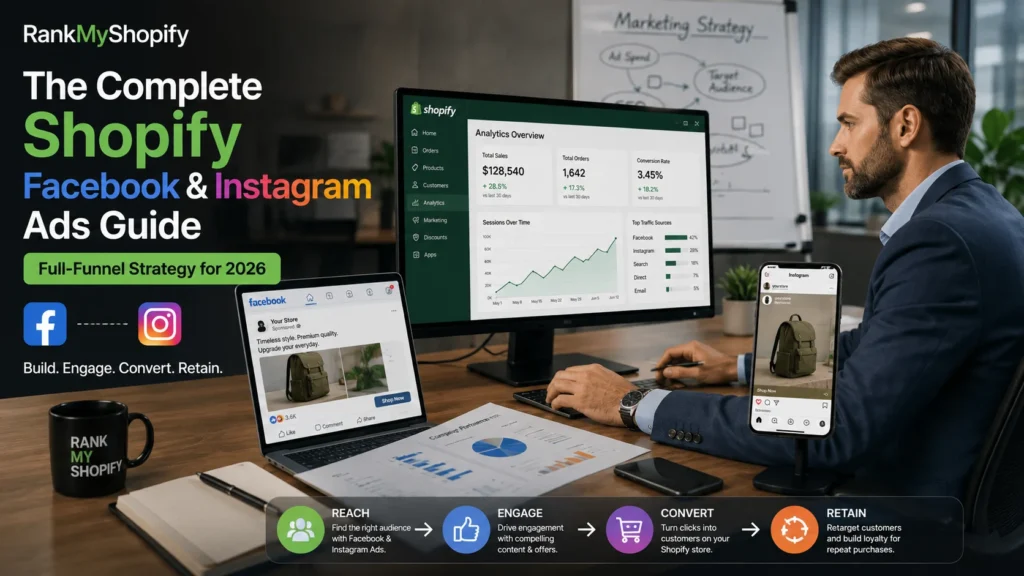
Why Shopify Facebook Ads Still Work in 2026 Facebook ads for ecommerce continue to deliver strong results because Meta’s advertising algorithm has matured rather than declined. Despite years of predictions that “Facebook ads are dead,” Shopify and Meta remain the most powerful ecommerce and advertising combination available, with over 4.4 million active Shopify stores relying on Facebook and Instagram as their primary customer acquisition channels. What has changed is the level of technical setup required to get accurate results. Merchants who succeed on Meta in 2026 rely on strong creative and email list based custom audiences rather than broad interest stacks, use server side tracking through the Conversions API for accurate conversion data, and run full-funnel systems instead of one-off campaigns. This is the core shift every Shopify store owner needs to understand before spending a single rupee or dollar on ads. Our team at RankMyShopify has worked with Shopify merchants across India, the USA, the UK, Australia, and Canada, and the pattern is consistent: stores that pair Shopify Facebook Ads with a solid technical SEO and content foundation acquire customers more cheaply over time, because organic traffic keeps working in the background while paid social captures immediate demand. How Do I Connect Shopify to Facebook and Instagram? You connect Shopify to Facebook and Instagram by installing the official Facebook and Instagram Sales Channel from the Shopify App Store, which handles Pixel installation, Conversions API setup, and catalogue sync together. Installing the Facebook and Instagram Sales Channel handles Pixel installation, Conversions API setup, and product catalogue sync in a single flow. During setup, you connect your Meta Business Manager account, select your Ad Account and Facebook Page, and configure data sharing settings. This replaces the older method of manually pasting Pixel code into your theme, which is more error prone and harder to maintain across theme updates. Once connected, three things happen automatically: Your full Shopify product catalogue syncs to Meta, including titles, prices, images, and stock status. The Meta Pixel begins tracking on-site behaviour such as page views, add-to-cart events, and purchases. The Conversions API sends this same data server-side, which recovers conversions that browser-based tracking alone would miss due to iOS privacy restrictions and ad blockers. The Conversions API is considered the single most important technical setup for Meta advertising in 2026, and skipping it is one of the most common reasons Shopify merchants see inaccurate ROAS reporting and poor campaign optimisation. How Should I Structure My Facebook Ad Campaigns? A well performing Shopify Facebook Ads account is structured around three distinct campaign types working together, rather than a single campaign trying to do everything at once. A common and effective structure splits budget into prospecting at roughly 60 percent, retargeting at roughly 25 percent, and testing at roughly 15 percent. Here is what each layer does: Prospecting campaigns introduce your brand and products to people who have never visited your store. These typically use Meta’s Advantage+ Shopping campaigns, which let the algorithm find likely buyers based on your product catalogue and pixel data rather than manually selected interest categories. Retargeting campaigns focus on warm audiences: people who viewed a product, added to cart, or visited your site but did not purchase. These campaigns almost always deliver the highest ROAS because the audience already has purchase intent. Testing campaigns are where you trial new creative concepts, offers, or audience segments on a smaller budget before rolling winners into your main prospecting and retargeting campaigns. What Is Advantage+ and Should I Use It? Advantage+ Shopping campaigns use Meta’s machine learning to automate targeting, placement, and budget decisions across your entire product catalogue instead of requiring manual ad set creation for each audience segment. Advantage+ Shopping campaigns deliver 15 to 25 percent better ROAS than manual campaigns for stores with mature pixel data, meaning stores that have already generated a reasonable volume of purchase events through their Pixel and Conversions API. For newer stores with limited conversion history, a short period of manual campaign structure can still help build that initial data before shifting to Advantage+. How Much Should I Spend on Facebook Ads for My Shopify Store? Most Shopify merchants should start with a testing budget of $20 to $50 per day, or the local currency equivalent, run for at least 6 to 7 days before making major changes. Testing campaigns effectively requires at least 5 dollars per day for 6 to 7 days to allow Meta’s algorithm to optimise ad delivery and provide meaningful performance data. Spending less than this rarely generates enough conversion volume for the algorithm to learn efficiently, which leads to inconsistent results and premature conclusions about whether a campaign is working. As your store grows, budget should scale in proportion to your available product margin and customer lifetime value, not in fixed dollar jumps. A useful way to think about it: Store Stage Typical Daily Budget Focus Pre-launch or new store $10 to $30 per day Pixel data collection, initial testing Early growth $30 to $100 per day Prospecting plus early retargeting Established store $100 to $500+ per day Full-funnel scaling across Advantage+ For example, a Shopify fashion store in India with a modest but growing catalogue might start with $15 to $20 per day focused entirely on prospecting for the first two weeks, then introduce a retargeting campaign once enough add-to-cart and purchase events have accumulated for Meta to build a meaningful custom audience. This staged approach avoids wasting budget on retargeting pools that are too small to perform well. What Is a Good ROAS for Shopify Facebook Ads? A good ROAS for Shopify Facebook Ads generally falls between 2.5x and 4.5x for blended campaigns, though this varies significantly by product category, margin, and campaign type. General ecommerce brands see a median ROAS of 2.79x on Meta in 2026, with high performers reaching 3.5x to 5.0x. Fashion and apparel brands run somewhat lower on average: the median Meta Ads ROAS for fashion and apparel brands sits at 2.18x, with average performers
Shopify Google Ads vs Organic SEO: Where Should You Invest First?
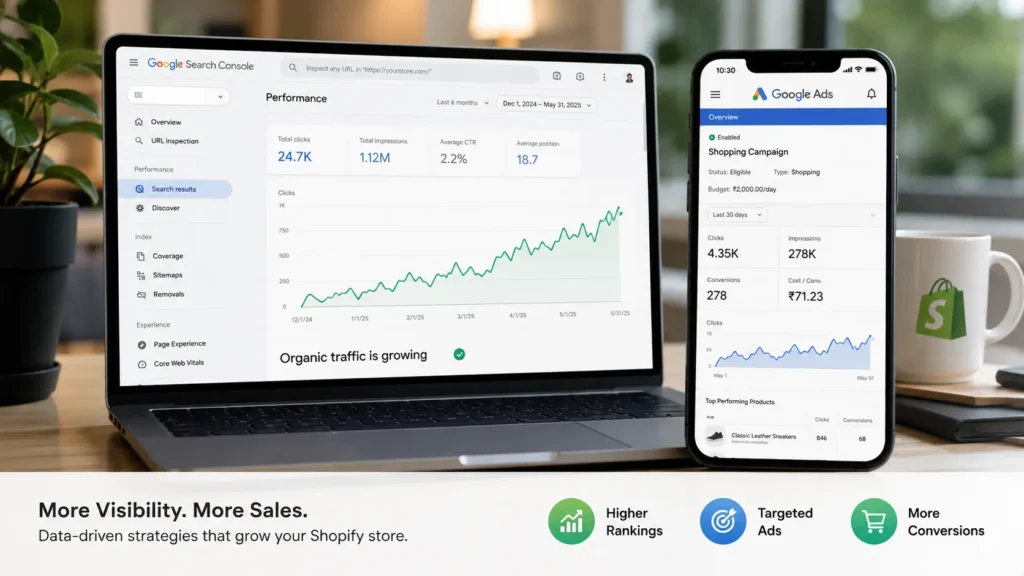
What Is the Real Difference Between Shopify Google Ads and SEO? Google Ads buys placement at the top of search results for as long as you keep paying for clicks. Shopify SEO earns placement by making your store genuinely relevant, fast, and trustworthy to Google’s crawlers and to shoppers, and that placement keeps working after you stop actively investing in it. One is rented visibility. The other is owned visibility that compounds. This distinction matters more for Shopify stores than for most other businesses, because Shopify’s platform gives you decent SEO foundations (editable meta fields, automatic sitemaps, canonical URLs, and 301 redirects) but does very little of the actual optimisation work for you. Keyword targeting, content depth, technical fixes, internal linking, and backlink building are all still on the merchant. Meanwhile, Google Ads and Shopify’s native Google Shopping integration let you go live with paid campaigns within a single afternoon. Recent ecommerce ROI data makes the tradeoff clear. SEO returns an estimated 22:1 on investment over time, while Google Ads benchmarks closer to 2.5:1 to 3.5:1 depending on the campaign type. But that SEO number only tells the truth if your store survives long enough to see it, which is exactly why the “where should you invest first” question matters more than the “which is better” question. How Fast Does Each Channel Actually Work? Google Ads works within hours. Shopify SEO works within months, and the exact timeline depends heavily on how competitive your niche is. The moment your Shopify Google Ads management campaign goes live and your billing is approved, your products can appear in Google Shopping and search results. Most stores see their first click-driven sales within the first week, though whether those sales are profitable depends entirely on your cost per acquisition versus your margin. Organic SEO follows a slower, more predictable curve. New Shopify stores typically see the first signs of movement between months four and six, with consistent, revenue-driving traffic arriving between months nine and twelve. A brand-new domain also faces an indexing delay of one to three months before Google fully evaluates and trusts the site. This is not a flaw in the process. It reflects how long it genuinely takes to build the content depth, technical health, and backlink authority that sustainable rankings require. For example, if you launch a Shopify home decor store in India with 300 products and no prior SEO work, a Shopify SEO audit from RankMyShopify would typically uncover missing meta descriptions, thin collection page content, unoptimised image alt tags, and slow-loading product pages, all of which are fixable within the first 60 days. But turning those fixes into ranking positions on competitive terms like “handmade home decor India” still realistically takes six to nine months of consistent execution. What Does Each Channel Cost for a Shopify Store? Google Ads charges you for every click, with average Shopify store customer acquisition costs (CAC) sitting at $35 to $65 overall. Shopify SEO has upfront investment in strategy and content but a materially lower ongoing cost per customer once it starts working. Cost Factor Google Ads Shopify SEO Typical CAC $45 to $85 (paid social), higher for competitive Shopping terms $12 to $25 (organic search) Average CPC (Google Ads) Around $5.26 across sectors Not applicable Time to first traffic Hours to days 4 to 12 months Cost when you stop Traffic stops immediately Traffic continues Long-term ROI benchmark 2.5:1 to 3.5:1 Roughly 22:1 The one variable that changes this entire table is your margin. If your average order value is $35 with a 40% gross margin, you have roughly $14 per order to spend on acquisition, which makes most paid social campaigns unprofitable from day one. Stores in this position are usually better served starting with SEO fundamentals, email capture, and organic social, then adding paid spend once conversion rate and average order value improve. Stores with strong lifetime value, for example a $400 LTV against an $80 paid CAC, can justify aggressive early ad spend because the long-term math already works. Should a New Shopify Store Start With SEO or Google Ads First? Start with Google Ads if you need sales within 90 days or want to validate product demand quickly. Start with SEO now, even at a small scale, if your store has runway to wait for compounding organic traffic and you want a lower long-term cost per customer. These are not mutually exclusive choices, and treating them that way is the most common mistake we see at RankMyShopify. Here is how we recommend Shopify store owners sequence their investment by business stage. Pre-launch to first 90 days. Fix technical SEO foundations (site speed, mobile usability, structured data, indexable collection and product pages) so you are not starting from a deficit. Run a modest Google Ads or Shopify Facebook Ads budget to validate which products and audiences actually convert. Months 3 to 6. Begin consistent content production, two to four optimised blog posts or buying guides per month, targeting real search intent. Keep paid spend focused on your proven, highest-converting SKUs rather than broad testing. Months 6 to 12. As organic rankings for specific product or collection terms improve, start reducing paid spend on those exact keywords. You are now paying for clicks you could be getting for free, so redirect that budget toward new product launches or untested audiences. Beyond 12 months. SEO should be carrying a growing share of your traffic and revenue at a fraction of the cost per acquisition, while paid campaigns handle seasonal spikes, new launches, and competitive defense in search results. A useful comparison here is buying versus renting a house. Paid ads give you immediate access to visibility, the way renting gives you immediate access to a place to live. SEO builds an asset you own outright over time, the way a mortgage payment eventually becomes equity. Most profitable Shopify stores end up doing both, but the sequencing and budget split shift as the business matures. Can You Run Google Ads
Shopify Google Ads Remarketing: How to Bring Back Abandoned Shoppers
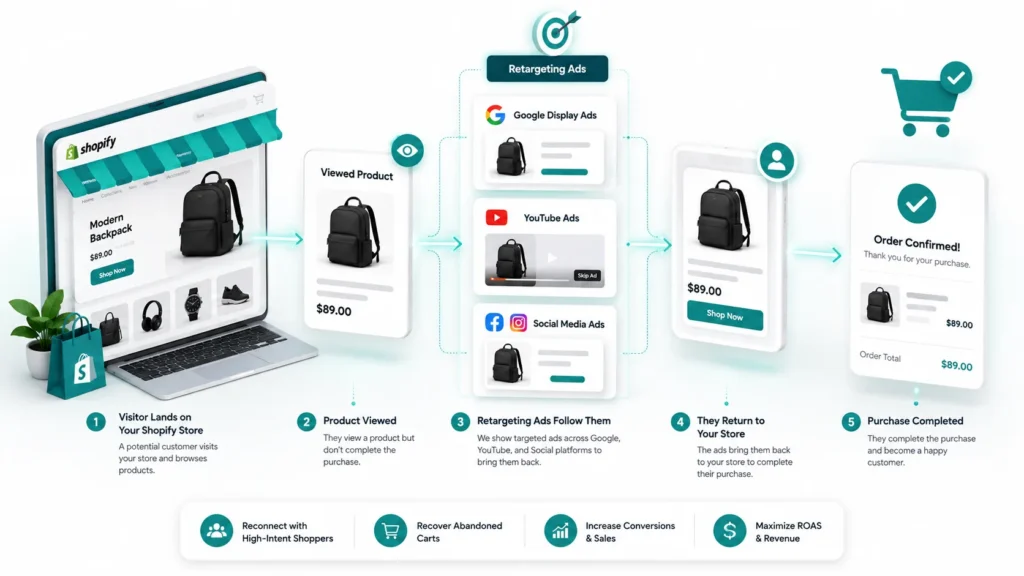
What Is Shopify Google Ads Remarketing? Shopify Google Ads remarketing is a paid advertising method that re-shows your products to people who already visited your store, viewed a product, or abandoned a cart without checking out. Rather than paying to reach cold audiences again, you are paying to reach warm shoppers who already know your brand. Google draws a technical line between “remarketing” and “retargeting” that most Shopify merchants use interchangeably in practice. Remarketing typically refers to Google’s own audience and email based re-engagement tools, while retargeting is the broader term for showing paid display or social ads to past visitors. For most Shopify stores, both terms describe the same practical goal: getting an abandoned shopper back to checkout. At RankMyShopify, our team treats Google retargeting Shopify campaigns as one part of a wider growth stack that also includes Shopify SEO services, Shopify Google Ads management, Shopify Facebook Ads agency work, and Shopify email marketing agency support, because remarketing performs best when it is not carrying the whole funnel alone. Why Cart Abandonment Makes Remarketing Essential for Shopify Stores Cart abandonment is the single biggest reason Shopify remarketing Google Ads campaigns exist in the first place. The global average cart abandonment rate sits at 70.22% in 2026, according to Baymard Institute’s analysis of more than 50 independent studies. That means for every 10 shoppers who add a product to their cart, roughly 7 leave without paying. Shopify stores tend to perform slightly better than the general ecommerce average, largely because of Shop Pay and a streamlined checkout, but the gap is still significant. Metric 2026 Benchmark Global average cart abandonment rate 70.22% (Baymard Institute) Typical Shopify store abandonment rate 67% to 70% Mobile cart abandonment rate 80% to 85% Desktop cart abandonment rate 66% to 73% Recoverable revenue (US and EU estimate) $260 billion (Baymard Institute) Typical retargeting cost per click $0.95 to $1.25 The takeaway for Shopify store owners is simple: even a small improvement in cart recovery, driven by a well structured remarketing campaign, can add meaningful revenue without spending extra on new traffic. How Does Google Ads Dynamic Remarketing Work on Shopify? Google Ads dynamic remarketing shopify works by connecting your Shopify product catalogue to Google Ads, then automatically building ads that feature the exact products a visitor looked at or added to their cart. The system uses three connected components: a synced product feed, a tracking tag, and audience lists built from on-site behaviour. Google Merchant Center and Your Product Feed Your Shopify products need to be listed in Google Merchant Center before dynamic remarketing can pull product images, titles, and prices into an ad. The Google & YouTube sales channel in Shopify handles this feed sync automatically, which removes the need to build or maintain a separate product data file. The Google Ads Tag and Conversion Tracking A Google tag and conversion ID tie your store’s activity back to Google Ads, so the platform knows when someone viewed a product, added to cart, or completed a purchase. This tag is installed through the Google & YouTube channel rather than through custom code. Why the Old Additional Scripts Method No Longer Works If you set up Shopify dynamic remarketing years ago by pasting a tag into theme.liquid or the checkout’s Additional Scripts box, that setup is no longer supported. Shopify retired the legacy checkout customisation option and made Additional Scripts view-only, so Customer Events is now the required method for tracking checkout activity. Any store still relying on the old scripts should assume its remarketing tracking is broken or incomplete. GA4 as the Data Backbone GA4 needs to be correctly configured alongside Google Ads and Merchant Center, since it is often the source of truth for events like add to cart, begin checkout, and purchase. Without accurate GA4 ecommerce tracking, remarketing audiences are built on incomplete data, which quietly wastes ad spend on the wrong shoppers. How to Set Up Shopify Google Ads Remarketing Setting up Shopify Google Ads remarketing correctly in 2026 follows a specific order. Skipping a step, such as launching campaigns before the feed is approved, is one of the most common reasons dynamic ads never leave “learning” status. Link your Shopify store to Google Merchant Center. Approve your product feed and confirm every product listed is active and policy compliant. Install the Google Ads tag through the Google & YouTube sales channel. Connect your Google Ads account inside Shopify rather than editing theme code. Confirm Customer Events are firing correctly. Check that view item, add to cart, begin checkout, and purchase events are all recording in GA4 and Google Ads. Build your remarketing audiences. In Google Ads Audience Manager, create segments such as “cart abandoners (14 days)”, “product viewers (30 days)”, and “past purchasers” for suppression. Create a Display or Performance Max campaign. Choose a Sales goal, select dynamic ads, and link the campaign to your Merchant Center feed. Set frequency and duration caps. Cap impressions at roughly 3 to 5 per day per person and set a duration limit of 14 to 30 days so warm audiences do not go cold from ad fatigue. Launch with a small daily budget. Confirm return on ad spend is positive before scaling spend upward. Google Retargeting Shopify: Best Audience Segments to Target The strongest Google retargeting Shopify campaigns are not one audience; they are several smaller, purpose built lists that each get a different message and budget. Cart abandoners (7 to 14 days): The highest intent audience, since these shoppers were closest to completing checkout. Product page viewers (30 days): A broader, lower intent group that still benefits from dynamic ads showing the exact product viewed. Category browsers: Useful for stores with a wide catalogue, where showing a related product can outperform showing the single item viewed. Past purchasers (suppressed or upsell only): Exclude from cold acquisition style remarketing, or target separately with complementary product ads. How Much Should You Budget for Shopify Remarketing Ads? As a general guide, most Shopify stores allocate
How to Lower Your CPA on Google Shopping for Shopify (Proven Tactics)
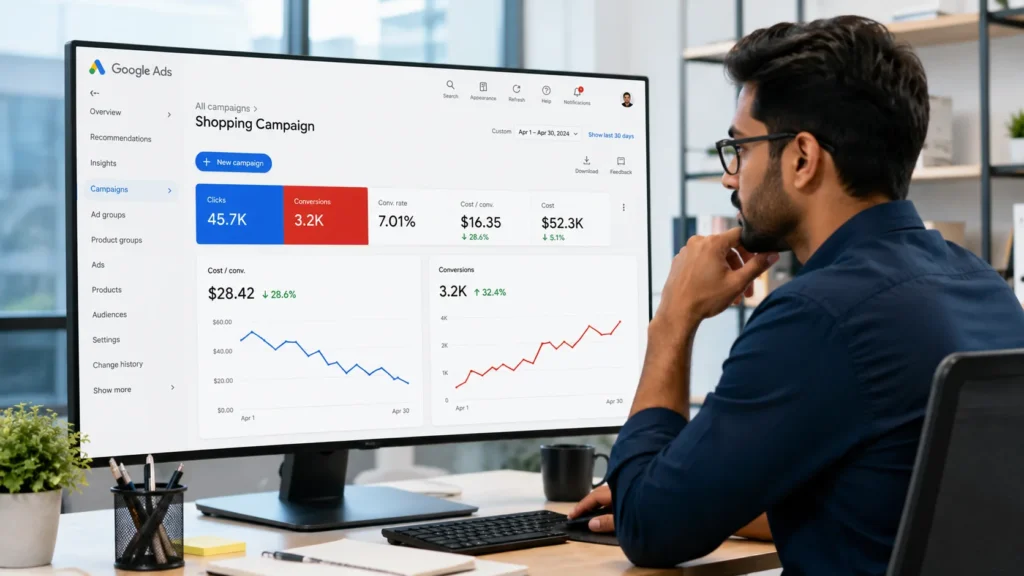
The fastest way to lower CPA on Google Shopping for Shopify is to fix your product feed first, since 74 to 97% of Performance Max spend flows through feed-based Shopping placements, then tighten campaign structure with negative keywords and brand-defence Standard Shopping, then improve your product pages so more clicks convert. Feed quality, campaign structure, and conversion rate together determine your cost per acquisition, and fixing them in that order gives the quickest results. What Is a Good CPA for Google Shopping? A good CPA is not a fixed number. It is whatever your average order value and gross margin can afford while still leaving profit. To find your ceiling, multiply your average order value by your gross margin percentage. A Shopify store with a 60 dollar AOV and 50% margin has a maximum CPA of 30 dollars, and a healthy target CPA usually sits at 50 to 70% of that ceiling to leave room for returns, discounts, and overhead. Category benchmarks vary widely. Fashion stores commonly see CPAs in the 15 to 40 dollar range, beauty brands 20 to 50 dollars, home goods 25 to 60 dollars, and tech or electronics 30 to 80 dollars, though your own store’s numbers will depend heavily on price point, competition, and geography. Rather than chasing an industry average, calculate your own number first and treat that as the real target for every tactic below. Store Type Typical AOV Typical CPA Range Fashion and apparel $40 to $90 $15 to $40 Beauty and skincare $35 to $75 $20 to $50 Home and decor $60 to $150 $25 to $60 Tech and electronics $80 to $250 $30 to $80 Why Is My Google Shopping CPA So High on Shopify? Your CPA is high because one or more of three things is broken: your product feed is thin or inaccurate, your campaign structure is wasting spend on the wrong searches, or your store is not converting enough of the clicks you already pay for. Most Shopify merchants assume the problem is the bidding strategy, when in reality the bidding strategy can only work with the data it is given. Google’s automated bidding, whether that is Maximize Conversions, Target CPA, or Target ROAS inside Performance Max, needs a steady flow of conversion signals to learn from. A campaign generally needs 30 to 50 conversions per month before Target CPA or Target ROAS can optimize reliably, and below that threshold the algorithm restricts spend so heavily that it cannot gather enough data to improve. If your Shopify store is newer or lower volume, chasing an aggressive Target CPA too early is often the real reason CPA looks high, not a flaw in the product or the market. Common Causes of High CPA on Shopify Google Shopping An incomplete or generic product feed with missing GTINs, thin titles, or low-quality images Performance Max and Standard Shopping campaigns competing against each other for the same products No negative keyword list, letting budget leak to browsers, bargain hunters, and irrelevant searches Switching to Target ROAS or Target CPA before reaching the 30 to 50 monthly conversion threshold Slow page speed, weak product pages, or a clunky checkout that wastes clicks you already paid for Broken or inaccurate conversion tracking, which sends bad signals to Google’s bidding algorithm How Do You Fix Your Product Feed to Lower CPA? Fixing your product feed lowers CPA because accounts with a feed quality score above 80% see roughly 15% lower cost-per-click, and since the large majority of Performance Max cost comes from feed-based Shopping placements, feed quality affects almost your entire Google Shopping budget, not just one campaign type. Start with these fixes, roughly in order of impact: Rewrite product titles to lead with brand and model, then the attributes shoppers actually search for, such as size, colour, and material, matching the language your customers type into Google rather than internal SKU names. Fill every relevant attribute field, including GTIN, MPN, Google product category, colour, size, material, pattern, age group, and gender. Incomplete attributes are one of the most common reasons Shopify feeds underperform. Use high-quality, true-to-life images at 800×800 pixels or larger, showing multiple angles with clean backgrounds and no text overlays or watermarks. Sync pricing and inventory in real time through Shopify’s Google and YouTube channel, so out-of-stock or mispriced products are never shown, which wastes clicks and damages account trust with Google. Segment products with custom labels by margin, bestseller status, or seasonality, so you can control budget allocation by product performance rather than letting every SKU compete equally. Example: A Shopify fashion store with 5,000 products and a feed that was never optimised beyond the Shopify default export typically has missing GTINs on a large share of SKUs, generic titles copied straight from product names, and no custom labels at all. A full feed audit from RankMyShopify commonly uncovers dozens of these issues in a single pass, and fixing the top handful is usually enough to move cost-per-click meaningfully within a few weeks. Should You Use Performance Max or Standard Shopping to Lower CPA? The right answer for most Shopify stores in 2026 is both, running together with clear rules to stop them competing against each other. A Standard Shopping campaign filtered to your own brand name captures high-intent branded searches at efficient CPC without competing with Performance Max’s broad reach, while a Standard Shopping campaign limited to your top revenue-driving SKUs keeps budget concentrated on your most profitable products instead of being spread thin across the whole catalogue by the PMax algorithm. Performance Max earns its place because it reaches Shopping, Search, YouTube, Gmail, and Display from one campaign, and advertisers switching from Standard Shopping to Performance Max see an average 18% increase in conversions at a similar cost per conversion. But it still needs feed quality and enough conversion volume to work, and it carries roughly a six-week learning window before ROAS and CPA figures stabilise after launch or a significant change, so avoid judging performance or
