Shopify Keyword Research: How to Find Buyer-Intent Keywords That Convert

Understanding Shopify Keyword Research for Higher Organic Sales Shopify keyword research is the process of identifying the exact search terms your potential customers type into Google before buying. The goal is not just to attract traffic but to attract buyers. By targeting keywords with strong purchase intent, long-tail specificity, and low-to-moderate competition, Shopify store owners can generate consistent organic traffic that converts into sales, often at a lower cost than paid advertising. Why Keyword Research Is the Foundation of Shopify SEO Keyword research is the single most important step before writing any product description, collection page copy, or blog post on your Shopify store. Organic search drives 43% of all ecommerce traffic and long-tail keywords convert at 2.5 times the rate of broader terms. This means that selecting the right keywords is not just an SEO task; it directly determines your revenue. In 2025, the average ecommerce brand ranked for 1,783 organic keywords, generating about 9,625 monthly visits from organic search. Yet 96.55% of all indexed pages receive no organic traffic from Google. The difference between those two realities is almost always keyword strategy. For Shopify store owners, this matters even more because the platform gives you a fixed URL structure (/products/, /collections/, /pages/) with limited flexibility. Getting the keyword strategy right before you build pages is far more efficient than trying to retrofit it later. Factor Details Agency Founded 2009 Years of Experience 15+ Specialisation Shopify SEO exclusively Markets Served India, USA, UK, Australia, Worldwide Core Services SEO, Technical Audit, CRO, Content Strategy Contact 9888923755 / info@rankmyshopify.com What Is Buyer Intent in Keyword Research? Buyer intent describes how close a searcher is to making a purchase at the moment they type a query into Google. Keywords can have one of four types of intent: informational (the searcher wants to learn something), navigational (the searcher wants to find something), transactional (the searcher wants to buy something), and commercial (the searcher wants to buy something but is still researching). Shopify For Shopify stores, the most valuable keywords are transactional and commercial because they signal that the searcher is ready or nearly ready to spend money. How to Identify Buyer-Intent Keywords for Your Shopify Store A keyword’s intent can usually be identified by the words it contains: Transactional intent signals: “buy [product] online” “[product] for sale” “[product] free shipping India” “order [product] now” “best price [product]” “[product] discount” Commercial intent signals: “best [product] for [use case]” “[product] vs [product]” “[product] review 2026” “top rated [product]” “which [product] should I buy” Informational intent signals (valuable for blog content, not product pages): “how to use [product]” “what is [product]” “benefits of [product]” In ecommerce, every search represents a potential sale. Long-tail queries like “noise-cancelling headphones under $200” tend to have better conversion rates because they capture more specific intent. For example, a Shopify store selling organic skincare in India would find far better conversions from “buy organic face serum online India” than from “organic skincare” alone. What Are the Best Keywords for Shopify: Short-Tail vs Long-Tail Understanding the difference between keyword types is essential before you begin any Shopify keyword research. Short-Tail Keywords (Head Terms) Short-tail keywords are typically one or two words: “running shoes,” “yoga mat,” “jewellery.” They carry massive search volumes but also massive competition. A new or mid-sized Shopify store has very little chance of ranking against established brands for these terms. Long-Tail Keywords: Where Shopify Stores Win Long-tail keyword phrases usually feature multiple words, generally around three to five. These queries are more targeted and specific than a single keyword, more focused on customer intent, and represent 70% of search traffic. Long-tail keywords are the core opportunity for most Shopify stores. They are easier to rank for, they attract shoppers who are further along in the buying journey, and they convert significantly better. Keyword Type Example Monthly Volume Competition Conversion Likelihood Short-tail “yoga mat” Very high Very high Low Mid-tail “non-slip yoga mat” Medium Medium Medium Long-tail “best non-slip yoga mat for hot yoga beginners” Lower Low Very high Long-tail transactional “buy non-slip yoga mat online India” Lower Low Highest This table illustrates why RankMyShopify consistently recommends a long-tail-first keyword strategy for Shopify stores, particularly those competing in crowded niches or launching from scratch. How to Do Ecommerce Keyword Research for Shopify: Step by Step This is the process our team at RankMyShopify uses when auditing new Shopify stores across India, the USA, the UK, and Australia. Step 1: Start with Seed Keywords Begin by listing 10 to 20 broad terms that describe your products and categories. If you sell home decor, your seed terms might include: “wall art,” “cushion covers,” “decorative vases,” “indoor plants,” “home accessories.” These are your starting points, not your final targets. Step 2: Expand with Keyword Research Tools Run each seed keyword through at least one of these tools to generate hundreds of keyword variations with volume and difficulty data: Google Keyword Planner: Free, directly from Google, and excellent for search volume estimates and discovering related terms. Requires a Google Ads account for full data. Google Search Console: If your Shopify store has been live for more than a few months, this is your most valuable free tool. It shows the exact queries your store already ranks for, even if it appears in positions 20 to 50. These are low-hanging-fruit keywords to optimise first. Ahrefs: The industry standard for keyword difficulty scores, backlink data, and competitor keyword gap analysis. The Keywords Explorer allows you to filter by intent, country, and search volume simultaneously. Semrush Keyword Magic Tool: Semrush is a comprehensive tool for tracking rankings, finding keyword gaps, and local search optimisation. The Keyword Magic Tool is a go-to resource for finding profitable product keywords. AnswerThePublic: Excellent for question-based keyword discovery, particularly for blog content and FAQ sections. Step 3: Mine Google’s People Also Ask (PAA) and Autocomplete You can target People Also Ask (PAA) questions in your blog posts and FAQs. People Also Search For (PASF) suggestions appear at the bottom of search
Shopify Site Speed Optimisation: How to Get a Perfect Core Web Vitals Score
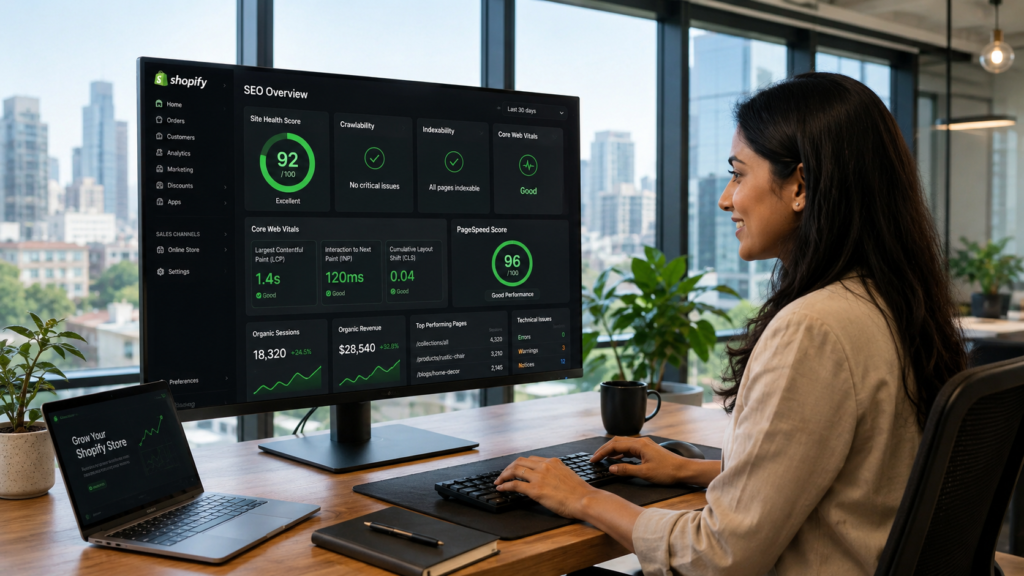
What Are Core Web Vitals and Why Do They Matter for Shopify SEO? Core Web Vitals are Google’s official set of performance metrics used to measure real-world user experience on websites. Google has used them as a direct search ranking factor since 2021, which means your Shopify page speed is not just a user experience issue; it is a ranking and revenue issue. There are three Core Web Vitals metrics that every Shopify store owner needs to understand: What Is LCP (Largest Contentful Paint) for Shopify? LCP measures how quickly the largest visible element on your page loads. For most Shopify product pages, that is your hero image or main product photo. A good LCP score is under 2.5 seconds. If your hero image takes longer than that to appear, Google classifies your page as slow, and shoppers are likely to bounce before they even see your product. According to research published in April 2026, the median mobile LCP for Shopify stores sits at 2.26 seconds. While this is technically within the “good” range, it leaves almost no margin for additional app scripts or large images to push it over the threshold. What Is INP (Interaction to Next Paint) for Shopify? INP replaced First Input Delay (FID) in March 2024 and measures how responsive your Shopify store is to every user interaction throughout their entire visit. Every tap on a product variant, every “Add to Cart” click, and every filter selection is being measured. A good INP score is under 200 milliseconds. Heavy JavaScript from apps and themes is the main cause of poor INP scores on Shopify. What Is CLS (Cumulative Layout Shift) for Shopify? CLS measures visual stability. If elements on your page shift around as it loads (images jumping, buttons moving, text repositioning), your CLS score suffers. A good CLS score is under 0.1. Many Shopify apps inject content dynamically, often without reserving space for it, which causes unexpected layout shifts that frustrate shoppers and damage your CLS score. Shopify Core Web Vitals Threshold Reference Table Metric Good Needs Improvement Poor LCP (Largest Contentful Paint) Under 2.5 seconds 2.5 to 4.0 seconds Over 4.0 seconds INP (Interaction to Next Paint) Under 200ms 200ms to 500ms Over 500ms CLS (Cumulative Layout Shift) Under 0.1 0.1 to 0.25 Over 0.25 Does Shopify Page Speed Actually Affect Your Search Rankings? Yes. Shopify page speed is a confirmed Google ranking signal, and the impact goes beyond organic search. Here is what poor Shopify site speed costs you across every channel: Organic rankings: Google uses Core Web Vitals field data (real user experience) to determine rankings. Stores that fail CWV thresholds are less competitive on commercial search terms. Paid ads: Slow landing pages lower your Google Ads Quality Score, which directly raises your cost-per-click. A store doing INR 5,00,000 per month in ad spend can lose a significant portion to inflated CPCs caused entirely by slow page load times. Conversions: Research consistently shows that stores loading under 2 seconds convert 2.5 times better than stores loading over 5 seconds. A one-second delay reduces conversions by approximately 7%. Bounce rate: As page load time increases from 1 to 3 seconds, bounce rate jumps by 32%. Shoppers will leave before seeing your product descriptions, your reviews, or your offers. Mobile revenue: Over 62% of ecommerce traffic comes from mobile devices as of Q2 2025. Mobile performance is where most Shopify stores fail, and it is where the most revenue is being left on the table. The bottom line is this: improving your Shopify site speed is one of the highest-leverage investments a store owner can make. It affects rankings, ad costs, conversions, and customer retention all at the same time. How to Check Your Shopify Core Web Vitals Score Before fixing anything, you need accurate baseline measurements. Use these tools in this order: 1. Google PageSpeed Insights (pagespeed.web.dev) Enter your store URL and check both mobile and desktop scores. Focus on the mobile score; it is lower for most Shopify stores and carries more weight with Google. A score above 50 is acceptable, and 90 or above is excellent. This tool shows both lab data (simulated) and field data (real users via Chrome UX Report). 2. Google Search Console: Core Web Vitals Report Navigate to Experience > Core Web Vitals in your Google Search Console account. This shows CWV performance across your entire site, grouped by issue type and URL. Prioritise fixing URLs listed as “Poor” first, as these have the greatest negative impact on your rankings. 3. Shopify Web Performance Dashboard Found in your Shopify Admin under Online Store > Themes. This uses real user monitoring (RUM) data specific to your store and shows LCP, INP, and CLS trends over time. Use this to track whether your optimisation changes are improving field data. 4. Chrome DevTools and Lighthouse For technical diagnosis, Chrome DevTools lets you profile individual page loads, identify render-blocking resources, and trace what is causing LCP delays or INP issues. Use the Coverage tab to find unused JavaScript and CSS being loaded on every page. Always test your product pages, your homepage, and your top collection pages separately. Each template behaves differently, and the fixes for each may vary. What Causes Slow Shopify Site Speed? The Six Most Common Problems Understanding what slows Shopify stores down is the first step to fixing them. After more than 15 years of Shopify SEO work, the RankMyShopify team consistently finds the same six culprits. 1. Unoptimised Hero Images and Product Photos Images are the single biggest performance issue on most Shopify stores. A hero banner uploaded at 4000 x 2000 pixels and several megabytes in file size will fail your LCP on mobile every time. The fix involves three things. First, resize images before uploading so they match their actual display dimensions. Second, compress images using WebP format, which is significantly smaller than JPEG or PNG at the same visual quality. Third, use Shopify’s built-in URL parameters to serve the
How to Fix Duplicate Content Issues on Shopify (And Why It Hurts Rankings)
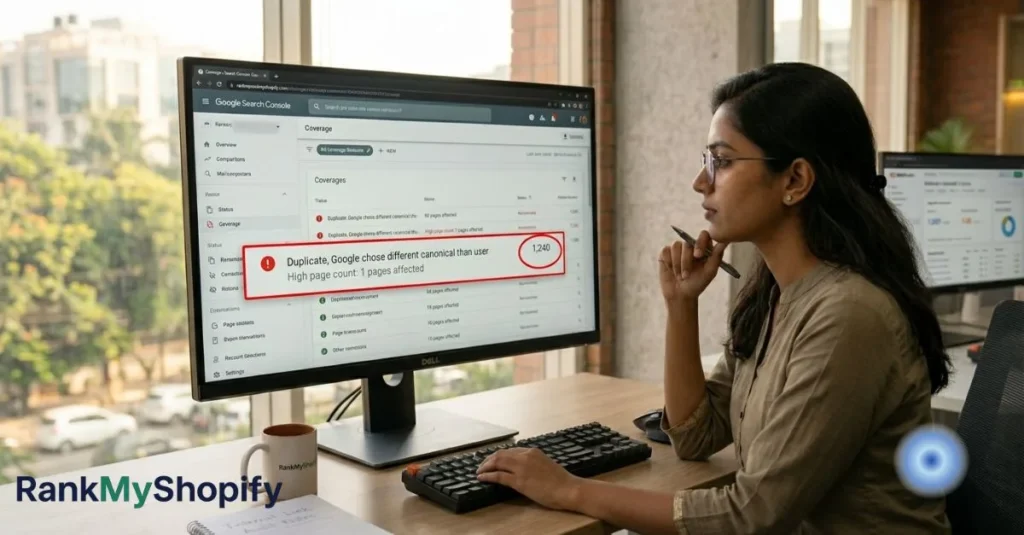
Shopify Duplicate Content: Why It Hurts Rankings and How to Fix It Shopify duplicate content occurs when multiple URLs on your store display identical or near-identical content, causing search engines to split ranking authority across competing pages rather than concentrating it on one strong URL. The most common causes are collection-scoped product URLs, pagination parameters, tag pages, and filter parameters. Left unfixed, these issues directly reduce organic traffic, waste crawl budget, and prevent your best pages from ranking where they should. Does Shopify Have Duplicate Content Issues? Yes, and the scale is larger than most store owners realise. Shopify duplicate content kills organic rankings for 73% of ecommerce stores. Product URLs, pagination, and domain variants create thousands of duplicate pages that confuse search engines and split ranking power. Studies show that 68% of Shopify stores have more than 500 duplicate URLs indexed by Google, with enterprise stores averaging 2,847 duplicate pages. This happens because Shopify generates URLs for pagination, sorting parameters, filtering options, and tracking codes, all pointing to content variations that search engines treat as separate pages. The consequence is concrete and measurable. Research from Ahrefs analysing 47,000 ecommerce sites found that stores with more than 1,000 duplicate pages receive 34% less organic traffic than comparable stores with proper canonicalisation. This is not a flaw unique to badly-built stores. It is a structural feature of how Shopify’s URL architecture works, and fixing it requires understanding exactly which duplicates Shopify handles automatically and which ones it does not. Why Does Shopify Create Duplicate Content? Shopify generates duplicate content through five distinct mechanisms. Understanding each one is essential before attempting any fix. 1. Collection-Scoped Product URLs (The Biggest Problem) Every Shopify product has a canonical URL at /products/your-product-handle. However, Shopify also automatically creates a second accessible URL for every collection that product belongs to: /collections/collection-name/products/your-product-handle. Shopify sets up its product URLs so that they update dynamically to contain the name of the collection the user originated from. While Shopify’s canonical tag properly points search engines to the preferred version of the URL, internal links still point to the various non-canonical versions throughout the site. SellersCommerce The mathematics of this problem are staggering. A 500-product store where products average 3 collections and 3 variants creates 500 multiplied by 8 URLs for each product, equalling 8,000 crawlable URLs for just 500 actual products. And critically: Google ignores canonical tags 30-40% of the time when other signals conflict. So even though Shopify adds canonical tags automatically, Google frequently indexes the wrong URL anyway. The most impactful fix is changing your internal links to point to canonical URLs, aligning all signals so Google has no reason to pick the wrong URL. 2. The Pagination Gap The first collection page exists at two URLs: /collections/shoes and /collections/shoes?page=1, both serving identical content. Shopify does not canonicalise the ?page=1 variant to the base URL. That is a free duplicate for every collection with pagination. This is one of the most commonly missed issues in Shopify SEO guides because most store owners assume Shopify handles pagination automatically. It does not handle the ?page=1 case. 3. Collection Tag Pages When you use Shopify’s tagging system, the platform automatically generates tag-filtered collection URLs such as /collections/shirts/red or /collections/shirts/blue. These tag pages often contain overlapping or identical products to your main collection pages, creating near-duplicate content at scale. Shopify tags create URLs like /collections/shirts/red and /collections/shirts/blue. These tag pages often contain overlapping products, creating near-duplicate content. A product tagged “red” and “sale” appears on both tag pages. 4. Filter and Sort Parameter URLs Third-party filter apps and Shopify’s native sorting functionality create a crawlable URL for every parameter combination a customer selects. URLs like /collections/shoes?sort_by=price-ascending or /collections/shoes?filter.v.availability=1 generate unique, indexable pages with essentially identical content. URL parameters for sorting, filtering, and tracking create infinite duplicate content variations on Shopify collection and product pages. We have seen Shopify stores with 50,000 or more indexed parameter URLs when they should have 500 clean pages. 5. Product Variant URLs (Mostly Handled by Shopify) Product variants such as size and colour create URLs with query parameters (?variant=12345). This is one area where Shopify’s defaults work correctly. Shopify automatically canonicalises all variant URLs to the base product URL, which is correct behaviour for 95% of stores. A t-shirt available in 5 sizes and 8 colours (40 variants total) all canonicalise to /products/t-shirt. The one exception: if specific variants have their own meaningful search demand (for example, “red Nike Air Max” vs “blue Nike Air Max”), consider building those as separate products rather than variants so they can rank independently. What Is a Canonical Tag and How Does Shopify Use It? A canonical tag is a line of HTML code that tells search engines which URL is the authoritative version of a page when duplicate or near-duplicate versions exist. Shopify themes automatically identify and determine the canonical version of a web page based on the structure of your ecommerce website and content. However, Google’s own documentation is clear that canonical tags are hints, not directives. Google may choose to override them, and it frequently does when the signals it receives contradict the canonical tag. Google overrides your canonical tag when internal links contradict the canonical, pointing to /collections/X/products/Y while the canonical says /products/Y. Backlinks pointing to the wrong URL also tip the balance toward the non-canonical version. This is why canonical tags alone are not sufficient. The full fix requires aligning three signals simultaneously: the canonical tag itself, your internal links, and your sitemap. When all three point to the same URL, Google has no justification for choosing a different canonical. What Does “Duplicate, Google Chose Different Canonical Than User” Mean in Search Console? This warning in Google Search Console’s Coverage report means Google found your canonical tag, considered it, and overruled it in favour of a different URL. It is a clear signal that your internal links or backlink profile are contradicting your canonical tags and that the issue requires a technical fix, not just a
Internal Linking Strategy for Shopify Stores: How to Build Authority

What Is Internal Linking for Shopify Stores? Internal linking for Shopify means strategically connecting your product pages, collection pages, and blog posts to each other using contextual hyperlinks. A strong Shopify internal linking strategy helps Google discover and index your pages, distributes page authority from high-value pages to your commercial product and collection pages, and guides shoppers from content to checkout. Done correctly, it is one of the fastest, highest-ROI SEO improvements available to any Shopify store owner. Why Shopify Internal Linking Is One of the Highest-ROI SEO Tactics Available Internal linking is one of the most underused and highest-impact SEO levers available to Shopify store owners, and it is entirely within your control. Unlike external link building, which requires outreach, relationship-building, and time, internal links can be added immediately with no budget, no permissions needed, and measurable results within weeks. The data backs this up. In one seoClarity case study, a retail brand increased internal links to underperforming product pages after expanding its navigation. The result was that those pages reclaimed top ranking positions in Google search and saw a 23% rise in organic traffic. Shopify An internal linking audit by Ahrefs found that 26% of the top-ranking pages had strong internal linking structures compared to only 7% of pages ranking on page two. And the benchmark used by specialist Shopify SEO teams is even more striking: 4-6 internal links from high-traffic pages deliver roughly the same ranking impact as one quality external backlink. That is free authority sitting inside your own site, waiting to be directed toward your most commercially valuable pages. At RankMyShopify, we have been implementing internal linking strategies for Shopify stores across India, the USA, the UK, Australia, and Canada since 2009. In almost every store we audit, Shopify internal linking is one of the three fastest wins available. What Is Shopify Internal Linking and Why Does It Matter for SEO? Internal linking means connecting pages within the same website using hyperlinks. On a Shopify store, this includes links from your homepage to collection pages, from collection pages to product pages, from blog posts to products, and from product pages to related items or helpful guides. Internal links are important for SEO because they help search engines understand the purpose and importance of each page on your website. When crawlers can follow clear links between connected pages, they can better identify relevant content to display in search results. A solid internal linking strategy also communicates your overall site structure, allowing search engines to crawl, index, and rank your content more efficiently. Internal links serve three distinct functions simultaneously: Crawlability: Google discovers pages by following links. Pages with zero internal links pointing to them (known as orphan pages) may never be crawled or indexed. Authority distribution: Internal links help distribute link equity or ranking power, also known as “link juice,” from authoritative pages to others. If a page has a strong backlink profile, linking from that page to another passes on some of that link equity, strengthening page authority across your entire website. User experience: Internal links help customers navigate your site more easily, boosting user engagement and encouraging them to explore more content. By directing visitors to related content they will find useful, you can reduce bounce rate and increase time on site. As Shopify Senior SEO Specialist Arthur Camberlein put it: “Internal links are the core of how people and bots can navigate your website. And their limit might only be your inventiveness.” The Shopify-Specific Internal Linking Problem Most Store Owners Never Discover Shopify creates a critical internal linking problem by default that affects the vast majority of stores, including many that have invested in SEO. How Does Shopify Create Orphan Product Pages? Every Shopify theme ships with a Liquid filter that generates collection-scoped product URLs. A product in three collections has four crawlable URLs: the canonical /products/blue-widget, plus /collections/summer/products/blue-widget, /collections/sale/products/blue-widget, and /collections/all/products/blue-widget. Your collection grids link to the non-canonical versions. The real product page, the one you want Google to rank, has zero links pointing to it. It is an orphan. A common issue flagged in Shopify stores are orphan pages and canonical URLs having no incoming internal links. By default, collection pages link to the non-canonical version of the pages. The canonical set for the collections page references the /products/ page as the canonical. This way of linking products in Shopify websites often results in the direct product URL having no incoming internal links or backlinks. This is one of the most common and damaging problems the RankMyShopify team identifies during a Shopify SEO audit. The fix requires editing your theme’s Liquid template files to ensure collection grids link to canonical /products/ URLs rather than the collection-scoped version. For stores without in-house development capability, this is a service our technical team handles routinely for clients in India, the USA, and beyond. Are Your Most Valuable Pages Getting the Most Links? Here is a diagnostic test that reveals the state of most Shopify stores: open Screaming Frog, crawl your store, pull up the “Unique Inlinks” column, and sort it in ascending order. Your most important collection pages almost certainly have fewer internal links pointing to them than your returns policy page. Your refund policy is telling Google it is more important than your best-selling collection, because you link to it from every single footer across your site. This is a structural problem, not a content problem. Fixing it means deliberately adding contextual links from your highest-traffic pages (your homepage, top blog posts, your most visited collection pages) to the product and collection pages that actually generate revenue. What Is the Best Internal Linking Structure for a Shopify Store? The optimal Shopify internal linking structure follows a top-down pyramid or silo model, where authority flows from your most powerful pages downward to your commercial pages. The best structure follows a pyramid model: Level 1 is the Homepage, which links to all main collection pages and key content hubs, and receives the most external
Shopify Product Page SEO: The Complete Optimisation Guide
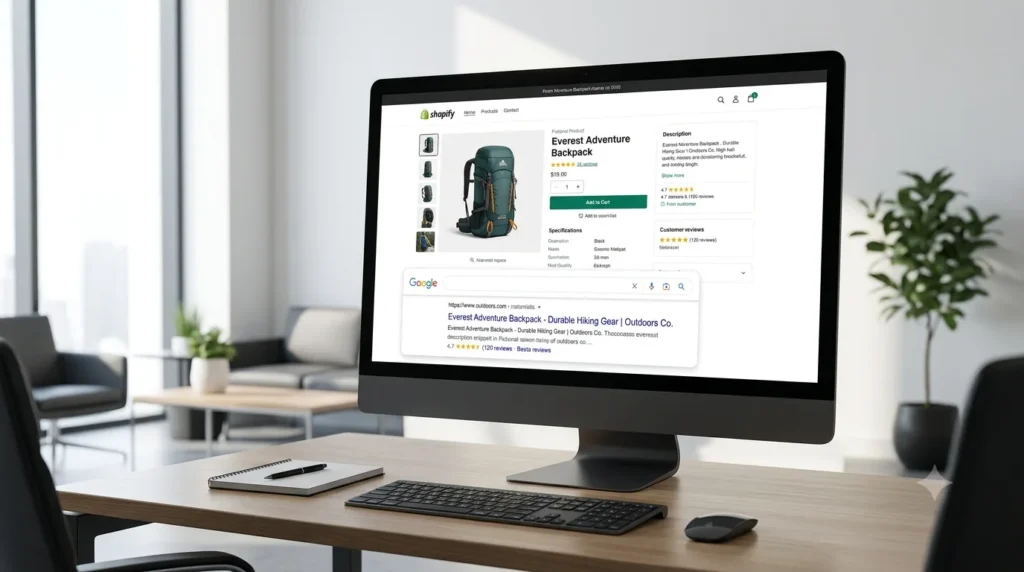
What Is Shopify Product Page SEO and Why Does It Matter? Shopify product page SEO is the process of optimising each product listing so it appears in Google and other search engines for the right buyer queries. The core tasks include writing keyword-focused titles and descriptions, fixing meta tags, adding descriptive image alt text, implementing Product schema, and ensuring fast page speed. Done correctly, it drives consistent organic traffic with ongoing ad spend. Why Does Shopify Product Page SEO Matter So Much? Organic search drives approximately 35% of traffic and 33% of revenue for ecommerce stores, making it one of the highest-return channels available to any Shopify brand. Unlike paid advertising, a well-ranked product page keeps generating traffic without ongoing spend. Across nearly 5.8 million live Shopify stores worldwide in 2025, the brands winning on Google are not those with the best products alone. They are the ones with the most carefully optimised product pages. For Shopify stores in India, the USA, the UK, and globally, this matters even more. Search competition is intensifying, and stores operating on Shopify’s default settings are giving away organic traffic to competitors who have put in the extra optimisation work. At RankMyShopify, we have worked with Shopify brands across these markets since 2009, and the pattern is consistent: product page SEO is almost always the fastest lever to pull for organic revenue growth. What Does Shopify Handle Automatically? Shopify takes care of several technical SEO foundations by default. This includes automatic canonical tag generation (which prevents duplicate content from multiple collection paths), XML sitemap creation updated in real time, HTTPS enforcement across all pages, and 301 redirects when you change a URL. These are meaningful advantages that reduce your technical burden considerably. What Shopify does not handle for you: your product title tags, meta descriptions, image alt text, structured data completeness, internal linking strategy, and content quality. These are the areas that separate a product page that ranks on page one from one that never gets found. How to Write a Product Title That Ranks on Google Your product title is the single most important on-page SEO element. It directly affects your H1, your meta title, and the way Google understands what your page is about. Lead with the keyword your buyer types, not your internal naming convention. If you sell a silk saree, the buyer searches “pure silk saree online” or “Kanjivaram silk saree buy,” not your internal SKU code. Use tools like Google Keyword Planner, Ahrefs, or Semrush to find how your customers actually describe the product. A strong Shopify product title structure for SEO follows this format: [Primary Keyword] + [Key Modifier] + [Brand or Variant] where relevant For example: “Pure Kanjivaram Silk Saree, Red and Gold Border, Handwoven” outperforms a generic title like “Saree 001” on every SEO metric. Critical Shopify-specific issue to fix: By default, Shopify appends your store name to every meta title, which can push your keyword past the 60-character display limit in Google. This costs you click-through rate. In your Shopify admin under “Preferences” and within each product’s “Search engine listing preview,” override this with a custom meta title that leads with the product keyword, keeps to 60 characters, and drops the store name where space is tight. How to Write Product Descriptions That Rank and Convert A great product description does two jobs at once: it persuades the human reader to buy and it gives Google enough unique, keyword-rich text to understand and rank the page. Avoid manufacturer copy at all costs. Using the same description as your supplier or other retailers creates duplicate content that dilutes your SEO value and gives Google no reason to prefer your page. Write original descriptions, even when it takes longer. For SEO-friendly descriptions on Shopify: Open with a direct statement covering the primary keyword and the main benefit (this mirrors how AI Overviews extract answers). Include secondary keywords and modifiers naturally throughout (material, size, use case, region-specific terms). Write at least 150 to 300 words of original content; thin descriptions rank poorly. Use short paragraphs and bullet points to improve readability and dwell time. Address common buyer questions within the description (this creates natural FAQ-like content that AI engines cite). For example, if you run a Shopify fashion store in India with 2,000 products and every description copied from a supplier catalogue, a product page SEO audit from RankMyShopify would typically flag this as the single biggest driver of underperformance. Rewriting even the top 50 pages by traffic potential can produce measurable ranking improvements within 60 to 90 days. What Is the Best URL Structure for Shopify Product Pages? Shopify generates clean, readable URLs automatically for product pages: /products/your-product-name. This is generally good SEO practice. Keep your URL handle short, keyword-focused, and free of dates, numbers, or stop words. Shopify also creates a secondary URL for products accessed through a collection (/collections/category-name/products/your-product-name). Shopify automatically applies a canonical tag pointing to the /products/ URL, so duplicate indexing is avoided. You do not need to intervene here unless you are syndicating content to third-party platforms. Best practice: edit the URL handle in your Shopify admin to include the primary keyword and keep it under 5 to 7 words. For example, /products/pure-kanjivaram-silk-saree is better than /products/product-12345-v2-red-gold. How to Add Product Schema Markup to Shopify Pages Schema markup tells search engines exactly what your page contains in a structured, machine-readable format. For product pages, this can unlock rich results in Google: star ratings, price, stock availability, and review counts displayed directly in search results. Studies suggest correct Product schema can double organic click-through rates. Shopify themes generally include basic Product schema covering name, price, and availability. This is the floor, not the ceiling. Two schema types most Shopify stores are missing: AggregateRating schema: This is what generates the star ratings visible in Google search results. Without it, your listing appears as a plain blue link while competitors show five stars. Review schema: Requires an integration with a reviews app such as Judge.me
How to Use Structured Data (Schema Markup) on Shopify to Boost Rankings
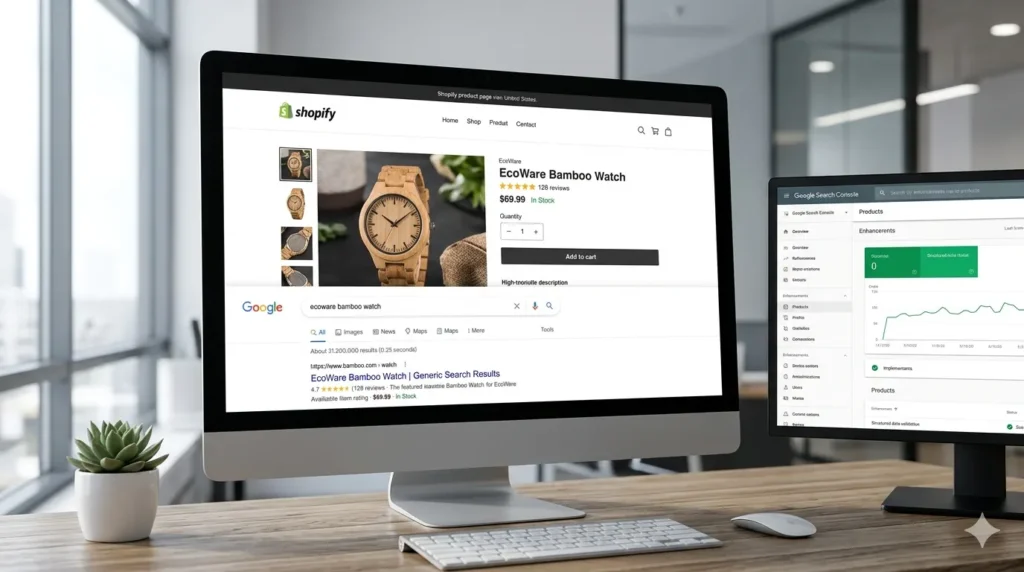
How to Use Structured Data (Schema Markup) on Shopify to Boost Rankings Shopify structured data is code added to your store’s pages that tells Google, Bing, and AI search engines exactly what your content means: the product name, price, stock status, reviews, and more. Done correctly, it unlocks rich snippets in search results, increases your click-through rate by up to 30%, and makes your store visible in Google AI Overviews, Perplexity, and ChatGPT product recommendations. This guide explains everything your Shopify store needs. What Is Shopify Structured Data and Why Does It Matter? Shopify structured data is a block of machine-readable code that labels the content on each of your store’s pages so that search engines understand it without guessing. Instead of Google inferring that “$49.99” is a current price, structured data explicitly tells it: this is a product, here is its price, here is its availability, and here is its average rating. The vocabulary used is called Schema.org, a shared standard supported by Google, Bing, and every major search engine. The format used to deliver that vocabulary is JSON-LD (JavaScript Object Notation for Linked Data), which Google itself recommends above all other formats. It sits inside a <script type=”application/ld+json”> tag and is invisible to your shoppers but immediately readable by search engines and AI engines. When structured data is implemented correctly, your search listings transform from plain blue links into Shopify rich snippets: enhanced results showing star ratings, pricing, availability, and review counts directly on the search results page. Studies consistently show that listings with rich snippets see a 20-30% higher click-through rate than plain listings. In a competitive niche, that difference can represent hundreds of additional visitors per month without any increase in ad spend. In 2026, the stakes are even higher. AI Overviews now appear on roughly 16% of ecommerce searches, and shopping agents like Perplexity and ChatGPT pull answers directly from structured data. For Shopify store owners in India, the USA, the UK, and globally, schema is no longer optional technical SEO. It is the foundation of AI search visibility. What Schema Types Does Shopify Add Automatically? Shopify handles some structured data for you, but the coverage is incomplete for most stores. Modern Shopify themes, including Dawn, automatically include Product schema on every product page (covering name, description, image, price, currency, and availability), Organization schema in the site header or footer, and BreadcrumbList schema on collection and product pages. You can verify what your theme already outputs by visiting any product page, right-clicking to View Page Source, and searching for application/ld+json. Alternatively, paste your URL into Google’s Rich Results Test to see all detected schema types instantly. The problem: basic theme schema is often incomplete. It may be missing aggregateRating (star ratings), review data, and detailed offer properties like priceValidUntil and seller. Some older Shopify themes still use the outdated Microdata format rather than JSON-LD. Some Shopify themes still use Microdata for structured data instead of JSON-LD, or they have incomplete schema markup, which can be improved by manually adding JSON-LD or using a Shopify app. The gap between “schema exists” and “schema is complete enough to earn rich results” is where most Shopify stores leave visibility on the table. Which Schema Types Matter Most for Your Shopify Store? Not all schema is equal. At RankMyShopify, with over 15 years of Shopify SEO experience, we prioritise the following types in order of impact. Product Schema: The Foundation of Shopify Rich Snippets Product schema is the single highest-priority structured data type for any Shopify store. It tells Google everything about your product listing and is what enables star ratings, pricing, and availability to appear directly in search results. A complete Product schema should include: name, description, image, brand, sku offers block with price, priceCurrency, availability, and priceValidUntil aggregateRating with ratingValue and reviewCount Individual review objects with author, date, rating, and body text For Shopify stores targeting AI visibility in ChatGPT, Perplexity, and Google AI Overview, every “recommended” property in Google’s documentation is effectively required. AI engines use every available data point to build their understanding of your product; more data means more trust and a higher likelihood of recommendation. Review and Rating Schema: The Click-Through Multiplier Star ratings are the single biggest visual differentiator in a search results page. Studies show that search listings with star ratings get 15-35% more clicks than listings without them, and when a shopper sees two similar products in search results, they almost always click the one with visible ratings. Kudobuzz Review schema requires the aggregateRating property nested inside your Product schema, pointing to real customer reviews on your store. You cannot fabricate this data. Review apps such as Yotpo, Judge.me, and Okendo can feed review data into your schema automatically. BreadcrumbList Schema: Site Structure Signals BreadcrumbList schema marks up the navigation trail above your product listings (for example: Home > Jewellery > Rings > Gold Bands) and tells Google the hierarchy of your Shopify store. It improves how your URL displays in search results and helps Google understand the relationship between your collection pages and product pages. FAQ Schema: Essential for AI Overviews FAQ schema marks up question-and-answer content on your pages so search engines can surface it as expandable dropdowns in results and, critically, as source material for AI Overviews and LLM citation. While Google narrowed FAQPage rich result eligibility to government and health-authority sites since 2023, FAQ schema remains valuable for two reasons: it is one of the strongest signals to AI search engines that a page contains specific, citable answers, and it feeds the People Also Ask box, the AI Overview, and any LLM shopping agent. Charle Agency Every FAQ entry must match visible text on the page. Adding FAQ schema to content that is not actually visible is a Google guideline violation. Organization Schema: Brand and E-E-A-T Signals Organization schema appears on your homepage and tells Google your business name, address, phone number, website URL, logo, and social media profiles. It is a key signal
Why Shopify Collection Pages Are More Important Than Product Pages
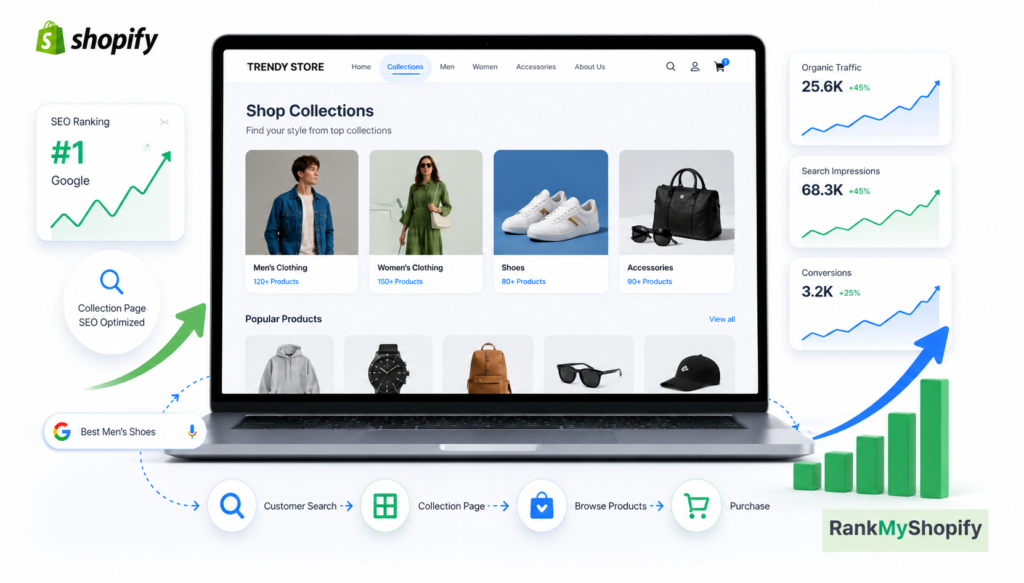
Have You Ever Ignored Your Store Collections? Imagine walking into a huge shopping mall where every product is placed randomly. Finding the right item would feel confusing, right? The same thing happens on an online store when customers only see individual products without proper categories. Many Shopify store owners spend most of their time improving product pages, adding better images, and writing descriptions. These things are important, but collection pages also play a major role in helping customers discover products faster. A well-planned collection page creates a smooth shopping experience and helps search engines understand your store structure. This is where collection page seo becomes important because optimised collections can attract visitors who are searching for product categories instead of one specific item. For Shopify stores, building strong collections can improve visibility, increase user engagement, and guide customers toward making purchases. What Are Shopify Collection Pages? A Shopify collection page is a category page that groups similar products together. For example, a clothing store may have collections like the following: Men’s Jackets Women’s Shoes Summer Dresses Fitness Accessories Instead of making customers search through hundreds of products, collection pages help them quickly find what they need. These pages work like a roadmap for your online store. They connect customers with multiple products while helping search engines understand which products belong together. Why Collection Pages Can Be More Valuable Than Product Pages Product pages focus on one item, but collection pages target broader searches. Many customers start their shopping journey by searching for categories rather than exact products. For example: Product Search: “Black leather jacket, size medium” Collection Search: “Best leather jackets for men” The second search shows that the customer is exploring options. A strong collection page can capture these visitors and introduce them to multiple products. Collection Pages vs Product Pages: Key Differences Feature Collection Pages Product Pages Main Purpose Group similar products Sell one specific product Target Audience Customers exploring options Customers ready to buy Keyword Opportunities More category-based keywords Specific product keywords Internal Linking Connects multiple products Links mainly to related items Customer Journey Stage Discovery stage Buying stage Both pages are important, but collection pages often create the first connection between customers and your store. How Optimized Collection Pages Help Shopify Stores 1. They Improve Website Navigation A customer should never feel lost while shopping. Collection pages organise products into clear categories, making it easier to browse. A simple structure helps visitors: Find products quickly Explore more options Spend more time on your website Move naturally toward checkout 2. They Target More Search Opportunities Customers use different search terms when looking for products. Some search for brands, while others search for categories. For example: “best running shoes” “comfortable office chairs” “summer clothing collection” These searches usually match collection pages better than individual product pages. A strong strategy for collection page SEO includes optimising collection titles, descriptions, URLs, images, and internal links. 3. They Increase Internal Linking Strength Collection pages connect different pr oducts together. This creates a stronger website structure. When search engines crawl your website, clear connections between pages help them understand: Which products belong together Which pages are important How your store content is organized How Rank My Shopify Helps Build Better Shopify Strategies Creating a successful Shopify store requires more than adding products. Every page needs a clear purpose, proper optimisation, and a customer-focused approach. At Rank My Shopify, the focus is on improving Shopify websites with better SEO strategies, content planning, and optimisation techniques that help stores become easier to find online. A well-optimised collection page can become a powerful traffic source when it is created with the right keywords, useful content, and customer intent in mind. Common Mistakes Shopify Owners Make With Collection Pages Many stores create collection pages but do not optimise them properly. Here are some common mistakes: Using only product grids without helpful descriptions Adding duplicate collection content Ignoring keyword research Creating too many unnecessary collections Forgetting internal links Not optimizing collection page titles and meta descriptions A collection page should not only display products. It should guide customers and answer their search needs. Tips to Create High-Performing Shopify Collection Pages Follow these simple practices: Write Helpful Collection Descriptions Add unique descriptions that explain what customers can find in the collection. Use Clear Collection Names Avoid confusing names. Use terms customers actually search for. Add Relevant Internal Links Connect collections with related products and blog content. Optimize Images Use descriptive file names and proper alt text. Understand Customer Intent Create collections based on what shoppers are looking for. Why Product Pages Alone Are Not Enough Product pages are designed to convert visitors into buyers, but they usually attract customers who already know what they want. Collection pages help during the earlier stage when customers are comparing choices. A visitor may not search for a specific product immediately. They may first look for a category, style, or solution. Your collection pages help you capture that opportunity. A balanced Shopify strategy uses both: Collection pages to attract and guide visitors Product pages to complete the purchase journey FAQs 1. Why are Shopify collection pages important for SEO? Shopify collection pages are important for SEO because they help search engines understand your product categories and website structure. They target broader search terms, improve internal linking, and help attract customers who are searching for product groups instead of individual items. 2. Are collection pages better than product pages in Shopify? Collection pages and product pages have different purposes. Collection pages help customers discover multiple products and target category-based searches, while product pages focus on converting customers who already know what they want to buy. Both are important for a successful Shopify store. 3. How can I optimise Shopify collection pages for better rankings? You can optimise Shopify collection pages by using relevant keywords, writing unique collection descriptions, improving page titles and meta descriptions, adding internal links, optimising images, and creating collections based on customer search intent. 4. Do Shopify collection pages
How to Optimize Shopify Collection Pages for SEO | Shopify SEO Guide
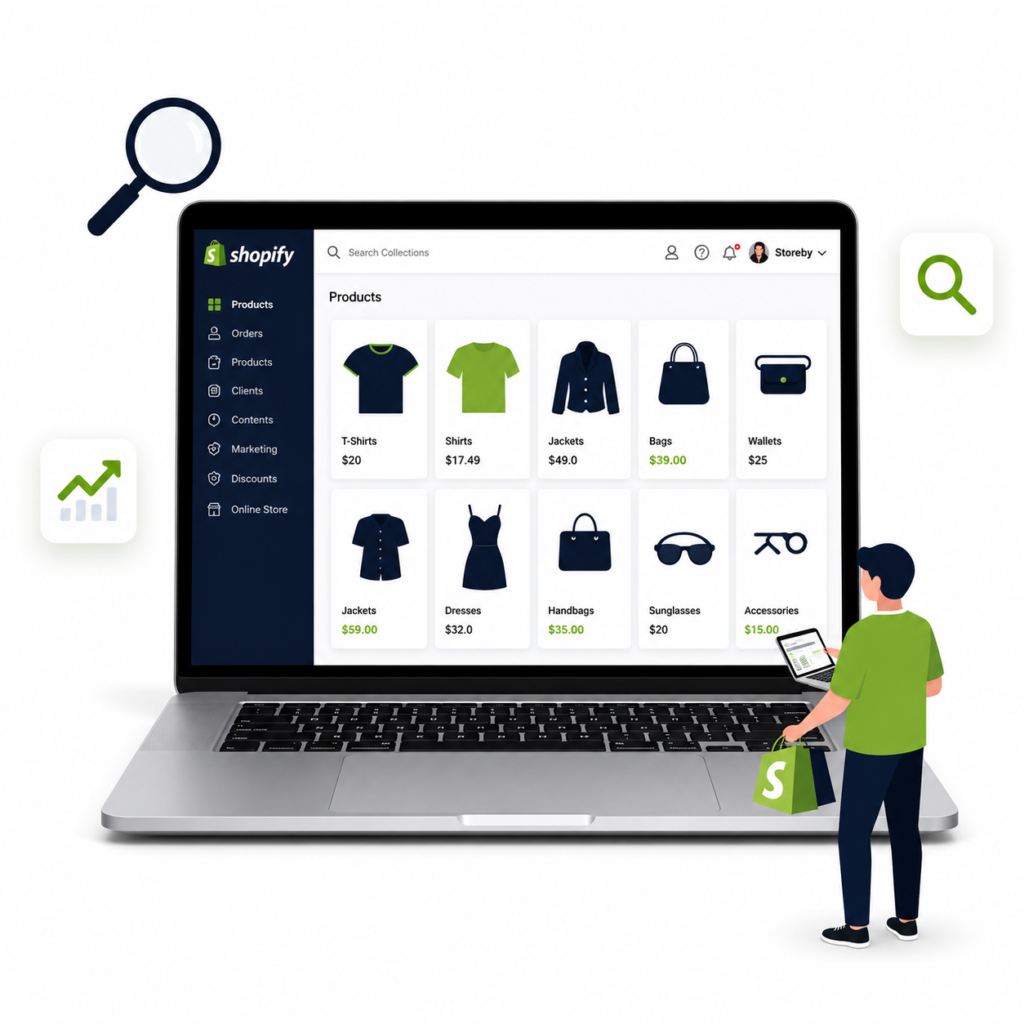
Make Your Shopify Collections Easier to Find and Shop Have you ever searched for a product online and clicked on a collection page that felt confusing or empty? You probably left the website within seconds. A well-optimized collection page can change this experience by helping customers find products faster and helping search engines understand your store better. Many Shopify store owners focus only on product pages, but collection pages also play an important role in bringing organic traffic. When optimized correctly, these pages can attract shoppers who are ready to explore different products. With the right strategy, shopify collection page seo can help your store improve visibility, increase clicks, and create a better shopping experience. What Are Shopify Collection Pages? A Shopify collection page groups similar products together in one place. For example, a clothing store may have collections like: Men’s jackets Women’s dresses Running shoes Summer accessories These pages help customers browse products easily instead of checking every product one by one. From an SEO perspective, collection pages are valuable because they can rank for broader search terms that customers use when they are looking for product categories. Why Shopify Collection Pages Need SEO Optimization A collection page without optimization may have products but still fail to attract visitors. Search engines need clear signals to understand what your page offers. Optimized collection pages can help you: Improve search engine visibility Bring targeted visitors to your store Increase product discovery Improve user experience Support higher conversions A strong shopify collection page seo strategy focuses on both search engines and real customers. Key Steps to Optimize Shopify Collection Pages for SEO 1. Create SEO-Friendly Collection Page Titles Your collection title should clearly explain what products are available. Avoid using creative names that customers may not search for. For example: Better: Women’s Cotton Summer Dresses Less Effective: Summer Dreams Collection A clear title helps Google and shoppers understand the purpose of the page. 2. Write Unique Collection Descriptions Many Shopify stores leave collection descriptions empty. This is a missed opportunity. A useful description should: Explain what makes the collection special Include important product details Answer common customer questions Naturally include relevant keywords Keep the content helpful instead of adding keywords only for rankings. 3. Optimize Collection Page URLs Simple URLs are easier for users and search engines to understand. Good URL example: yourstore.com/collections/womens-shoes Avoid: yourstore.com/collections/category12345 A clean URL structure improves clarity and makes your website look more professional. 4. Add Internal Links Internal linking helps search engines discover your important pages. It also guides visitors to related products. You can add links from: Blog posts to collections Homepage sections to collections Product pages to related collections This creates a stronger website structure. 5. Improve Product Organization Customers should quickly understand your collection page. Use filters and categories to make browsing easier. Helpful features include: Product filters Sorting options Clear product images Easy navigation A smooth experience encourages visitors to stay longer. 6. Optimize Images on Collection Pages Large images can slow down your website. Slow pages can affect user experience and rankings. Follow these practices: Compress images before uploading Use descriptive image file names Add proper alt text Avoid unnecessary large images Shopify Collection Page SEO Checklist SEO Element Optimization Tip Collection Title Use clear and searchable titles Description Add unique helpful content URL Keep it short and readable Images Optimize size and alt text Internal Links Connect related pages User Experience Make browsing simple How Rank My Shopify Helps Improve Your Store SEO Building a successful Shopify store requires more than adding products. Every page needs the right structure, content, and optimization approach. At Rank My Shopify, we focus on improving Shopify websites by finding SEO opportunities, creating better strategies, and helping stores improve their online visibility. Our goal is to make your Shopify store easier to discover and easier for customers to use. Common Mistakes to Avoid on Shopify Collection Pages Many store owners make these mistakes: Copying product descriptions from other websites Using the same description for multiple collections Ignoring image optimization Creating too many unnecessary collections Forgetting mobile optimization Avoiding these issues can improve your store’s overall SEO performance. Frequently Asked Questions (FAQs) 1. Why are Shopify collection pages important for SEO? Shopify collection pages help organize similar products and make it easier for customers to find what they need. When optimized properly, these pages can rank for product category searches, bring organic traffic, and improve your store’s visibility on search engines. 2. How can I optimize my Shopify collection pages for better rankings? You can optimize Shopify collection pages by creating SEO-friendly titles, writing unique descriptions, improving URLs, adding internal links, optimizing images, and making navigation easier for customers. These steps help search engines understand your page and improve user experience. 3. Should I add descriptions to Shopify collection pages? Yes, adding unique collection descriptions is important. A helpful description explains your products, includes relevant information, answers customer questions, and gives search engines more context about your collection. 4. How do images affect Shopify collection page SEO? Images can impact both user experience and SEO. Large, unoptimized images can slow down your website, while compressed images with descriptive file names and alt text can improve page performance and accessibility. 5. Can optimized Shopify collection pages increase sales? Yes, optimized collection pages can attract more targeted visitors, help customers discover products easily, and create a smoother shopping experience. Better visibility and improved navigation can lead to higher engagement and conversions. Shopify collection pages are more than simple product lists. They are powerful landing pages that can attract new customers and improve your store’s search visibility. By improving titles, descriptions, URLs, images, and internal links, you can create collection pages that work better for both shoppers and search engines. If you want to build a stronger Shopify store and improve your online growth, Rank My Shopify can help you create an SEO-focused strategy that supports long-term success. Start optimizing your collection pages today and turn more visitors into
How to scale a Shopify store from ₹1Cr to ₹10Cr

This is a sample blog post about “How to scale a Shopify store from ₹1Cr to ₹10Cr” — a complete guide written by the RankMyShopify team. Edit this content from the admin panel with our built-in TinyMCE editor. MandeepMandeep is a content marketing expert at RankMyShopify. He helps Shopify brands grow organic traffic with search-focused blog content, product and collection page copy, and content built to get recommended by AI search tools like ChatGPT and Google AI Overviews.
How to run profitable Performance Max for Shopify
This is a sample blog post about “How to run profitable Performance Max for Shopify” — a complete guide written by the RankMyShopify team. Edit this content from the admin panel with our built-in TinyMCE editor. MandeepMandeep is a content marketing expert at RankMyShopify. He helps Shopify brands grow organic traffic with search-focused blog content, product and collection page copy, and content built to get recommended by AI search tools like ChatGPT and Google AI Overviews.
