How to Set Up the Shopify Facebook Pixel Correctly (2026 Guide)
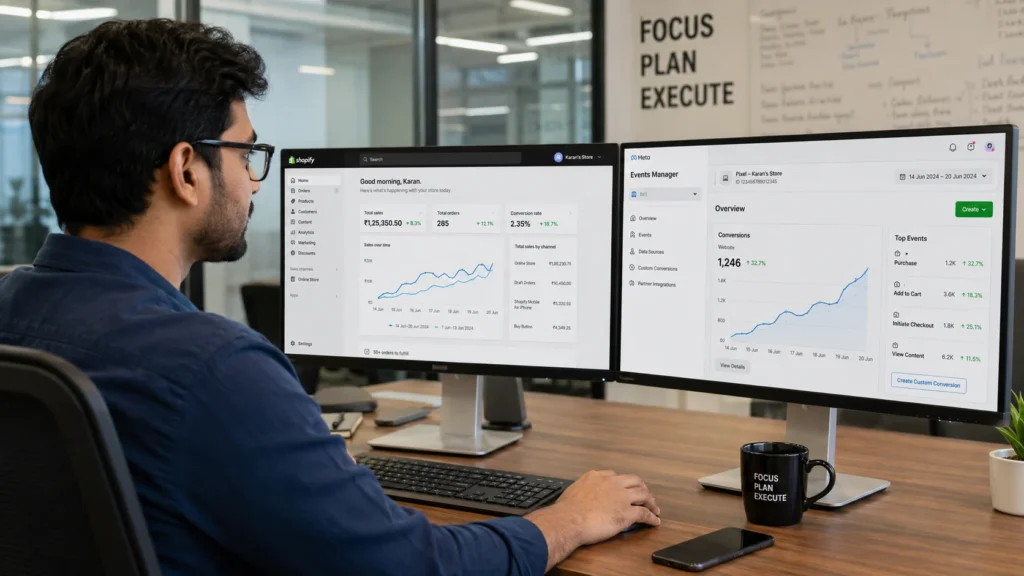
What Is the Shopify Facebook Pixel and Why Does It Matter? The Shopify Facebook Pixel, officially renamed the Meta Pixel, is a small piece of tracking code that records what visitors do on your store after clicking a Facebook or Instagram ad. It reports page views, add-to-carts, checkouts, and purchases back to Meta so the ad platform can learn what actually drives revenue. Without pixel data, Meta cannot optimise your campaigns. It sees clicks, not outcomes. Installing Meta Pixel on your Shopify store isn’t optional if you run paid ads on Facebook or Instagram, because without it, Meta’s algorithm has no feedback loop and can’t tell which clicks led to purchases, which audiences converted, or which ad creatives drove revenue. According to StoreCensus’s 2026 benchmarks, Meta Pixel has a 70% adoption rate among Shopify stores, while 69.6% rely on Google Analytics 4 for the same purpose, which shows how central this tracking layer has become to ecommerce marketing. Facebook advertising is not a small line item either. Facebook’s advertising revenue reached close to 165 billion dollars in 2024, and that revenue comes almost entirely from advertisers relying on pixel data to justify and refine their spend. What Is the Difference Between Facebook Pixel and Conversions API? The Facebook Pixel tracks visitor behaviour from the browser, while the Conversions API (CAPI) sends the same conversion data directly from Shopify’s servers. Running both together, with matching event IDs, gives Meta the most complete and accurate picture of your store’s performance. The Meta Pixel often underreports data because of its limitations, and CAPI improves accuracy and Event Match Quality . This matters more than most store owners realise. Browser-based tracking alone misses 20 to 35 percent of conversion events thanks to ad blockers, Intelligent Tracking Prevention (ITP), and shortened cookie lifespans. Server-side CAPI closes that gap by reporting events that never touch the visitor’s browser at all. Factor Facebook Pixel (Browser) Conversions API (Server) How it tracks JavaScript in the browser Server-to-server from Shopify Blocked by ad blockers Yes No Affected by iOS privacy settings Yes No Setup difficulty Easy, no code needed Easy via Shopify’s native integration Recommended for All stores All stores running paid Meta ads Stores that run both together see a real performance gap versus those relying on the Pixel alone. Enabling Conversions API (CAPI) in the channel settings brings server-side tracking that captures 15 to 25 percent more conversions than Pixel alone, and stores with clean Pixel data and CAPI enabled typically achieve 30 to 50 percent lower cost per acquisition than stores with tracking issues. Ready to fix broken conversion tracking before you spend another rupee on ads? Contact RankMyShopify today on 9888923755, email us at info@rankmyshopify.com, or visit https://rankmyshopify.com/ for a free Shopify SEO and tracking consultation. How Do I Add a Facebook Pixel to Shopify Step by Step? You add a Facebook Pixel to Shopify by creating the pixel in Meta Events Manager, then connecting it through Shopify’s built-in Facebook & Instagram sales channel rather than editing theme code directly. Here is the correct process for 2026: Create your Meta Pixel. In Meta Business Suite, open Events Manager, click “Connect Data Sources,” select “Web,” then choose “Meta Pixel.” Name your Pixel (your store name works fine) and copy the Pixel ID, since you’ll need it for the Shopify integration</cite> Install the Facebook & Instagram sales channel. From your Shopify admin, go to Settings, then Apps and sales channels, and add Facebook & Instagram. Connect your Facebook account. Log in with the personal profile that has admin access to your Meta Business Manager, not a secondary or shared login. Select or create your Pixel inside the channel. If you already advertise from this store, connect your existing pixel rather than creating a duplicate one. Assign yourself full control. Inside Events Manager, go to Assign People and give your profile admin access to avoid permission errors later. Turn on data sharing and choose Maximum. In the Facebook & Instagram channel, open Settings, then Share data settings, and enable the Customer data-sharing toggle at the Maximum level. This activates CAPI alongside the browser pixel. Confirm and save. Shopify will handle deduplication automatically once both the Pixel and CAPI are connected through the native integration. Using the Shopify partner integration ensures that your deduplication keys, the Event ID, are perfectly synced between the browser pixel and the server-side API, preventing Meta from counting the same purchase twice.This is the main reason our team at RankMyShopify always recommends the native channel over manually pasted code unless a store has a genuinely advanced use case. For stores managing their broader technical setup at the same time, our Shopify SEO audit service checks tracking configuration alongside crawlability and indexing issues in a single pass. Which Data-Sharing Level Should I Choose in Shopify? Choose “Maximum” data sharing if you spend meaningfully on Facebook or Instagram ads, since it is the only setting that fully activates the Conversions API with Advanced Matching. Lower settings send less data and reduce Meta’s ability to match events to real users. Shopify offers three data-sharing tiers when you connect a pixel: Standard: Sends only customer behaviour events from the browser. This is the weakest option for advertisers because it relies entirely on the Pixel and skips server-side matching. Enhanced: Adds some additional customer information alongside behaviour data, improving match quality over Standard. Maximum: Activates full Advanced Matching, sending hashed customer details like email and phone number alongside behaviour events through both the Pixel and CAPI. Selecting Standard data-sharing by default is a common mistake, since Standard mode only fires browser-side events, which ad blockers and iOS privacy settings can block. If you’re spending over 500 dollars a month on Facebook ads, go with Maximum to enable Conversion API server-side tracking. Higher-quality data sharing also improves your Event Match Quality (EMQ) score, which Meta uses to judge how well it can attribute conversions to real accounts. A score of 8 to 9, rated “Great,” is achievable with server-side
The Complete Shopify Google Ads Guide: How to Run Profitable Campaigns in 2026

What Are Shopify Google Ads and How Do They Work? Shopify Google Ads refers to any Google Ads campaign, Search, Shopping, or Performance Max, that promotes products from a Shopify store through Google’s ad network. Shopify connects to Google through the free Google and YouTube channel app, which syncs your product catalogue to Google Merchant Center so your items can appear as Shopping ads, in the Shopping tab, and inside Performance Max asset groups. Once connected, your store’s products become eligible to appear in three main places: standard text-based Search ads, image-led Shopping ads that show price and product photos directly in the results, and Performance Max campaigns that blend Search, Shopping, Display, YouTube, and Gmail placements into a single AI-managed campaign. Shopify Google Ads in 2026 typically runs on three campaign types working together: Performance Max for broad AI-driven reach, Standard Shopping for margin-tier control on your best SKUs, and Brand Search to capture the demand your other channels. Is Google Ads Worth It for a Shopify Store? Yes, for most Shopify stores Google Ads is worth the investment, because it targets people who are already searching with buying intent rather than scrolling passively. The median ROAS for Google Ads ecommerce campaigns heading into 2026 is around $3.50 in revenue for every $1 spent, and Google Ads leads other ecommerce ad platforms with a median of 4.5 to 1 for Search campaigns specifically, driven by the high purchase intent behind a direct search query. That said, Google Ads is not automatically profitable. Median cost per acquisition across industries rose 12.35% year on year to $23.74 in 2026, while overall ROAS declined by roughly 10%, which means store owners who launch ads without preparing their feed, landing pages, and tracking are more likely to overspend for weaker results than they would have seen a year or two ago. Shopify stores that pair paid traffic with a strong organic foundation, such as our Shopify SEO audit service, tend to see the best blended return, because organic rankings reduce reliance on paid clicks over time. How Much Should You Budget for Shopify Google Ads? Most new Shopify stores should start with a daily Google Ads budget of $10 to $50 while they gather enough data to judge performance properly. Ecommerce businesses typically begin at $1,000 to $3,000 per month and scale from there based on ROAS, with a common target of 3x to 5x return, and for Shopify stores running Shopping campaigns specifically, a monthly range of $1,500 to $5,000 is a reasonable starting point before scaling into profitable campaigns. A simple way to set your first budget: Calculate your average order value and gross margin per product. Work out the maximum cost per acquisition you can afford while staying profitable. Divide your test budget by your target cost per click to estimate how many clicks you can afford per day. Run that budget for at least two to three weeks before making major changes, since Smart Bidding needs data to learn. Scale spend only on campaigns that are already hitting your target ROAS. Accounts with fewer than 30 to 50 conversions per month rarely generate enough signal for AI bidding to optimise effectively, so smaller Shopify stores often get better early results from manual or Standard Shopping campaigns before switching on full Performance Max automation. Standard Shopping vs Performance Max: Which Should You Choose? Standard Shopping gives you more control and visibility, while Performance Max gives you more automated reach across Google’s full inventory. Standard Shopping is generally the better starting point for merchants who want to learn how their catalogue performs, while Performance Max suits mature stores with 50 or more conversions per month, where Google’s automation has enough data to scale efficiently. Factor Standard Shopping Performance Max Best for New accounts, learning phase Established accounts, 30 to 50+ conversions monthly Visibility into search terms High Low, automated placement Control over bidding Manual or portfolio bidding Fully automated Smart Bidding Placements Shopping tab, Search results Search, Shopping, Display, YouTube, Gmail Typical result at scale 5.0 to 1 ROAS 10 to 15% higher ROAS than standalone Shopping once mature The most effective Shopify Performance Max structure segments asset groups by margin tier or product category rather than running the whole catalogue in one group, so high-margin bestsellers are not left subsidising slower-moving stock. How Do You Set Up Google Ads for a Shopify Store? Setting up Shopify Google Ads correctly starts with your product feed, not your campaign settings. Follow these steps in order: Install the Google channel app from the Shopify App Store and connect it to your Google Merchant Center and Google Ads accounts. Clean up your product feed. Product titles should front-load the searchable attributes such as product type, key descriptor, material, size, or colour, since a title like “Women’s Merino Wool Running Socks, Cushioned Ankle Length” consistently outperforms a bare “Running Socks” for Shopping intent matching. Add missing GTINs and attributes. Missing GTINs limit Shopping impression share, and it remains the most common feed error found in new account audits. Set up conversion tracking through the Google and YouTube app or Google Tag Manager, and confirm purchases, add-to-cart, and checkout-started events are firing correctly before you spend budget. Enable Enhanced Conversions, which sends hashed first-party customer data at the point of purchase to improve Smart Bidding accuracy. Build your first Standard Shopping campaign, segmented by product category or margin tier, alongside a small Brand Search campaign to defend branded queries. Add negative keywords weekly as search term reports come in, to stop budget leaking onto irrelevant queries. Review the account weekly for the first month, then move to a monthly optimisation cycle once performance stabilises. For example, a Shopify home decor store in the USA with 400 products and no prior Google Ads history would typically start with a $20 daily budget split between Standard Shopping and Brand Search, spend three to four weeks gathering data, then reallocate budget toward the product categories converting best before
How to Optimise Shopify for Local SEO (For Stores With Physical Locations)
What Is Local SEO for Shopify and Why Does It Matter for Physical Stores? Local SEO for Shopify is the practice of optimising your store so it appears in location-based searches such as “shoe store near me” or “gift shop in Chandigarh,” rather than only competing nationally or globally for product keywords. For any Shopify merchant with a storefront, showroom, or warehouse customers visit, this matters because close to 46% of all Google searches now carry local intent, and 76% of people who run a local search visit or call a business within 24 hours. Standard Shopify SEO focuses on ranking product and collection pages nationally. Local SEO adds a second, geographic layer: your Google Business Profile, your NAP consistency, your location pages, and your local reviews. Both matter together. If you rely on organic product SEO alone, you are invisible in the Local Pack and Google Maps, which is where a large share of nearby, high-intent shoppers actually look first. At RankMyShopify, we have worked exclusively with Shopify store owners since 2009, and local visibility gaps are one of the most common issues we uncover during a Shopify SEO audit. A jewellery brand with three showrooms in India and a single generic “Contact Us” page, for example, is effectively invisible for “jewellery shop near me” searches in any of those three cities, no matter how well its product pages rank nationally. Does Shopify Support Local SEO Out of the Box? No. Shopify’s theme architecture is built for pure ecommerce, meaning global inventory and digital checkout, and it has no native field for a business address, no default LocalBusiness schema output, and no built-in integration with Google Business Profile. Every element of local SEO on Shopify has to be added manually. This is not a platform flaw so much as a configuration gap. Shopify gives you customisable URLs, meta tags, automatic sitemaps, and mobile-responsive themes as a foundation, all of which support local SEO once the local-specific layer is added on top. The gap between a default Shopify store and a properly configured one is larger than most merchants expect, but closing it does not require moving off Shopify. What you need to add manually includes: NAP details in your theme footer and a dedicated Contact or Location page LocalBusiness schema markup in JSON-LD format on your homepage and each location page A verified Google Business Profile for every physical location Dedicated, unique, indexable pages for each store (not a single JavaScript location selector) Consistent citations across directories such as Google, Bing Places, and relevant local listing sites How Do You Set Up Google Business Profile for a Shopify Store? You set up Google Business Profile by claiming your listing at business.google.com, entering your business name, category, exact address (or service area), phone number, and website URL, then verifying it through Google’s confirmation process. A complete, accurate Google Business Profile earns roughly seven times more clicks than an incomplete one, and the average optimised profile generates around 59 actions a month, including website clicks, direction requests, and phone calls. To get the most from your profile: Choose the most specific business category available, rather than a broad generic one Add real photos of the storefront, products, and team, since profiles with 10 or more photos see meaningfully more customer actions Keep business hours current, especially around holidays Post updates or offers regularly, since profiles with consistent posting activity tend to rank higher in the Local Pack Respond to every review within a few hours where possible, since faster response times correlate with higher engagement and conversion If you run multiple locations, each one needs its own separate Google Business Profile linked to its own dedicated page on your Shopify store, not a single shared listing. How Do You Add LocalBusiness Schema to Shopify? You add LocalBusiness schema to Shopify by inserting a JSON-LD script into your theme.liquid file or a specific location page template, describing your business name, address, phone number, opening hours, and geographic coordinates in a format search engines can read directly. A basic example for a single-location Shopify store looks like this: { “@context”: “https://schema.org”, “@type”: “LocalBusiness”, “name”: “Your Store Name”, “image”: “https://yourstore.com/logo.jpg”, “address”: { “@type”: “PostalAddress”, “streetAddress”: “123 Main Street”, “addressLocality”: “Chandigarh”, “addressRegion”: “Punjab”, “postalCode”: “160001”, “addressCountry”: “IN” }, “telephone”: “+91-9888923755”, “url”: “https://yourstore.com”, “openingHours”: “Mo-Sa 10:00-19:00” } For multi-location merchants, each store page should carry its own LocalBusiness block with that location’s own address, phone number, and hours, rather than one schema block repeated across every page. Getting this schema validated correctly (Google’s Rich Results Test is the standard way to check it) is one of the most common gaps we find during an audit. How Do You Keep NAP Consistent Across Shopify and Directories? NAP consistency means your business name, address, and phone number appear identically, down to abbreviations and punctuation, across your Shopify store, your Google Business Profile, and every directory or citation site where your business is listed. This sounds simple but is where most merchants lose local ranking strength. “123 Main St.” on Google and “123 Main Street” on your website is technically the same address to a human, but it reads as an inconsistency signal to Google’s algorithms. To fix this: Pick one exact format for your address and phone number and use it everywhere, without variation Add this NAP block to your Shopify theme footer so it appears sitewide Audit every directory listing, social profile, and citation site for matching details Update old citations whenever you move location or change your phone number Consistent NAP data across platforms is consistently cited as one of the stronger local ranking factors, alongside review volume and Google Business Profile completeness. How Do You Build Location Pages for Multiple Shopify Stores? You build location pages by creating one dedicated, indexable page per physical store using Shopify’s Pages feature, each with unique content covering that store’s address, hours, parking information, staff, and locally relevant details, rather than one shared page with a location switcher.
Shopify SEO vs WordPress SEO: Which Platform Wins for Organic Traffic?
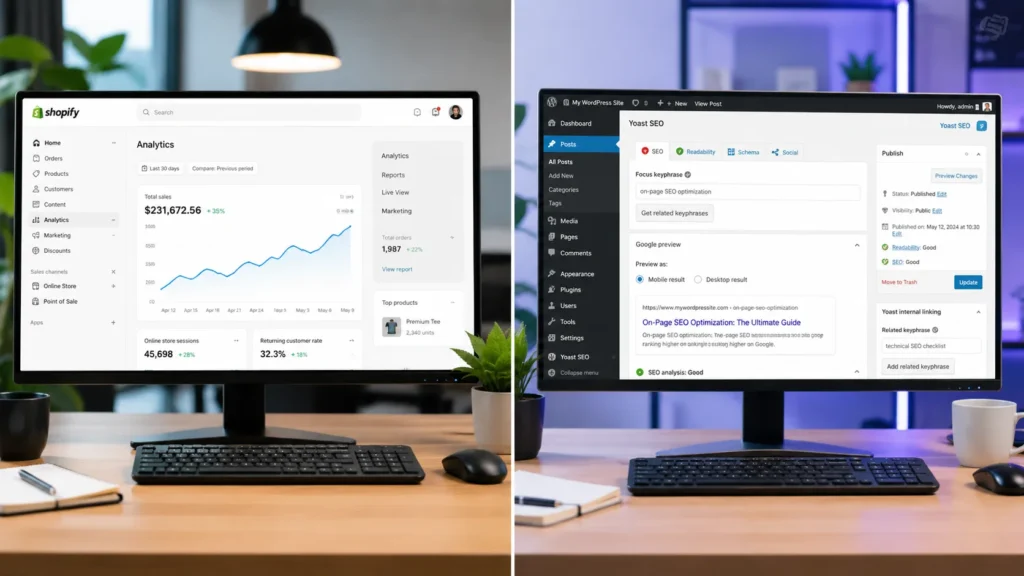
Shopify SEO handles technical basics like SSL, sitemaps, and canonical tags automatically, making it faster to get right for ecommerce. WordPress SEO gives you more control over URLs, schema, and content structure, which suits content-heavy sites. For most Shopify store owners, the platform is not the bottleneck. Skilled execution, clean site architecture, and consistent content are what actually drive organic traffic growth. Shopify SEO vs WordPress: What Is the Real Difference? The real difference is not ranking power, it is how much manual work sits on your plate. Shopify takes a done-for-you approach to technical SEO, while WordPress hands you a blank canvas that needs building out. As of 2026, global ecommerce sales are set to reach close to 6.88 trillion US dollars, and Shopify alone closed 2025 with 378.4 billion US dollars in gross merchandise volume, so the stakes for getting your platform’s SEO right have never been higher. Shopify is built as a commerce-first platform. It manages hosting, SSL certificates, XML sitemaps, mobile responsiveness, and canonical tags automatically, so a new Shopify store starts with a reasonably strong technical foundation without any setup. WordPress, when paired with WooCommerce for selling, is content-first. It gives store owners full control over permalinks, custom post types, and schema markup, but every one of those technical SEO elements has to be configured, either manually or through plugins like Yoast or Rank Math. Google itself does not favour either content management system. Rankings come down to content quality, site authority, technical health, and user experience, all of which can be built well or badly on either platform. How Does Shopify Handle SEO Out of the Box? Shopify handles most foundational technical SEO automatically the moment you launch a store. SSL, XML sitemaps, canonical tags, and mobile-responsive themes are switched on by default, which removes a huge chunk of setup work compared to a fresh WordPress install. Shopify SEO Feature Handled Automatically? Notes SSL Certificate Yes Included on every plan XML Sitemap Yes Generated and updated automatically Canonical Tags Yes Applied by default across product and collection pages Mobile Responsiveness Yes Built into most Shopify themes Page Speed and CDN Yes Hosted on Shopify’s own infrastructure Meta Titles and Descriptions Manual Editable per page, some AI-assisted suggestions available Schema Markup Partial Basic schema included, advanced schema needs apps URL Structure Fixed Cannot remove /products/ or /collections/ subdirectories For a Shopify fashion store in India carrying 5,000 products with zero technical SEO work done, a full Shopify SEO audit from RankMyShopify would typically uncover missing alt text across hundreds of product images, thin or duplicate collection descriptions, and unoptimised meta titles, none of which Shopify fixes automatically. Our Shopify SEO audit service is built specifically to close that remaining 20 percent that Shopify leaves in the merchant’s hands. How Does WordPress Handle SEO for Ecommerce Stores? WordPress hands you complete control over every SEO element, but none of it is automated. You choose the host, the theme, the plugins, and every technical setting yourself, which is exactly why WordPress remains the CMS of choice for content-heavy sites. WordPress currently powers close to 42 percent of all websites globally, and its open-source ecosystem includes tens of thousands of themes and SEO plugins. For ecommerce specifically, WooCommerce is the plugin most WordPress stores rely on to add cart, checkout, and product management functionality. Once installed, plugins like Yoast SEO or Rank Math let you customise permalinks, add advanced schema, control breadcrumb structures, and fine-tune meta data down to the individual page. The trade-off is maintenance. Every additional plugin is another piece of software that needs updates, and plugin conflicts are a common complaint among WordPress store owners on forums like the Shopify Community and r/SEO. Site speed, security patching, and hosting configuration all fall on the store owner or their developer, and a poorly maintained WordPress store can end up with worse technical SEO than a well-built Shopify store despite having more theoretical control. Shopify vs WordPress SEO: Head to Head Comparison Neither platform wins outright. The better choice depends on how much technical involvement your team wants and how content-heavy your ecommerce strategy is. Factor Shopify WordPress Setup Speed Fast, ready to sell in hours Slower, needs theme and plugin setup Technical SEO Defaults Strong, handled automatically Depends entirely on configuration URL Control Limited, fixed subdirectories Full control over permalinks Schema Markup Basic built in, advanced needs apps Fully customisable via plugins Content and Blogging Functional but commerce-first Best-in-class content management Maintenance Burden Low, hosted and managed High, self-managed hosting and plugins Best Suited For Ecommerce-first brands wanting speed Content-heavy brands wanting control Which Platform Is Better for Content Marketing and Blogging? WordPress is the stronger platform for blogging and content marketing. It was originally built as a blogging tool before evolving into a full content management system, and that heritage still shows in its category management, revision history, and content taxonomy features. Shopify’s blogging engine is functional, covering the essentials like tags, featured images, and basic categorisation, but it exists as a supporting feature rather than the platform’s core focus. If your Shopify SEO strategy leans heavily on long-form content, topic clusters, and building topical authority through a large blog, WordPress gives you more room to structure that content deeply. Many Shopify store owners solve this by running a strong on-site blog on Shopify itself, supported by tighter internal linking between blog posts and collection pages, which narrows the content gap significantly without needing a second platform. What Are the Technical SEO Limitations of Shopify? Shopify’s main technical SEO limitation is its fixed URL structure. Every product page sits under /products/ and every collection page under /collections/, and store owners cannot remove or rename these subdirectories, unlike WordPress where permalinks are fully customisable. Beyond URL structure, advanced schema markup, granular sitemap customisation, and some deeper technical tweaks require third-party Shopify apps rather than native settings. This is not usually a blocker for ranking well, since Shopify Markets and the wider Shopify app ecosystem cover
Shopify Blog SEO: How to Write Content That Ranks and Drives Sales
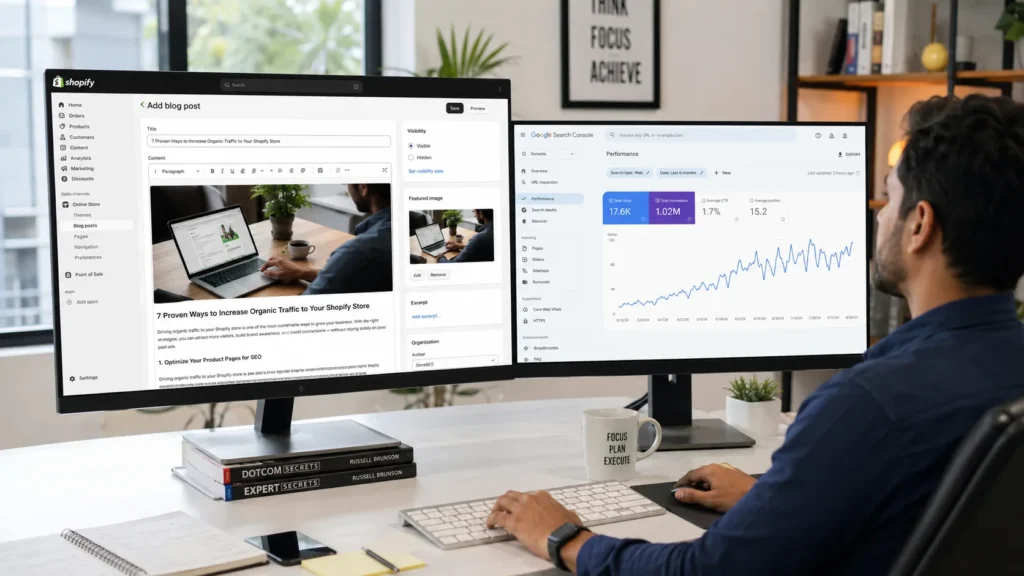
What Is Shopify Blog SEO and Why Does It Matter? Shopify blog SEO means writing and structuring blog content so search engines, AI Overviews, and answer engines can find it, understand it, and rank it for the terms your customers actually search. Your store already has product pages and collection pages, but neither of those page types can rank for the research-stage questions shoppers ask before they buy. Product pages target transactional searches like “buy waterproof hiking boots.” Collection pages target commercial-investigation searches like “best waterproof hiking boots for winter.” Blog posts are the only page type on your Shopify store built to rank for informational searches like “how to waterproof leather boots” or “what to look for in hiking boots for wide feet.” Every one of those searchers is a future customer, even if they are not ready to buy today. This matters more in 2026 than it did five years ago. Ecommerce now makes up a growing share of global retail sales, and platforms like Shopify continue to expand their footprint across fashion, beauty, home and garden, and fitness categories worldwide. As paid advertising costs climb, blog content is one of the few channels that keeps compounding after you publish it. At RankMyShopify, we have watched this shift firsthand since 2009: stores that invest in structured blog SEO build a traffic asset that ads simply cannot replicate. How Do You Find Blog Topics Shopify Customers Are Actually Searching For? You find winning blog topics by starting with keyword research, not personal intuition. Open a keyword tool such as Google Keyword Planner, Ahrefs, or Semrush and search your product category as a broad seed term, then drill down into the long-tail questions people type into Google. A reliable three-step process: Start broad. Search your core product category (for example, “ceramic mugs”) and note the related terms your keyword tool surfaces. Mine Google’s “People Also Ask” boxes. These questions come directly from real searches and make excellent H2 or H3 headings. Check Reddit and community forums. Communities like r/Shopify, r/ecommerce, and the Shopify Community forum surface the exact language, complaints, and confusions real store owners and shoppers use. That voice-of-customer phrasing often outperforms formal keyword-tool suggestions because it matches how people actually search. Before committing to a topic, ask two questions: can you provide genuine value on this subject, and if you ranked for it, would it actually drive a sale, an email signup, or brand trust? If the answer to either is no, pick a different topic. Each post should target one primary keyword, supported by two or three related terms that flesh out the outline. What Is the Best Structure for a Shopify Blog Post That Ranks? The best-structured Shopify blog post opens with a direct answer, uses a clear heading hierarchy, and answers the implied question at the start of every section. This structure is what Google, Perplexity, and AI Overviews extract when deciding what to show searchers. Structure every post like this: H1: Your exact title, including the primary keyword Opening paragraph (50 to 60 words): A direct, standalone answer to the core question, written so it can be lifted straight into an AI Overview or featured snippet Quick Summary box: Three to five bullet points restating the key takeaways H2 sections: Each built around a secondary keyword or a PAA question, opening with a one or two sentence direct answer before expanding into detail H3 subsections: Used for supporting questions within each H2 Lists and tables: Numbered lists for steps, bullet lists for features or benefits, and at least one comparison or reference table FAQ section: A minimum of five question-and-answer pairs near the end, marked up with FAQ schema This “answer-first” style matters because AI models and featured snippets tend to lift the first clear, complete sentence that follows a heading. If your first sentence is throat-clearing filler, you lose that placement to a competitor whose first sentence is a real answer. How Should You Optimise On-Page SEO Elements for Shopify Blog Posts? You optimise on-page elements by placing your primary keyword in the title, URL, meta description, first 100 words, at least one heading, and one image alt tag, while keeping the language natural throughout. Shopify makes most of this easy to edit directly inside the blog post editor under “Edit website SEO.” Key on-page checkpoints for every post: SEO Element Best Practice Title tag Primary keyword near the start, under 60 characters Meta description 150 to 160 characters, includes keyword and a soft call to action URL slug Short, hyphenated, no stop words, keyword-focused Image alt text Descriptive, keyword-relevant, under 125 characters Heading hierarchy One H1, logical H2s and H3s, no skipped levels Keyword density 1.0 to 1.5 percent, natural placement, no stuffing Google’s algorithms understand context and synonyms well enough that keyword stuffing does more harm than good. Use your primary keyword naturally, then lean on related terms and synonyms to cover the topic comprehensively rather than repeating the exact phrase in every sentence. How Do You Link Shopify Blog Posts to Product and Collection Pages Without Looking Salesy? You link blog content to commercial pages by including two to five contextual links per post, using descriptive anchor text instead of “click here,” and matching each link to a natural moment in the content rather than forcing it in. A good rule of thumb is one link to a relevant product page, one to a collection page, and one to another blog post on your site. For example, a post about “how to style a leather tote for work” might link the phrase “our collection of structured leather totes” to the matching collection page, and reference “full-grain leather” with a link to a related care-guide post. This is the step that most Shopify stores skip, and it is costly: a store can build thousands of monthly blog visitors and still generate almost no attributable revenue if none of that traffic has a clear path to a product page. Internal linking
How to Build Backlinks for Your Shopify Store (Authority Link Building Guide)

What Is Shopify Link Building and Why Does It Matter? Shopify link building is the process of earning backlinks from other websites that point to your Shopify store, signalling to Google that your content and products are trustworthy and worth referencing. Backlinks remain one of the strongest ranking signals in Google’s algorithm, and the gap between top-ranking pages and the rest of the results is significant. Research shows the page ranking first on Google averages roughly 3.8 times more backlinks than pages ranking in positions two through ten, which means a thin backlink profile is often the real reason a well-optimised Shopify store still struggles to break into page one. At RankMyShopify, we have worked exclusively with Shopify merchants since 2009, and link building consistently separates stores that plateau from stores that compound their organic growth year over year. With over 1 million Shopify stores now competing for visibility, a deliberate link acquisition strategy is no longer optional for stores serious about organic revenue. Why Do Shopify Stores Struggle to Earn Backlinks Naturally? Shopify stores struggle to earn natural backlinks because product and collection pages are transactional by nature, and nobody links to a product listing the way they link to a useful guide or original research. As one ecommerce SEO resource puts it, product pages rarely attract natural backlinks because nobody links to a product listing the way they link to informative content. This is a structural challenge for every Shopify store, not a sign that something is wrong with your site. The solution is to build informational assets, such as buying guides, comparison content, and original research, that earn links naturally, then route that authority to your money pages through internal linking. This is also why Shopify’s platform limitations matter here: rigid URL structures and standardised templates make on-page differentiation harder, so a strong backlink profile often becomes the clearest competitive edge between two stores targeting the same keywords. How Many Backlinks Does a Shopify Store Need to Rank? There is no fixed number of backlinks required to rank, because relevance and authority matter more than raw volume. A Shopify store with fifty highly relevant backlinks from trustworthy domains will typically outperform a competitor with hundreds of low-quality or irrelevant links. Instead of chasing a target number, focus on the quality, relevance, and topical fit of each link relative to your store’s niche. What Link Building Tactics Actually Work for Shopify Stores in 2026? The tactics that work in 2026 combine foundational link building, content-driven assets, and relationship-based outreach, while avoiding anything that resembles a paid scheme or link network. Below are the methods we recommend most often to our clients across India, the USA, the UK, Australia, and Canada. 1. Build Foundational Links First Start with directory listings relevant to your niche, supplier and manufacturer pages, and industry association memberships. These links are easy to secure and establish a baseline of trust before you move into outreach-heavy tactics. 2. Create Linkable Content Assets Original research, comprehensive buying guides, and free tools give other websites a genuine reason to reference your domain. Original, data-driven content can earn five to ten times more backlinks per piece compared to standard how-to blog posts, because journalists and bloggers need fresh data to cite. A simple example: surveying your own customers or analysing anonymised sales trends to publish something like “2026 State of [Your Niche]: Survey of 1,000 Shoppers” gives outlets in your industry a concrete reason to link back. 3. Pursue Digital PR Campaigns Digital PR has overtaken guest posting as the highest-ROI tactic for mid-size ecommerce sites, with one piece of data-driven press coverage often outperforming ten average guest posts. Industry data puts the average ROI of digital PR campaigns at around 312 percent, ahead of most traditional link building approaches. The trade-off is effort: digital PR requires a genuine story, a relevant journalist list, and patience for coverage to land. 4. Use Broken Link Building Broken link building involves finding dead links on relevant resource pages and pitching your content as the replacement. Success rates typically sit in the five to fifteen percent range, lower than guest posting, but the links earned tend to sit on established, high-authority resource pages, which makes each successful placement valuable. 5. Respond to Journalist Queries (HARO and Connectively) Responding to journalist requests through platforms like Connectively (formerly HARO) can earn editorial mentions and high-authority press links, particularly when you can offer a genuine expert perspective or original data point relevant to the request. 6. Send Products for Honest Reviews Gifting products to relevant bloggers and influencers in exchange for honest reviews remains an efficient tactic for newer stores. For India-based merchants, the cost-to-value ratio can be especially strong, since the cost of a single product is often small relative to the value of a single high-quality backlink. 7. Build Supplier and Partner Links If you stock recognised brands, ask them to link to your store from their official “Where to Buy” or stockist page. These links are typically easy to secure since the brand benefits from showing where customers can purchase their products. What Should You Avoid in 2026? Avoid paid link schemes, private blog networks, and mass guest posting to unrelated “write for us” pages. Google’s Spam Brain system has been upgraded to detect mass guest posting, PBN links, and paid link schemes faster and penalise them harder than in previous years, and the risk of a manual penalty far outweighs any short-term gain. Keep exact-match anchor text under roughly ten percent of your total anchor profile, and aim for a natural mix that includes a healthy share of nofollow links rather than a profile that looks artificially manipulated. For example, if you run a Shopify fashion store in India with 5,000 products and zero deliberate link building in place, a full Shopify SEO audit from RankMyShopify would typically uncover missed supplier link opportunities, thin or duplicate collection content limiting linkability, and no current digital PR or HARO activity, all of
Shopify Keyword Research: How to Find Buyer-Intent Keywords That Convert
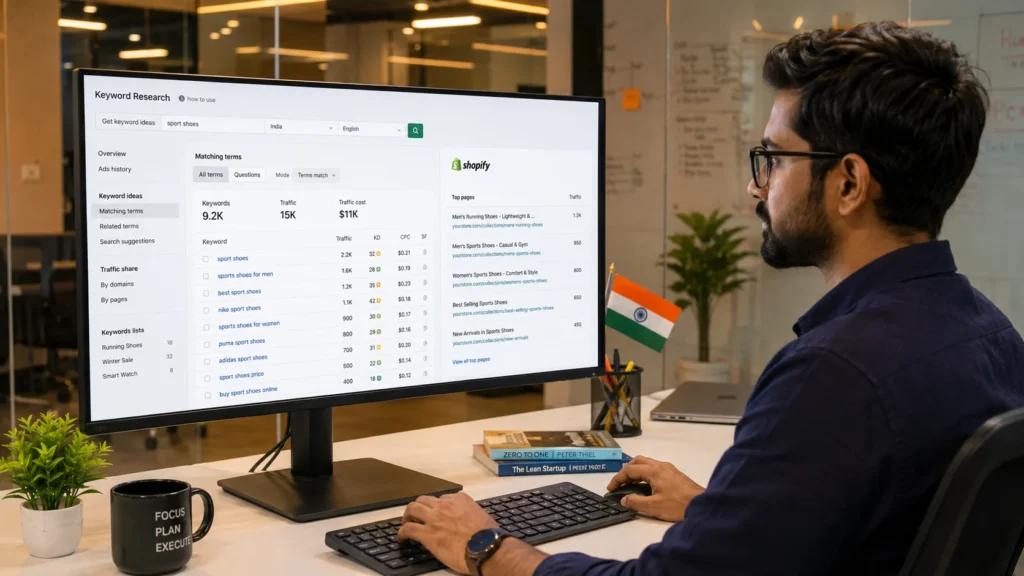
Understanding Shopify Keyword Research for Higher Organic Sales Shopify keyword research is the process of identifying the exact search terms your potential customers type into Google before buying. The goal is not just to attract traffic but to attract buyers. By targeting keywords with strong purchase intent, long-tail specificity, and low-to-moderate competition, Shopify store owners can generate consistent organic traffic that converts into sales, often at a lower cost than paid advertising. Why Keyword Research Is the Foundation of Shopify SEO Keyword research is the single most important step before writing any product description, collection page copy, or blog post on your Shopify store. Organic search drives 43% of all ecommerce traffic and long-tail keywords convert at 2.5 times the rate of broader terms. This means that selecting the right keywords is not just an SEO task; it directly determines your revenue. In 2025, the average ecommerce brand ranked for 1,783 organic keywords, generating about 9,625 monthly visits from organic search. Yet 96.55% of all indexed pages receive no organic traffic from Google. The difference between those two realities is almost always keyword strategy. For Shopify store owners, this matters even more because the platform gives you a fixed URL structure (/products/, /collections/, /pages/) with limited flexibility. Getting the keyword strategy right before you build pages is far more efficient than trying to retrofit it later. Factor Details Agency Founded 2009 Years of Experience 15+ Specialisation Shopify SEO exclusively Markets Served India, USA, UK, Australia, Worldwide Core Services SEO, Technical Audit, CRO, Content Strategy Contact 9888923755 / info@rankmyshopify.com What Is Buyer Intent in Keyword Research? Buyer intent describes how close a searcher is to making a purchase at the moment they type a query into Google. Keywords can have one of four types of intent: informational (the searcher wants to learn something), navigational (the searcher wants to find something), transactional (the searcher wants to buy something), and commercial (the searcher wants to buy something but is still researching). Shopify For Shopify stores, the most valuable keywords are transactional and commercial because they signal that the searcher is ready or nearly ready to spend money. How to Identify Buyer-Intent Keywords for Your Shopify Store A keyword’s intent can usually be identified by the words it contains: Transactional intent signals: “buy [product] online” “[product] for sale” “[product] free shipping India” “order [product] now” “best price [product]” “[product] discount” Commercial intent signals: “best [product] for [use case]” “[product] vs [product]” “[product] review 2026” “top rated [product]” “which [product] should I buy” Informational intent signals (valuable for blog content, not product pages): “how to use [product]” “what is [product]” “benefits of [product]” In ecommerce, every search represents a potential sale. Long-tail queries like “noise-cancelling headphones under $200” tend to have better conversion rates because they capture more specific intent. For example, a Shopify store selling organic skincare in India would find far better conversions from “buy organic face serum online India” than from “organic skincare” alone. What Are the Best Keywords for Shopify: Short-Tail vs Long-Tail Understanding the difference between keyword types is essential before you begin any Shopify keyword research. Short-Tail Keywords (Head Terms) Short-tail keywords are typically one or two words: “running shoes,” “yoga mat,” “jewellery.” They carry massive search volumes but also massive competition. A new or mid-sized Shopify store has very little chance of ranking against established brands for these terms. Long-Tail Keywords: Where Shopify Stores Win Long-tail keyword phrases usually feature multiple words, generally around three to five. These queries are more targeted and specific than a single keyword, more focused on customer intent, and represent 70% of search traffic. Long-tail keywords are the core opportunity for most Shopify stores. They are easier to rank for, they attract shoppers who are further along in the buying journey, and they convert significantly better. Keyword Type Example Monthly Volume Competition Conversion Likelihood Short-tail “yoga mat” Very high Very high Low Mid-tail “non-slip yoga mat” Medium Medium Medium Long-tail “best non-slip yoga mat for hot yoga beginners” Lower Low Very high Long-tail transactional “buy non-slip yoga mat online India” Lower Low Highest This table illustrates why RankMyShopify consistently recommends a long-tail-first keyword strategy for Shopify stores, particularly those competing in crowded niches or launching from scratch. How to Do Ecommerce Keyword Research for Shopify: Step by Step This is the process our team at RankMyShopify uses when auditing new Shopify stores across India, the USA, the UK, and Australia. Step 1: Start with Seed Keywords Begin by listing 10 to 20 broad terms that describe your products and categories. If you sell home decor, your seed terms might include: “wall art,” “cushion covers,” “decorative vases,” “indoor plants,” “home accessories.” These are your starting points, not your final targets. Step 2: Expand with Keyword Research Tools Run each seed keyword through at least one of these tools to generate hundreds of keyword variations with volume and difficulty data: Google Keyword Planner: Free, directly from Google, and excellent for search volume estimates and discovering related terms. Requires a Google Ads account for full data. Google Search Console: If your Shopify store has been live for more than a few months, this is your most valuable free tool. It shows the exact queries your store already ranks for, even if it appears in positions 20 to 50. These are low-hanging-fruit keywords to optimise first. Ahrefs: The industry standard for keyword difficulty scores, backlink data, and competitor keyword gap analysis. The Keywords Explorer allows you to filter by intent, country, and search volume simultaneously. Semrush Keyword Magic Tool: Semrush is a comprehensive tool for tracking rankings, finding keyword gaps, and local search optimisation. The Keyword Magic Tool is a go-to resource for finding profitable product keywords. AnswerThePublic: Excellent for question-based keyword discovery, particularly for blog content and FAQ sections. Step 3: Mine Google’s People Also Ask (PAA) and Autocomplete You can target People Also Ask (PAA) questions in your blog posts and FAQs. People Also Search For (PASF) suggestions appear at the bottom of search
Shopify Site Speed Optimisation: How to Get a Perfect Core Web Vitals Score
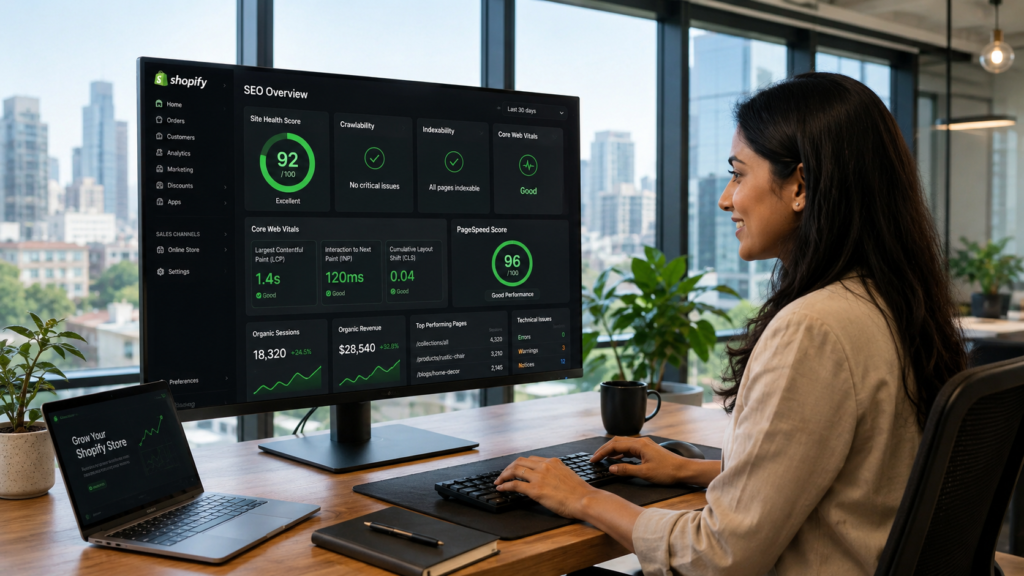
What Are Core Web Vitals and Why Do They Matter for Shopify SEO? Core Web Vitals are Google’s official set of performance metrics used to measure real-world user experience on websites. Google has used them as a direct search ranking factor since 2021, which means your Shopify page speed is not just a user experience issue; it is a ranking and revenue issue. There are three Core Web Vitals metrics that every Shopify store owner needs to understand: What Is LCP (Largest Contentful Paint) for Shopify? LCP measures how quickly the largest visible element on your page loads. For most Shopify product pages, that is your hero image or main product photo. A good LCP score is under 2.5 seconds. If your hero image takes longer than that to appear, Google classifies your page as slow, and shoppers are likely to bounce before they even see your product. According to research published in April 2026, the median mobile LCP for Shopify stores sits at 2.26 seconds. While this is technically within the “good” range, it leaves almost no margin for additional app scripts or large images to push it over the threshold. What Is INP (Interaction to Next Paint) for Shopify? INP replaced First Input Delay (FID) in March 2024 and measures how responsive your Shopify store is to every user interaction throughout their entire visit. Every tap on a product variant, every “Add to Cart” click, and every filter selection is being measured. A good INP score is under 200 milliseconds. Heavy JavaScript from apps and themes is the main cause of poor INP scores on Shopify. What Is CLS (Cumulative Layout Shift) for Shopify? CLS measures visual stability. If elements on your page shift around as it loads (images jumping, buttons moving, text repositioning), your CLS score suffers. A good CLS score is under 0.1. Many Shopify apps inject content dynamically, often without reserving space for it, which causes unexpected layout shifts that frustrate shoppers and damage your CLS score. Shopify Core Web Vitals Threshold Reference Table Metric Good Needs Improvement Poor LCP (Largest Contentful Paint) Under 2.5 seconds 2.5 to 4.0 seconds Over 4.0 seconds INP (Interaction to Next Paint) Under 200ms 200ms to 500ms Over 500ms CLS (Cumulative Layout Shift) Under 0.1 0.1 to 0.25 Over 0.25 Does Shopify Page Speed Actually Affect Your Search Rankings? Yes. Shopify page speed is a confirmed Google ranking signal, and the impact goes beyond organic search. Here is what poor Shopify site speed costs you across every channel: Organic rankings: Google uses Core Web Vitals field data (real user experience) to determine rankings. Stores that fail CWV thresholds are less competitive on commercial search terms. Paid ads: Slow landing pages lower your Google Ads Quality Score, which directly raises your cost-per-click. A store doing INR 5,00,000 per month in ad spend can lose a significant portion to inflated CPCs caused entirely by slow page load times. Conversions: Research consistently shows that stores loading under 2 seconds convert 2.5 times better than stores loading over 5 seconds. A one-second delay reduces conversions by approximately 7%. Bounce rate: As page load time increases from 1 to 3 seconds, bounce rate jumps by 32%. Shoppers will leave before seeing your product descriptions, your reviews, or your offers. Mobile revenue: Over 62% of ecommerce traffic comes from mobile devices as of Q2 2025. Mobile performance is where most Shopify stores fail, and it is where the most revenue is being left on the table. The bottom line is this: improving your Shopify site speed is one of the highest-leverage investments a store owner can make. It affects rankings, ad costs, conversions, and customer retention all at the same time. How to Check Your Shopify Core Web Vitals Score Before fixing anything, you need accurate baseline measurements. Use these tools in this order: 1. Google PageSpeed Insights (pagespeed.web.dev) Enter your store URL and check both mobile and desktop scores. Focus on the mobile score; it is lower for most Shopify stores and carries more weight with Google. A score above 50 is acceptable, and 90 or above is excellent. This tool shows both lab data (simulated) and field data (real users via Chrome UX Report). 2. Google Search Console: Core Web Vitals Report Navigate to Experience > Core Web Vitals in your Google Search Console account. This shows CWV performance across your entire site, grouped by issue type and URL. Prioritise fixing URLs listed as “Poor” first, as these have the greatest negative impact on your rankings. 3. Shopify Web Performance Dashboard Found in your Shopify Admin under Online Store > Themes. This uses real user monitoring (RUM) data specific to your store and shows LCP, INP, and CLS trends over time. Use this to track whether your optimisation changes are improving field data. 4. Chrome DevTools and Lighthouse For technical diagnosis, Chrome DevTools lets you profile individual page loads, identify render-blocking resources, and trace what is causing LCP delays or INP issues. Use the Coverage tab to find unused JavaScript and CSS being loaded on every page. Always test your product pages, your homepage, and your top collection pages separately. Each template behaves differently, and the fixes for each may vary. What Causes Slow Shopify Site Speed? The Six Most Common Problems Understanding what slows Shopify stores down is the first step to fixing them. After more than 15 years of Shopify SEO work, the RankMyShopify team consistently finds the same six culprits. 1. Unoptimised Hero Images and Product Photos Images are the single biggest performance issue on most Shopify stores. A hero banner uploaded at 4000 x 2000 pixels and several megabytes in file size will fail your LCP on mobile every time. The fix involves three things. First, resize images before uploading so they match their actual display dimensions. Second, compress images using WebP format, which is significantly smaller than JPEG or PNG at the same visual quality. Third, use Shopify’s built-in URL parameters to serve the
How to Fix Duplicate Content Issues on Shopify (And Why It Hurts Rankings)
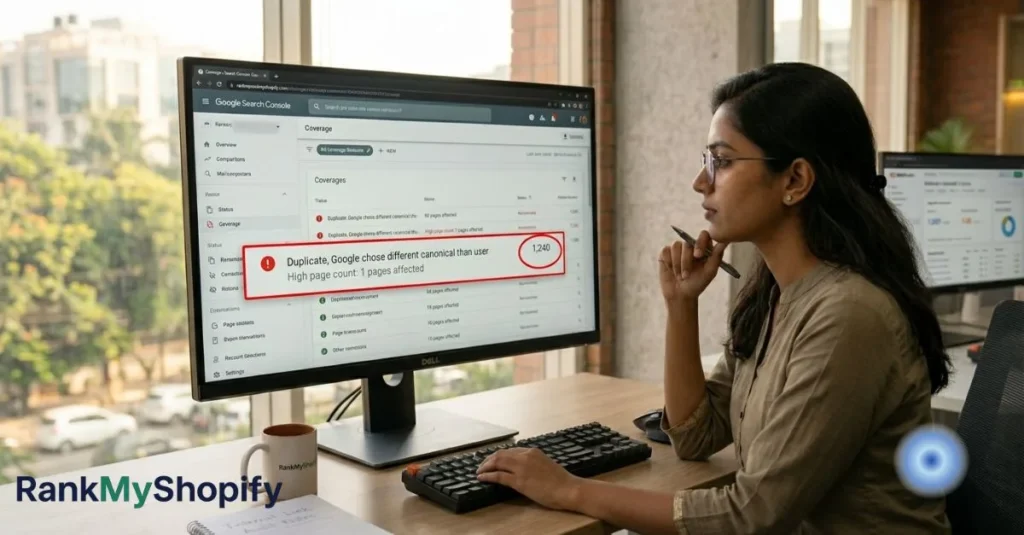
Shopify Duplicate Content: Why It Hurts Rankings and How to Fix It Shopify duplicate content occurs when multiple URLs on your store display identical or near-identical content, causing search engines to split ranking authority across competing pages rather than concentrating it on one strong URL. The most common causes are collection-scoped product URLs, pagination parameters, tag pages, and filter parameters. Left unfixed, these issues directly reduce organic traffic, waste crawl budget, and prevent your best pages from ranking where they should. Does Shopify Have Duplicate Content Issues? Yes, and the scale is larger than most store owners realise. Shopify duplicate content kills organic rankings for 73% of ecommerce stores. Product URLs, pagination, and domain variants create thousands of duplicate pages that confuse search engines and split ranking power. Studies show that 68% of Shopify stores have more than 500 duplicate URLs indexed by Google, with enterprise stores averaging 2,847 duplicate pages. This happens because Shopify generates URLs for pagination, sorting parameters, filtering options, and tracking codes, all pointing to content variations that search engines treat as separate pages. The consequence is concrete and measurable. Research from Ahrefs analysing 47,000 ecommerce sites found that stores with more than 1,000 duplicate pages receive 34% less organic traffic than comparable stores with proper canonicalisation. This is not a flaw unique to badly-built stores. It is a structural feature of how Shopify’s URL architecture works, and fixing it requires understanding exactly which duplicates Shopify handles automatically and which ones it does not. Why Does Shopify Create Duplicate Content? Shopify generates duplicate content through five distinct mechanisms. Understanding each one is essential before attempting any fix. 1. Collection-Scoped Product URLs (The Biggest Problem) Every Shopify product has a canonical URL at /products/your-product-handle. However, Shopify also automatically creates a second accessible URL for every collection that product belongs to: /collections/collection-name/products/your-product-handle. Shopify sets up its product URLs so that they update dynamically to contain the name of the collection the user originated from. While Shopify’s canonical tag properly points search engines to the preferred version of the URL, internal links still point to the various non-canonical versions throughout the site. SellersCommerce The mathematics of this problem are staggering. A 500-product store where products average 3 collections and 3 variants creates 500 multiplied by 8 URLs for each product, equalling 8,000 crawlable URLs for just 500 actual products. And critically: Google ignores canonical tags 30-40% of the time when other signals conflict. So even though Shopify adds canonical tags automatically, Google frequently indexes the wrong URL anyway. The most impactful fix is changing your internal links to point to canonical URLs, aligning all signals so Google has no reason to pick the wrong URL. 2. The Pagination Gap The first collection page exists at two URLs: /collections/shoes and /collections/shoes?page=1, both serving identical content. Shopify does not canonicalise the ?page=1 variant to the base URL. That is a free duplicate for every collection with pagination. This is one of the most commonly missed issues in Shopify SEO guides because most store owners assume Shopify handles pagination automatically. It does not handle the ?page=1 case. 3. Collection Tag Pages When you use Shopify’s tagging system, the platform automatically generates tag-filtered collection URLs such as /collections/shirts/red or /collections/shirts/blue. These tag pages often contain overlapping or identical products to your main collection pages, creating near-duplicate content at scale. Shopify tags create URLs like /collections/shirts/red and /collections/shirts/blue. These tag pages often contain overlapping products, creating near-duplicate content. A product tagged “red” and “sale” appears on both tag pages. 4. Filter and Sort Parameter URLs Third-party filter apps and Shopify’s native sorting functionality create a crawlable URL for every parameter combination a customer selects. URLs like /collections/shoes?sort_by=price-ascending or /collections/shoes?filter.v.availability=1 generate unique, indexable pages with essentially identical content. URL parameters for sorting, filtering, and tracking create infinite duplicate content variations on Shopify collection and product pages. We have seen Shopify stores with 50,000 or more indexed parameter URLs when they should have 500 clean pages. 5. Product Variant URLs (Mostly Handled by Shopify) Product variants such as size and colour create URLs with query parameters (?variant=12345). This is one area where Shopify’s defaults work correctly. Shopify automatically canonicalises all variant URLs to the base product URL, which is correct behaviour for 95% of stores. A t-shirt available in 5 sizes and 8 colours (40 variants total) all canonicalise to /products/t-shirt. The one exception: if specific variants have their own meaningful search demand (for example, “red Nike Air Max” vs “blue Nike Air Max”), consider building those as separate products rather than variants so they can rank independently. What Is a Canonical Tag and How Does Shopify Use It? A canonical tag is a line of HTML code that tells search engines which URL is the authoritative version of a page when duplicate or near-duplicate versions exist. Shopify themes automatically identify and determine the canonical version of a web page based on the structure of your ecommerce website and content. However, Google’s own documentation is clear that canonical tags are hints, not directives. Google may choose to override them, and it frequently does when the signals it receives contradict the canonical tag. Google overrides your canonical tag when internal links contradict the canonical, pointing to /collections/X/products/Y while the canonical says /products/Y. Backlinks pointing to the wrong URL also tip the balance toward the non-canonical version. This is why canonical tags alone are not sufficient. The full fix requires aligning three signals simultaneously: the canonical tag itself, your internal links, and your sitemap. When all three point to the same URL, Google has no justification for choosing a different canonical. What Does “Duplicate, Google Chose Different Canonical Than User” Mean in Search Console? This warning in Google Search Console’s Coverage report means Google found your canonical tag, considered it, and overruled it in favour of a different URL. It is a clear signal that your internal links or backlink profile are contradicting your canonical tags and that the issue requires a technical fix, not just a
Internal Linking Strategy for Shopify Stores: How to Build Authority

What Is Internal Linking for Shopify Stores? Internal linking for Shopify means strategically connecting your product pages, collection pages, and blog posts to each other using contextual hyperlinks. A strong Shopify internal linking strategy helps Google discover and index your pages, distributes page authority from high-value pages to your commercial product and collection pages, and guides shoppers from content to checkout. Done correctly, it is one of the fastest, highest-ROI SEO improvements available to any Shopify store owner. Why Shopify Internal Linking Is One of the Highest-ROI SEO Tactics Available Internal linking is one of the most underused and highest-impact SEO levers available to Shopify store owners, and it is entirely within your control. Unlike external link building, which requires outreach, relationship-building, and time, internal links can be added immediately with no budget, no permissions needed, and measurable results within weeks. The data backs this up. In one seoClarity case study, a retail brand increased internal links to underperforming product pages after expanding its navigation. The result was that those pages reclaimed top ranking positions in Google search and saw a 23% rise in organic traffic. Shopify An internal linking audit by Ahrefs found that 26% of the top-ranking pages had strong internal linking structures compared to only 7% of pages ranking on page two. And the benchmark used by specialist Shopify SEO teams is even more striking: 4-6 internal links from high-traffic pages deliver roughly the same ranking impact as one quality external backlink. That is free authority sitting inside your own site, waiting to be directed toward your most commercially valuable pages. At RankMyShopify, we have been implementing internal linking strategies for Shopify stores across India, the USA, the UK, Australia, and Canada since 2009. In almost every store we audit, Shopify internal linking is one of the three fastest wins available. What Is Shopify Internal Linking and Why Does It Matter for SEO? Internal linking means connecting pages within the same website using hyperlinks. On a Shopify store, this includes links from your homepage to collection pages, from collection pages to product pages, from blog posts to products, and from product pages to related items or helpful guides. Internal links are important for SEO because they help search engines understand the purpose and importance of each page on your website. When crawlers can follow clear links between connected pages, they can better identify relevant content to display in search results. A solid internal linking strategy also communicates your overall site structure, allowing search engines to crawl, index, and rank your content more efficiently. Internal links serve three distinct functions simultaneously: Crawlability: Google discovers pages by following links. Pages with zero internal links pointing to them (known as orphan pages) may never be crawled or indexed. Authority distribution: Internal links help distribute link equity or ranking power, also known as “link juice,” from authoritative pages to others. If a page has a strong backlink profile, linking from that page to another passes on some of that link equity, strengthening page authority across your entire website. User experience: Internal links help customers navigate your site more easily, boosting user engagement and encouraging them to explore more content. By directing visitors to related content they will find useful, you can reduce bounce rate and increase time on site. As Shopify Senior SEO Specialist Arthur Camberlein put it: “Internal links are the core of how people and bots can navigate your website. And their limit might only be your inventiveness.” The Shopify-Specific Internal Linking Problem Most Store Owners Never Discover Shopify creates a critical internal linking problem by default that affects the vast majority of stores, including many that have invested in SEO. How Does Shopify Create Orphan Product Pages? Every Shopify theme ships with a Liquid filter that generates collection-scoped product URLs. A product in three collections has four crawlable URLs: the canonical /products/blue-widget, plus /collections/summer/products/blue-widget, /collections/sale/products/blue-widget, and /collections/all/products/blue-widget. Your collection grids link to the non-canonical versions. The real product page, the one you want Google to rank, has zero links pointing to it. It is an orphan. A common issue flagged in Shopify stores are orphan pages and canonical URLs having no incoming internal links. By default, collection pages link to the non-canonical version of the pages. The canonical set for the collections page references the /products/ page as the canonical. This way of linking products in Shopify websites often results in the direct product URL having no incoming internal links or backlinks. This is one of the most common and damaging problems the RankMyShopify team identifies during a Shopify SEO audit. The fix requires editing your theme’s Liquid template files to ensure collection grids link to canonical /products/ URLs rather than the collection-scoped version. For stores without in-house development capability, this is a service our technical team handles routinely for clients in India, the USA, and beyond. Are Your Most Valuable Pages Getting the Most Links? Here is a diagnostic test that reveals the state of most Shopify stores: open Screaming Frog, crawl your store, pull up the “Unique Inlinks” column, and sort it in ascending order. Your most important collection pages almost certainly have fewer internal links pointing to them than your returns policy page. Your refund policy is telling Google it is more important than your best-selling collection, because you link to it from every single footer across your site. This is a structural problem, not a content problem. Fixing it means deliberately adding contextual links from your highest-traffic pages (your homepage, top blog posts, your most visited collection pages) to the product and collection pages that actually generate revenue. What Is the Best Internal Linking Structure for a Shopify Store? The optimal Shopify internal linking structure follows a top-down pyramid or silo model, where authority flows from your most powerful pages downward to your commercial pages. The best structure follows a pyramid model: Level 1 is the Homepage, which links to all main collection pages and key content hubs, and receives the most external
