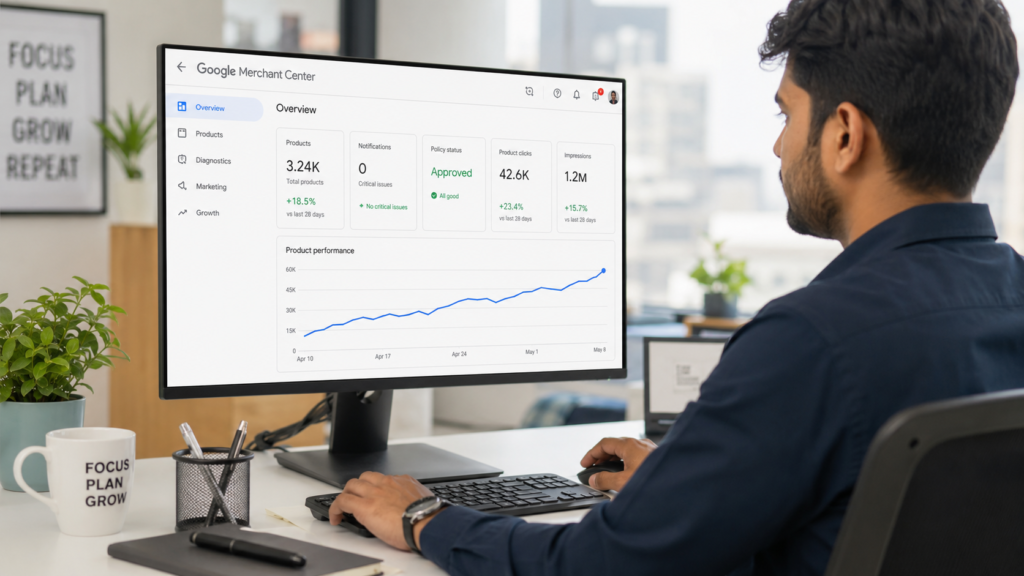
What Is Shopify Product Feed Optimisation?
Shopify product feed optimisation is the process of improving the product data your store sends to Google Merchant Center so it earns more visibility, fewer disapprovals, and better click-through rates. It covers titles, descriptions, images, categories, identifiers, price, availability, and shipping attributes, all of which Google uses to decide where and how often your products appear.
Shopify’s built in Google and YouTube sales channel handles the technical connection automatically. It pulls your existing product title, description, price, availability, and main image into a feed and pushes it to Merchant Center on a schedule. That gets your catalogue synced, but a synced feed and an optimised feed are two different things. A synced feed passes basic validation. An optimised feed is the one Google actually chooses to show.
For Shopify store owners across India, the USA, UK, Australia, and Canada, this matters whether or not you spend a single rupee or dollar on ads, because Google now surfaces free product listings across the Shopping tab, Google Images, Google Lens, and YouTube for the large majority of retail searches.
Why Does Google Shopping Feed Quality Matter for Shopify Stores?
Feed quality determines whether your products are eligible to appear at all, and how often Google chooses to show them over a competitor’s. Weak feed data, such as vague titles or missing attributes, means your products are invisible for many of the searches that matter, no matter how strong your on-page SEO is.
A smaller catalogue with clean, specific data will consistently outperform a larger catalogue running on default Shopify titles and missing attributes. This applies to both channels:
- Free listings. Google shows unpaid product listings across Search, Images, Lens, and YouTube, and eligibility depends entirely on feed completeness.
- Performance Max and Shopping ads. Feed data drives the majority of where Performance Max budget is actually spent, so a weak feed limits ad performance no matter how well the campaign is structured.
For a Shopify fashion store in India with around 3,000 SKUs and no feed maintenance since launch, a feed audit from RankMyShopify would typically uncover generic auto-generated titles, missing Google product categories on half the catalogue, and price mismatches on sale items still marked at full price. Each of those issues independently limits visibility, and together they can suppress a large share of the catalogue from ever appearing in Shopping results.
| Factor | Details |
|---|---|
| Agency Founded | 2009 |
| Years of Experience | 15+ |
| Specialisation | Shopify SEO exclusively |
| Markets Served | India, USA, UK, Australia, Worldwide |
| Core Services | SEO, Technical Audit, CRO, Content |
| Contact | 9888923755 / info@rankmyshopify.com |
How Do You Connect Shopify to Google Merchant Center?
You connect Shopify to Google Merchant Center by installing the Google and YouTube sales channel app, linking it to a Merchant Center account, and letting Shopify sync your catalogue on its regular schedule. This gets your feed live, but every product still needs manual review before it is genuinely optimised.
The basic setup steps are:
- Install the Google and YouTube channel from the Shopify App Store.
- Connect or create a Google Merchant Center account and link it to Google Ads if you plan to run Performance Max.
- Let Shopify perform the first automatic sync of your product catalogue.
- Review the Diagnostics tab in Merchant Center for disapprovals and warnings.
- Go product by product to fix titles, categories, identifiers, and attributes rather than relying on the defaults.
- Set a recurring schedule (weekly is a sensible minimum) to catch new disapprovals as your catalogue changes.
How Do You Write Product Titles That Perform Well in Google Shopping?
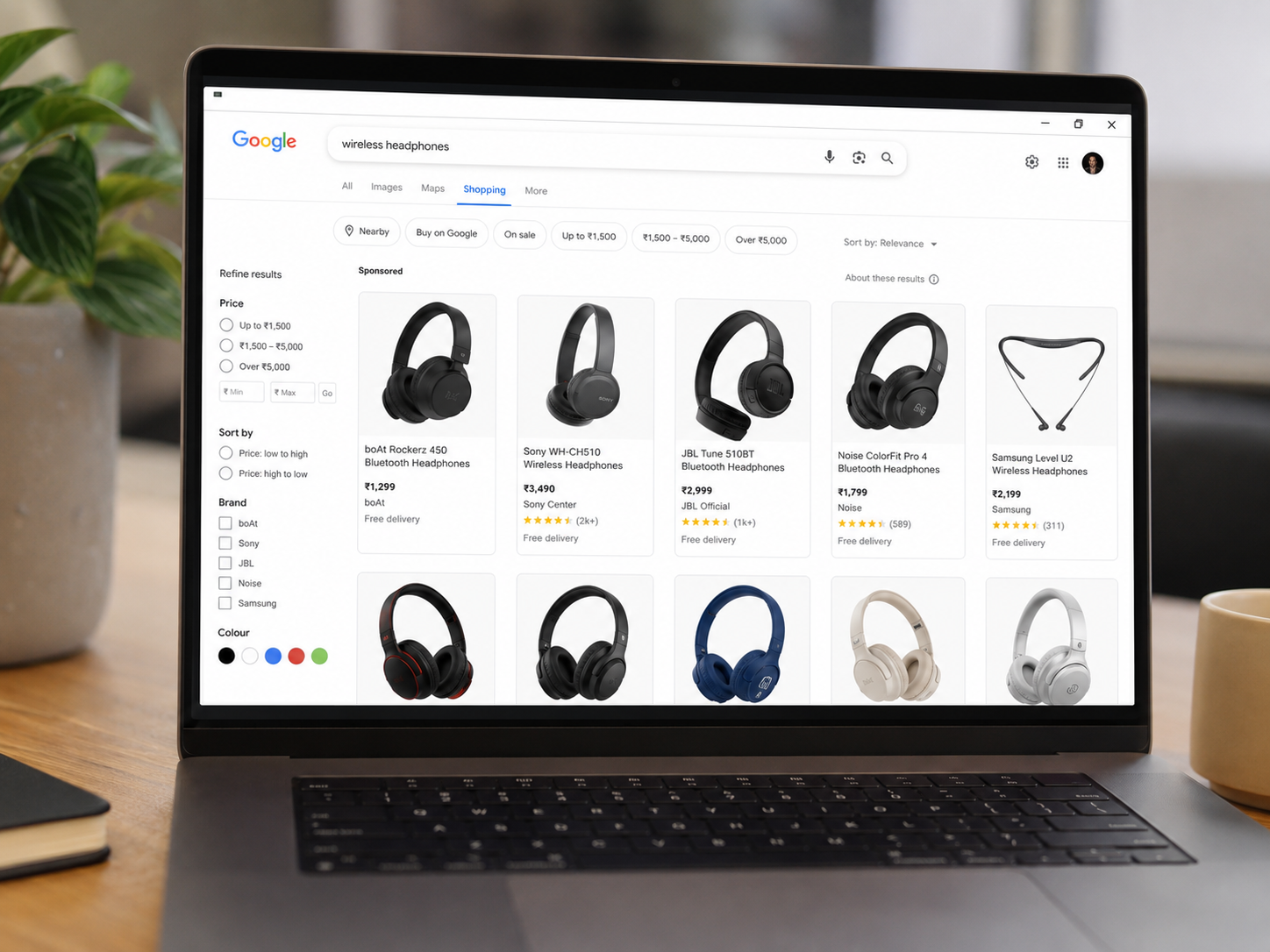
Effective Google Shopping titles lead with the most important, most searched information first, because Google typically only displays around 70 of the 150 characters you are allowed, meaning anything after that cutoff is invisible to shoppers scanning results.
A strong title order is generally: brand, then product type, then key attributes such as colour, size, or material, then any distinguishing detail like model number. A default Shopify title such as “Classic Cotton Tee” tells Google very little. A rewritten title such as “Novabrand Men’s Classic Cotton Crew Neck T-Shirt, Navy Blue, Large” gives Google the specific signals it needs to match the product against real search queries.
Practical rules for titles:
- Put the most searched terms in the first 70 characters.
- Include brand, product type, and at least one distinguishing attribute.
- Avoid repeating the same generic word across every product in a collection.
- Do not keyword-stuff. Titles should still read naturally to a shopper.
What Causes Products to Be Disapproved in Google Merchant Center?
Products are most commonly disapproved because of price or availability mismatches between the feed and the live website, missing or invalid GTINs, low-quality images, or incomplete shipping and tax attributes. Google would rather withhold a product than risk showing a shopper inaccurate information.
The most frequent causes worth checking first on a Shopify store:
- Price and availability mismatches. If your feed says a product is $30 but the live product page shows $25 after a discount, Google treats this as a preemptive disapproval risk and can pull the item before it is even formally reviewed, since price or availability inconsistencies between product data and the live landing page trigger automatic caution from Google.
- Missing or invalid GTINs. Products with an incorrect or missing GTIN are not synced to Merchant Center at all, though custom or handmade products can be marked as such and given a brand plus a unique identifier of your choosing instead of a manufacturer GTIN.
- Image quality issues. Product images below the minimum size, or images that show lifestyle shots instead of the actual product on a clean background, commonly trigger disapproval.
- Incomplete shipping or tax data. Missing shipping cost or weight attributes are a routine cause of ongoing disapprovals until the required fields are filled in.
- Broken or incorrect landing page URLs. If the link in your feed does not lead directly to the correct live product page, Google will flag and disapprove the listing.
How Do You Fix Disapproved Products in Your Shopify Feed?
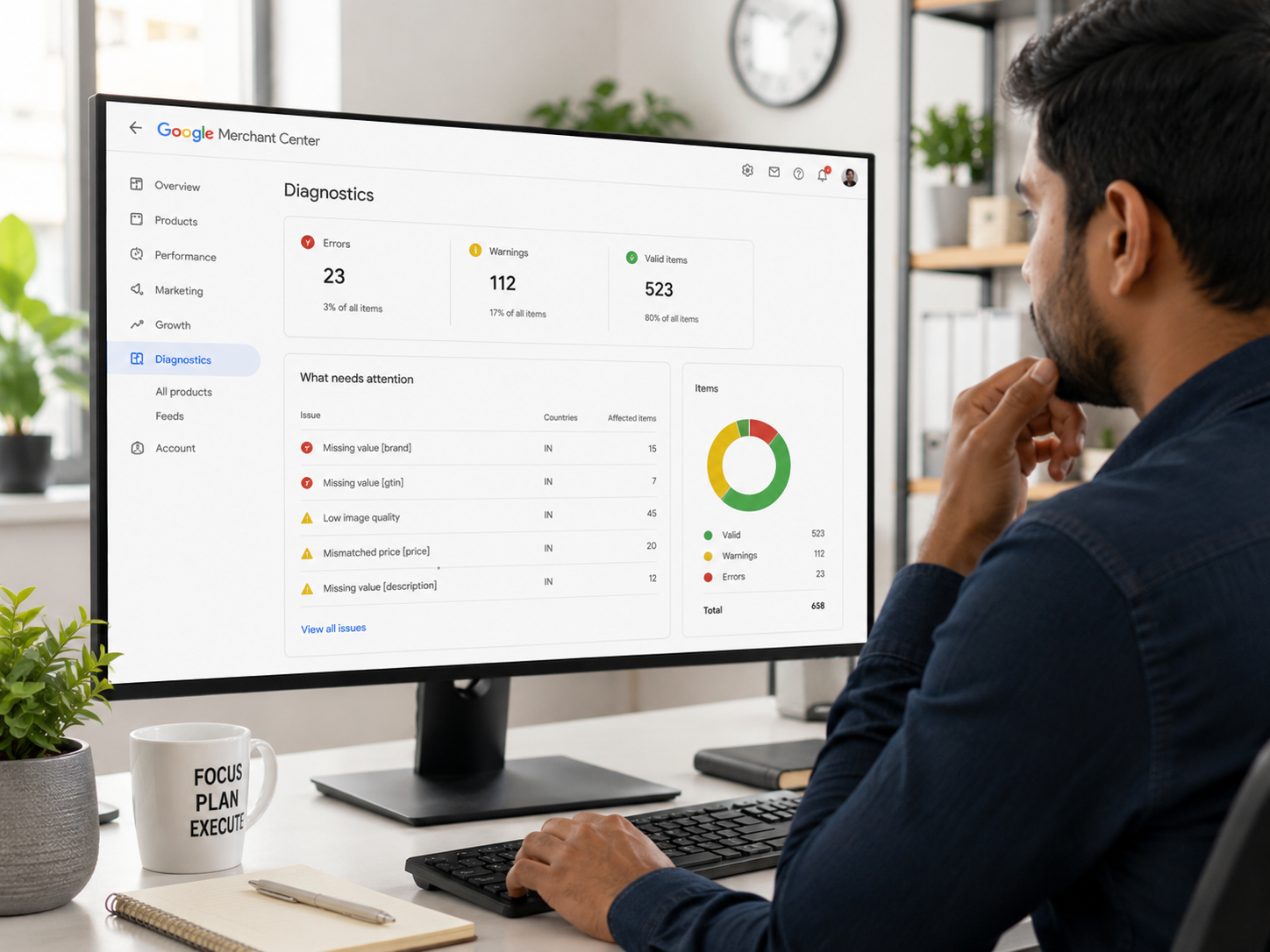
You fix disapproved products by opening the specific error in the Merchant Center Diagnostics tab, correcting the underlying data in Shopify so it matches what Google expects, and then requesting a review or waiting for the next scheduled resync.
- Open the “Need attention” tab in Merchant Center and read the exact error, not just the category.
- Cross-check the flagged attribute, such as price, GTIN, or shipping, against your live Shopify product page.
- Correct the data at the source in Shopify rather than only in the feed, so future syncs stay accurate.
- For image errors, upload a larger, compliant image through your Shopify files and update the reference.
- Resubmit or request a review once the fix is live; Google typically reviews corrected items within a few business days.
- Set a recurring weekly check so new disapprovals are caught early rather than discovered after weeks of lost visibility.
Which Product Attributes Matter Most for Shopify Feed Optimisation?
The attributes with the biggest impact on visibility are product title, Google product category, GTIN or valid custom identifier, image quality, price accuracy, and availability status. Getting these six right resolves the majority of feed performance issues on a typical Shopify store.
| Attribute | Why It Matters |
|---|---|
| Title | Drives keyword matching, capped effectively at ~70 characters |
| Google Product Category | Determines which searches and auctions the product qualifies for |
| GTIN / Identifier | Required for most products to sync at all |
| Image | Must meet minimum size and show the real product |
| Price & Availability | Must match the live store exactly to avoid disapproval |
| Shipping & Tax | Missing data causes ongoing, recurring disapprovals |
Does Feed Optimisation Help If You Are Not Running Paid Ads?
Yes. Feed optimisation directly affects free product listings, which now appear across the Shopping tab, Google Images, Google Lens, and YouTube for the large majority of retail search results, independent of any ad spend.
Many Shopify store owners assume the feed only matters for Performance Max or Shopping campaigns. In reality, the same feed data determines whether a product is eligible to appear in Google’s free listings at all. A store that has never run a single Shopping ad can still lose significant organic-style visibility simply because its feed has generic titles and missing categories.
What Does Shopify Product Feed Optimisation Typically Cost?
Shopify feed optimisation pricing varies by catalogue size and the number of issues found, and is best treated as a project-based service rather than a fixed monthly fee. As of 2026, agencies typically price feed audits and clean-ups starting from a few hundred dollars for smaller catalogues, scaling up for stores with several thousand SKUs or complex multi-country feeds.
Rather than quote a fixed number that will not fit every store, we recommend getting a personalised proposal from RankMyShopify by calling 9888923755 or emailing info@rankmyshopify.com, so the scope reflects your actual catalogue size and current feed condition.
Ready to scale your Shopify store?
Book a free 30-minute growth call with our Shopify specialists. We’ll audit your store and share an actionable roadmap — no obligations.

